Covers.pdf - 第13页
COVERS MACHINE COVERS Chapter Issue 2 Sep 09 Technical Reference Manu al 3.13 When refitting, the cont act body is aligned with the bezel. 6. Release the quarter-turn ring latch fastener , located internally at the top f…
COVERS
MACHINE COVERS
3.12 Technical Reference Manual Chapter Issue 2 Sep 09
Upper Side Panels To remove an upper side panel, carry out the following:
1. Lift the sliding glass cover.
2. Lift the rear printhead cover.
3. Remove the safety cover.
4. At the front of the upper side panel, remove the appropriate upper panel
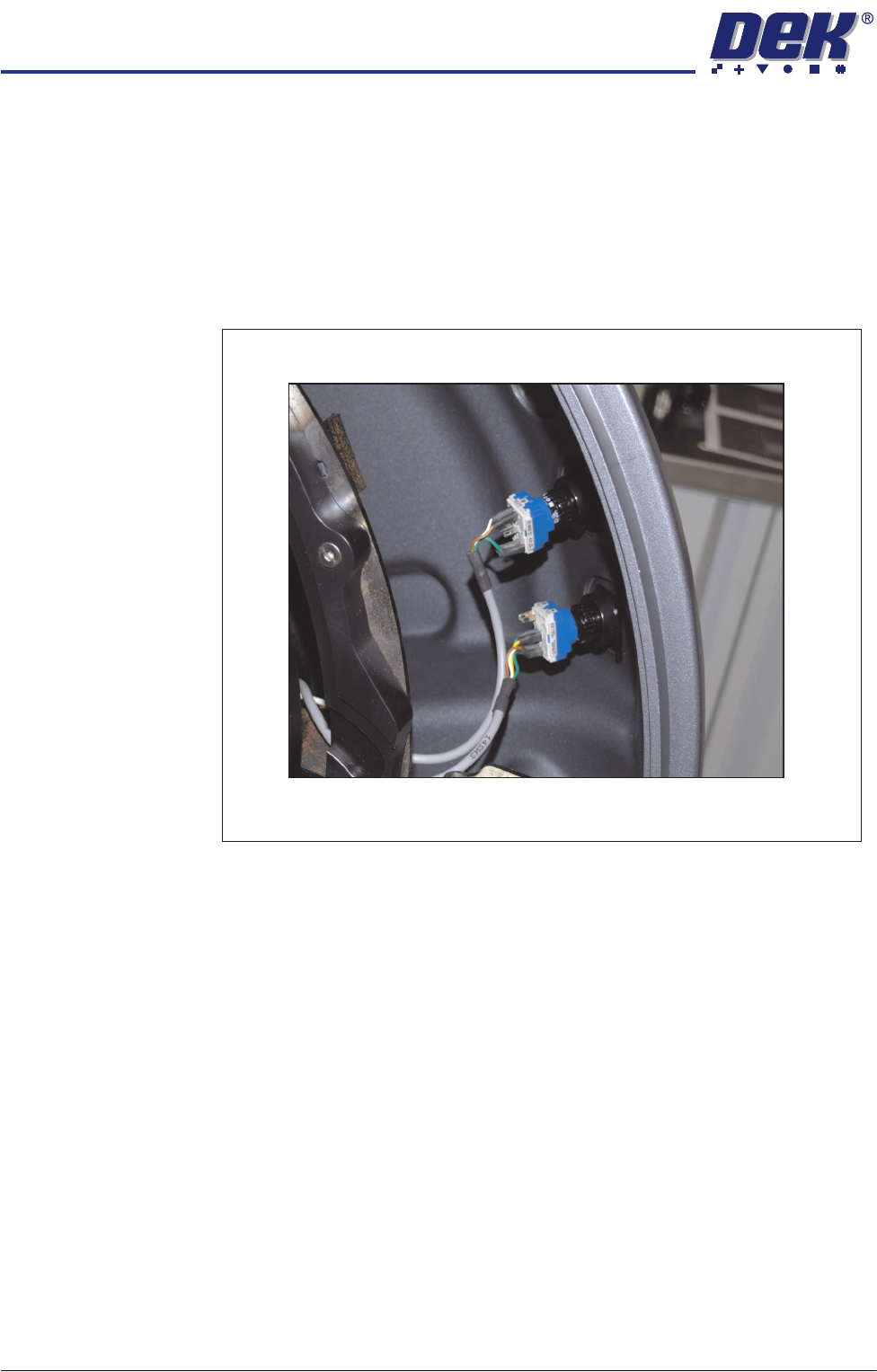
switch contact blocks (System, Jog or Internal light.) The blocks are located
at the rear of the switch bezel.
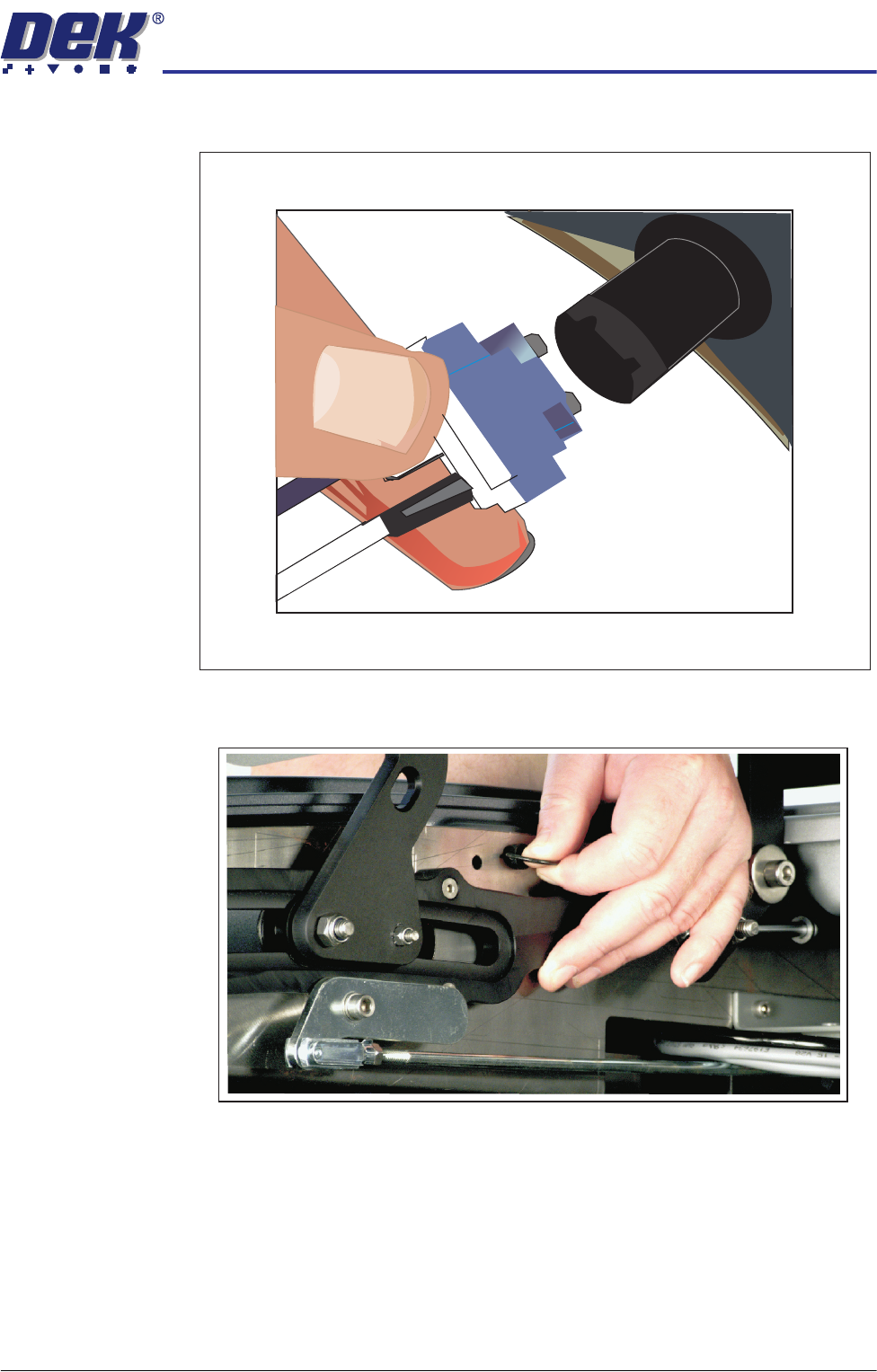
5. The contact block can be separated from the bezel, (hold the body part to
remove the contact blocks, not the switch wires) by pulling it out of the bezel.
Switches (System, Jog)
COVERS
MACHINE COVERS
Chapter Issue 2 Sep 09 Technical Reference Manual 3.13
When refitting, the contact body is aligned with the bezel.
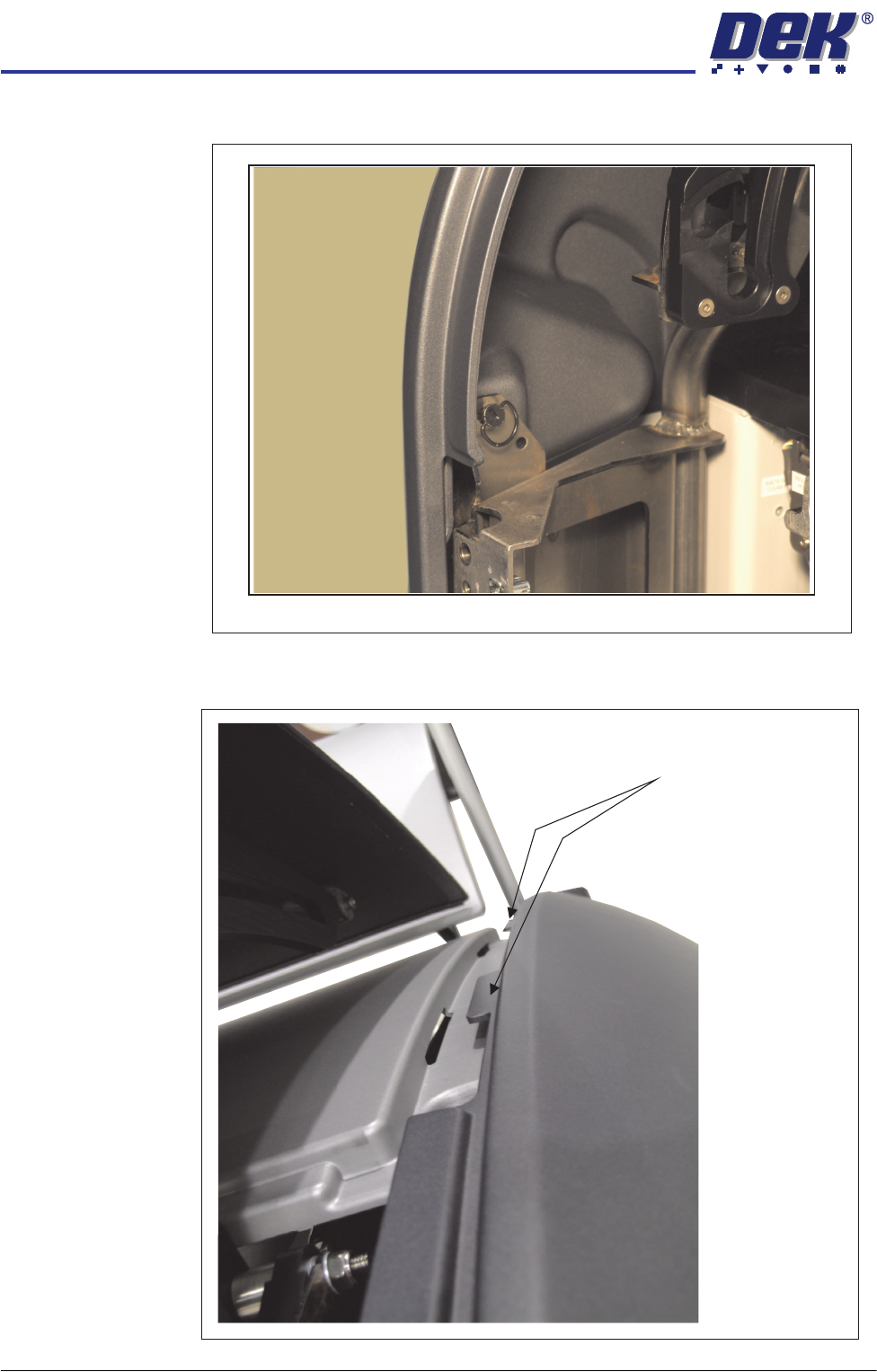
6. Release the quarter-turn ring latch fastener, located internally at the top front
of the cover.
7. Release the front and rear quarter-turn ring latches located above the front
Switch Contact Block Removed
COVERS
MACHINE COVERS
3.14 Technical Reference Manual Chapter Issue 2 Sep 09
and rear corner panels respectively.
8. Pull the top edge of the cover out to release the locating tabs from the top
edge.
Quarter-Turn Ring Fastener
Panel Locating Tabs