ePM 中文操作說明.pdf - 第11页
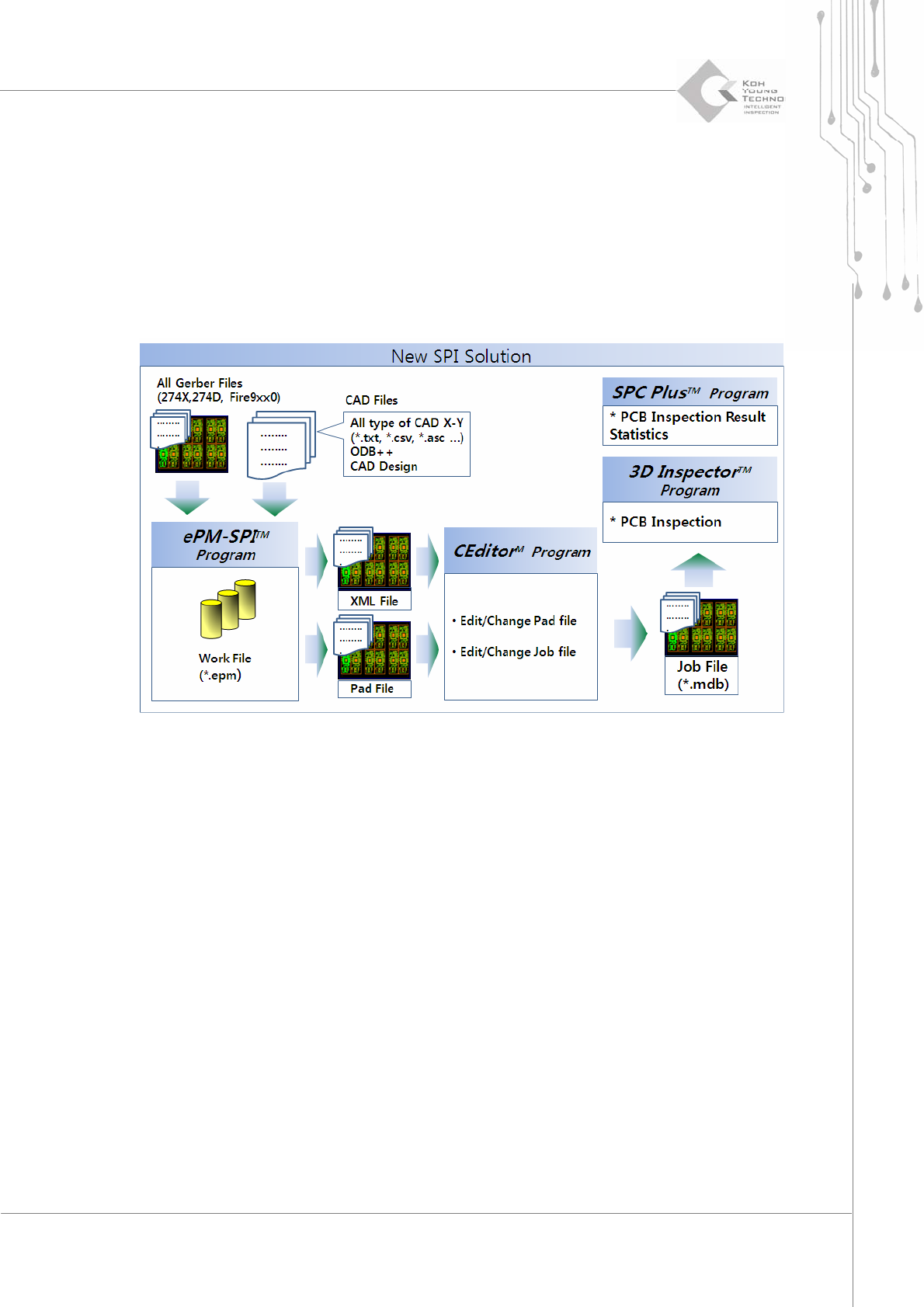
Programmer ’ s Manual | 11 1. ePM-SPI 軟體介紹 ePM-SPI 程式是應用於印刷電路板上檢查銲墊上錫膏的前置程式編輯 軟體. ePM-SPI 軟體可經由取得印 刷鋼板的Gerber(*.gbr) 重新編輯PCB上的銲墊資料(*.pad) 以供檢測之依據. 銲墊資料經由CEditor轉換成Job file (*. mdb) 以提供足夠資訊讓aSpire2系統透過3D 檢測鏡頭擷取錫膏 影 像, 以下…

10 | Chapter 2. ePM-SPI
TM
3DSolderPasteInspectionSystem
Version 1.0
KOH YOUNG TECHNOLOGY. INC.
系統需求
以下是
ePM-SPI
對於硬體需求的建議
¾ CPU: Intel Pentium processor ( more than 1GHz is recommended)
¾ RAM: More than 1GB is recommended
¾ VGA: The graphic card which provide more than 1024 * 768 pixel.
¾ OS: Windows 2000, Windows XP or Windows Vista
Note: 操作
ePM-SPI
時務必將硬體鎖插在USB插槽中.
Programmer’s Manual | 11
1. ePM-SPI 軟體介紹
ePM-SPI
程式是應用於印刷電路板上檢查銲墊上錫膏的前置程式編輯軟體.
ePM-SPI
軟體可經由取得印
刷鋼板的Gerber(*.gbr) 重新編輯PCB上的銲墊資料(*.pad) 以供檢測之依據.
銲墊資料經由CEditor轉換成Job file (*.mdb) 以提供足夠資訊讓aSpire2系統透過3D 檢測鏡頭擷取錫膏影
像, 以下是Pad file (*.pad) 經由aSpire2上的
ePM-SPI
轉換成Job file (*.mdb) 的方式簡介.
以下是
ePM-SPI
主要功能
1) 輸入 CAD file
2) 輸入/轉換Gerber file (RS-274X: 建議使用, RS-274D),
3) 群組化設定/解群組 (可輕易選取/取消同類型Pad),
4) 產生 Pad file (*.pad) 供SPI設備使用.
12 | Chapter 2. ePM-SPI
TM
3DSolderPasteInspectionSystem
Version 1.0
KOH YOUNG TECHNOLOGY. INC.
2. 安裝ePM-SPI
以下是 “
ePM-SPI
" 安裝流程.
2.1. 步驟 1. ePM-SPI 工具安裝
當您安裝“
ePM-SPI
" 軟體時, 請關閉其他使用中的程式並放入安裝光碟.
1. 正常情況下, 光碟會自動執行安裝,如果沒有使用滑鼠雙擊“ePMSPISetup.exe"如下圖 Figure 2-1.
Figure 2-1. ePMSPISetup.exe Icon
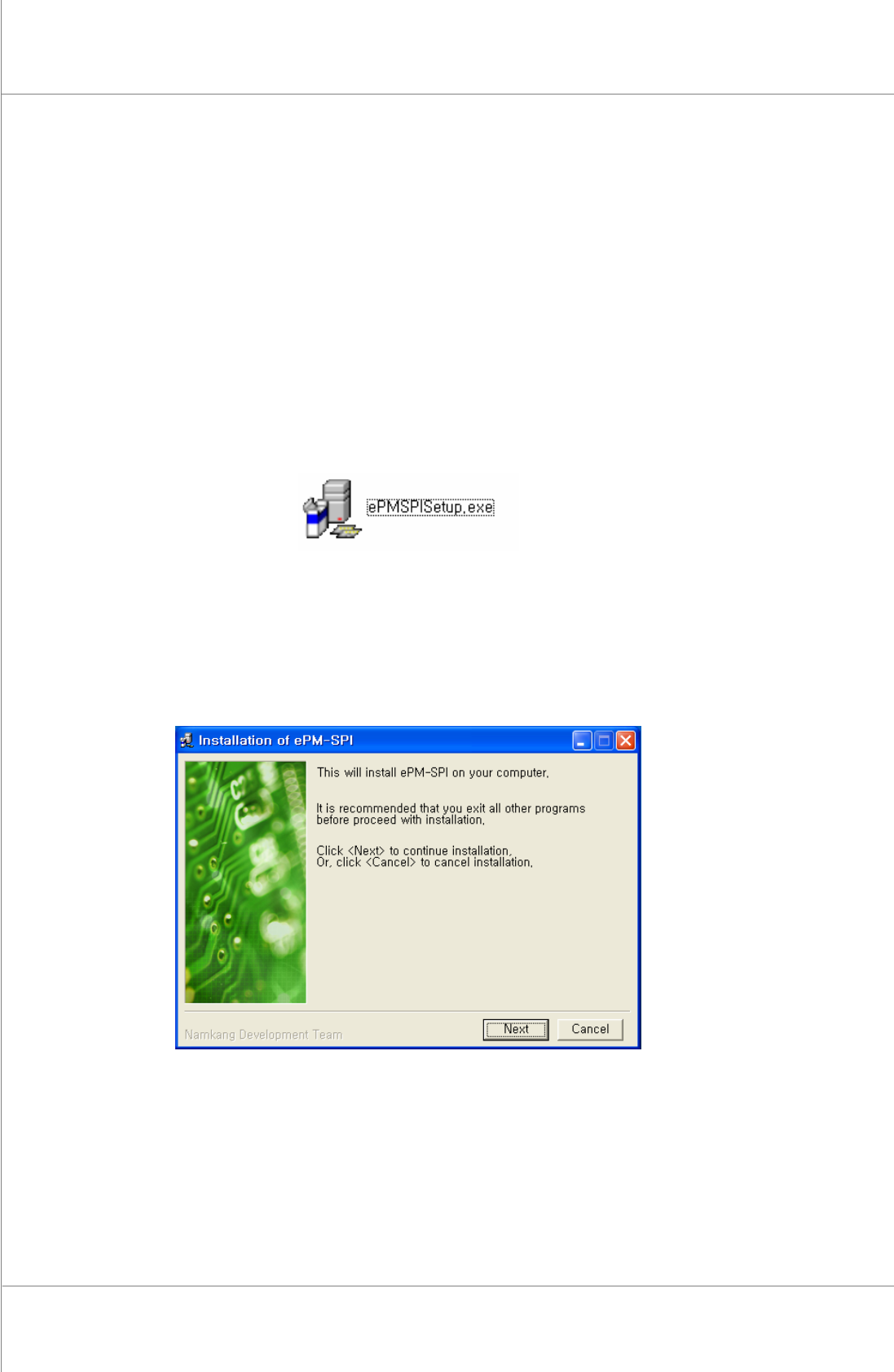
2. 圖Figure 2-2 為
ePM-SPI
安裝畫面. 如果使用者同意, 請擊點“Next"按鈕. 如果不安裝, 請擊點
“Cancel" 按鈕.
Figure 2-2. ePM-SPI Installation Window