ePM 中文操作說明.pdf - 第27页
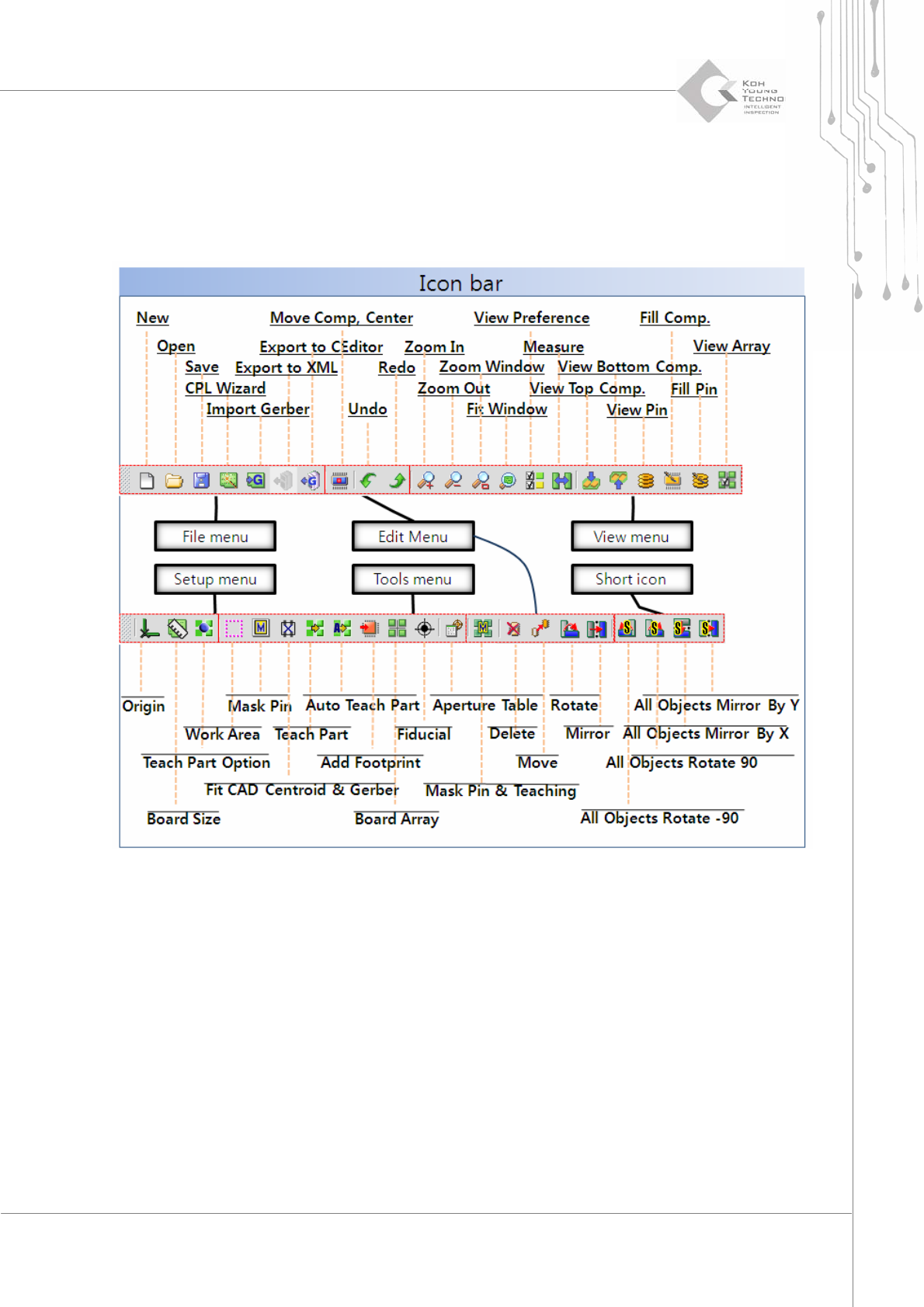
Programmer ’ s Manual | 27 3.2. Icon Bar 圖示 “Icon bar"圖示有助於讓使用者更清楚了解如何 操作本軟體, 請 參考以下圖解關於各種 ePM-SPI 軟體 中顯示的圖示解說. Figure 3-2 . Brief Exp l anation of Icon Bar 以上解說為各圖示功能, 若需詳細內容可參考圖 3.1. Menu Bar" .
26 | Chapter 2. ePM-SPI
TM
3DSolderPasteInspectionSystem
Version 1.0
KOH YOUNG TECHNOLOGY. INC.
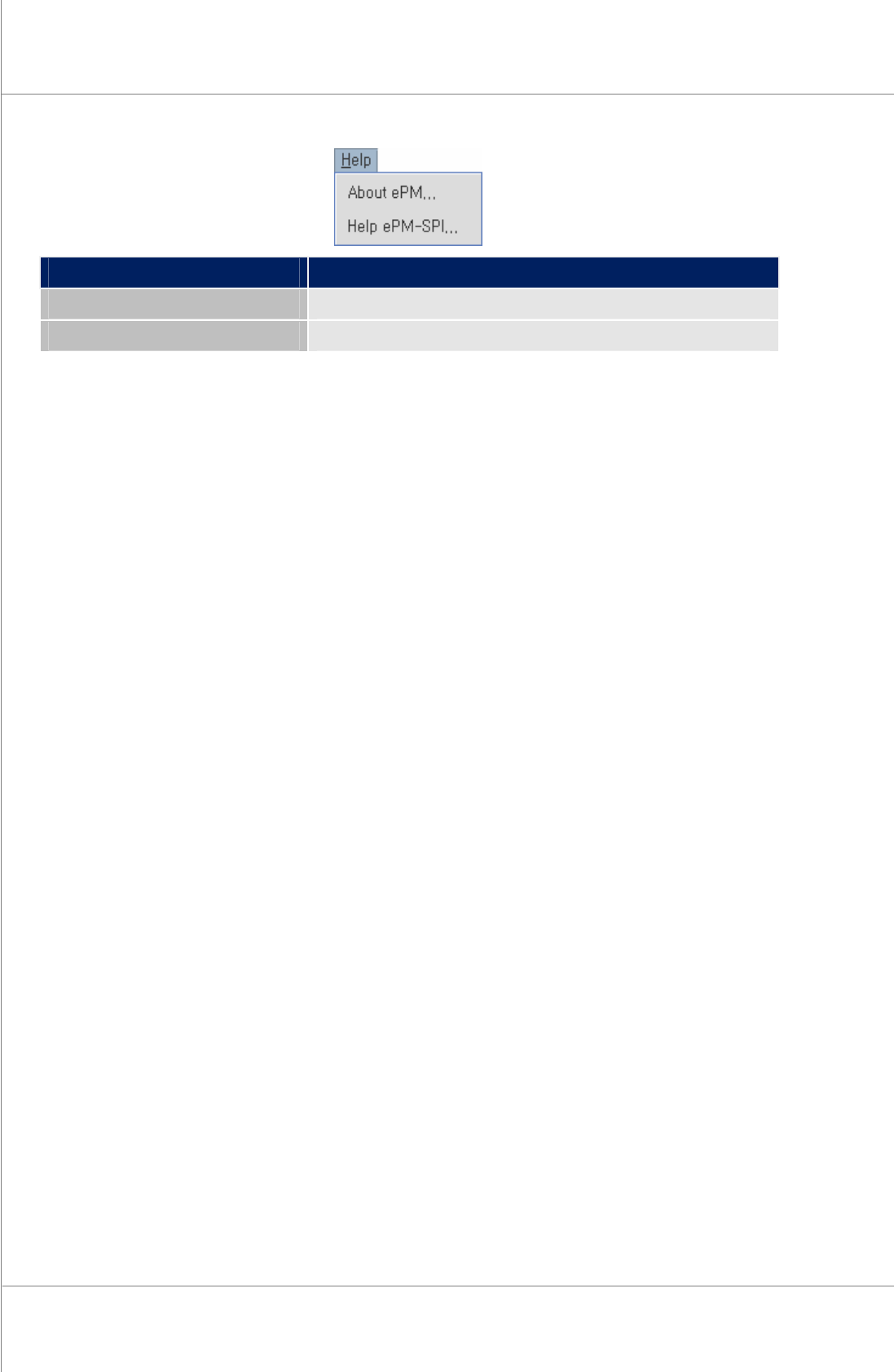
Menu Information
About ePM 版本與版權
Help ePM-SPI 使用手冊
Programmer’s Manual | 27
3.2. Icon Bar 圖示
“Icon bar"圖示有助於讓使用者更清楚了解如何操作本軟體, 請參考以下圖解關於各種
ePM-SPI
軟體
中顯示的圖示解說.
Figure 3-2. Brief Explanation of Icon Bar
以上解說為各圖示功能, 若需詳細內容可參考圖 3.1. Menu Bar" .
28 | Chapter 2. ePM-SPI
TM
3DSolderPasteInspectionSystem
Version 1.0
KOH YOUNG TECHNOLOGY. INC.
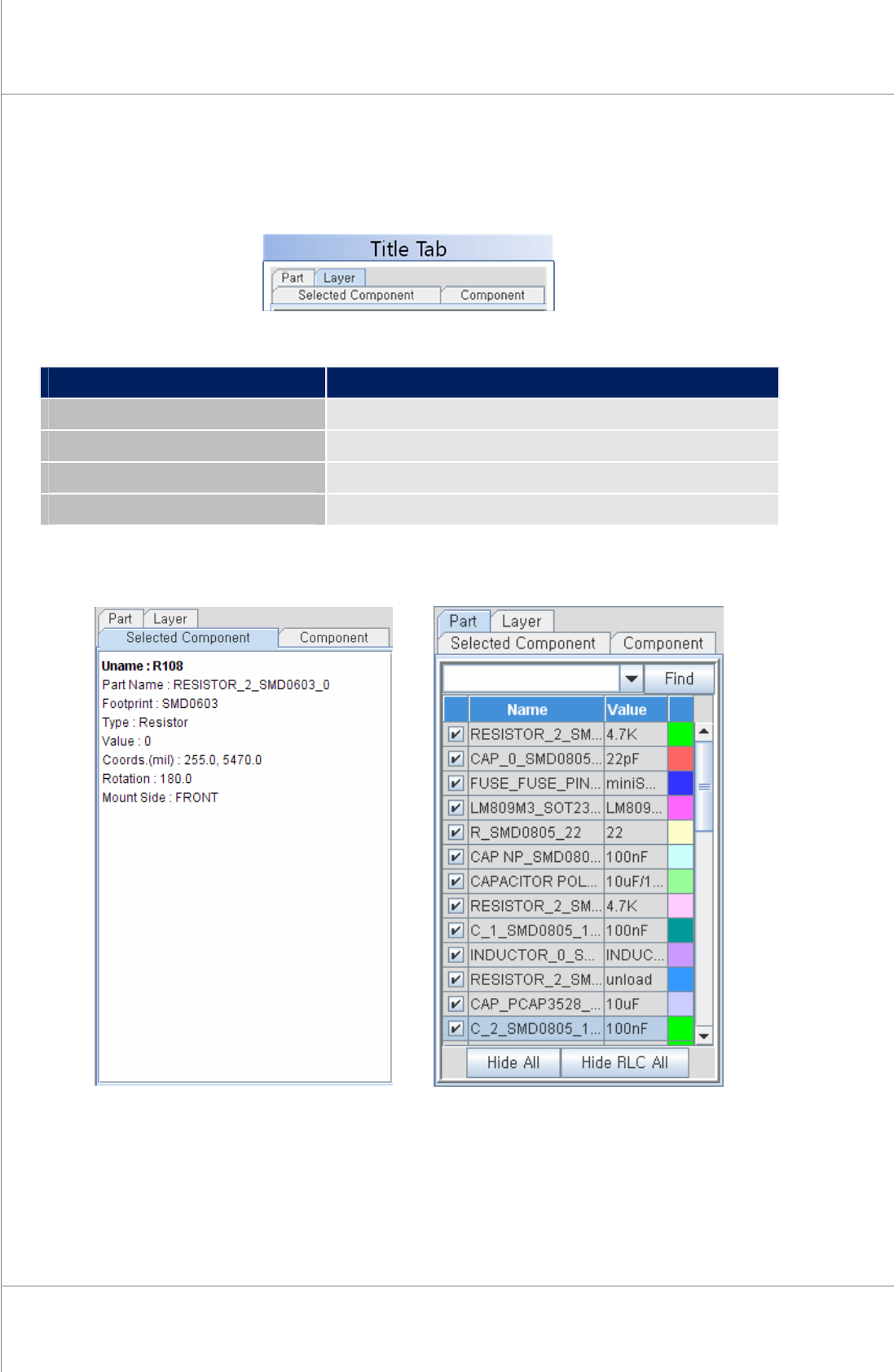
3.3. Title Tab & Sub Items 標題按鍵與附屬項目
提供使用者更簡便的操作模式.
Title Description
Part 顯示元件清單
Layer 顯示Gerber 圖層
Selected Component 顯示選擇零件資料與工作視窗
Component 顯示零件清單
The sub item at the right side of
ePM-SPI
lists all part, layer & component for the PCB.