TK52705.PickHeightTeaching.pdf - 第25页
Product Engineering Division SMT Sect ion Robotics Operations Y AMAHA MOTOR CO., L TD. MDOC-SOFT50389 25/26 (5) The [Registr ation ne w m ark into dat abase] window appears . Enter the mark database number , and …
Product Engineering Division
SMT Section
Robotics Operations
YAMAHA MOTOR CO., LTD.
MDOC-SOFT50389
24/26
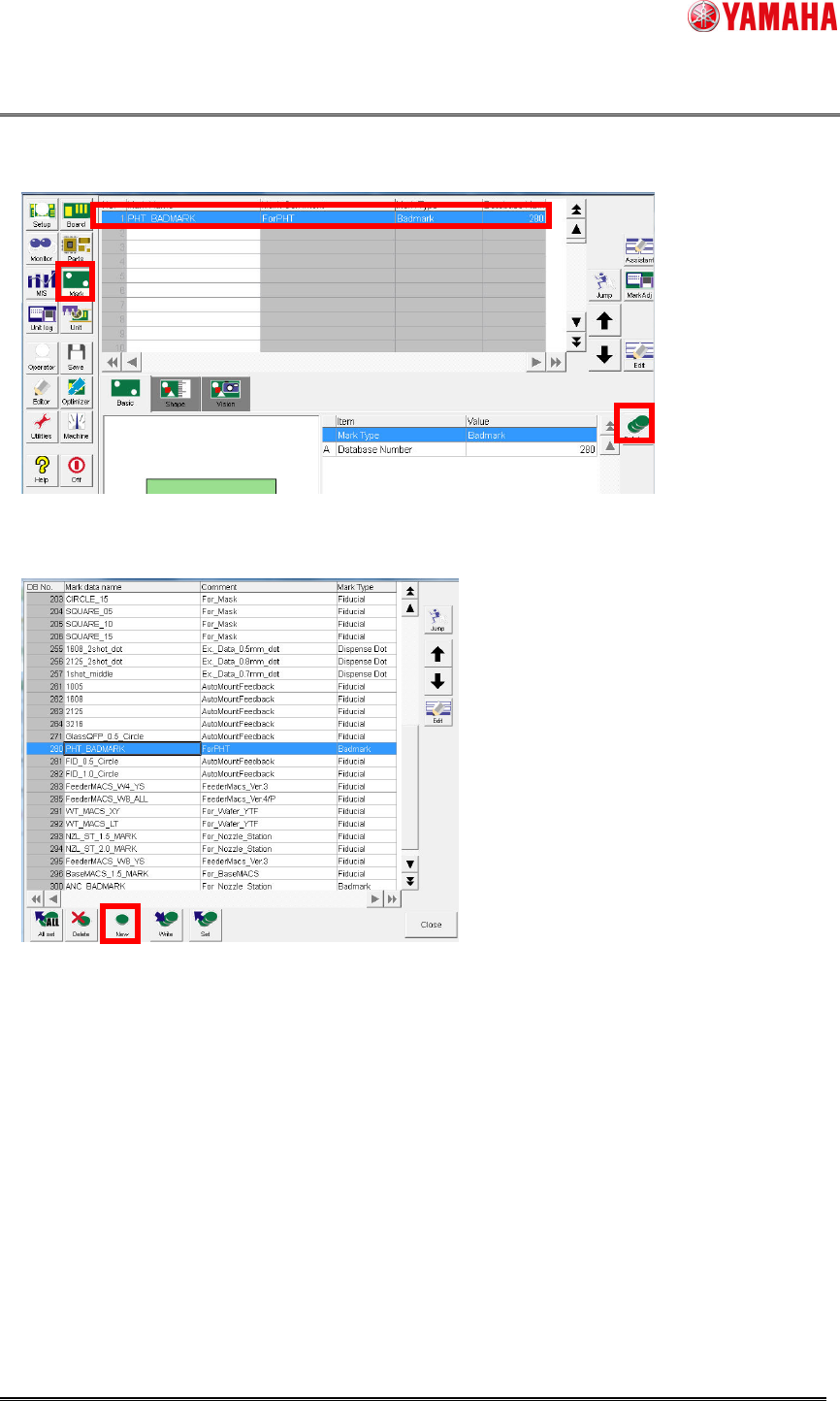
(3) Press the [Mark] button. Select mark data of “PHT_BADMARK”, then press the
[Database] button.
(4) The [Mark database overview] window appears. Press the [New] button.
Product Engineering Division
SMT Section
Robotics Operations
YAMAHA MOTOR CO., LTD.
MDOC-SOFT50389
25/26
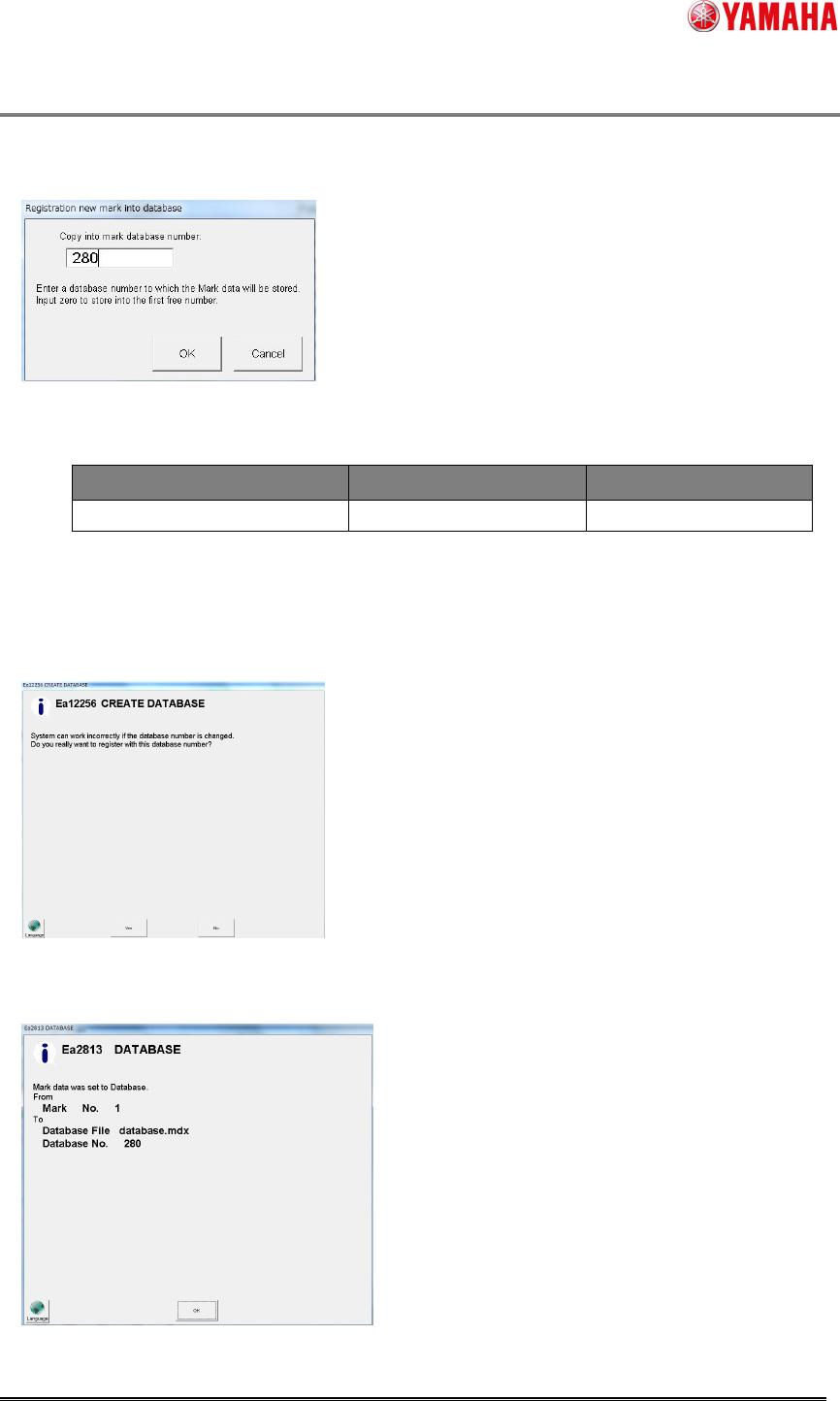
(5) The [Registration new mark into database] window appears. Enter the mark database
number, and press the [OK] button.
Database number is as follows.
■ Common in all machines
Mark Name Comment Database Number
PHT_BADMARK ForPHT 280
(6) If the following message is displayed when you try to register parts data in the above
number, press [Yes]. If this message is displayed with other than 280, please change the
number.
(7) The completion message is displayed. Press [OK].
Product Engineering Division
SMT Section
Robotics Operations
YAMAHA MOTOR CO., LTD.
MDOC-SOFT50389
26/26
(8) Confirm that mark data is added to the mark database list.
This is the end of mark database registration.
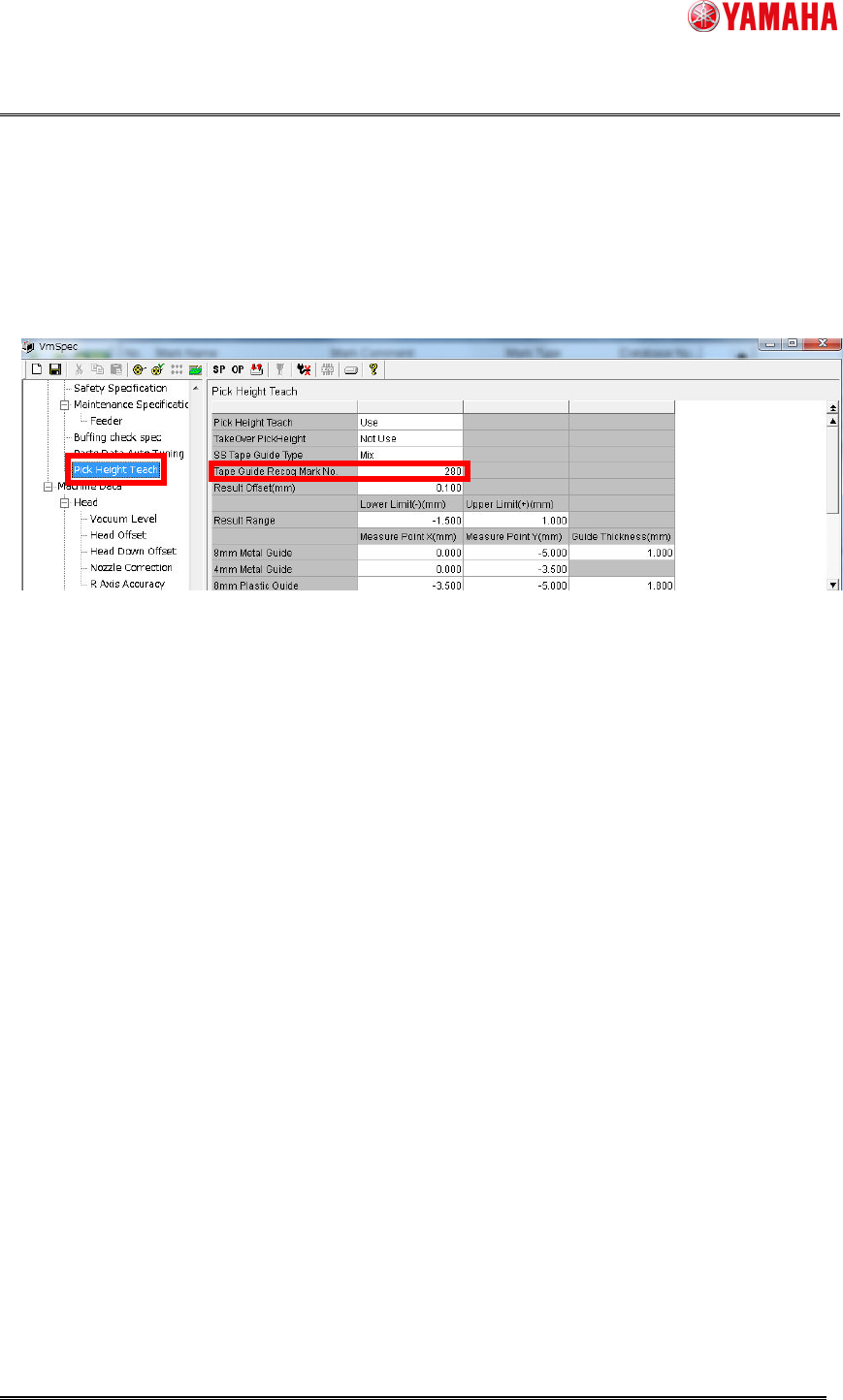
(9) Next, apply the registered mark database to the pick height teach setting.
Open the machine setting.
(10) Select [Machine]-[Machine Data]-[Specification Information]-[Pick Height Teach]
(11) Enter the registered database number into [Guide Recognition Mark number].
(12) Save the setting, and reload the board data.