80S-2080F480F4-680F5 User’s Manual.pdf - 第288页
SIPLACE 80S-20/F4/F4-6/F5 User’s Manual 5 Vision Functi on s Edition 03/98 from S oftware Version SR.404.xx 5.5 Teach Fiducial Line engi neer 5 - 67 5.5. 6.2 Test Option If you cl ick on the Te st button the Test fiducia…
5 Vision Functions SIPLACE 80S-20/F4/F4-6/F5 User’s Manual
5.5 Teach Fiducial Edition 03/98 from Software Version SR.404.xx
5 - 66 Line engineer
5.5.6.1
Center
Option
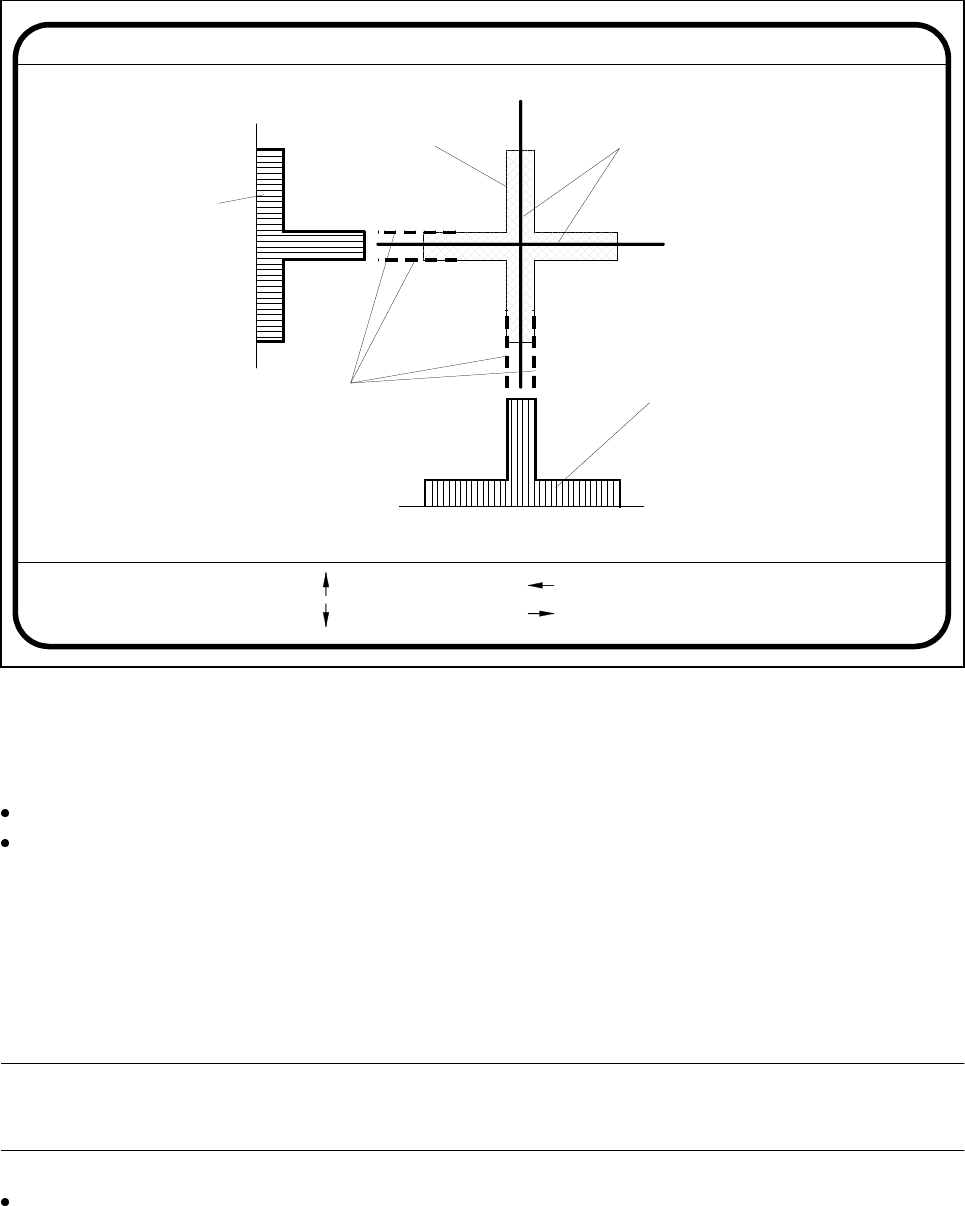
If you click on the Center button the Test fiducial menu will close and the video image be shown on the
screen. The picture shows the 2D fiducial structure and the rows and columns profiles of the 1D structure
used for determining precisely the center of the fiducial. Header and footer will be shown as well.
Fig. 5.5.17 Test fiducial menu, Center video image
The Center function determines via software the center of the fiducial. The parameters for the function - these
are the edges of the fiducial structure - you can select via a dialog. The system draws edge line markings as
suggestions at possible edge positions.
With the arrow keys shift the current edge line marking designated in the header.
With Return you can accept the position of the suggested edge line marking or the one whose position
you changed. The system will then show you the next edge line marking. The sequence in which interroga-
tion takes place is ’Fiducial edge left’, ’Fiducial edge right’, ’Fiducial edge top’ and lastly ’Fiducial edge bot-
tom’. This notation appears in the header.
The results of fiducial centering are indicated by a cross. The x and y offset values of the fiducial center will be
entered in the fiducial data field.
PLEASE NOTE:
An incorrectly centered fiducial will cause a placement offset.
Press the Esc key to quit the option and return to the Test fiducial menu.
Edge ok
Fiducial No. = 8 Edge = left
Ret :
Center fiducial
: up
: dn
: right
: left
Fiducial
Result: Centering crosshair
Edge line markings to be shifted
via cursor keys
Row profile of fiducial
Column profile
of fiducial
SIPLACE 80S-20/F4/F4-6/F5 User’s Manual 5 Vision Functions
Edition 03/98 from Software Version SR.404.xx 5.5 Teach Fiducial
Line engineer 5 - 67
5.5.6.2
Test
Option
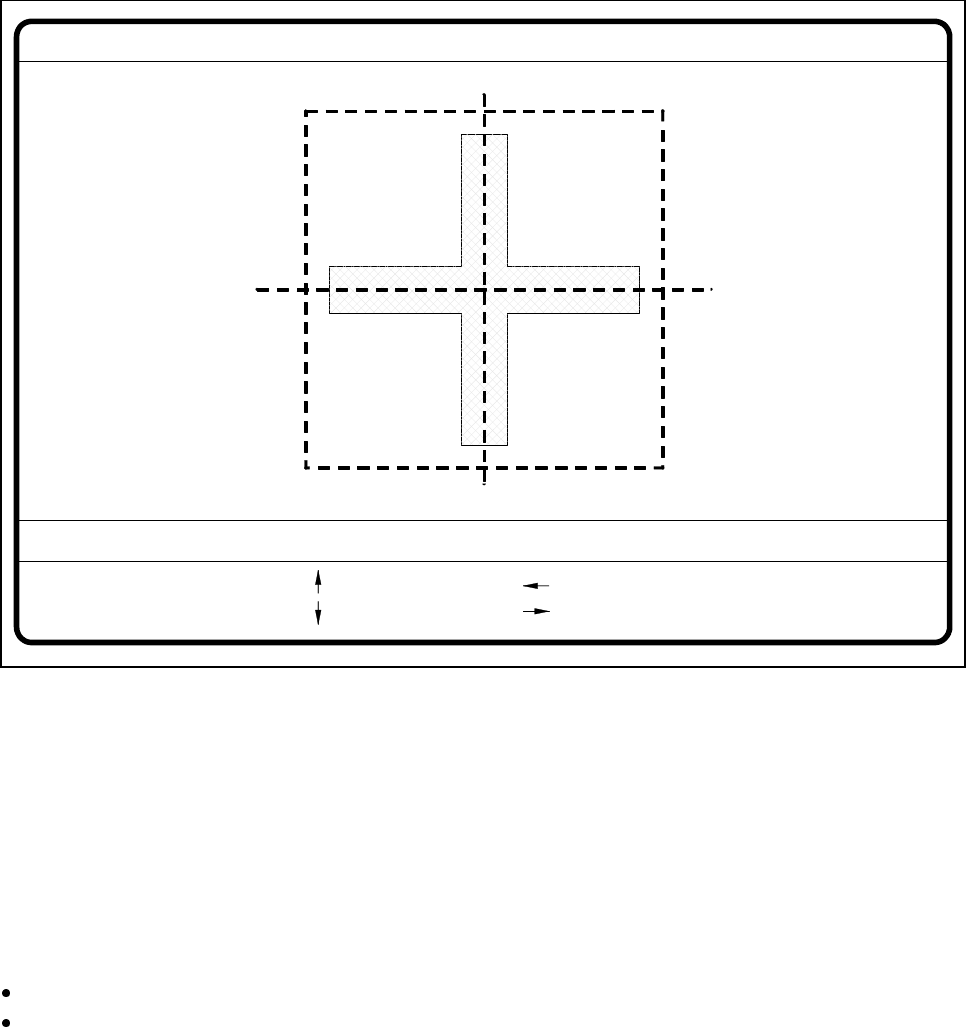
If you click on the Test button the Test fiducial menu will close and the video image be displayed on the
screen.
Fig. 5.5.18 Test fiducial menu, Test video image
The dimensions of the pattern structure and search area are stored in the station computer. These figures are
required for calculating the travel path for the corners test. The centering offsets of any fiducial centering
which may already have been carried out will also be taken into account in calculating the travel path. Follow-
ing this
– the test will be shown in the video image as it runs,
– the header will be shown with the option, the fiducial number and the quality factor, and
– in the footer the operator fields and command sequences will be shown and a test started which deter-
mines the fiducial’s quality factor.
By pressing the Return key you can repeat the test procedure.
You can change the position of the gantry with the arrow keys. By entering the numbers 1 - 6 you can
change the step width.
The PCB camera travels into the 4 corners of the search area and each time issues a measurement com-
mand. For each measurement command the machine controller is provided with the fiducial quality by the
vision evaluation unit (MVS). The worst value (which is the worst case) of the test is displayed on the screen
in the header.
The quality value will be a figure between 0 (= bad) and 100 (= very good) and should not fall below the value
40 for the fiducial and the ink dot. If it does, we recommend you choose another fiducial.
Fiducial No. = 8 Quality fact. = 70Test fiducial
test
1..6 : x/y step
Ret :
x/y step width = ...
: x axis +
: x axis -
: y axis +
: y axis -
5 Vision Functions SIPLACE 80S-20/F4/F4-6/F5 User’s Manual
5.5 Teach Fiducial Edition 03/98 from Software Version SR.404.xx
5 - 68 Line engineer
5.5.6.3
Move X/ Y Axes
Option
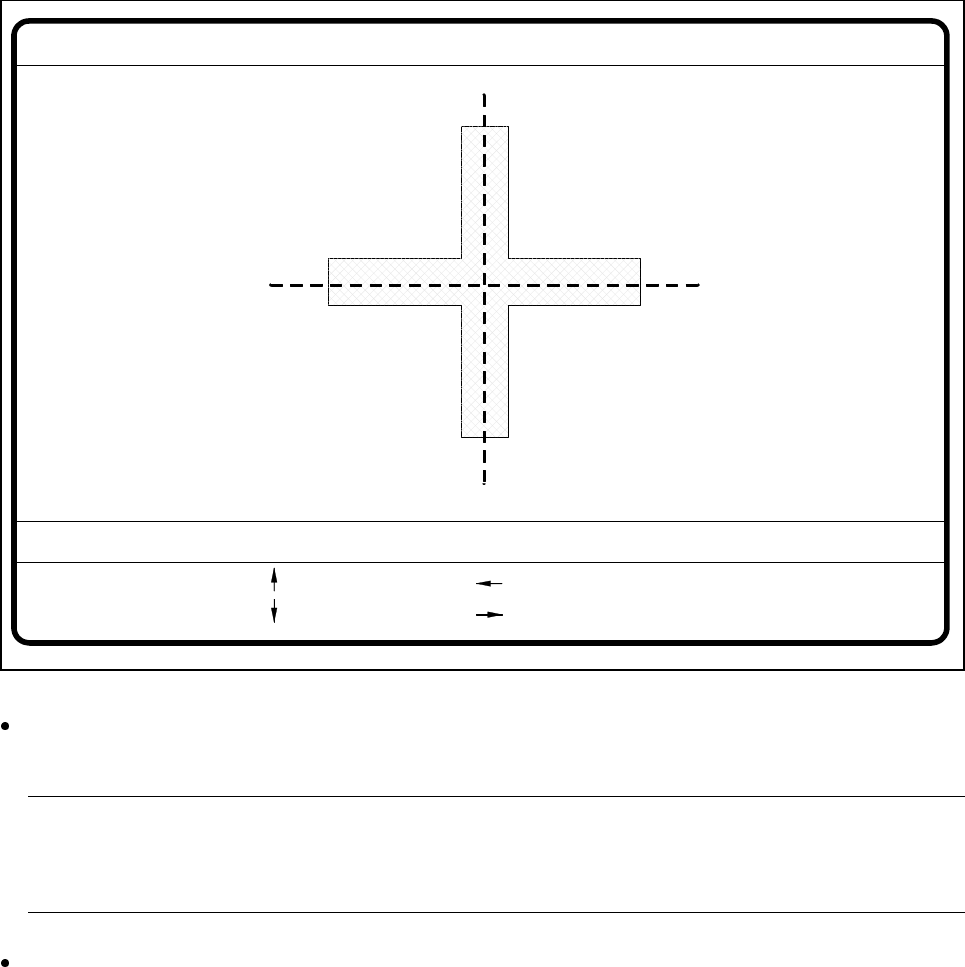
When you select this option from the Test fiducial menu, the station computer will have the following actions
carried out:
– The screen will close the Test fiducial menu and will switch over to the video image. At the same time the
current camera position will be displayed and the operator field option dropped down.
– If there is the risk of a crash the axis controllers will be blocked.
Fig. 5.5.19 Test fiducial menu, Move x/y axes video image
After selecting the step width (by choosing a number between 1 and 6) you can use the arrow keys to
change the camera position of gantry 1.
NOTE
The default teaching gantry is always Gantry 1. You can however select Gantry 2 for this by using the
Select gantry option (see Section 5.5.3.1, Page 5 - 49).
With Esc you can quit the option. The Test fiducial menu will be displayed again.
: x axis +
: x axis -
: y axis +
: y axis -
1..6: x/y step
x pos. cam = y pos. cam =
Move x/y axes
x/y step width =