88226673-01-03 Technical Reference Manual - (Production Iss 03 November 2020).pdf - 第11页
Issue 03 November 2020 OPERATION Initializing the Machine 1. On completion of the Printer/TM TCM i nstallation turn the T M T CM Is olator to the O N position (FIG 5). The Green lamp should illuminate indicat i ng that t…
Issue 03 November 2020
Indicator Beacon
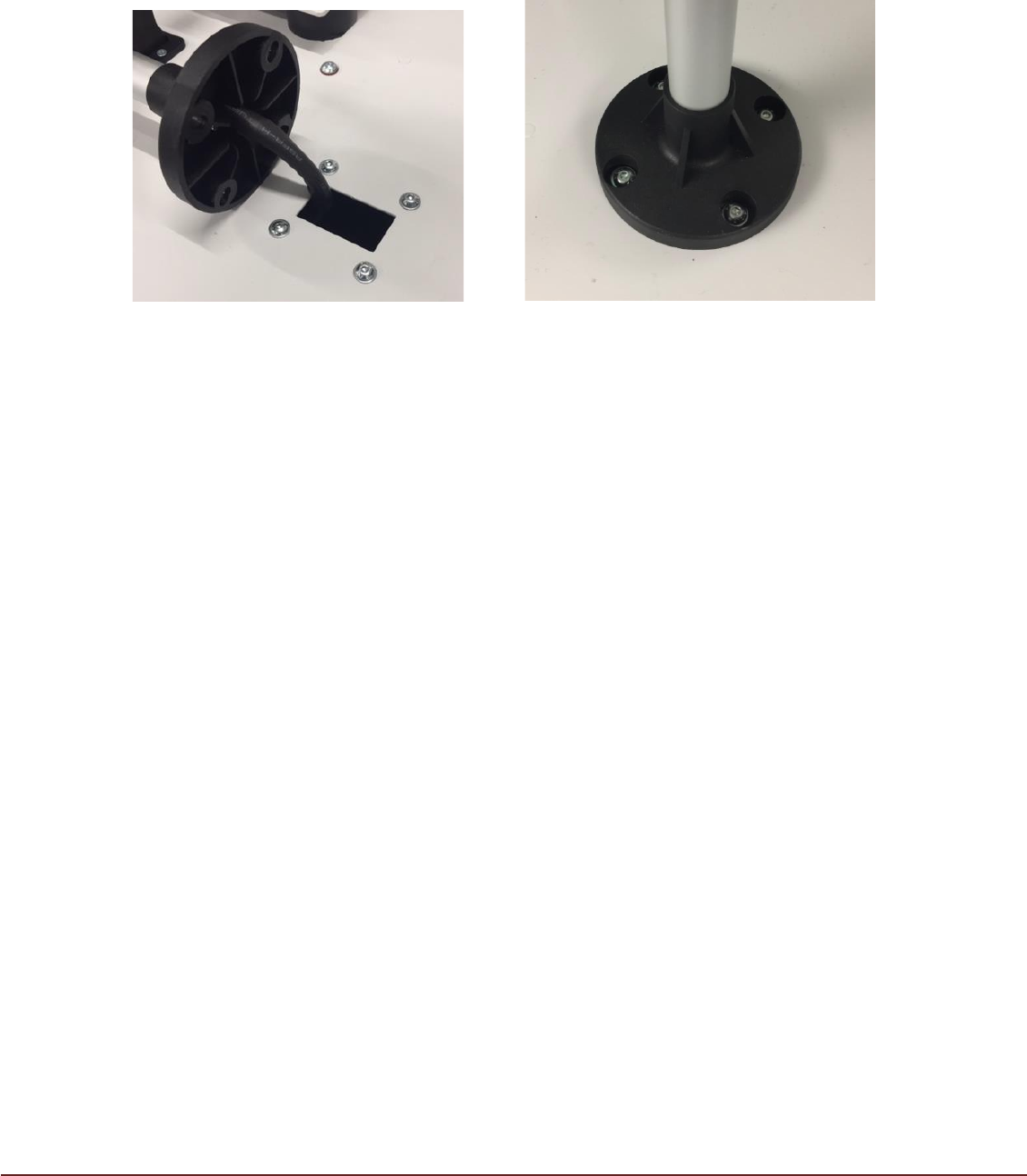
Remove the indicator beacon from its protective packaging. Remove the four M4 button
head screws from the top of TM TCM (FIG 3), position the beacon so that the four
screws can be re-inserted and fixed to hold the beacon in place (FIG 4).
FIG 3 FIG 4
Issue 03 November 2020
OPERATION
Initializing the Machine
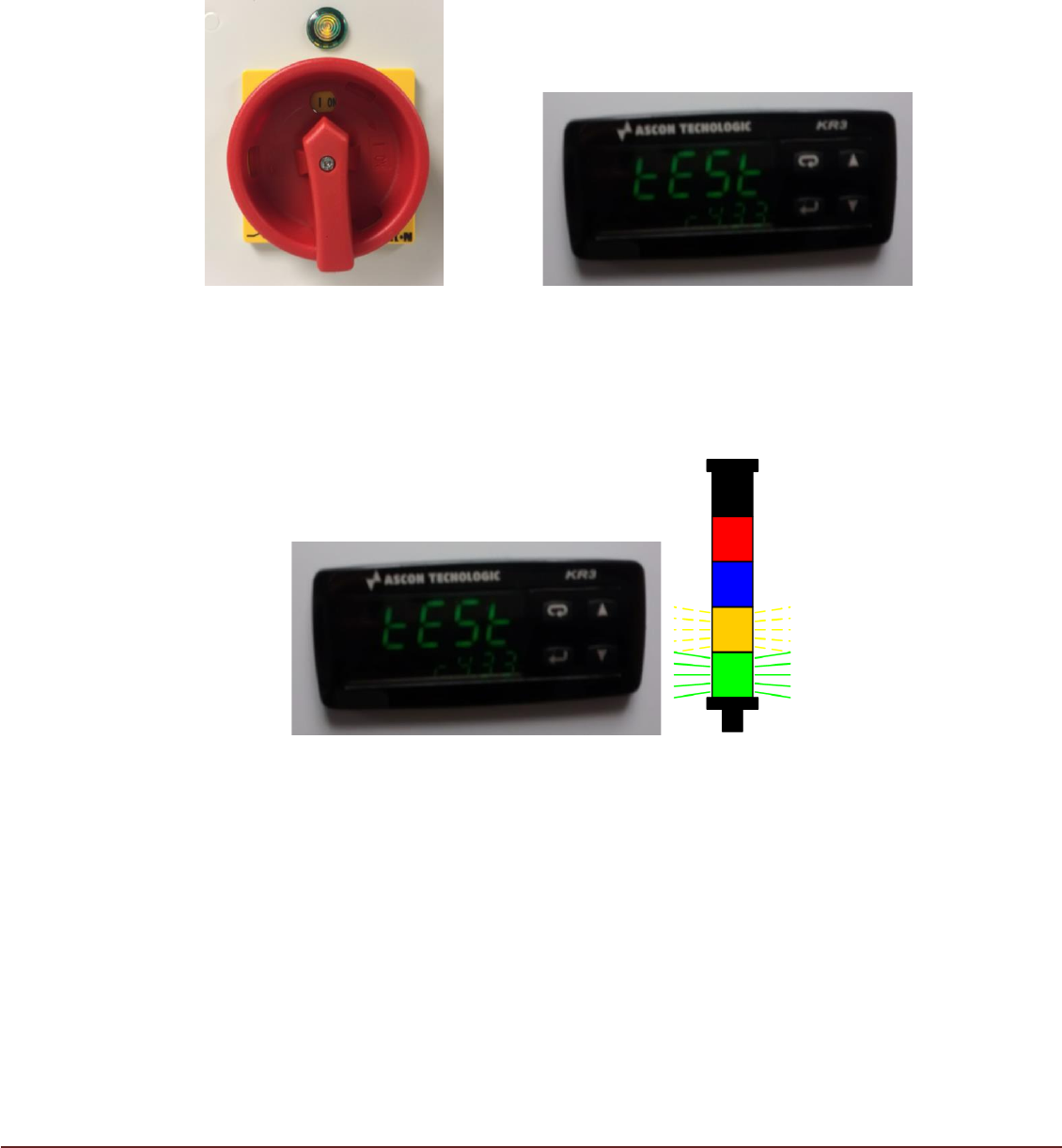
1. On completion of the Printer/TM TCM installation turn the TM TCM Isolator to the ON
position (FIG 5). The Green lamp should illuminate indicating that the TCM is energized
and the Controller display will initially show as (FIG 6) with ‘TEST’ flashing.
FIG 5 FIG 6
2a. After approximately 5 seconds, the Controller display will change. If no output
temperature signal is available from the printer, the controller will display ‘0.0’ and
the Orange beacon segment flash quickly. The TM TCM will not start (FIG 7).
Note:
FIG 7
The printer does not output temperature signal to the TM TCM until the initialization
sequence has completed. If after 1 min a temperature signal is still not present the
Orange beacon flashes at a slower rate. After a further 1 min without signal the Amber
beacon is continuously lit. These periods are determined by the ‘Disconnect’ and
‘Shutdown’ settings on the control PCB.
Issue 03 November 2020
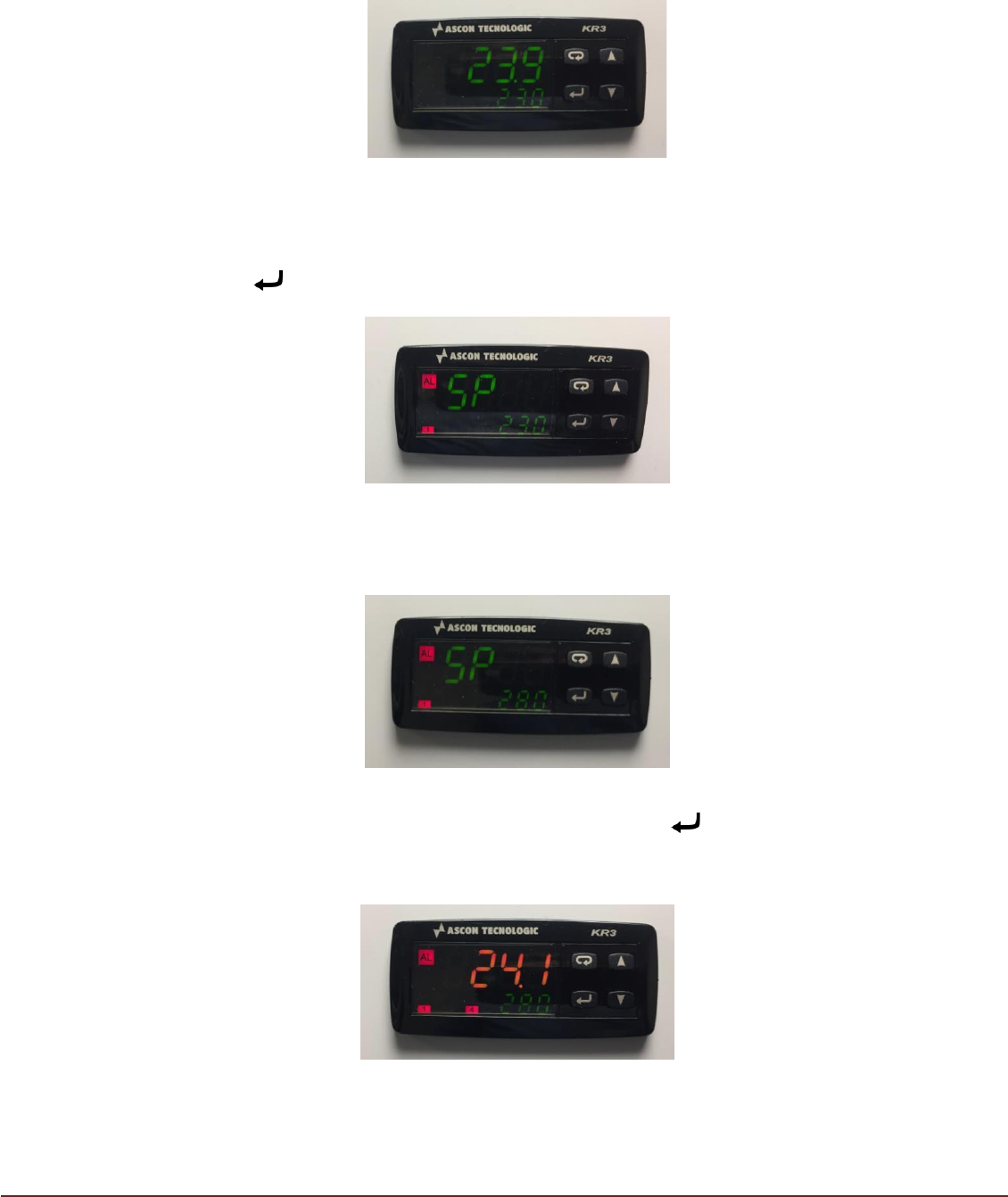
2b.) When an output temperature signal is available from the printer, the top figure
(larger text) on the Controller shows the actual printer temperature (PV) in
Red/Orange/Green (depending on its proximity to the target temperature), with the target
temperature (SV) displayed on the bottom of the controller in Green (FIG 8). The TM
TCM will start and begin working to achieve the target temperature.
FIG 8
3. The target or desired operating temperature (SV) of the printer can be adjusted to
a value between 23°C and 28°C. To adjust the desired target temperature press
button . The display will change with ‘PV’ showing ‘SP’ (FIG 9)
FIG 9
The ‘▲’ and ‘▼’ keys can be used to select a target temperature value (SV)
between 23.0°C and 28.0°C (FIG 10).
FIG 10
On reaching the desired target temperature, press key . The display will return
to normal showing current printer temperature (PV) and new target temperature
(SV). (FIG 11)
FIG 11