88226673-01-03 Technical Reference Manual - (Production Iss 03 November 2020).pdf - 第13页
Issue 03 November 2020 4. The Process Tempera tu re ( PV ) within the Printer should move towards and sta bi lize within +/- 1 ° C of t h e Set Value Temperature ( SV ) in approximat ely 30 minutes ( F I G 1 2 ) . FIG 12…
Issue 03 November 2020
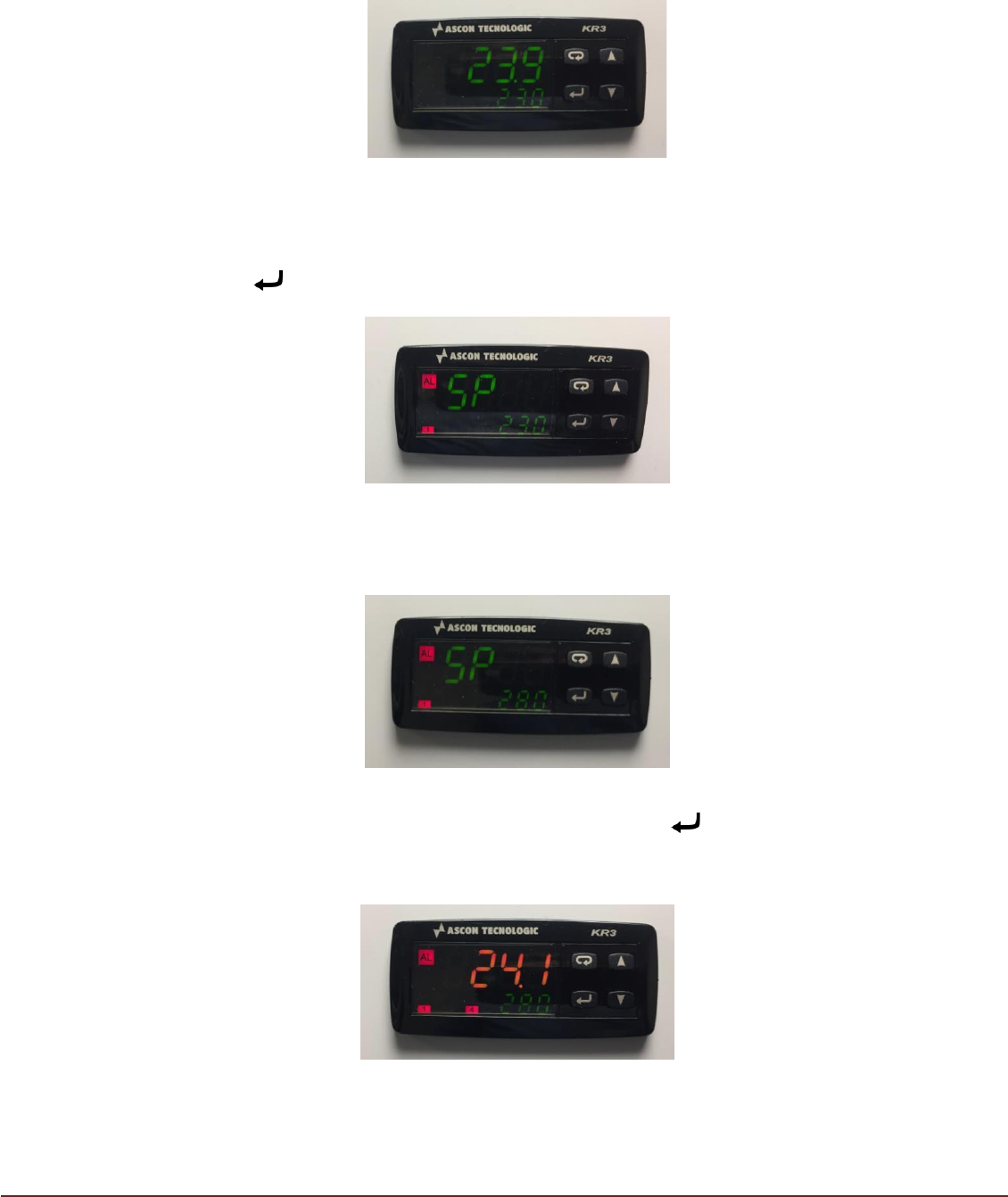
2b.) When an output temperature signal is available from the printer, the top figure
(larger text) on the Controller shows the actual printer temperature (PV) in
Red/Orange/Green (depending on its proximity to the target temperature), with the target
temperature (SV) displayed on the bottom of the controller in Green (FIG 8). The TM
TCM will start and begin working to achieve the target temperature.
FIG 8
3. The target or desired operating temperature (SV) of the printer can be adjusted to
a value between 23°C and 28°C. To adjust the desired target temperature press
button . The display will change with ‘PV’ showing ‘SP’ (FIG 9)
FIG 9
The ‘▲’ and ‘▼’ keys can be used to select a target temperature value (SV)
between 23.0°C and 28.0°C (FIG 10).
FIG 10
On reaching the desired target temperature, press key . The display will return
to normal showing current printer temperature (PV) and new target temperature
(SV). (FIG 11)
FIG 11
Issue 03 November 2020
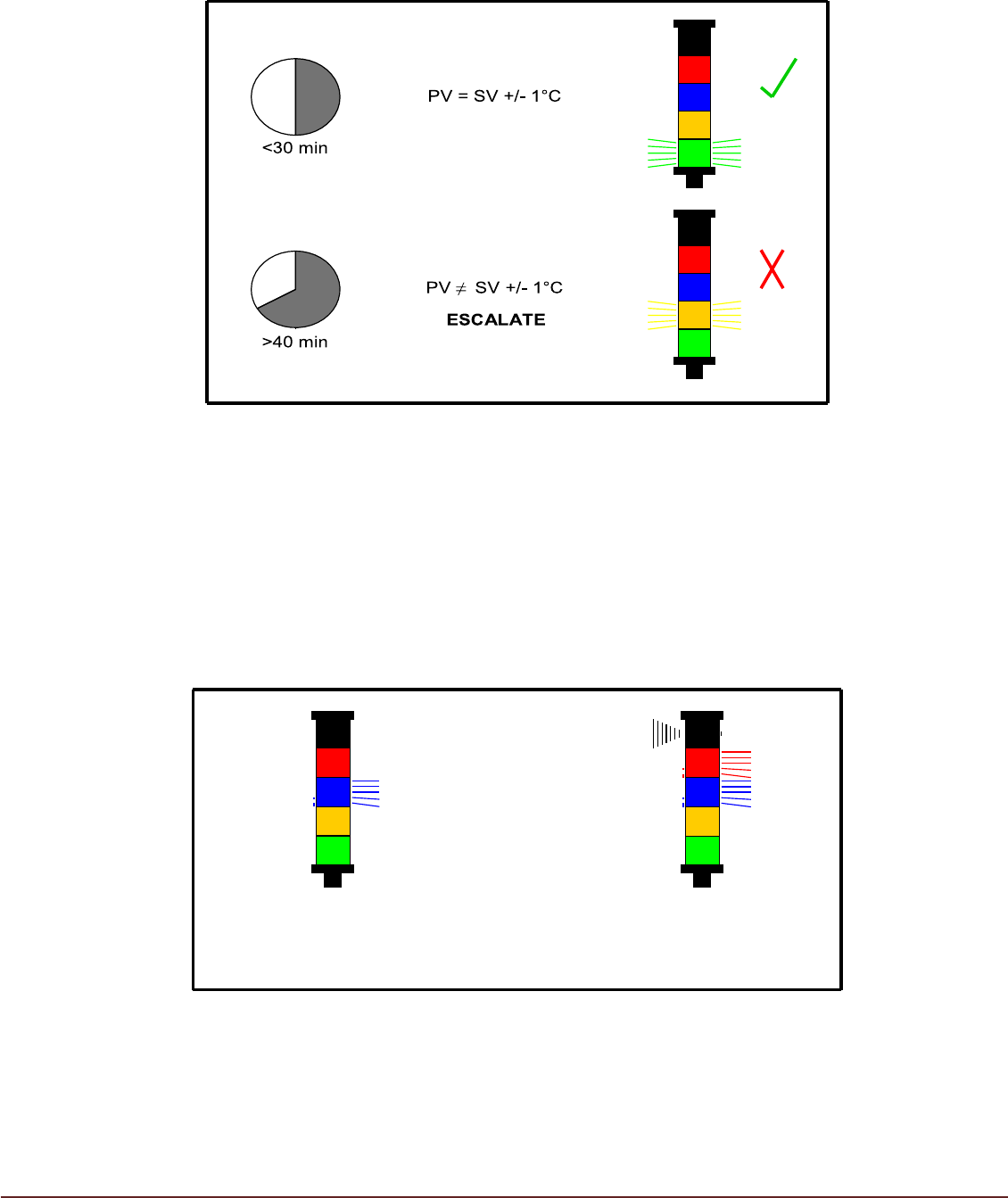
4. The Process Temperature (PV) within the Printer should move towards and stabilize
within +/- 1°C of the Set Value Temperature (SV) in approximately 30 minutes (FIG12).
FIG 12
5. During TM TCM operation condensate will be produced by the Air Conditioning Unit
(ACU). Condensate will be collected in the Condensate Container. The beacon will
indicate the state of the Condensate Container. Failure to empty the Condensate
Container will result in automatic TCM shutdown to prevent further condensate being
produced (FIG 13).
Monitor Condensate Level Regularly to Prevent Machine Shutdown.
Empty Condensate
Collector
Condensate Collector
Full
(TCM Shut down)
FIG 13
Issue 03 November 2020
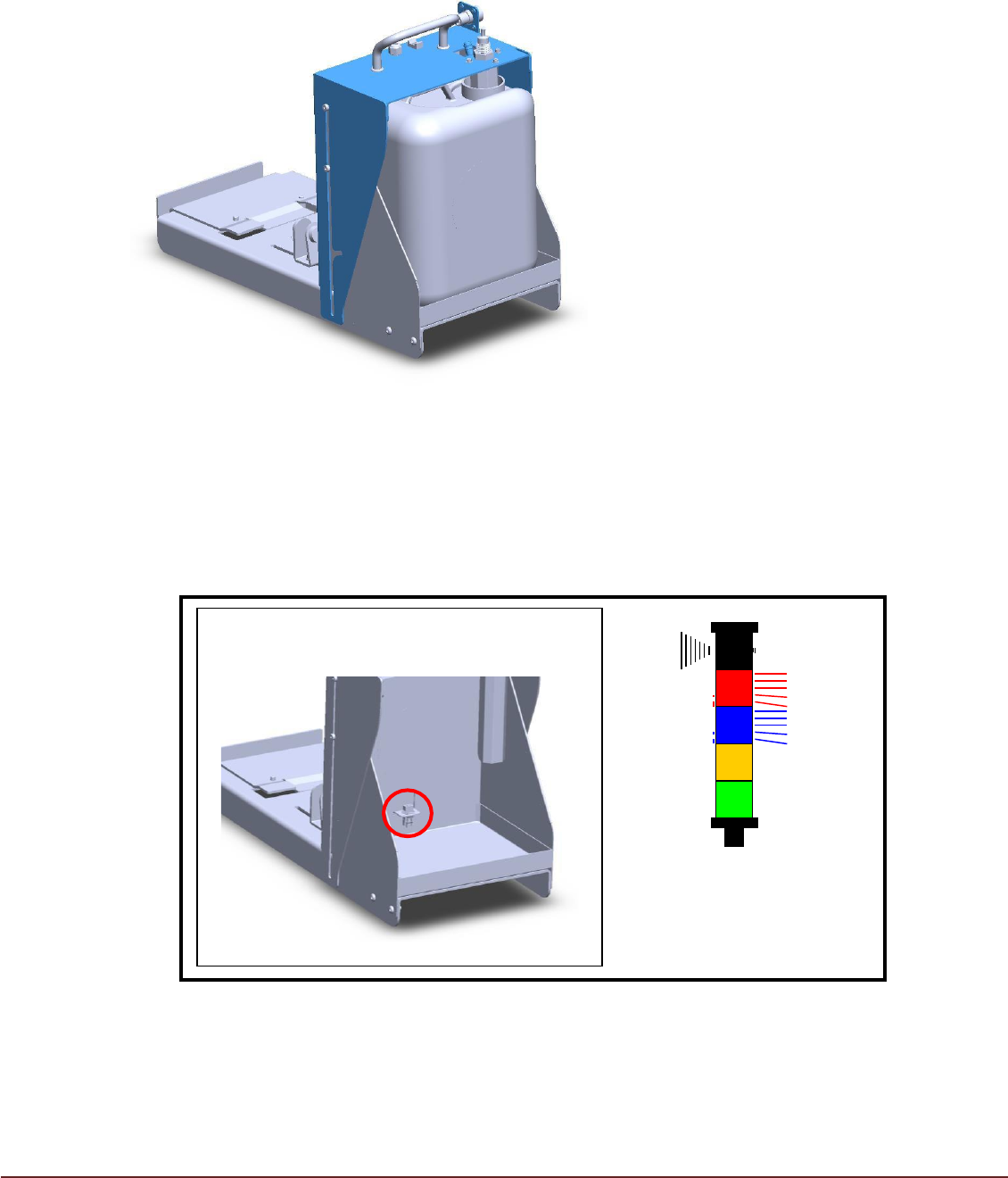
To empty the container lift the condesation tank cover (highlighted in blue) ensuring the float
switch clears the container inlet (fig 14).
Once the cover has cleared the container allow it to fall backwards toward the printer the cover
should now retain its open position.
Now the container can be removed from the housing emptied, returned to its original position and
the cover moved down back into position (be carful not the damage the float switch).
FIG 14
If the Condensate Container is not replaced after emptying, condensate will collect
on the lower tray. Sensor probes at the rear of the lower tray will detect the
presence of condensate and cause the TCM to shutdown (FIG 15).
FIG 15
Empty the collection tray to clear the fault and ensure the collection bottle is installed
correctly. The TM TCM will automatically commence operation (FIG 16).
Condensate Present
on Lower Tray
(TCM Shut down)