88226673-01-03 Technical Reference Manual - (Production Iss 03 November 2020).pdf - 第18页
Issue 03 November 2020 If it is thoug ht likely the rear side of the condense r coil may be obstructed, compressed ai r applied to the vanes may help improve TM TCM operating performan c e (FIG 21). FIG 21 Scheduled Main…
Issue 03 November 2020
Preventative Maintenance
Condenser Fan/Coil
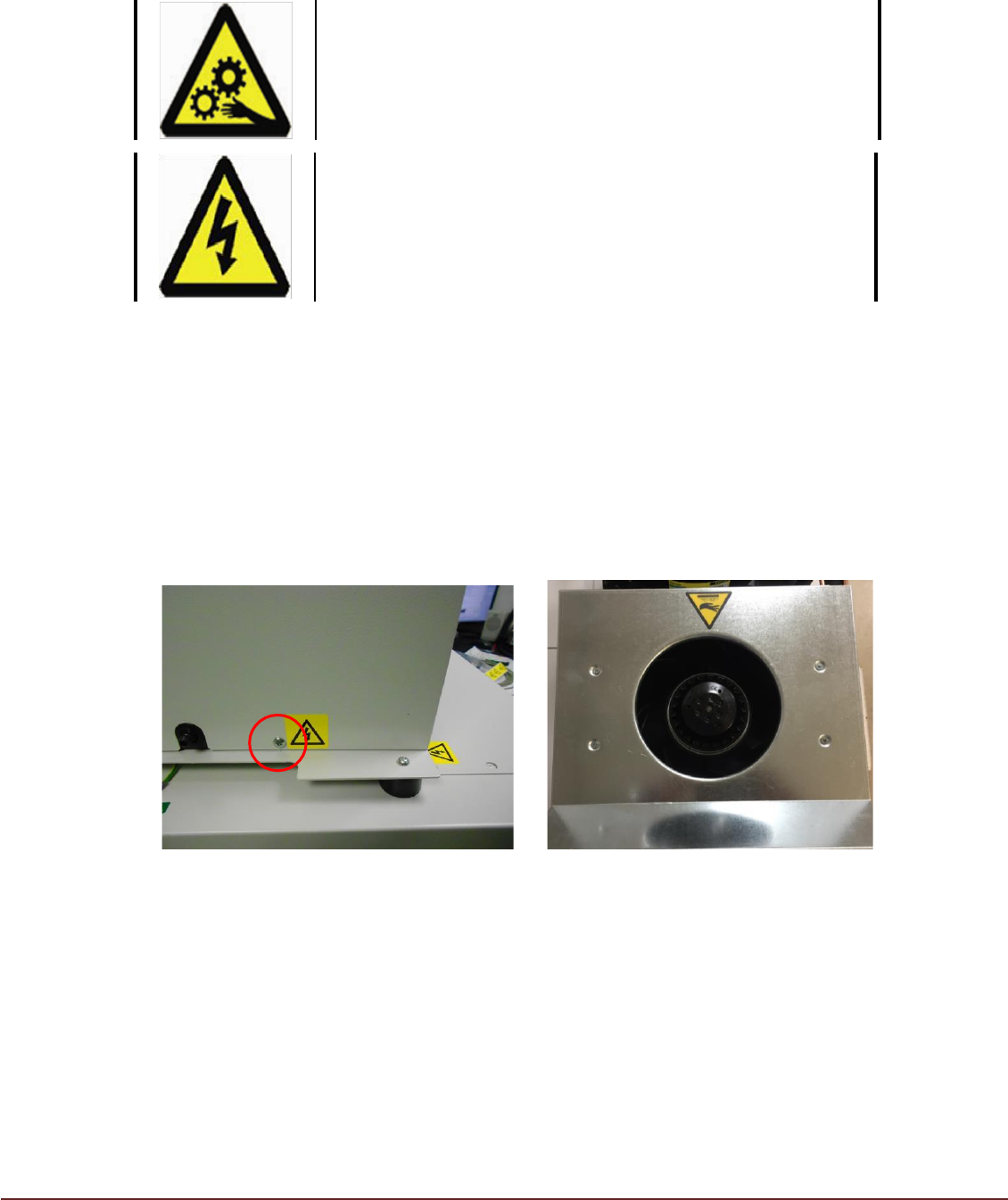
To access the fan you will need to be removed 4 x retaining screws (FIG20)
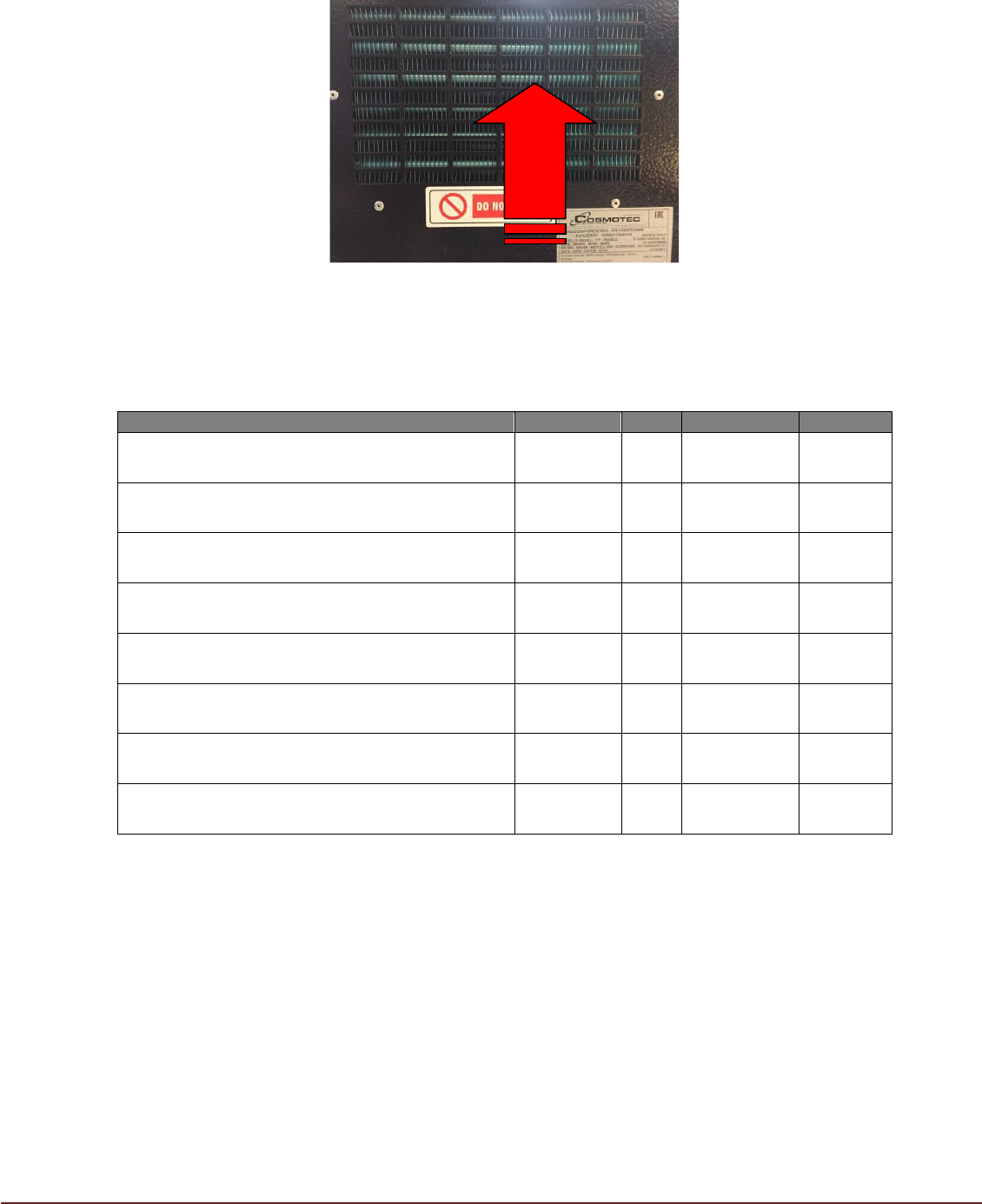
Check that the Condenser Core and fan are free from obstruction (FIG 21.
FIG 20 FIG21
WARNING
BEWARE OF MOVING PARTS. Allow time for fan rotation to
cease before removing lid.
WARNING
ELECTRICAL HAZARD. Ensure Isolator is in the OFF
position before removing lid.
Issue 03 November 2020
If it is thought likely the rear side of the condenser coil may be obstructed,
compressed air applied to the vanes may help improve TM TCM operating
performance (FIG 21).
FIG 21
Scheduled Maintenance
Scheduled Maintenance Task
Frequency
Date
Comments
Engineer
Check/Clean Condenser Fan intake is clear
Monthly
Check Condensate Collector for leaks and level
sensors are in place
Monthly
Check Condensate drainage path is clear
Monthly
Check condition of mains input lead
Monthly
Check/Clean Condenser Fan
Yearly
Check/Clean Evaporator Fan
Yearly
Check/Clean Condenser Coil
Yearly
Check/Clean Evaporator Coil
Yearly
Issue 03 November 2020
Beacon/PCB Interpretation and Fault Analysis
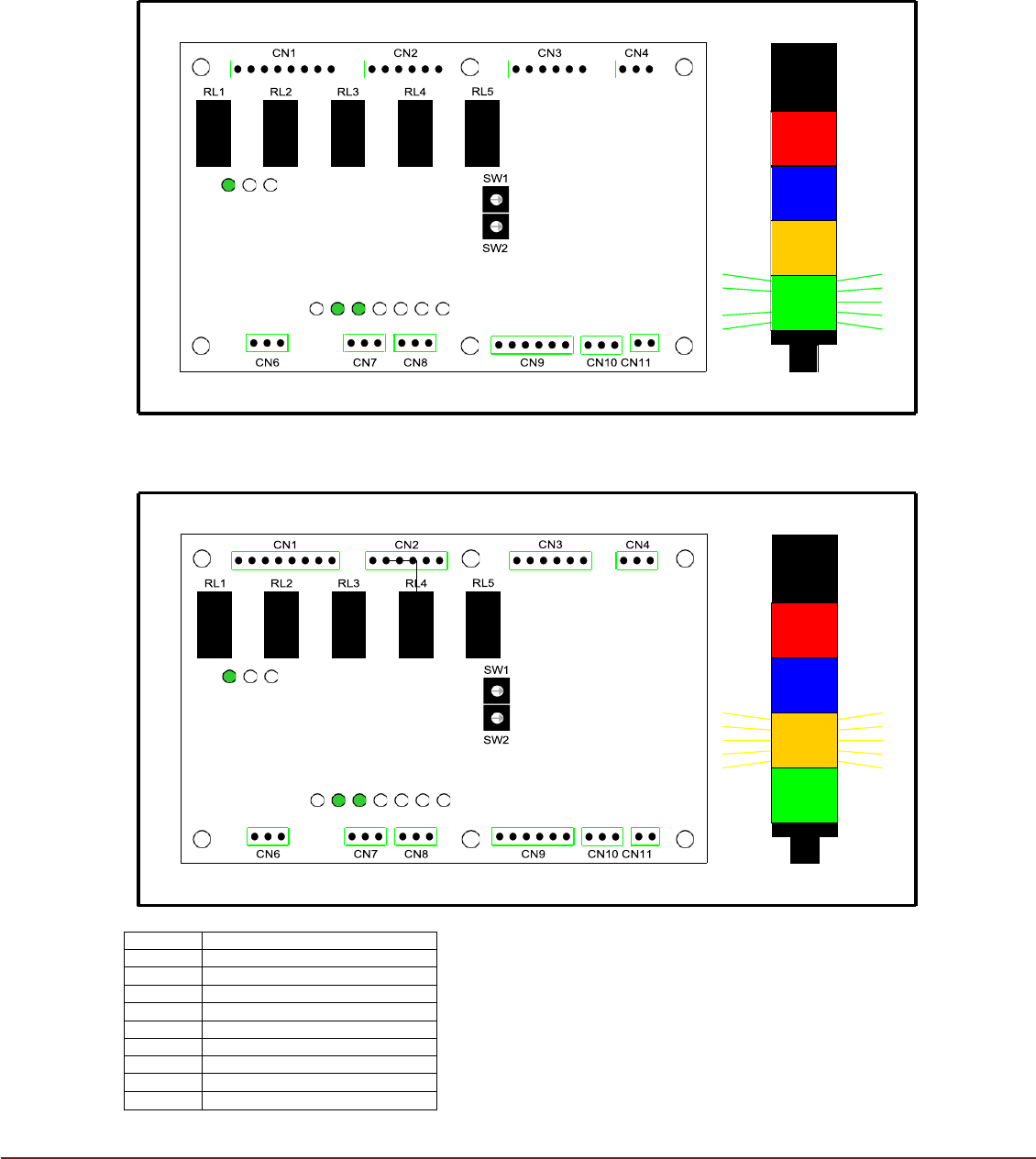
Beacon and PCB Interpretation
1. TM TCM OK and Printer (PV) within +/- 1°C of Target Temperature (SV)
2. TM TCM OK but Printer (PV) > 1°C from Target Temperature (SV)
LED 1
Run
LED 2
Probe
LED 3
N/A
LED 4
N/A
LED 5
ACU ON
LED 6
Heater ON
LED 7
System Tripped
LED 8
Cond. bottle needs emptying
LED 9
Cond. bottle is full
LED 10
Cond bottle overflow
LED1
LED2
LED3
LED1
LED2
LED3
LED4
LED5
LED6
LED7
LED8
LED9
LED10
LED4
LED5
LED6
LED7
LED8
LED9
LED10