00197700-01_IM_SetupCenter7.0_EN.pdf - 第74页
Barcode-Scanner Installation Motorola Scanner 6.3.3 Mobile Scanner Prer equisites Setup 74 Installation Manual SIPLACE Setup Center 7.0 6.3.3.2 6 . 3 . 3 . 2 S t e p 2 : A p p C e n t e r Step 2: AppCenter Steps on Setup…
Barcode-Scanner Installation
6.3.3 Mobile Scanner Prerequisites Setup Motorola Scanner
Installation Manual SIPLACE Setup Center 7.0 73
Windows Vista: Mobile Device Center
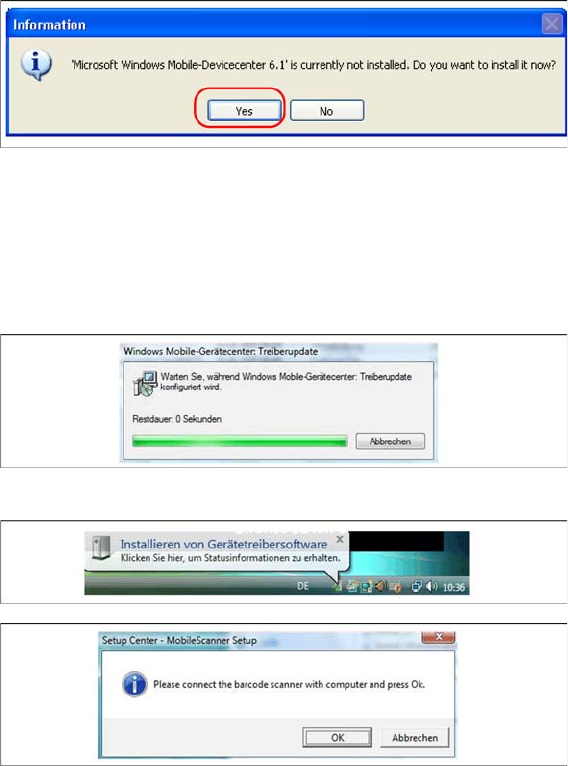
If Windows Mobile Device Center is not installed on the system, the following message box appears.
► Select “Yes” to start the installation of Mobile Device Center. Make sure that the scanner is not yet
connected to the basic station.
If Windows Mobile Device Center is not installed on the system, the installation of Mobile Device Center
will be executed. Make sure that the scanner is not yet connected to the basic station.
Install Mobile Device Center
► The installation of Mobile Device Center is beginning.
► Confirm with "OK".
See also
6.3.3.2 Step 2: AppCenter [ ➙ 74]
Barcode-Scanner Installation
Motorola Scanner 6.3.3 Mobile Scanner Prerequisites Setup
74 Installation Manual SIPLACE Setup Center 7.0
6.3.3.2
6.3.3.2 Step 2: AppCenter
Step 2: AppCenter
Steps on Setup Center computer
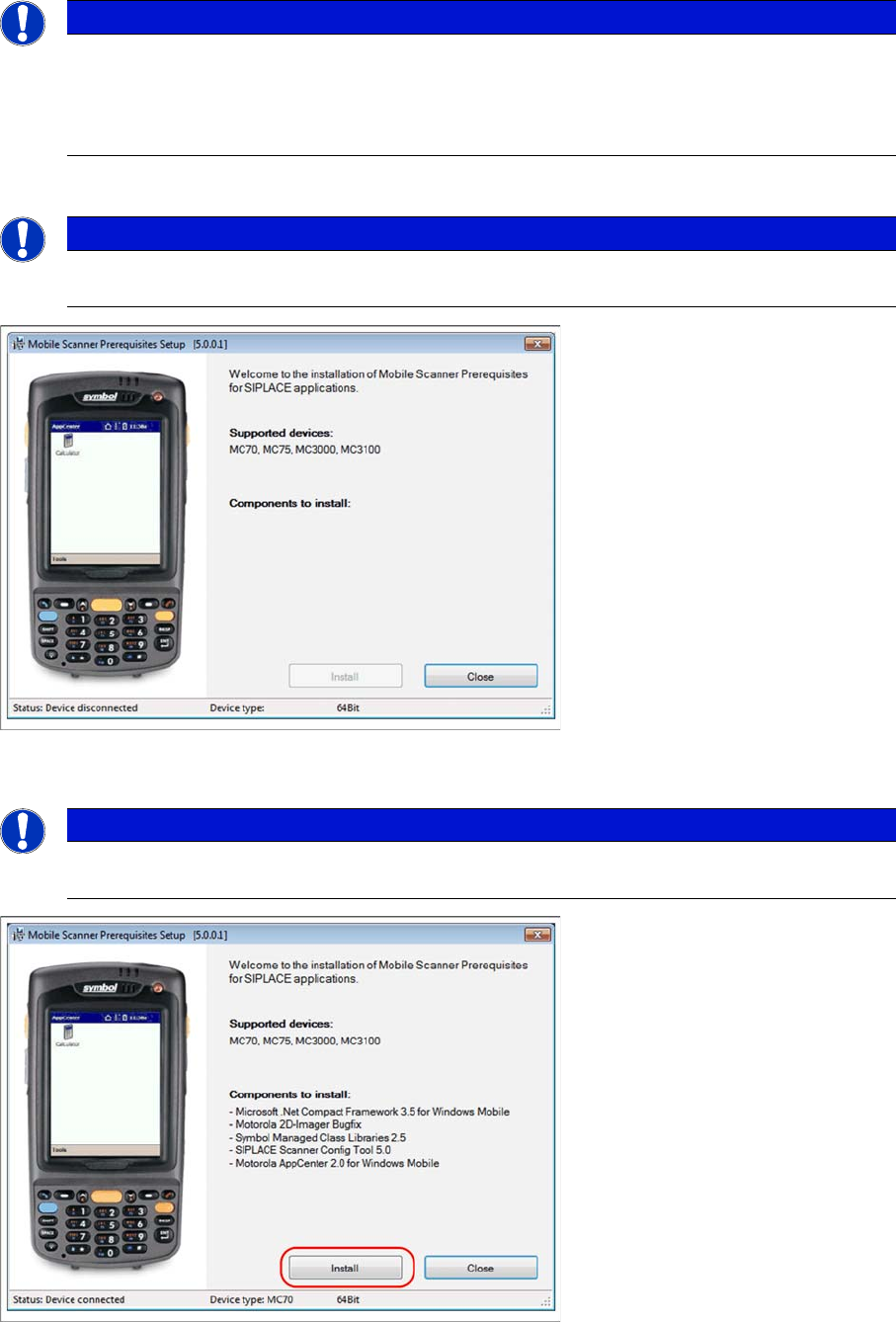
Place the scanner in its cradle if this has not already been done. The installation program automatically
detects the scanner type (Device type) and lists the necessary software packages for the installation.
► Click on Install to start the installation of the software packages.
► Please put the scanner into cradle, and press Continue to start the installation of Symbol AppCenter.
NOTICE
In case of an upgrade installation exit the Symbol AppCenter before you start with the installa-
tion procedure.
► Exit AppCenter with "Tools → Exit…".
► Enter the defined AppCenter password, to confirm exit (default value is "odyssey").
NOTICE
Once the ActiveSync is installed on the Setup Center computer rerun the “Mobile Scanner Pre-
requisites Setup” from the support Media DVD. The following dialog appears.
NOTICE
The installation program checks if the firmware version of the scanner complies with the mini-
mum requirement. If this is not the case, update your scanner firmware first.
Barcode-Scanner Installation
6.3.3 Mobile Scanner Prerequisites Setup Motorola Scanner
Installation Manual SIPLACE Setup Center 7.0 75
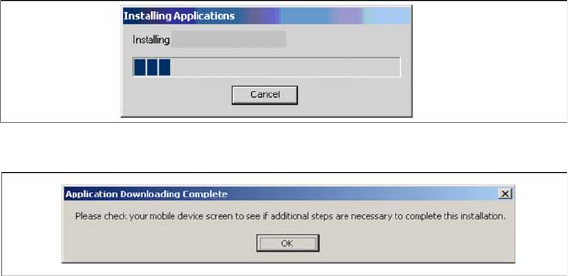
The transfer of the components to the scanner is beginning.
► After completion of the data transfer to the device click on OK to close the window.