00196715-04_IM_SSW_704_03_SP1_DE_EN.pdf - 第29页
Station Software 704.03 SP1 / Installation Manual Ausgabe 10/2011 Edition 5.4 Installing the SIPLACE software (Station Software 704.03 SP1) NOTICE The installation requires approximately 80 minute s. ► Switch on the SIPL…
Station Software 704.03 SP1 / Installation Manual Ausgabe 10/2011 Edition
5.3 Performing automatic BIOS update/settings on the machine
computer and Vision computer
The image files for the automatic BIOS update/BIOS settings and the corresponding installation
instruction (readme file) are available on the V1.0 BIOS CD that can be ordered via the service
technician or downloaded from the SIPLACE Download Center.
28
Station Software 704.03 SP1 / Installation Manual Ausgabe 10/2011 Edition
5.4 Installing the SIPLACE software (Station Software 704.03 SP1)
NOTICE
The installation requires approximately 80 minutes.
► Switch on the SIPLACE placement machine.
► Change to the service desktop.
► Open Windows Task Manager.
► Select Logoff in the Users tab.
► Log in as Administrator.
► Insert the installation CD in the drive.
► Open Explorer and start setup.exe under drive E by double clicking it.
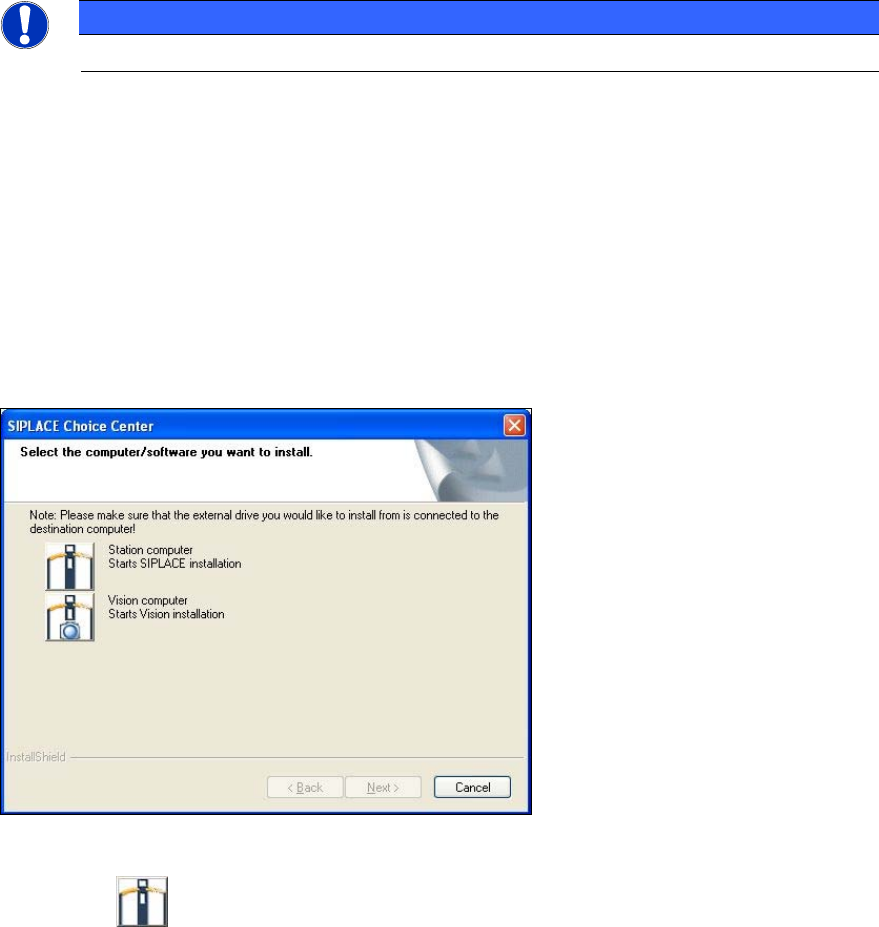
The SIPLACE Choice Center dialog box is opened.
Figure 5-5: "SIPLACE Choice Center" dialog box
► Click the Station computer button.
Installation of the station software continues with the selection of the language.
29
Station Software 704.03 SP1 / Installation Manual Ausgabe 10/2011 Edition
5.4.1 Language selection
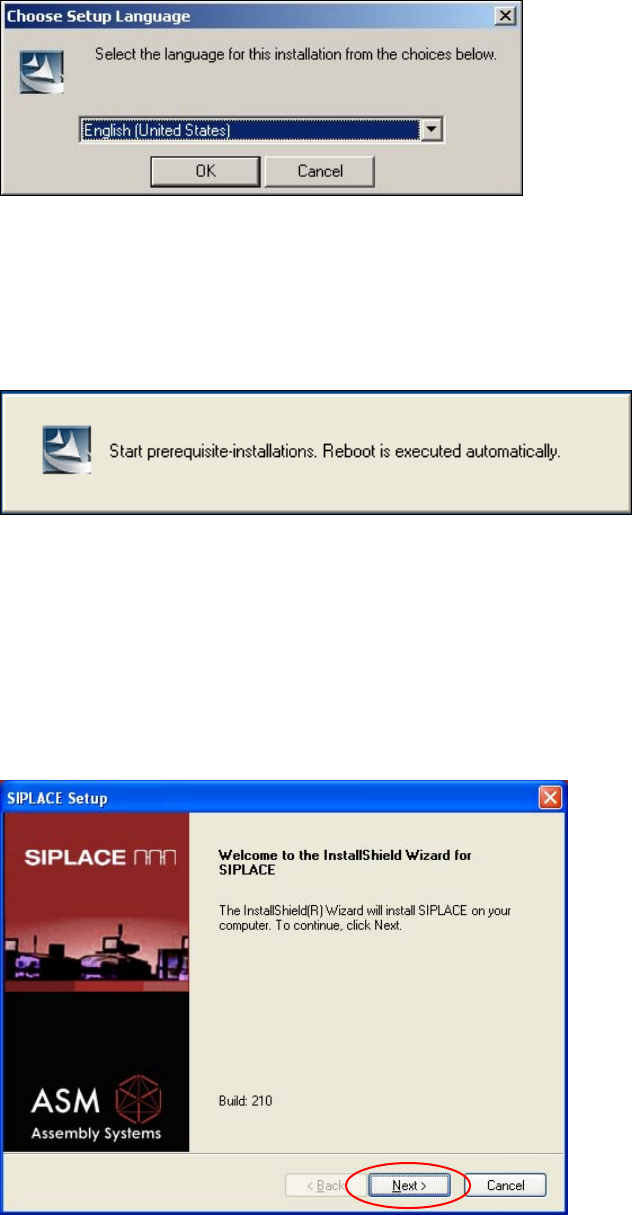
► Select the language to be used during installation.
You can choose between German (Germany) and English (United States).
Figure 5-6: Language selection
► Click the OK button.
5.4.2 Installing the system files
Figure 5-7: Installing the system files
The necessary system files are installed if they are not already on the machine computer. The
machine computer is rebooted automatically after installation. You are automatically logged in as
administrator.
Installation of the station software continues with the welcome screen.
5.4.3 Welcome screen
Figure 5-8: Welcome screen
30