N7201A653E.pdf - 第140页
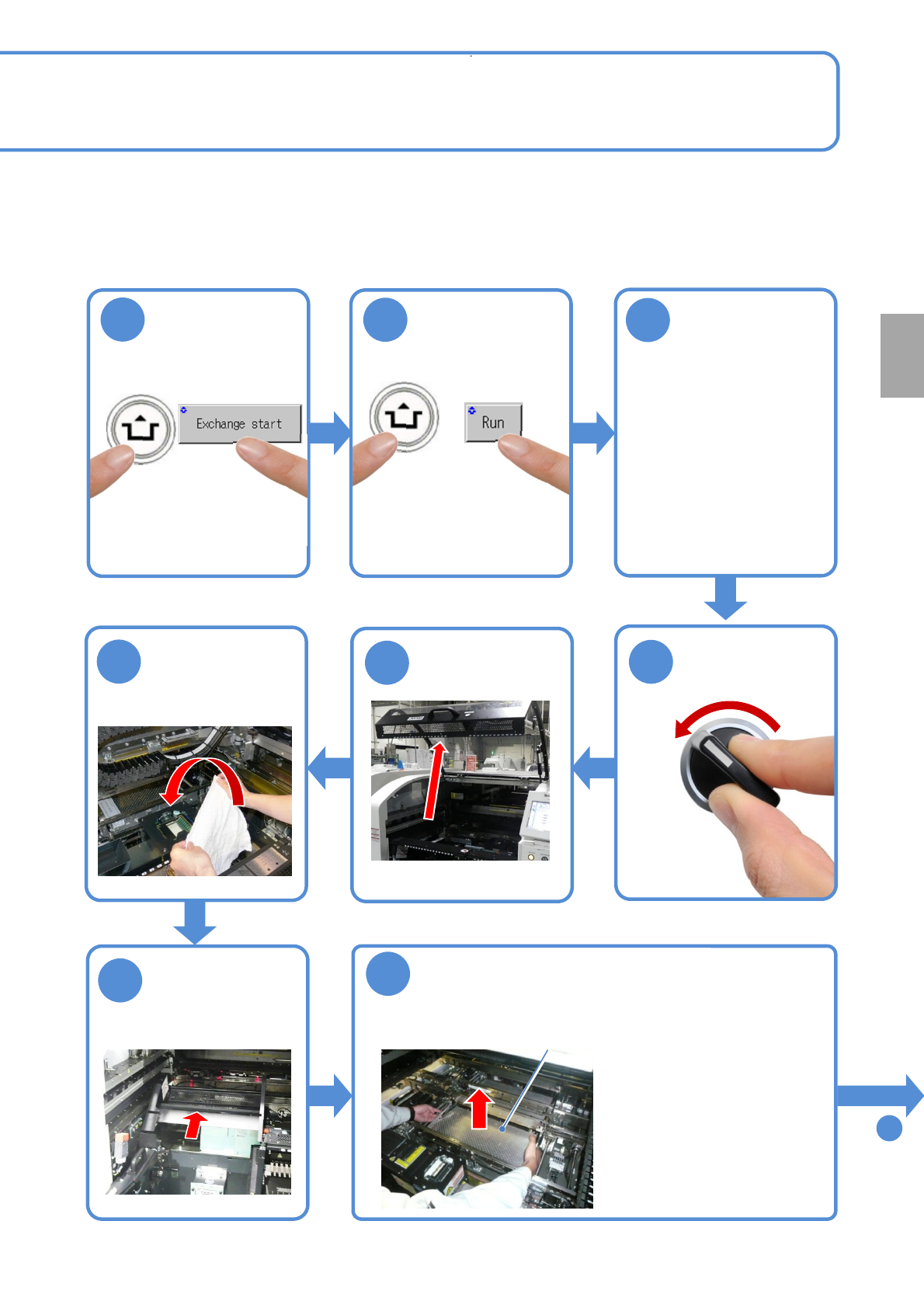
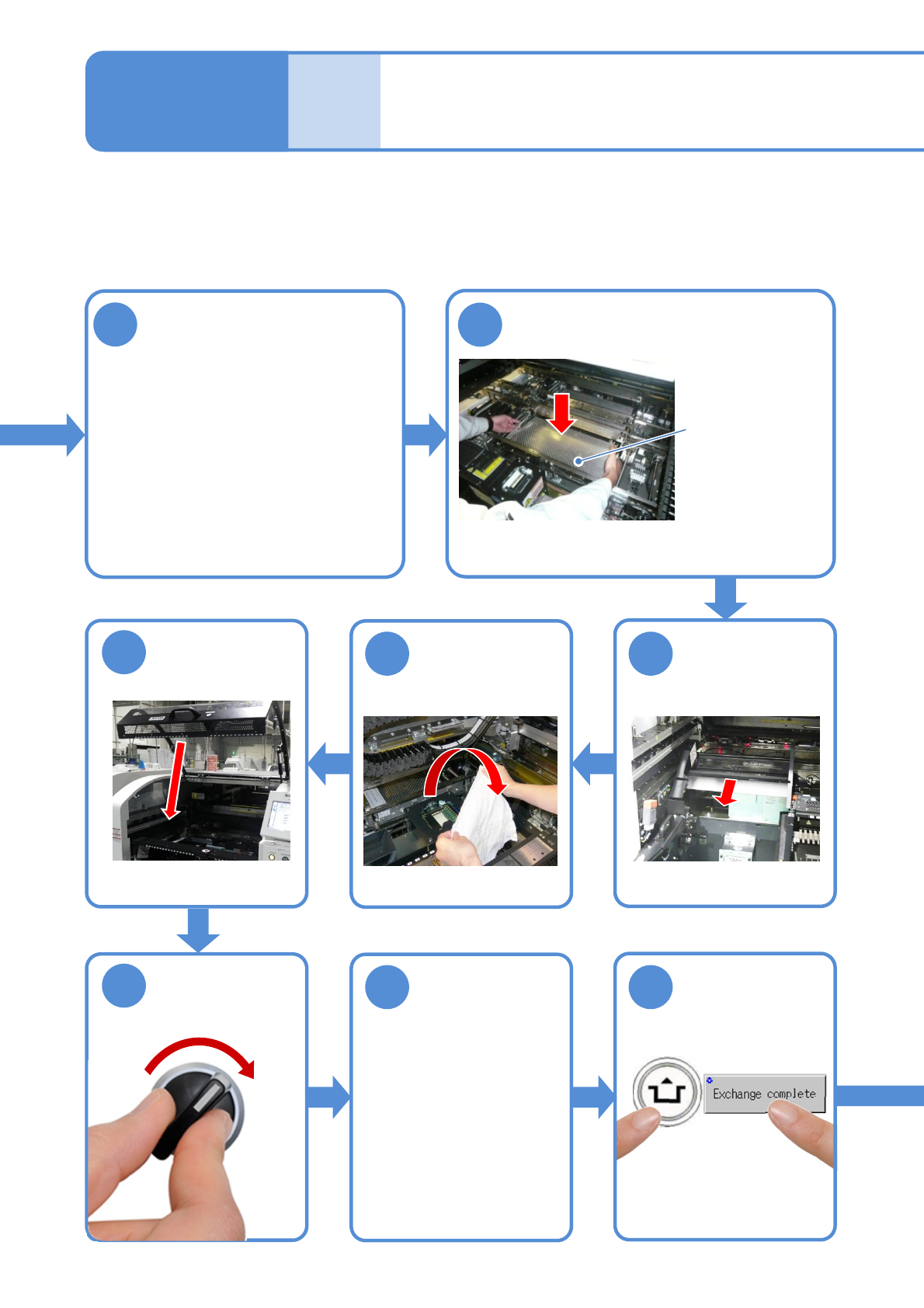
NPM- TT2 EJ M1EE-MB-05M-0 3 ACTIVATION Cleaning the PCB- support blocks Maintenance 5-3-2 Attach the tray feeder or the feeder cart ● For a tray feeder (→ P.14-8) ● For a feed er cart (→ P.3-2) Remove the lint free cloth…
NPM-TT2 EJM1EE-MB-05M-03
ACTIVATION
1
2
Confirm the
message
3
To
9
●For a tray feeder
(→ P.14-8)
●For a feeder cart
(→ P.3-2)
Remove the PCB-support
block
●Be careful not to drop an
object on the multi-recognition
camera or bump the multi-
recognition camera.
●If there are support pins on
the PCB support block, be
careful not to fall them.
PCB-support block
OFF
SERVO
5
4
7
6
8
Fold the feeder
table cover to
the back
Every
140
hours
PeriodicPeriodicPeriodic
inspection
(X-axes in the front and
rear move to the
retraction position)
(The PCB-support block
moves upward)
Cover the multi-
recognition
camera with a
lint free cloth
ACTIVATION
5-3-2-2
Detach the tray
feeder or the
feeder cart on the
rear side
NPM-TT2 EJM1EE-MB-05M-03
ACTIVATION
Cleaning
the PCB-
support
blocks
Maintenance
5-3-2
Attach the tray
feeder or the
feeder cart
●For a tray feeder
(→ P.14-8)
●For a feeder cart
(→ P.3-2)
Remove the lint
free cloth
Clean the PCB holder and
the PCB-support block
9
12 11
13
15 16
14
SERVO
ON
Return the
feeder table
cover back
5-3-2-3
Attach the PCB-support block as it
is no tilt
(It may interfere with the rail)
PCB-support block
10
●Clean the top surface of the PCB
support block (for automatic change)
with a lint free cloth dampened with
cleaning solvent.
●Be careful not to scratch coating
material on the surface of the PCB
support block (for automatic change) by
sharps.
●Push down the four corners of the PCB
support block by hands and check that it is not
loose and rattling.
Cleaning the PCB-
support blocks
(M size conveyor(option)) 2
NPM-TT2 EJM1EE-MB-05M-03
ACTIVATION
NOTICE
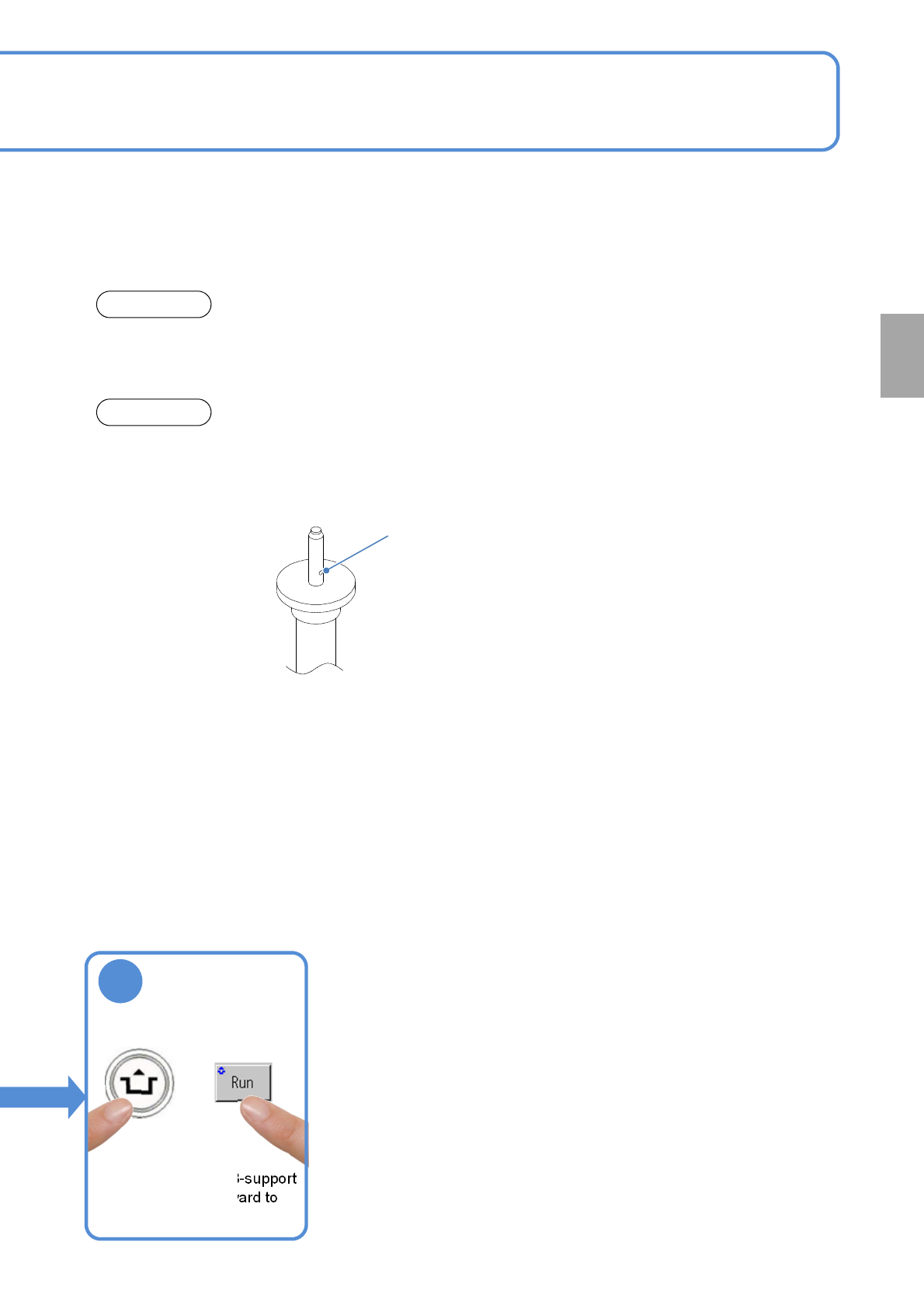
●While you clean the PCB support block, check the support pin conditions as well. (If flux is
contaminated on the tip of the support pin, wipe it off using a lint free cloth.)
ATTENTION
●Do not apply strong impact on the support pin for automatic change such as dropping. It may
deform the pin. Do not use a deformed pin.
●Be careful not to clog the vacuum vent for the support pin (for automatic change).
Vacuum vent
17
(Make sure the PCB-support
block moves downward to
the original position)
Confirm the
message
Every
140
hours
PeriodicPeriodicPeriodic
inspection
5-3-2-4