N7201A653E.pdf - 第381页
NPM- TT2 EJM1EE-MB-13 M-02 13-1 1 -4 Calibration 22 21 19 23 Remove the multi-recognition camera jig The selected menu (other menu) is displayed 20 20 Confirm the message ■ When you do not remove the multi- recognition c…
NPM-TT2 EJM1EE-MB-13M-02
Split recognition 2
13-11-3
Maintenance
13-11
14
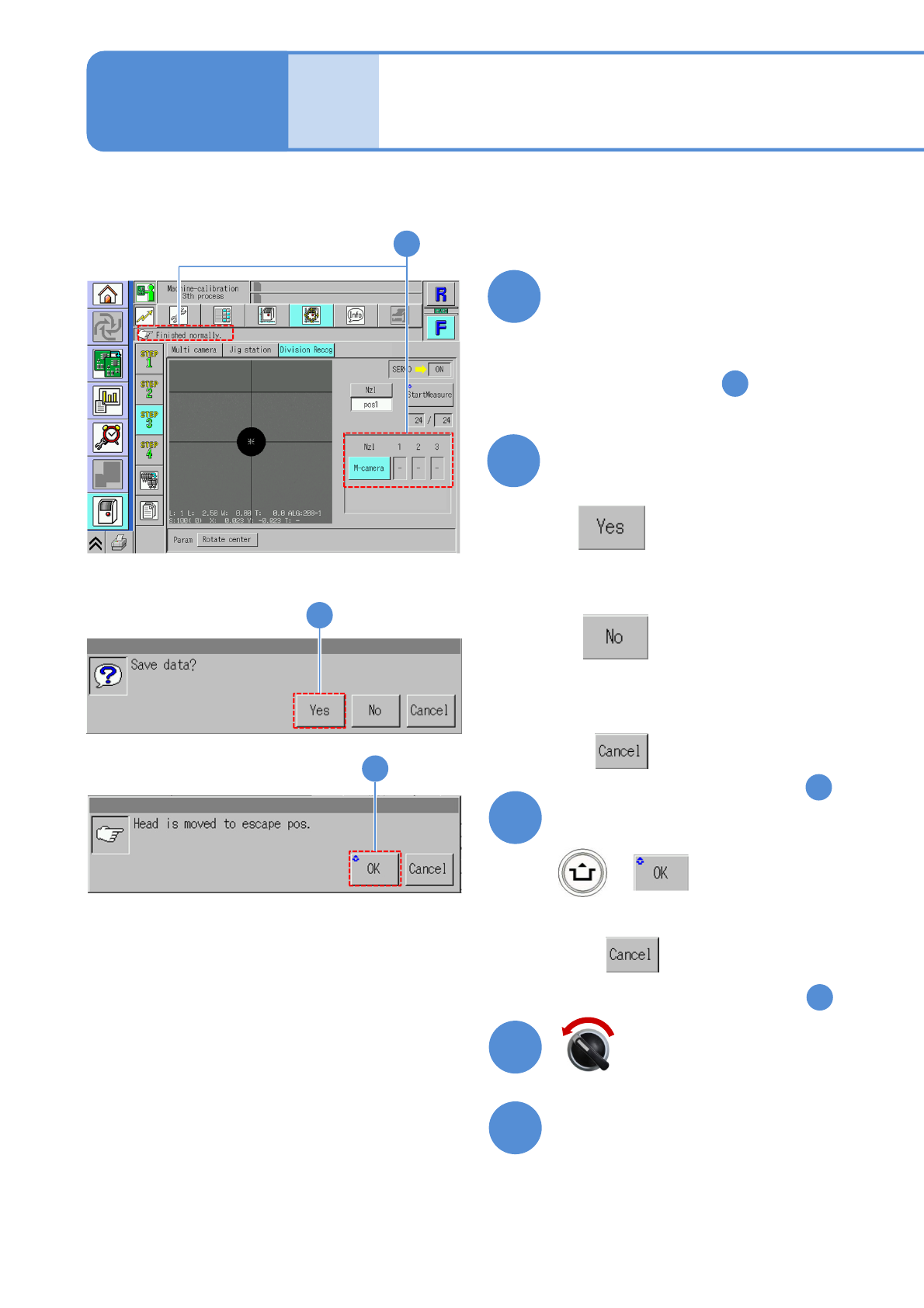
Confirm the measurement result
OK: When the result is successfully
completed
NG: If measurement results in error,
(perform from the step )
- :Unmeasured
5
15
Pressing other menu screen
appears confirmation message
of data save
(The data obtained by calibration is
cleared
(The data obtained by calibration is
saved)
■When you do not save
■To cancel
(The screen remains as it is in )
14
15
+
16
Confirm the message
■When you do not retract
(The screen remains as it is in )
14
16
Open the safety cover
18
17
Servo switch OFF
14
NPM-TT2 EJM1EE-MB-13M-02
13-11-4
Calibration
22
21
19
23
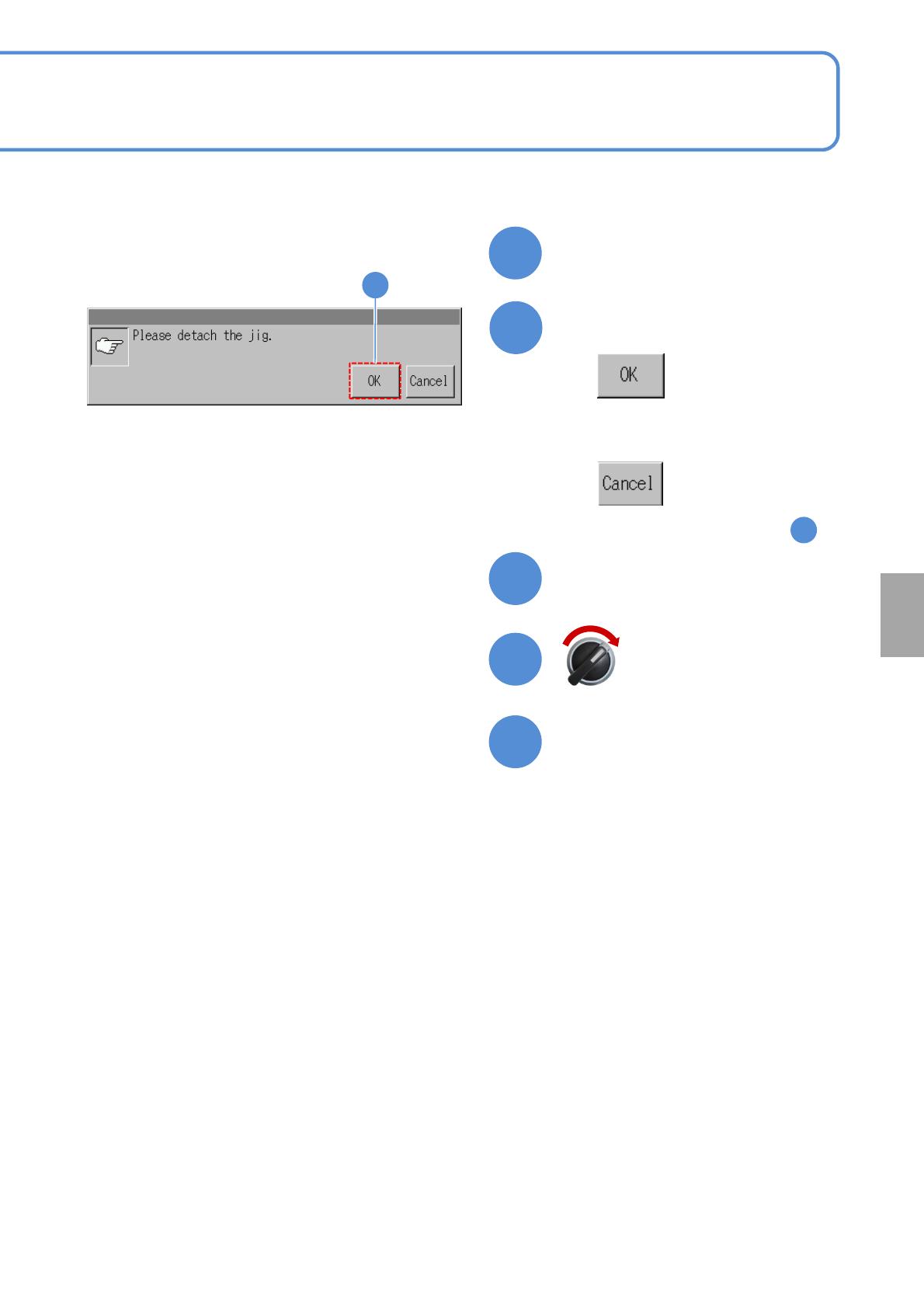
Remove the multi-recognition
camera jig
The selected menu (other
menu) is displayed
20
20
Confirm the message
■When you do not remove the multi-
recognition camera jig
(The screen remains as it is in )
14
Close the safety cover
Servo switch ON
NPM-TT2 EJM1EE-MB-13M-02
Explains the operation procedure, taking for an example, the 8-nozzle head; however, the same
procedure can also be applied to the 3-nozzle heads.
Remove the feeders from the slots indicated in the following conditions beforehand;
●For 13-slot feeder: No. 18, 19, 20, 23, 24, 25, 28, 29, 30
●For feeder cart : No.1, 2, 3, 8, 9,10,15,16,17
13-12-1
Maintenance
13-12
Pickup position 1
2
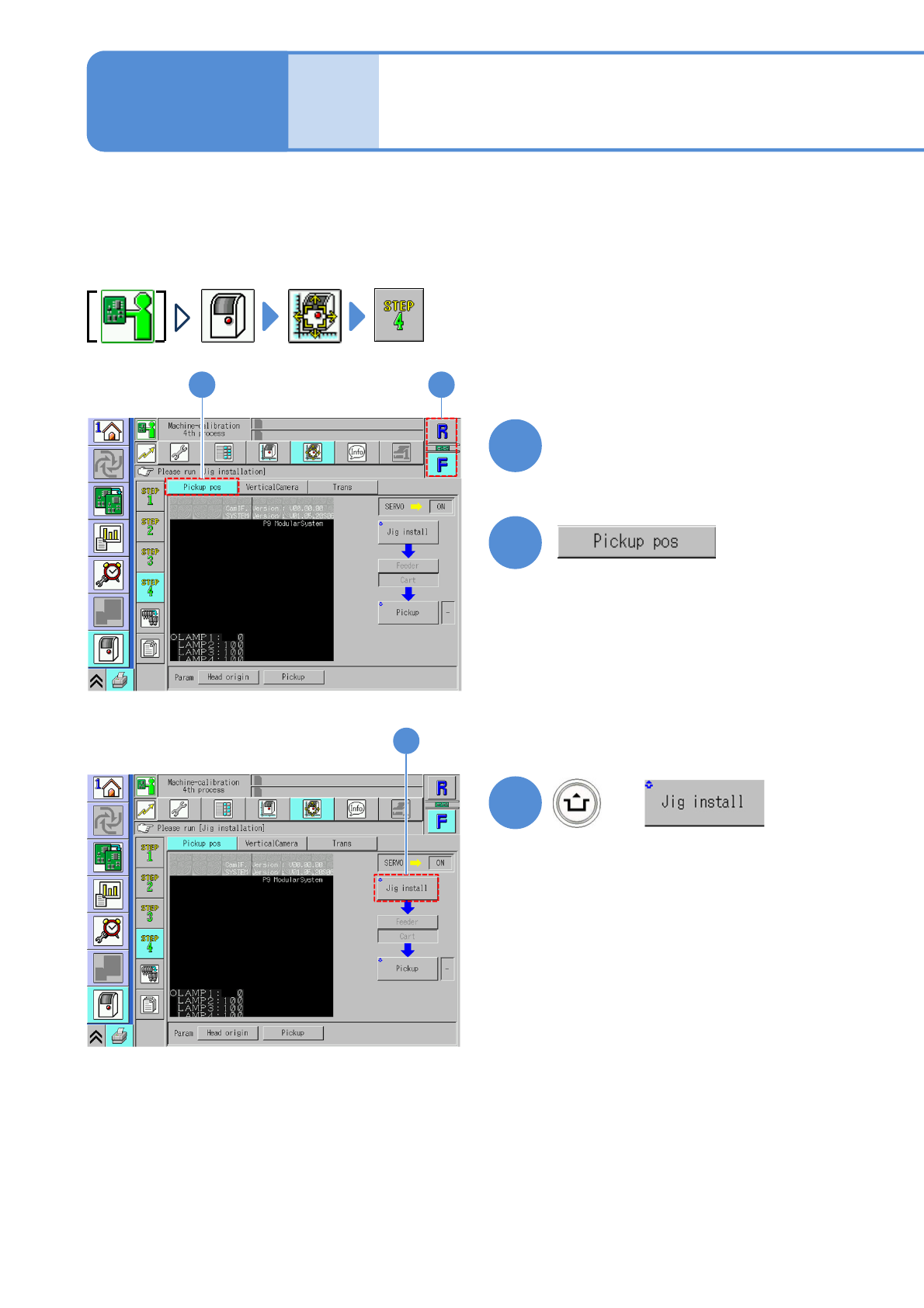
Choose a table
●Choose the table for calibration.
+
2
3
1
3
1
(The head moves to the working
position.)