Autosite_Users_Manual.pdf - 第68页
Operation 3-10 AutoSite User Manual 7. Remove the programm ing module from th e pin driver head. Set the programming m odule aside. 7500 only: Repeat this procedure for the second pin driver head. CAUTION: Do not touch t…
Operation
AutoSite User Manual 3-9
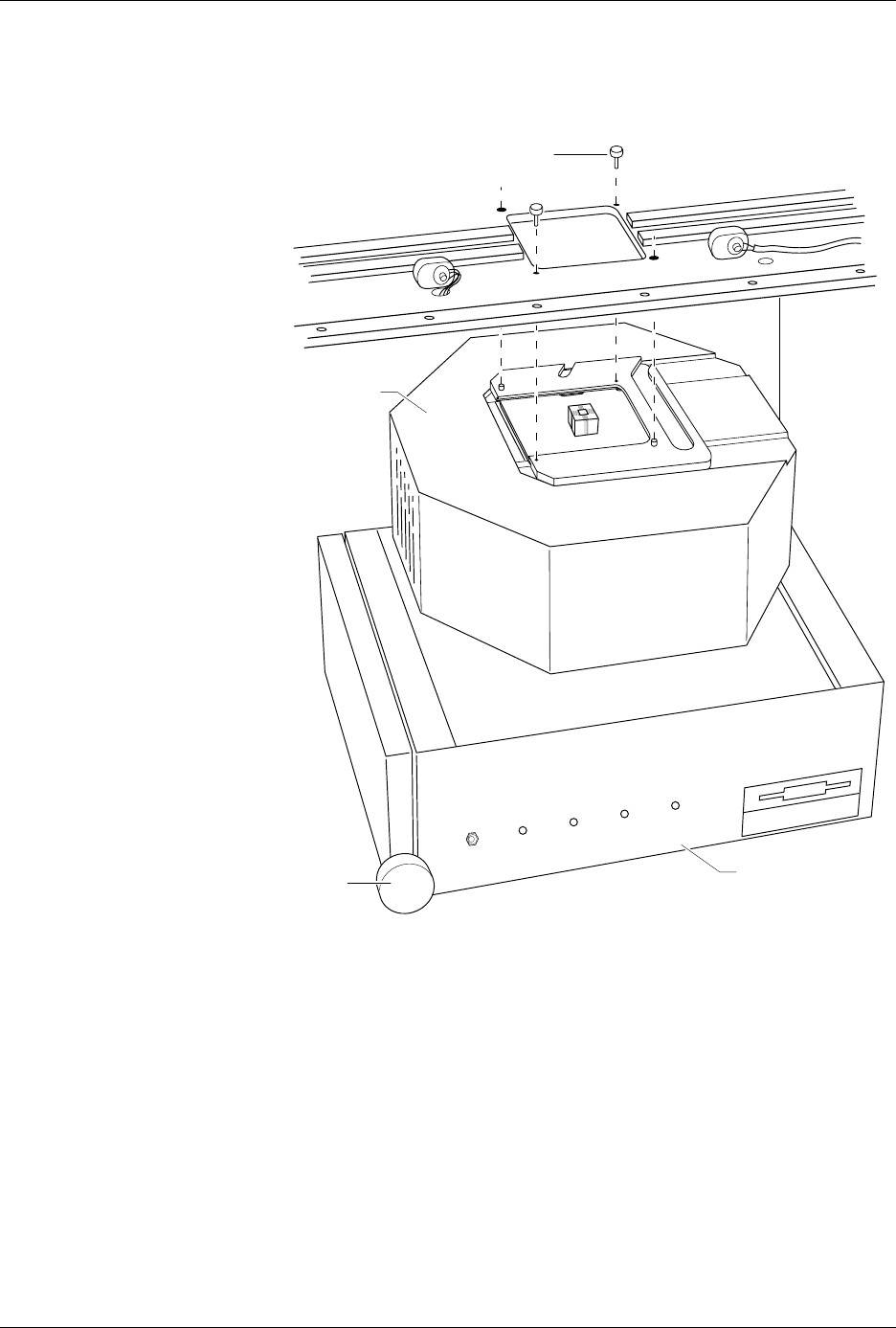
5. While using one hand to support the pin driver head, loosen the two
thumb screws shown in Figure 3-5 and lower the pin driver head
from the handler. Set the pin driver head on the control unit.
6. Slide the clamp ring off the pin driver head. Set the clamp ring aside;
you will need it later.
Figure 3-5
Removing the Pin Driver Head
from the Handler
1356-2
THUMBSCREW (1 of 2)
PIN DRIVER
HEAD
CONTROL UNIT
KNOB
POWER
AUXILIARY
HANDLER
SELF TEST
Operation
3-10 AutoSite User Manual
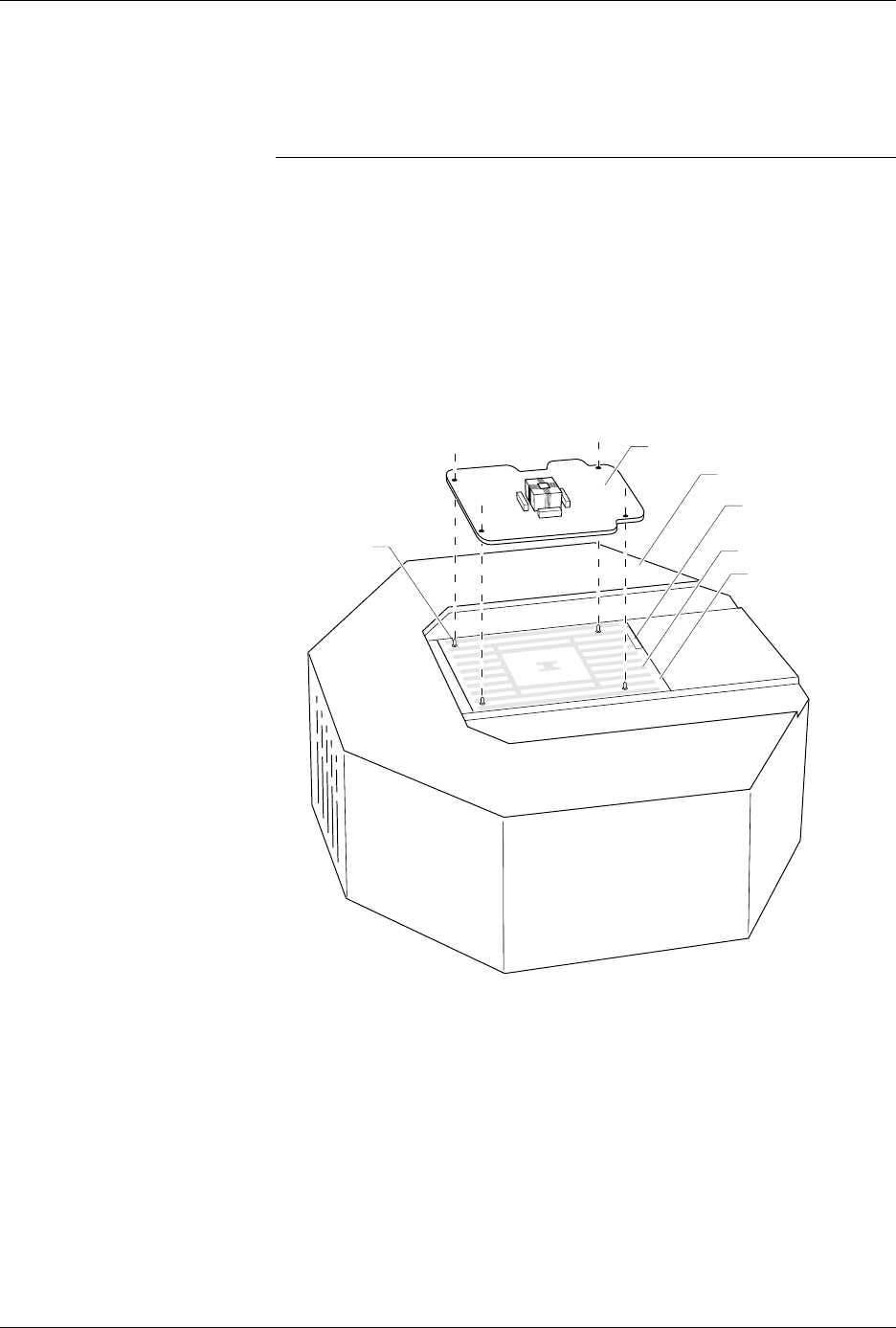
7. Remove the programming module from the pin driver head. Set the
programming module aside.
7500 only: Repeat this procedure for the second pin driver head.
CAUTION: Do not touch the pins that are exposed when you remove the
programming module.
Select the new programming module to be installed from the
Device List
disk, as described in your handler manual. If the module needs to have
the jumpers reconfigured, or if you are not certain how to determine if it
needs to be reconfigured, refer to the “Operation” chapter of your
handler manual.
8. As shown in Figure 3-6, set the new programming module onto the
pin driver head, making sure the guide pins on the pin driver head
line up with the guide holes in the programming module.
Figure 3-6
Aligning the Programming Module
on the Pin Driver Head
1360-3
PROGRAMMING MODULE
GUIDE PIN
(1 of 4)
PIN DRIVER HEAD
SPA BLOCK
SQUIRT PINS
PART NUMBER
LABEL
Operation
AutoSite User Manual 3-11
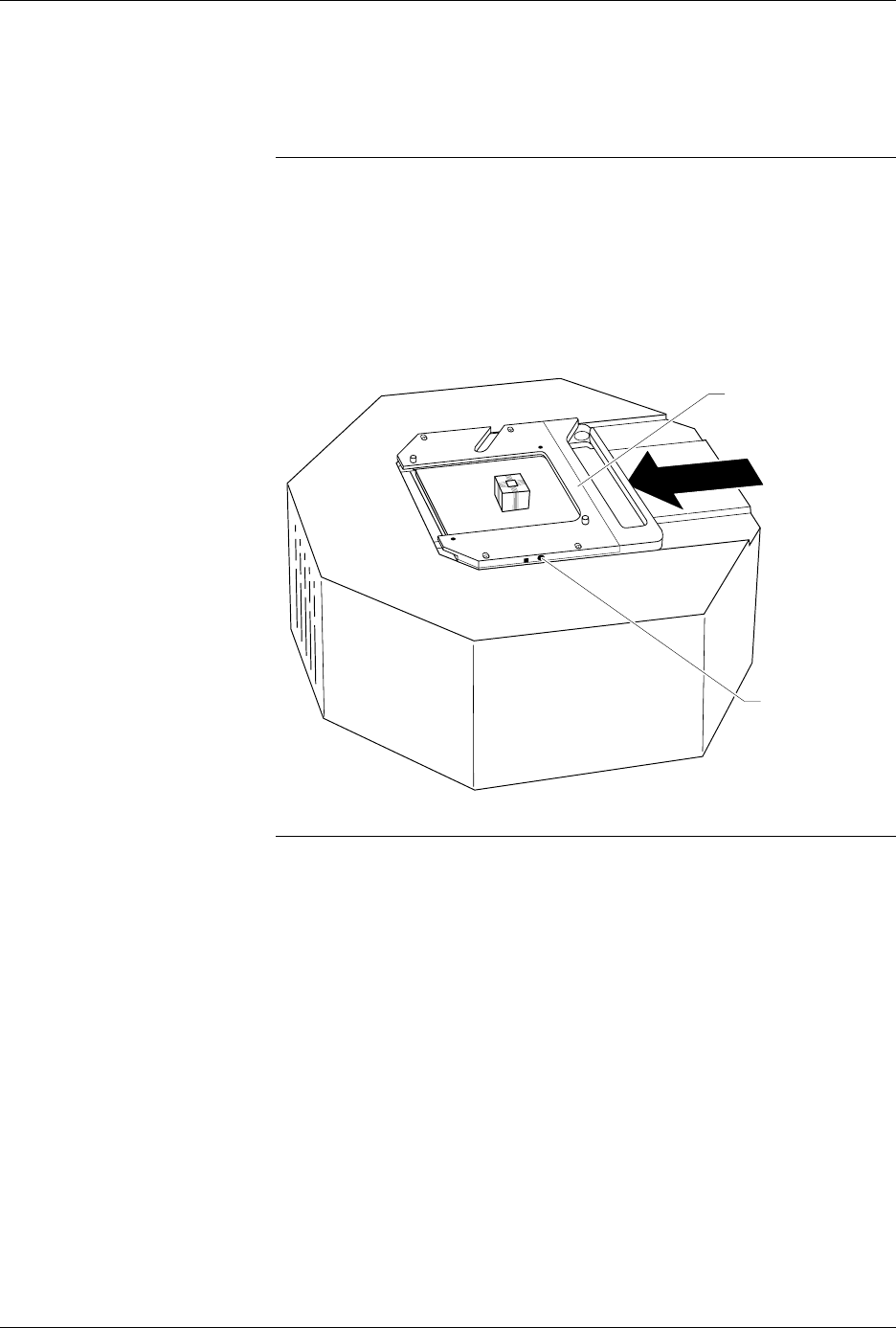
9. As shown in Figure 3-7, slide the clamp ring onto the pin driver head,
securing the new programming module in place.
7500 only: Install the module for the AutoSite.
CAUTION: To ensure good contact between the module and the spring
pins on the pin driver head, you may have to push down
slightly on the programming module while sliding the clamp
ring over the board. Apply downward pressure on the board,
not the programming module’s socket. Pressing down on the
socket could damage the pins or contacts.
You will feel and hear a “click” from the clamp ring when the
programming module is properly secured to the pin driver head.
Note: Before continuing with the next step, we suggest that you change the
chuck on the handler. See the “Removing and Installing Chucks” section
of the handler manual for more information.
Figure 3-7
Securing a Programming Module
to the Pin Driver Head
1361-2
PROGRAMMING
MODULE CLAMP RING
ADJUSTMENT
SCREW