DECAN_S1_Operation_EN.pdf - 第16页
Chap ter 2 This chapter describes how to supply the power and the items to be checked before starting production. Supplying Pow e r and W arming up Nex t Generation, Multi- Funct ional Placer DE CAN S 1 Ope ra tio n Han …
Chapter 2
This chapter describes how to supply the power and the items to be
checked before starting production.
Supplying Power and Warming up
Next Generation, Multi-Functional Placer
DECAN S1 Operation Handbook
2-2
Procedure Preparing for Production > Turning the main switch on/off
Procedure Preparing for Production
Supplying Power and Warming up
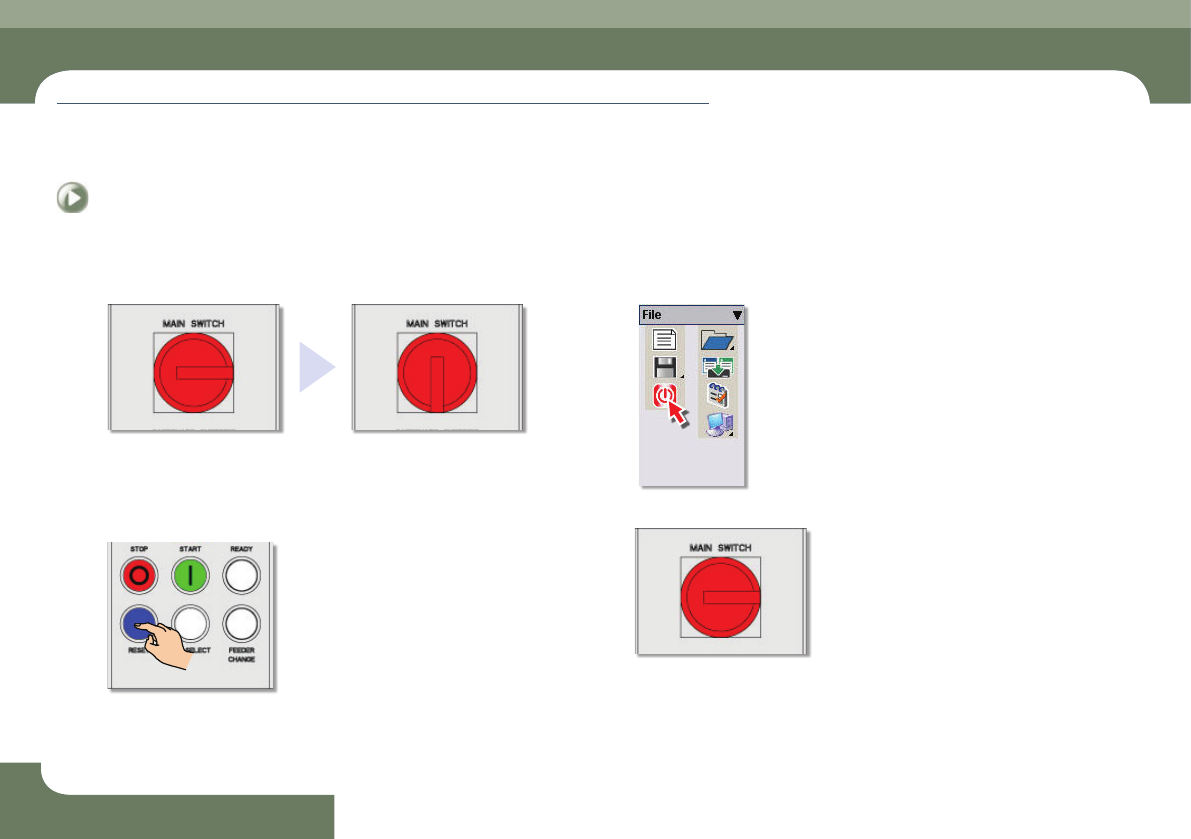
2. Turning the main switch on/off
Step 1.
Turning the main switch on
- Power supply turned off
- Power supply turned on
Step 2.
Turn the main switch off
① Press the 'RESET' button
② Click the MMI 'Exit' icon.
③ Turn the power switch off.
Chapter 2
This chapter describes how to supply the power and the items to be
checked before starting production.
Supplying Power and Warming up
Next Generation, Multi-Functional Placer
DECAN S1 Operation Handbook
2-3
Procedure Preparing for Production > MMI initialization
Procedure Preparing for Production
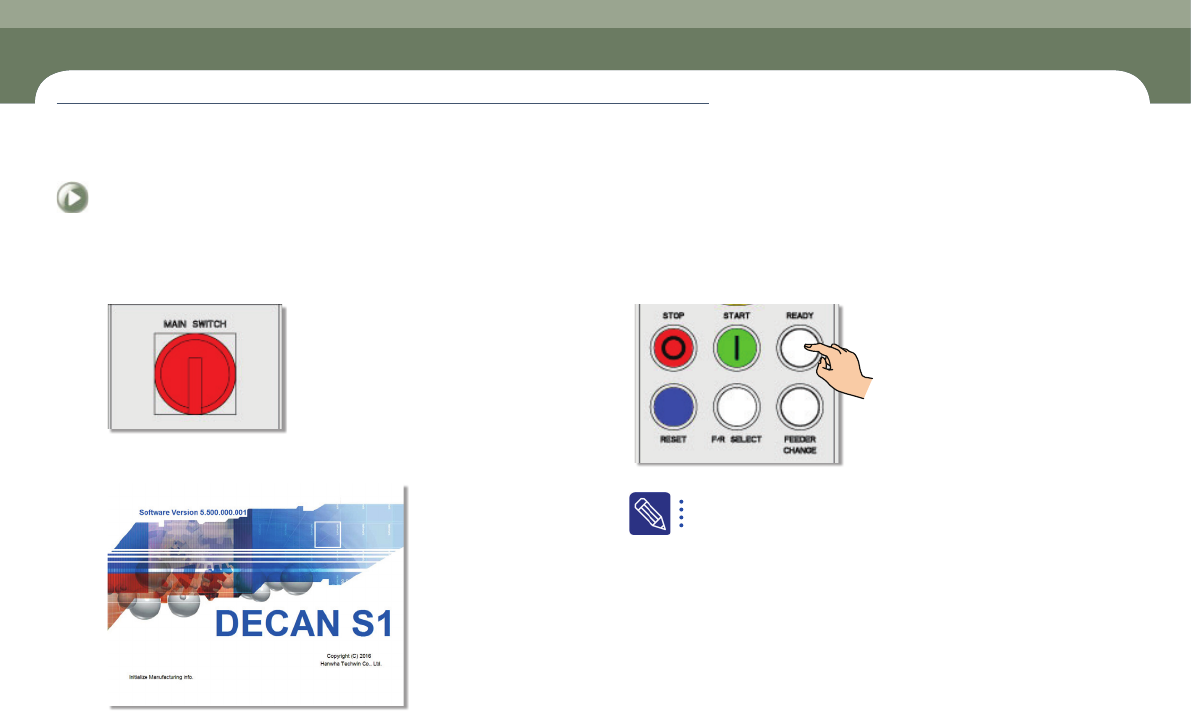
3. MMI initialization
Step 1.
Turn on the main switch
Step 2.
Check the MMI initialization and module (automatically)
Step 3.
Press the 'READY' button
If the power is supplied to the machine, the PC is turned on and the
MMI is executed automatically to check each module by initializing
the program.
Chapter 2
This chapter describes how to supply the power and the items to be
checked before starting production.
Supplying Power and Warming up
Next Generation, Multi-Functional Placer
DECAN S1 Operation Handbook
2-4
Procedure Preparing for Production > Home
Procedure Preparing for Production
Supplying Power and Warming up
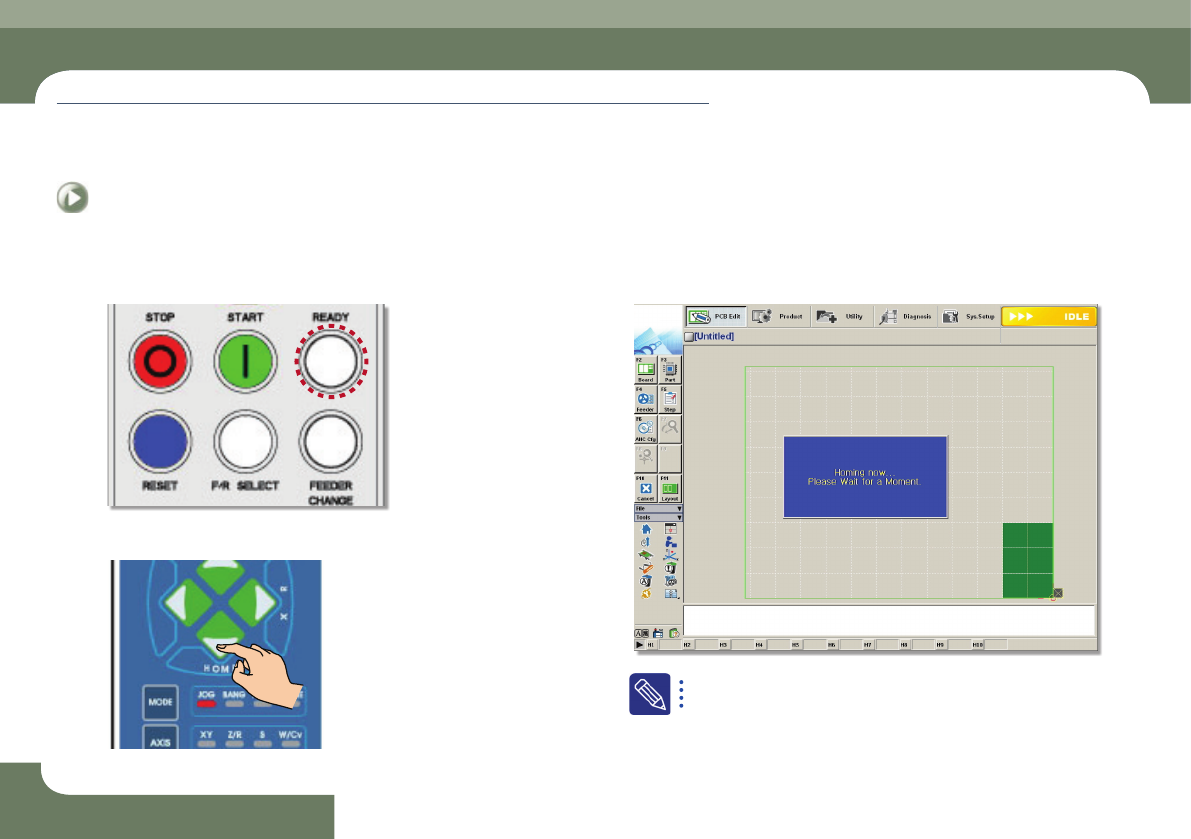
4. Home
Step 1.
Check if the light of the 'READY' button is on
Step 2.
Press the 'Home' button (▼)
Step 3.
It is returned to the origin
When the machine is in 'Ready' state, it can be returned to the origin.
(homing)