DECAN_S1_Operation_EN.pdf - 第71页
Fini sh p r oduction and chang e w o rk Chap ter 5 Nex t Generation, Multi- Funct ional Placer DE CAN S 1 Ope ra tio n Han db oo k 5-8 This chapter describes the method to finish production and change t he work to new wo…
Finish production and change work
Chapter 5
Next Generation, Multi-Functional Placer
DECAN S1 Operation Handbook
5-7
This chapter describes the method to finish production and change the
work to new work as well as the method to turn off the power supply
to the machine after finishing production and keeping the area around
the machine clean and tidy.
Changing Jobs > Clean the feeder base
Changing Jobs
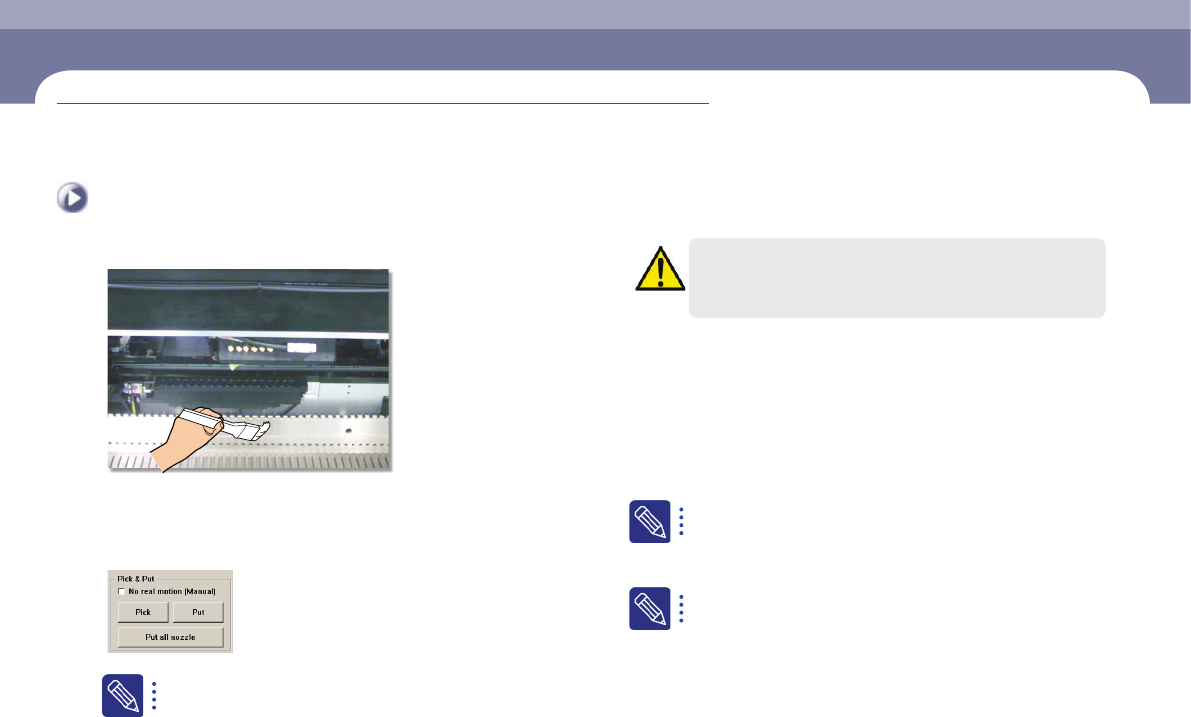
3. Clean the feeder base
Remove chips or foreign materials on the upper surface of the feeder base and slot
using a brush.
4. Returning nozzles and removing backup pins
Press <Put All Nozzles> button in the 'System ANC Manage' dialog
box to return the nozzles inserted in the nozzle holder of the head to
the designated holes of the ANC.
Warning
Before removing the backup pin, turn off the power supply to the
machine's motor.
5. Clean the dump box and remove any waste tape
vinyl
Collect the parts from the dump box and clean it. Then clean the tape cutter's
waste vinyl collection box.
6. Opening a PCB file and checking a job
Download the new PCB file.
For further details, refer to "1. Download the PCB file" (page 3-12)
Check the production goal for new PCBs.
For further details, refer to "1. Check related works (30 minutes
before shift of work)" (page 3-1)
Finish production and change work
Chapter 5
Next Generation, Multi-Functional Placer
DECAN S1 Operation Handbook
5-8
This chapter describes the method to finish production and change the
work to new work as well as the method to turn off the power supply
to the machine after finishing production and keeping the area around
the machine clean and tidy.
Changing Jobs > Install feeder/nozzle and order parts
Changing Jobs
Finish production and change work
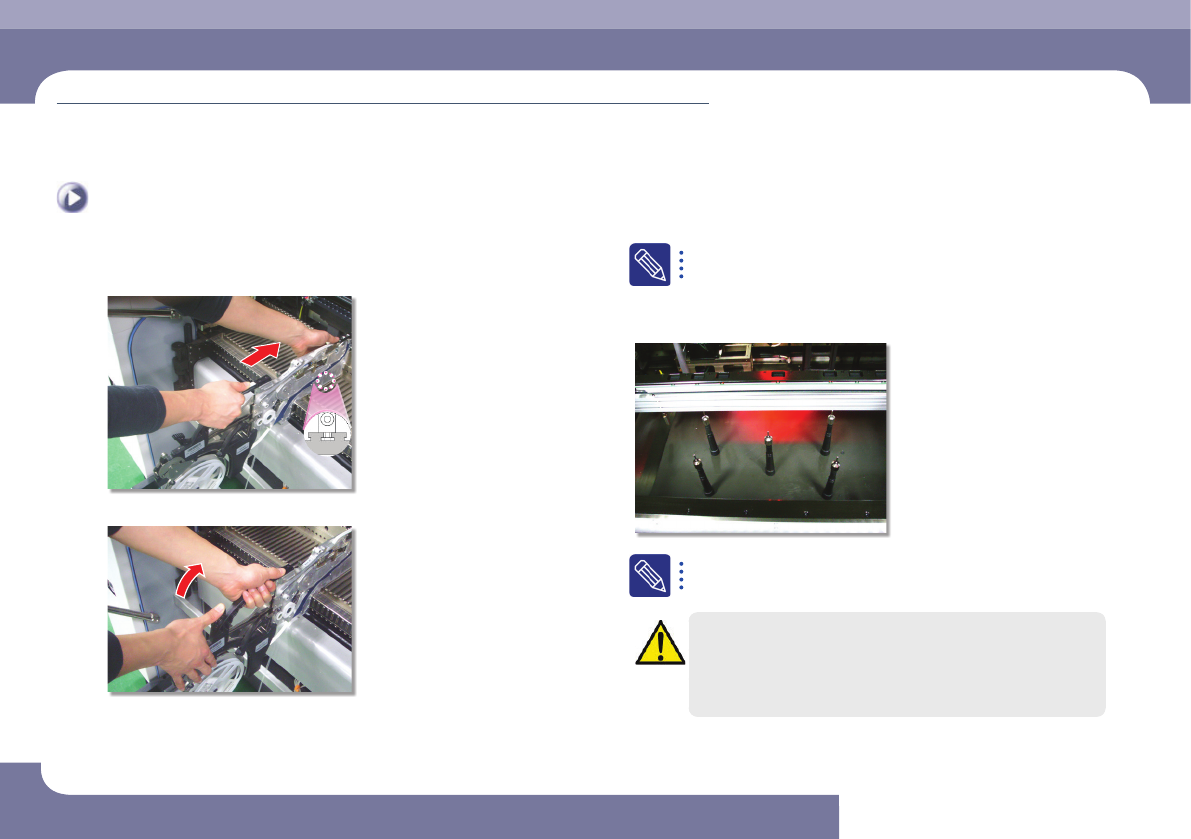
7. Install feeder/nozzle and order parts
Step 1.
Secure the feeder in the corresponding slot
Step 2.
Secure the grip
Install the feeder in the corresponding slot referring to the feeder arrangement
on the PCB and arrange the nozzles in the ANC holes manually referring to the
nozzle arrangement on the ANC. Then check the parts expected to be exhausted
in advance and order them.
For further details, refer to "3. Install feeder/nozzle and order parts"
(page 3-11)
8. Backup-pin rearrangement
For more details regarding the backup pin arrangement, refer to
"Arranging Backup Pins" (page 6-11).
Caution
Arrange the backup pins after moving the backup table up.
If the double-faced board is on work, placing the backup pins
wrongly could lead to improper placement or damage the placed
components. Be sure to adjust the backup pins position correctly.
Finish production and change work
Chapter 5
Next Generation, Multi-Functional Placer
DECAN S1 Operation Handbook
5-9
This chapter describes the method to finish production and change the
work to new work as well as the method to turn off the power supply
to the machine after finishing production and keeping the area around
the machine clean and tidy.
Changing Jobs > Check and teach positions
Changing Jobs
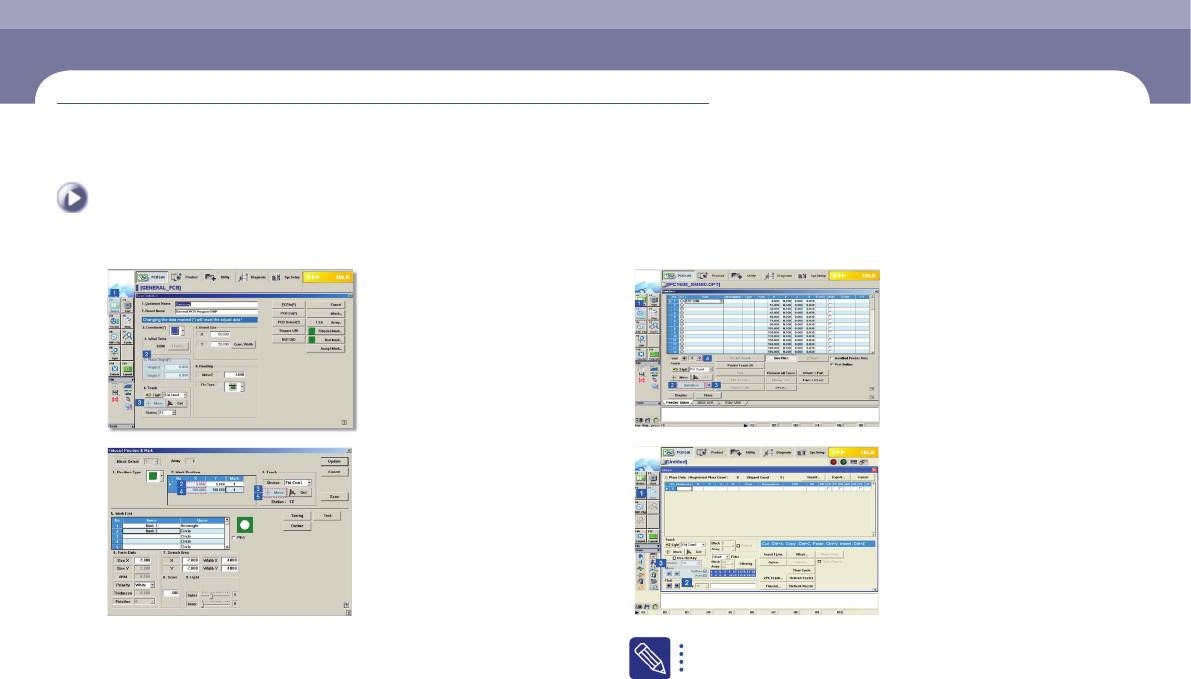
9. Check and teach positions
For further details, refer to "4. Check and teach positions" (page
3-20)
10. Placement
Download the PCB and execute the new job.