00197674-01-UM-E-Series-EN-02-2015.pdf - 第211页
User manual SIPLACE E 5 Working with the machine From software version SC 708.0 12/2014 Edition 5 .6 The user inte rface 211 5.6.4 Operating the statio n software in the views Most views which can be accessed vi a the to…

5 Working with the machine User manual SIPLACE E
5.6 The user interface From software version SC 708.0 12/2014 Edition
210
Test bench in-
spection
Only available from operator level Machine service.
For a detailed description of the test bench inspection functions
refer to the Online Help.
Icon View Description
User manual SIPLACE E 5 Working with the machine
From software version SC 708.0 12/2014 Edition 5.6 The user interface
211
5.6.4 Operating the station software in the views
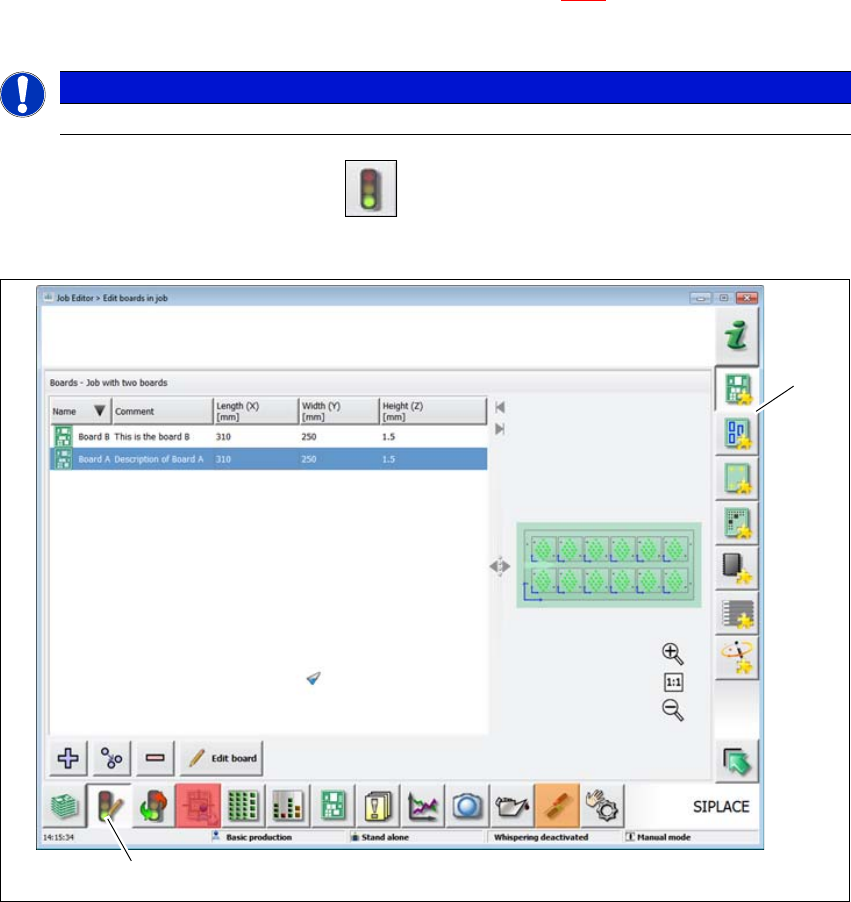
Most views which can be accessed via the toolbar (see section 5.6.3, page 208) have an addi-
tional vertical toolbar with subviews and functions, on the right-hand side of the user interface.
5
Example: View: "Job editor
Click on "Job editor" in the toolbar .
The following view will open:
5
Fig. 5.6 - 3 User interface in the "Job editor" view (example)
Legend
(1) Toolbar ("Job editor" button)
(2) Vertical toolbar in "Job editor" view
PLEASE NOTE
For a detailed description of the individual functions refer to the Online Help.
(1)
(2)
5 Working with the machine User manual SIPLACE E
5.6 The user interface From software version SC 708.0 12/2014 Edition
212
5.6.5 Settings
The "Settings" view allows you to change the various user settings, software options and machine
options.
Click on Settings in the toolbar .
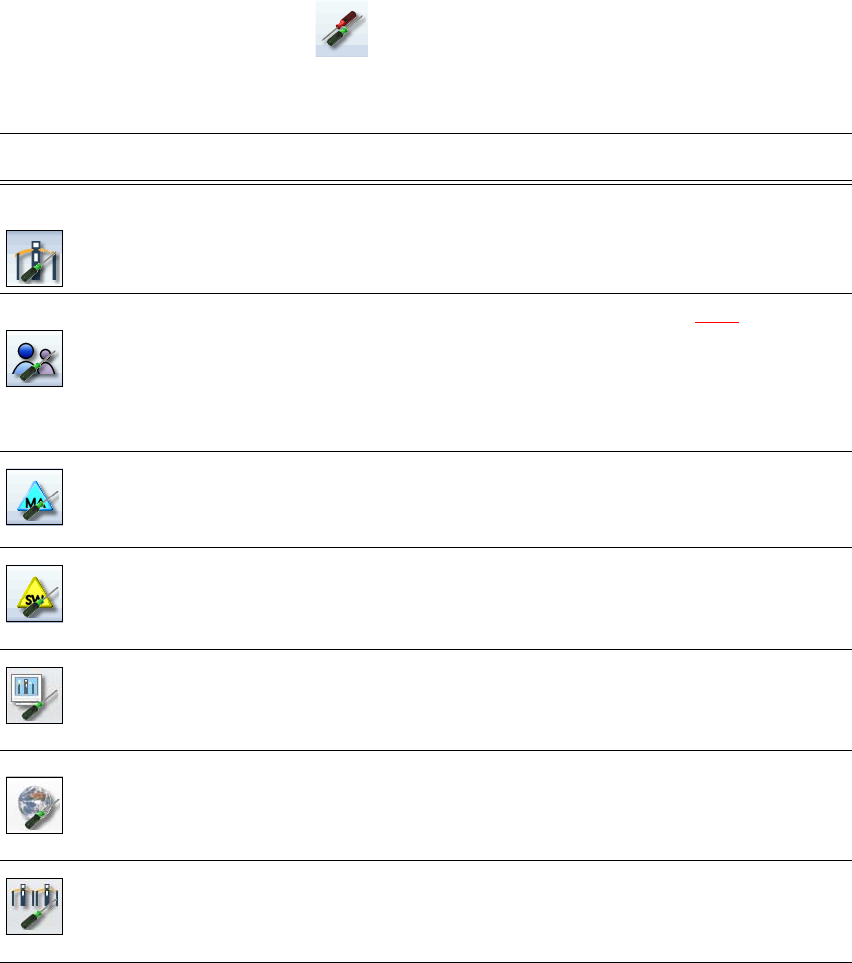
The right-hand side shows an additional toolbar. The following table briefly describes the icons
and settings.
Icon Settings Description
Machine settings Allows you to set the operating mode and options (e.g. running
options).
Allows you to shut down the machine
Allows you to change over to the operating system.
User settings Allows you to set the operator level (see section 5.3.2
, page 202).
Allows you to set the language. As a default, English or German
can be selected. A language CD is provided for installation of other
languages.
Further options can be set from the Advanced production operator
level.
Machine options Configuration of machine options.
Only for Advanced production operator level.
Software options Allows you to activate various test functions.
Only for Machine service operator level.
GUI settings Check and set the GUI settings.
Only for Advanced production operator level.
Overview of con-
nected external
systems
Shows all connected external systems (e.g. OIS, SetupCenter).
Shows the connection status and the memory used or deletes the
connected systems.
Only for Advanced production operator level.
Neighbor ma-
chines
Display neighbor machines.