00197674-01-UM-E-Series-EN-02-2015.pdf - 第248页
5 Working with the machine User manual SIPLACE E 5.16 Docking the changeover table in or out From software versio n SC 708.0 12/2 014 Edition 248 5.16.3 Safety instructions fo r moving the ch angeover table 5 Always ho…
User manual SIPLACE E 5 Working with the machine
From software version SC 708.0 12/2014 Edition 5.16 Docking the changeover table in or out
247
5.16.2 Docking out the changeover table
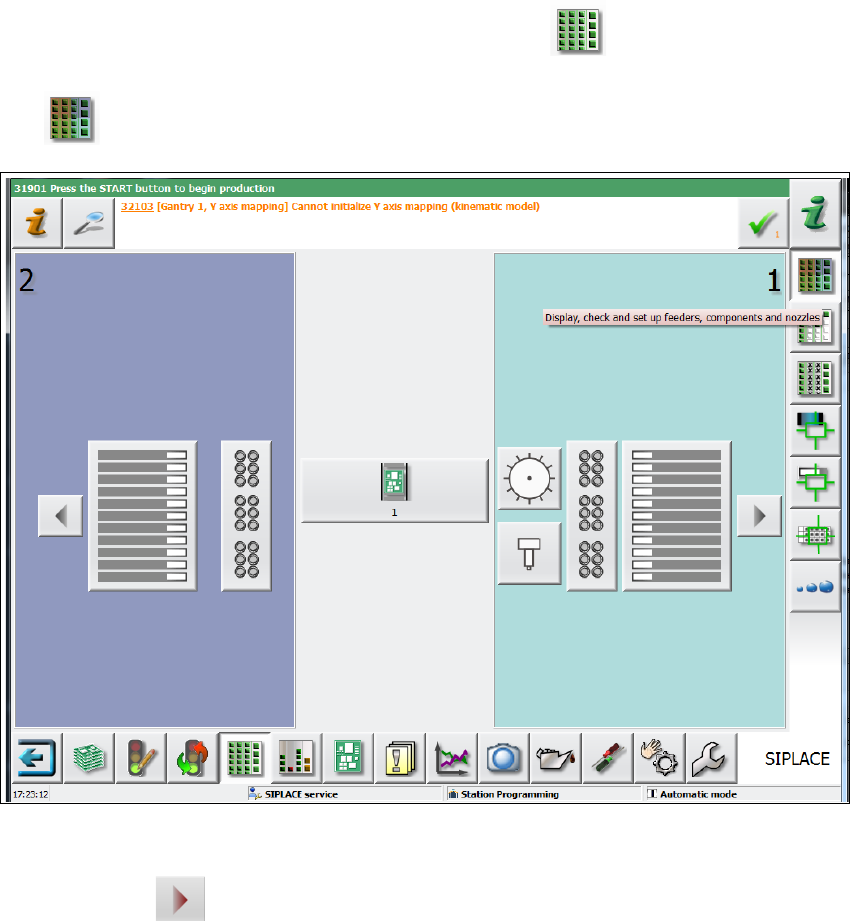
Go to the main view of the station software and select the Feeder module... icon and
then the
Locations icon.
5
Fig. 5.16 - 2 SC GUI - locations
Click on the icon to release the respective location and wait until the locking device
opens. For further information, refer to the station software Online Help.
Disconnect the power cable and the D-sub connection cable of the changeover table from the
machine.
With both hands on the handles, pull the changeover table out of the machine.
5
With both hands on the handles, pull the changeover table out of the machine.

5 Working with the machine User manual SIPLACE E
5.16 Docking the changeover table in or out From software version SC 708.0 12/2014 Edition
248
5.16.3 Safety instructions for moving the changeover table
5
Always hold the handles with both hands when you want to move the changeover table.
Remember that a changeover table with the full complement of feeder modules can tip over
sideways or forward on gradients of 20° or more.
Make sure that the surface on which the trolley is moved has a significantly smaller gradient.
The floor underneath the machine may not exceed an incline of 0.63%. This corresponds to
an incline of 5 mm over a distance of 800 mm (e.g. the width of a changeover table).
Be careful not to collide with obstacles. The trolley could tip forward if it is traveling fast
enough.
WARNING
Avoid accidents!
To prevent accidents, ALWAYS follow the rules listed below when you move the change-
over table.
User manual SIPLACE E 5 Working with the machine
From software version SC 708.0 12/2014 Edition 5.16 Docking the changeover table in or out
249
5.16.4 Docking the changeover table
5
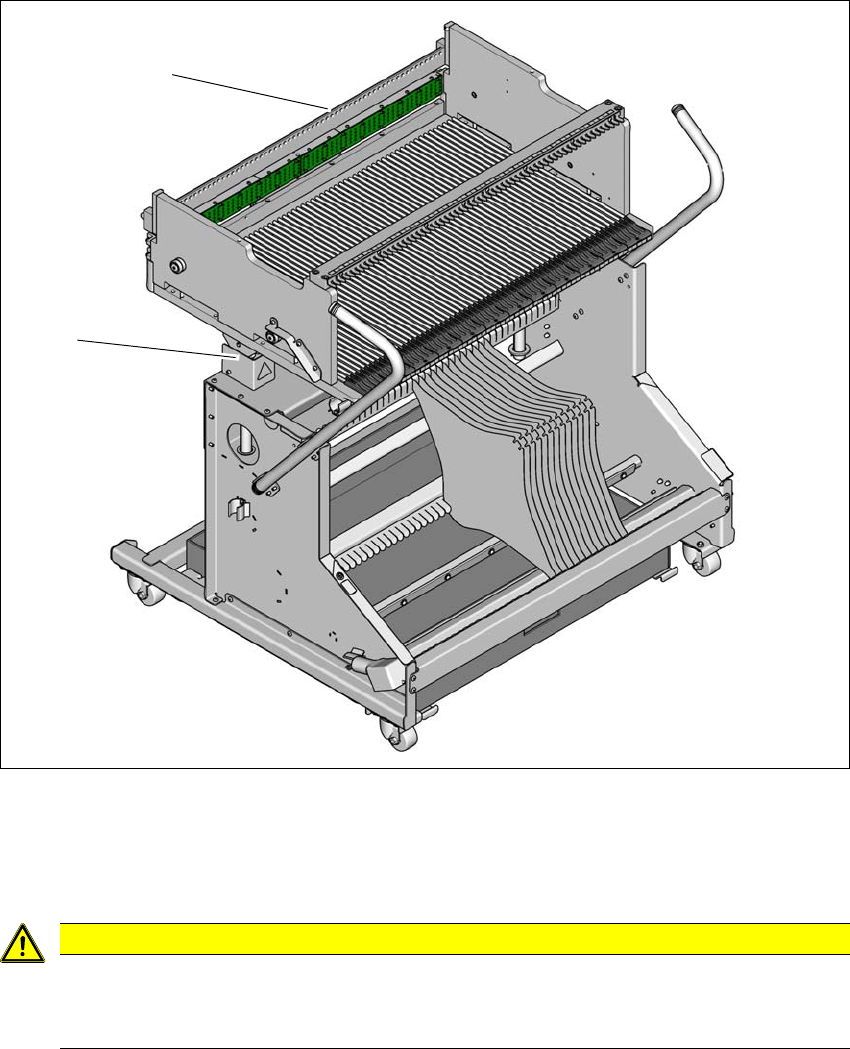
Fig. 5.16 - 3 Docking the changeover table
(1) Centering bar
(2) Height setting to the machine height
5
CAUTION
Pushing in changeover table!
When pushing the changeover table into the machine, make sure that you do not hit
obstacles with the centering bar.
(2)
(1)