WPC4 services manual.pdf - 第83页
SITEST for WPC4 Continuous Run SITEST Axes Service Manual SIPLACE WPC4 83 5.7.2 Continuous Run Start position [µm]: Shows the start position for the selected axis. Target position [µm]: Shows the target po sition for…
SITEST for WPC4
SITEST Axes Positioning
82 Service Manual SIPLACE WPC4
Menu field: Machine data
Positions...: Opens a dialog box in which the various positions are shown for the selected axis.
Default values...: Opens a dialog box showing the default values for speed, acceleration and
removal speed.
Positioning data...Opens a dialog box in which you can enter the required speed and acceleration
values.
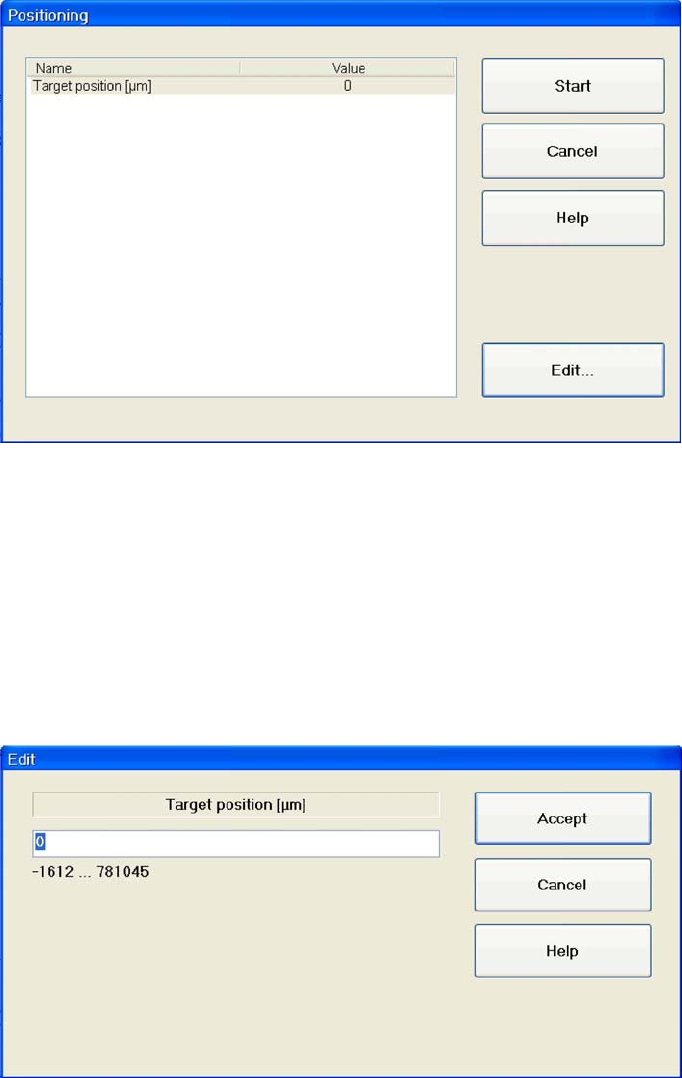
5.7.1 Positioning
Name: Shows the target position for the selected axis.
Value: Shows the target position in µm.
Start: Moves the axis to the specified target position.
Cancel: Closes the dialog box and rejects any changes made.
Edit...: Opens a dialog box in which the values for the target position can be entered.
Entering the target position
X Mark the line
Target position [µm]
X Select
Edit...
.
X Enter the required value in the input field. Make sure the value entered is within the permissible limits.
X Select
Accept
to confirm your entry or
Cancel
to reject the entry.
SITEST for WPC4
Continuous Run SITEST Axes
Service Manual SIPLACE WPC4
83
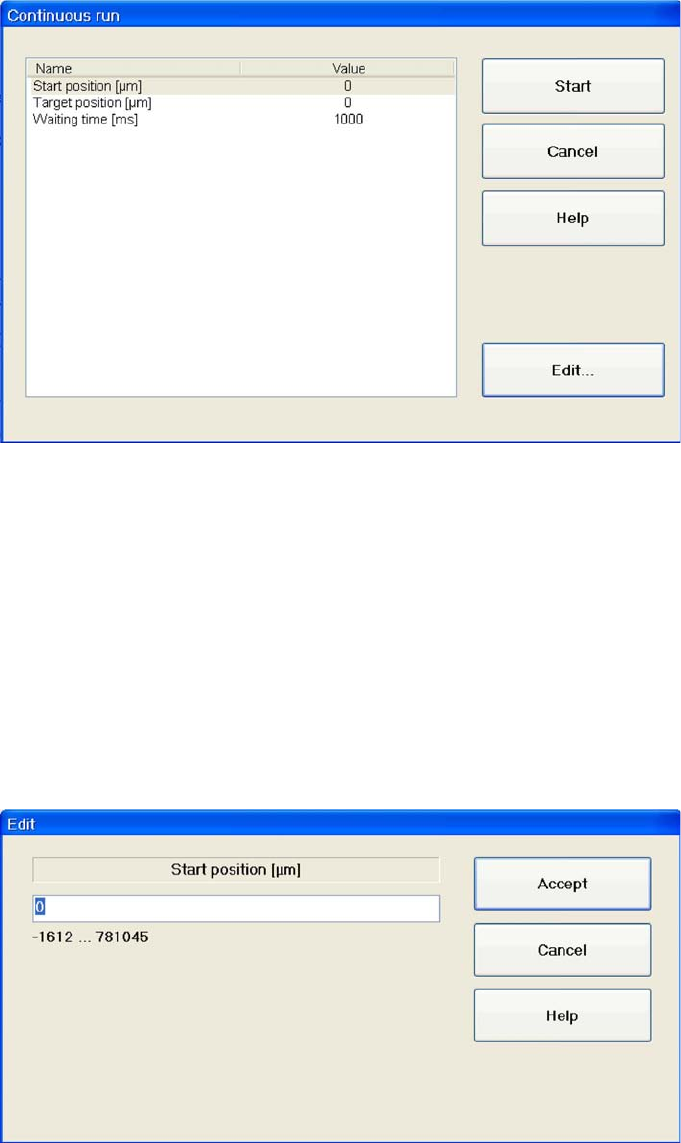
5.7.2 Continuous Run
Start position [µm]: Shows the start position for the selected axis.
Target position [µm]: Shows the target position for the selected axis.
Waiting time [ms]: Shows the time which the selected axis should wait in the start or target position
during the continuous run.
Start: Moves the axis in a continuous run between the specified start and target positions.
Cancel: Closes the dialog box without saving any changes made.
Edit...: Opens a dialog box in which the relevant value can be entered for the level.
Setting values
X Mark the line with the parameters which you want to set.
X Select
Edit …
.
X Enter the required value in the input field. Make sure the value entered is within the permissible limits.
X Select
Accept
to confirm your entry or
Cancel
to reject the entry.
Starting a continuous run
X Select
Start
.
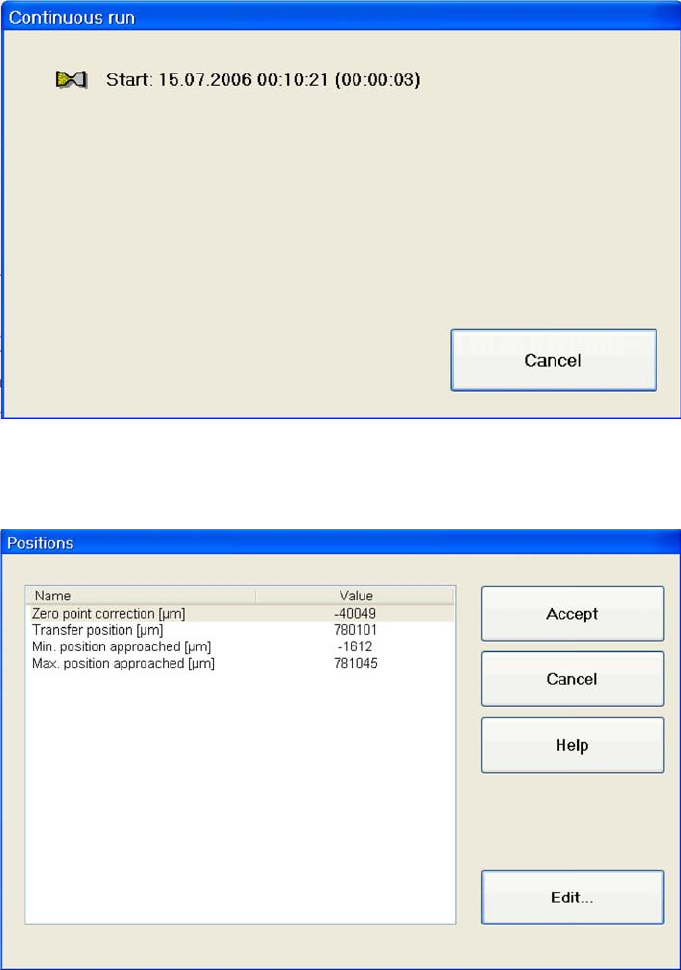
A dialog box shows the date and time at which the continuous run was started. The continuous run
continues until
Cancel
is selected.
SITEST for WPC4
SITEST Axes Feed Axis Positions
84 Service Manual SIPLACE WPC4
Cancel: Terminates the continuous run.
5.7.3 Feed Axis Positions
Zero point correction [µm]: Shows the reference point for calibration of the zero point.
Transfer position [µm]: Shows the feed axis transfer position.
Min. position approached [µm]: Shows the minimum position reached by the axis.
Max. position approached [µm]: Shows the maximum position reached by the axis.
Accept: Confirms the entry and closes the dialog box.
Cancel: Closes the dialog box and rejects any changes made.
Edit...: Opens a dialog box in which a value can be entered for the parameter in the selected line.
If you want to alter a position, proceed as follows:
X Mark the parameter which you want to change.
X Select
Edit...
.
X Enter the required value in the input field. Make sure the value entered is within the permissible limits.
X Select
Accept
to confirm your entry or
Cancel
to reject the entry.