XP Type II 工程师培训手册 (2.0).pdf.pdf - 第118页
C C h h a a p p t t e e r r 3 3 S S t t a a t t i i c c A A c c c c u u r r a a c c y y M M e e a a s s u u r r e e m m e e n n t t
FK-9F98-34 XP Type II Series Training Text for Service Engineers
Edition 2.0 XP242E – Chapter 2 Origin Settings Page 4 of 4
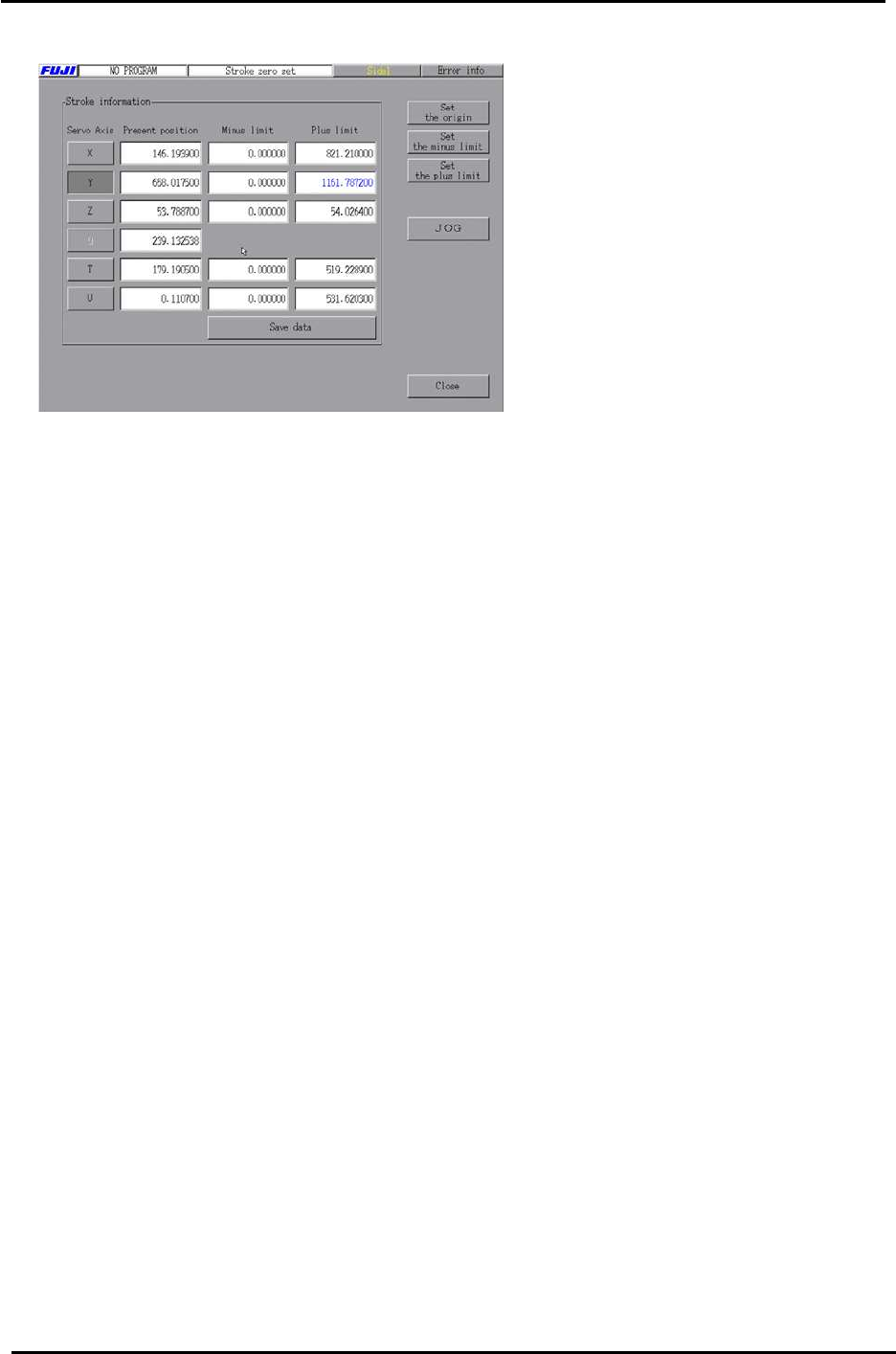
4. Select the axis you are setting and then press [Set the plus limit].
Fuji Machine Mfg. Co., Ltd. Okazaki.
SMT Equipment Quality Assurance Dept.
2 – 4 CS Section

C
C
h
h
a
a
p
p
t
t
e
e
r
r
3
3
S
S
t
t
a
a
t
t
i
i
c
c
A
A
c
c
c
c
u
u
r
r
a
a
c
c
y
y
M
M
e
e
a
a
s
s
u
u
r
r
e
e
m
m
e
e
n
n
t
t
FK-9F98-34 XP Type II Series Training Test for Service Engineers
Edition 2.0 XP242E – Chapter 3 Static Accuracy Measurement Page 1 of 6
Chapter 3 Static Accuracy Measurement
3.1 Straightness of the X/Y Axes
1. Jig: Perpendicular measurement jig Z9531DEPJ0050.
2. Equipment: Lever type dial gauge (0.01mm).
3. Attach the dial gauge to the placement head (an extension bar is necessary).
4. Place the perpendicular measurement jig (Z9531DEPJ0050) on to the main conveyor.
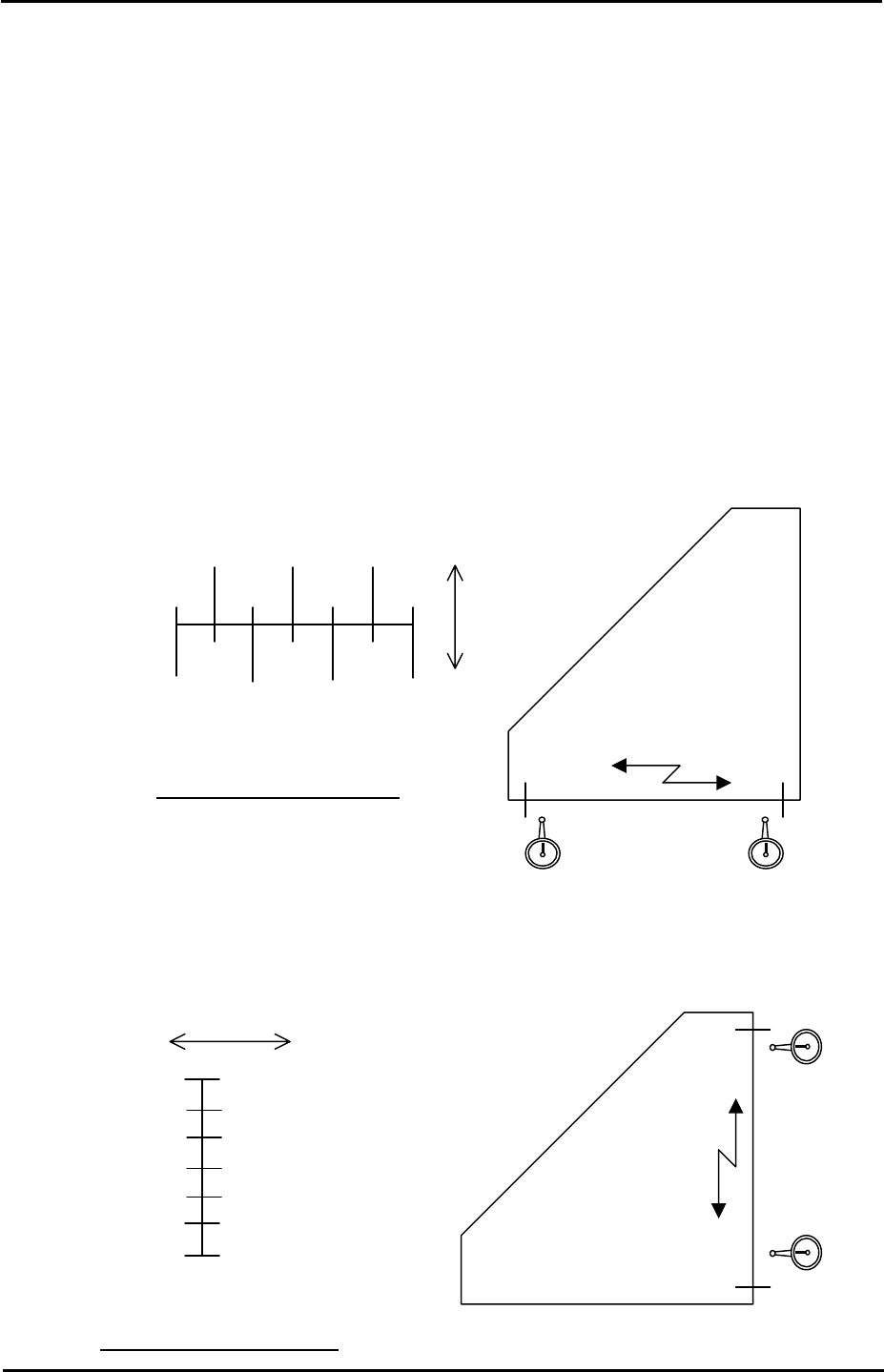
Adjust the jig position so that when running the dial gage along the jig in the X direction,
the 0mm and 300mm point values are both 0 (i.e. the jig is parallel to the X axis).
Movement distance of the X-axis
5. Measure the Y-axis straightness in the same way as the X-axis.
Note: measure in the part placement area of the main conveyor.
0 point
300mm
point
Z9531DEPJ0050
0 0 X-direction
250 150 50
300 200 100 0
( ) ( ) ( )
0 ( ) ( ) 0
+
-
Tolerance: 0.06/300 (mm)
Movement distance of the Y-axis
0 point
300mm
point
Z9531DEPJ0050
0
Y-direction
0
+
-
300
250
100
150
100
50
0
0
( )
( )
( )
( )
( )
0
Tolerance: 0.06/300 (mm)
Fuji Machine Mfg. Co., Ltd. Okazaki
SMT Equipment Quality Assurance Dept.
3 – 1 CS Section