00193687-06_Installation SIPLACE Explorer2.1_DE.pdf - 第29页
Installations- und Konfigurationsanleitung SIPLAC E Explorer 3 Installation des SIPLACE Explorer Ausgabe 11/2006 DE 3.1 Erstinstallation von SIPLACE Explorer 2.1 29 3 Abb. 3 - 2 Installshield Wizard - V orbe reitung der …
3 Installation des SIPLACE Explorer Installations- und Konfigurationsanleitung SIPLACE Explorer
3.1 Erstinstallation von SIPLACE Explorer 2.1 Ausgabe 11/2006 DE
28
3.1.1 Installationsvorgang Java J2SE Runtime Environment 5.0
HINWEIS
Sie müssen über Windows Administrator-Rechte verfügen, um die Installation ausführen zu
können. 3
→ Legen Sie die SIPLACE Explorer CD in Ihr CD-Rom-Laufwerk ein.
→ Es erscheint der Start Screen.
3
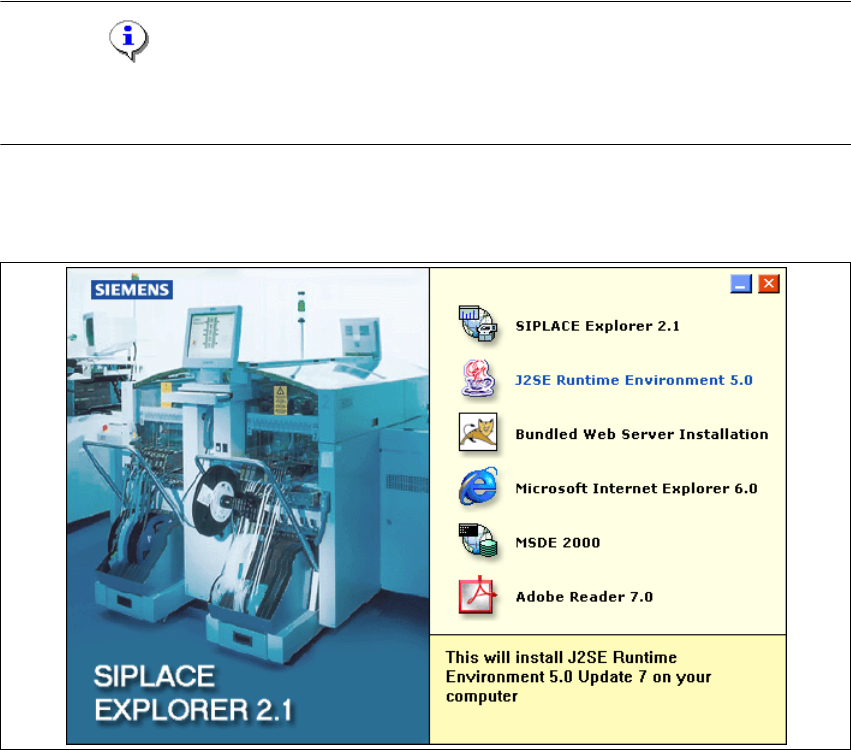
Abb. 3 - 1 SIPLACE Explorer setup - Start Screen
→ Wählen Sie J2SE Runtime Environment 5.0 aus. Die benutzergeführte Installation von Java
J2SE wird gestartet.
Installations- und Konfigurationsanleitung SIPLACE Explorer 3 Installation des SIPLACE Explorer
Ausgabe 11/2006 DE 3.1 Erstinstallation von SIPLACE Explorer 2.1
29
3
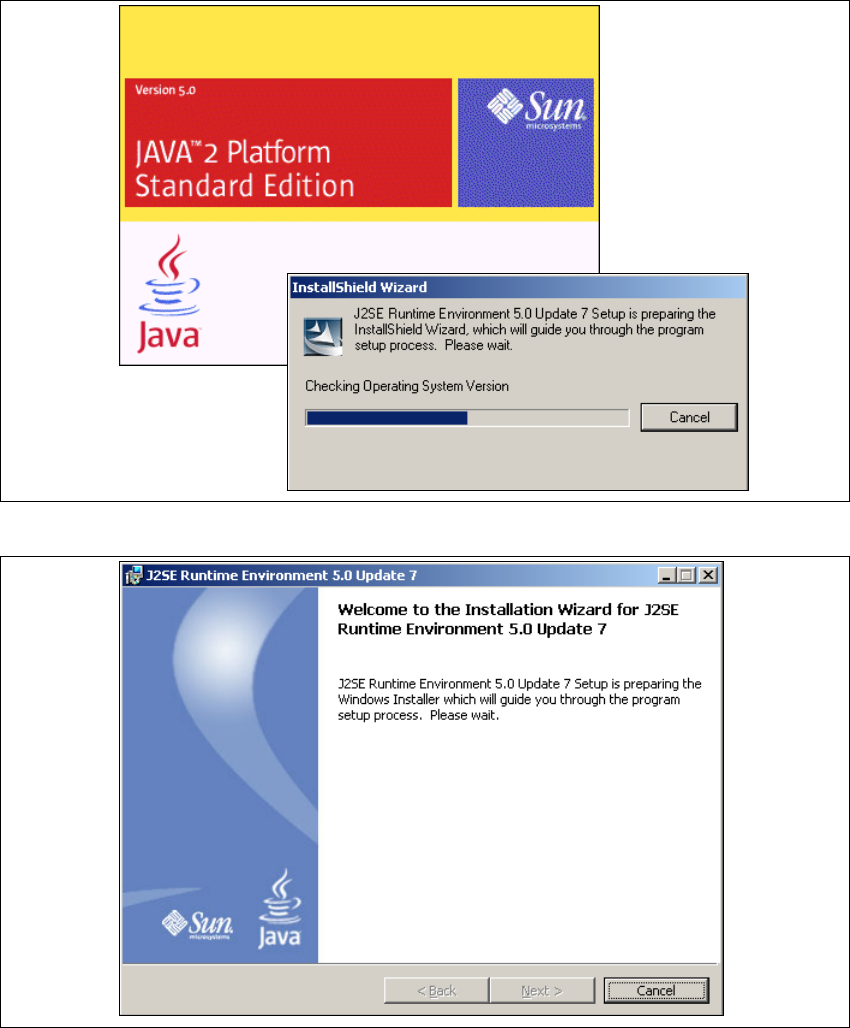
Abb. 3 - 2 Installshield Wizard - Vorbereitung der Installation
3
Abb. 3 - 3 Java 2SE Setup - Willkommen im SIPLACE Explorer
→ Beenden Sie alle anderen Programme und klicken Sie dann auf Next (Weiter). Das
Dialogfenster License Agreement wird geöffnet.
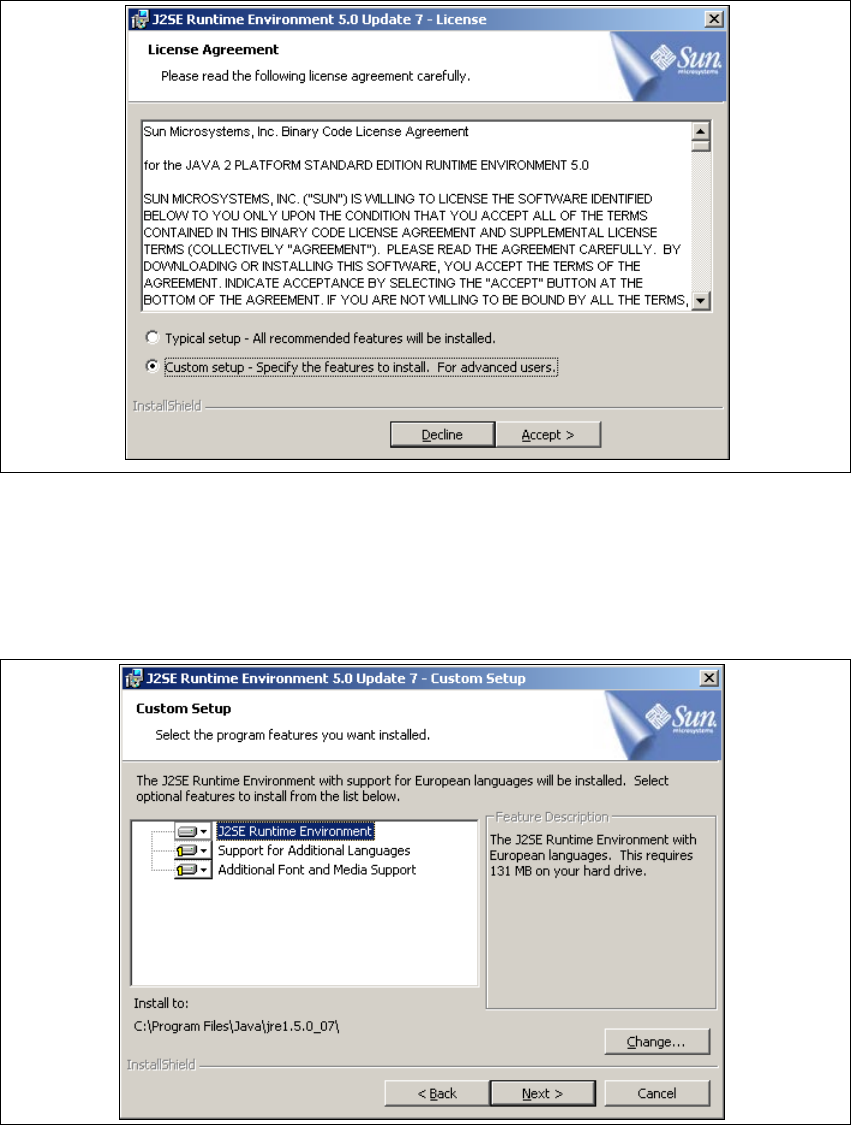
→ Wählen Sie die Option Custom Setup aus.
3 Installation des SIPLACE Explorer Installations- und Konfigurationsanleitung SIPLACE Explorer
3.1 Erstinstallation von SIPLACE Explorer 2.1 Ausgabe 11/2006 DE
30
→ Lesen Sie die Lizenzbestimmungen. Wenn Sie zustimmen, Accept > anklicken, die
Installation wird fortgeführt. Ansonsten wählen Sie Decline. In diesem Fall wird die Installation
beendet.
3
Abb. 3 - 4 Java 2SE Setup - Lizenzvereinbarungen
→ Das Dialogfenster Custom Setup wird geöffnet.
→ Wählen Sie jetzt die gewünschten Installationsoptionen aus und geben Sie den Ordner an, in
dem Sie die Anwendung installieren möchten. Der standardmäßig eingestellte Ordner ist
C:\Program Files\Java\jre1.5.0_07\. Diesen können Sie nach Bedarf auch ändern.
3
Abb. 3 - 5 Java 2SE Setup - Benutzerdefinierte Installation