np134 mechanical reference-1.1e.pdf.pdf - 第49页
Notes: Part 2 Chapter 1 Conveyor Width Adjustment Edition 1.0 2-1-2 NP-134E/134ME Mechanical
1. Conveyor Width Adjustment
Point
Correctly adjust the conveyor width to allow smooth panel transport and proper panel
clamping.
Procedure
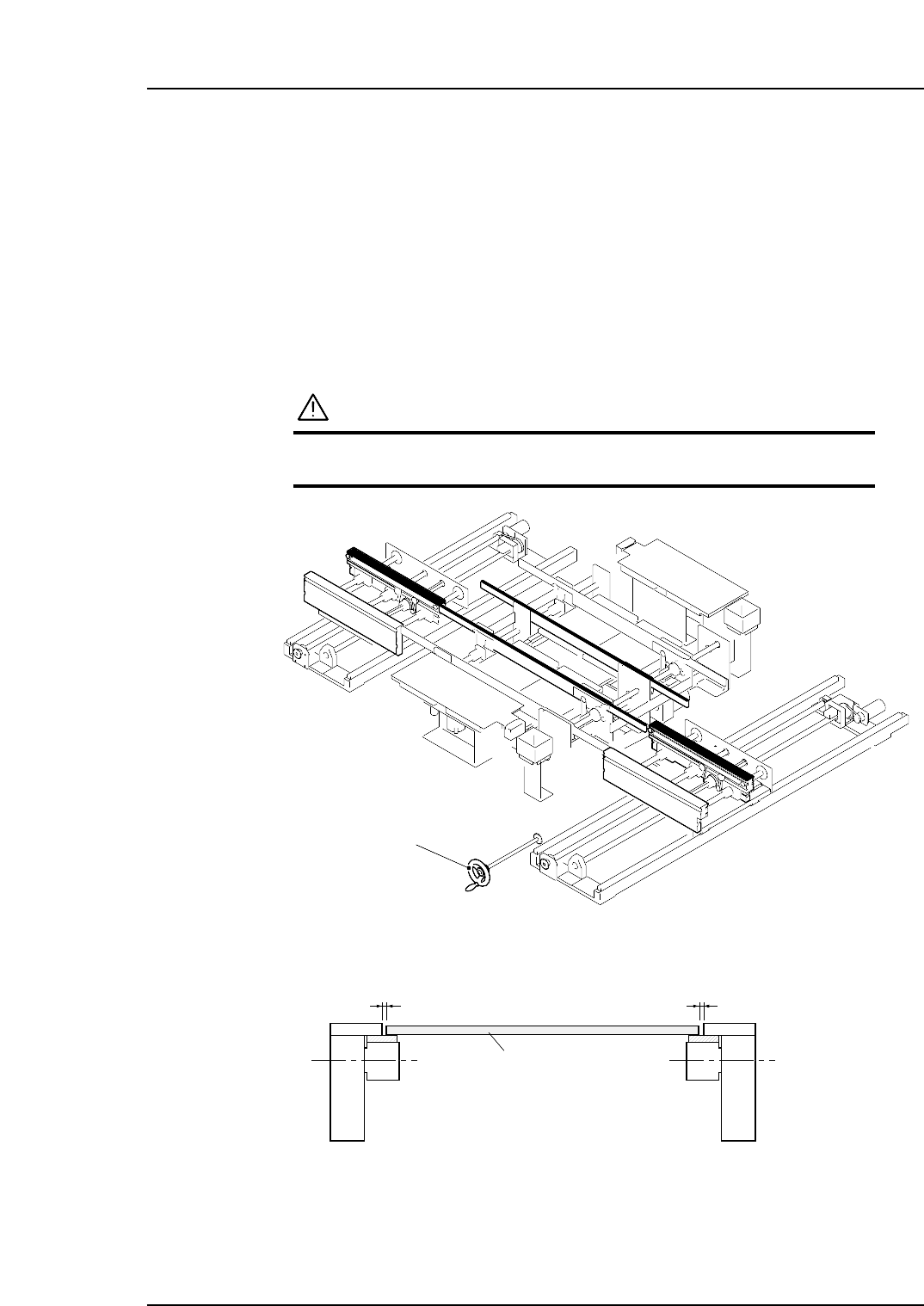
Turn the handle to simultaneously adjust the widths of the IN, OUT, and MAIN
conveyors.
CAUTION
Always check the positions of the back-up pins before
adjusting the conveyor width.
Adjust the conveyor width so that there is a 0.5mm space at both sides of the panel.
0.5 mm 0.5 mm
NP1MC051
Panel
Handle
NP1MC050
Part 2 Chapter 1 Conveyor Width Adjustment
Edition 1.0 2-1-1 NP-134E/134ME Mechanical

Notes:
Part 2 Chapter 1 Conveyor Width Adjustment
Edition 1.0 2-1-2 NP-134E/134ME Mechanical
2. Changing the Back-up Pin Position
Point
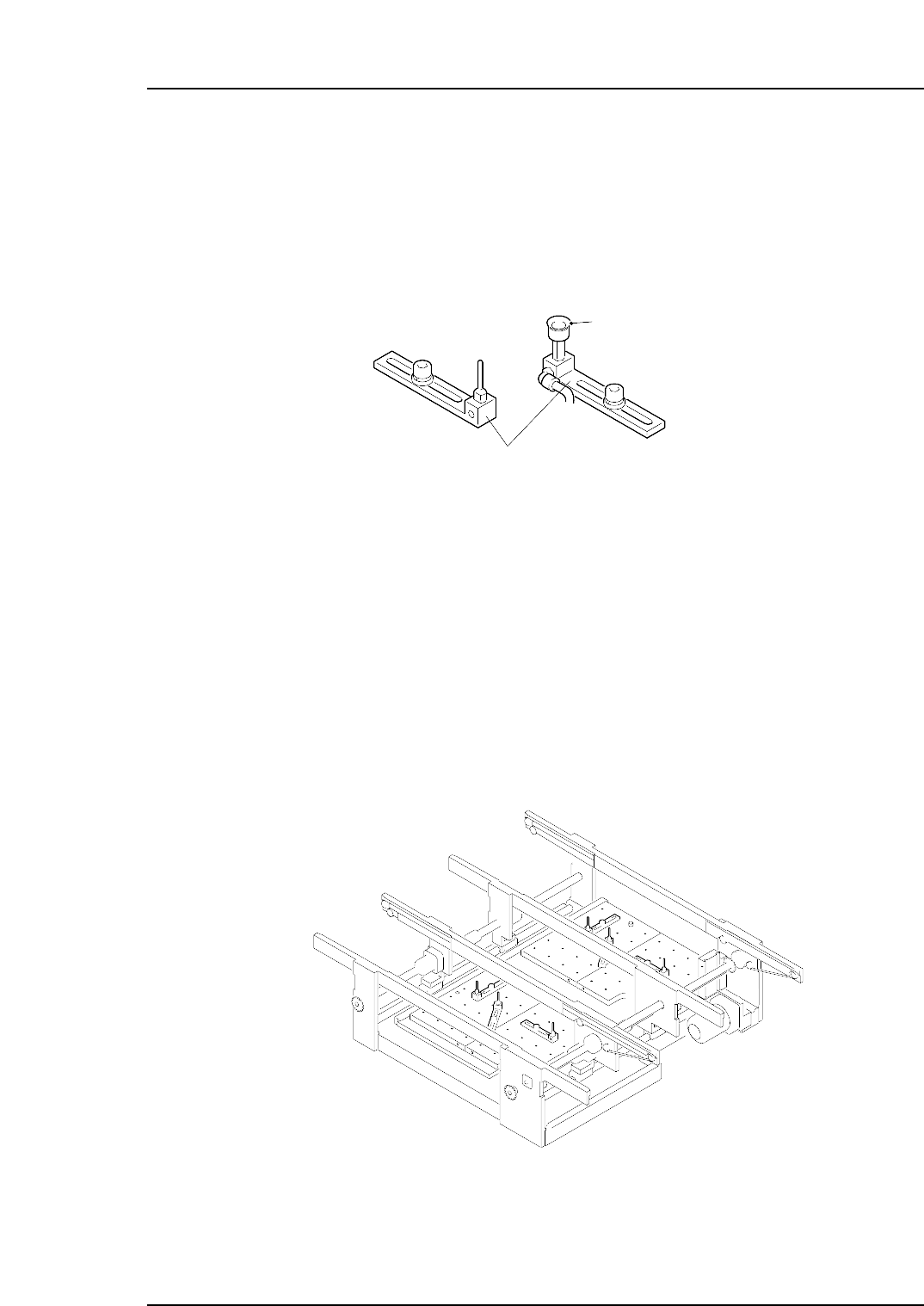
Positions and quantities of the back-up pin must be changed in accordance with the
panel shape, size, and rear-side positions of pre-mounted parts. Moreover, if the panel is
warped upward, use a back-up pin with a vacuum pad in order to hold the panel flat.
Procedure
First detach the PFU-4E or PFU-5E from the machine.
1. Lower the panel lifter.
2. Adjust the conveyor width to the maximum.
3. Remove the back-up plates from the panel lifter.
4. Loosen the mounting bolt and change the back-up pin positions.
5. Reinstall the back-up plates to the panel lifter. Make sure that the plates are fit in
close contact with the lifter plate.
6. Check to be sure that the back-up pins do not interfare with the conveyor, and
make adjustments as required.
NP1MC053
NP1MC052
Vacuum pad
Back-up pin
Part 2 Chapter 2 Changing the Back-up Pin Position
Edition 1.0 2-2-1 NP-134E/134ME Mechanical