np134 mechanical reference-1.1e.pdf.pdf - 第69页
Cleaning Check Points Cleaning Points Cleaning the Nozzle Cleaning the Filter inside the Nozzle Sleeve Cleaning the Nozzle Fluorescent Seal Emptying the Reject Parts Box Cleaning the Parts Camera Prism Emptying the PFU W…
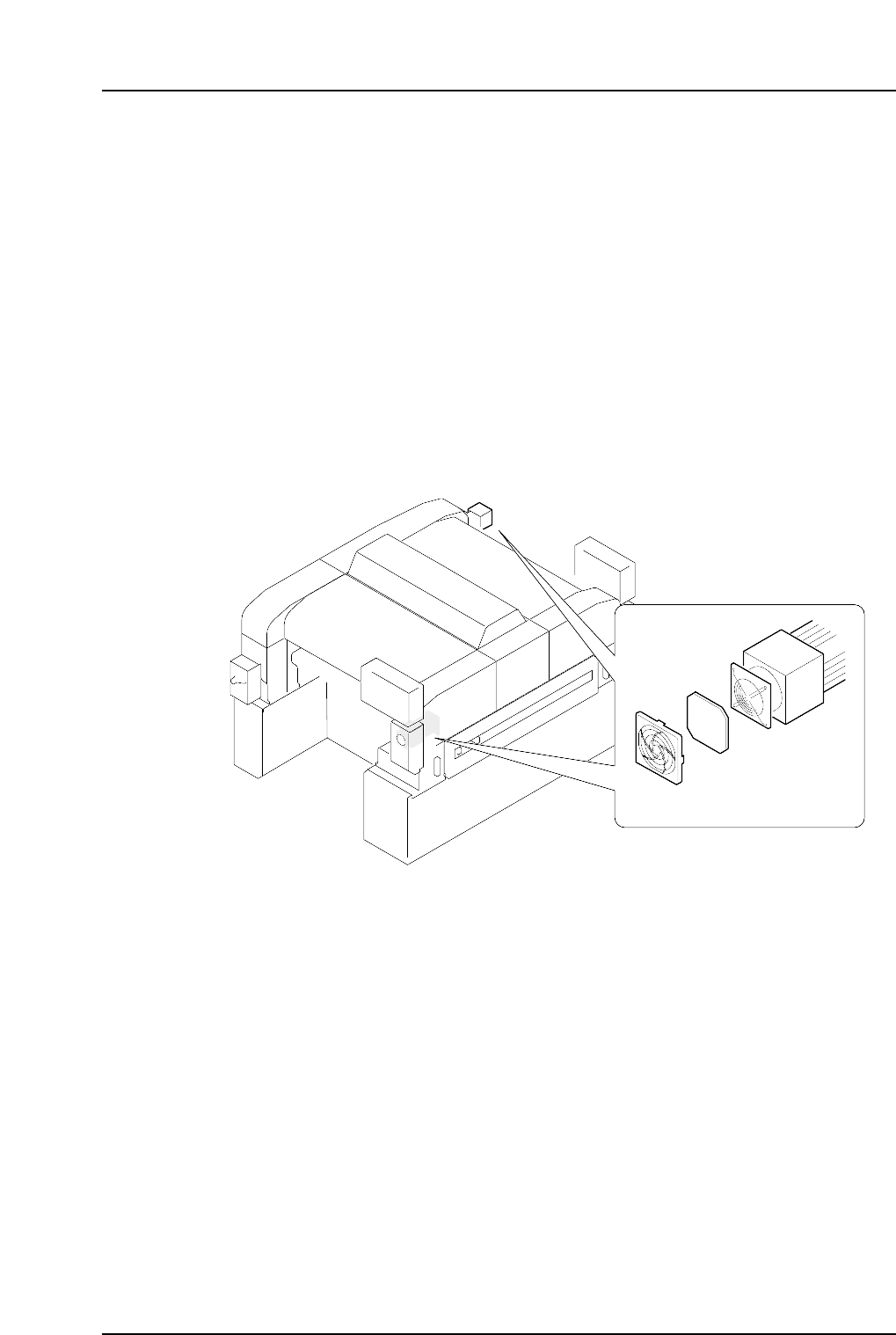
1.10 Cleaning the Y-axis Motor Cooling Fan Filter
(Monthly)
Point
A cooling fan is attached to the Y-axis motor. As the machine is operated, dust collects in
the filter of this fan, reducing the cooling effect on the motor. These filters must therefore
be cleaned regularly.
Procedure
Remove the filter cover, then the filter from the motor. Clean the filter using a neutral
detergent, and reattach it to the motor when it is dry.
Replace the filter if it is damaged or has collected too much dust.
NP1ML070
Filter cover
Filter
Y-axis motor
Part 3 Chapter 1 Cleaning
Edition 1.0 3-1-12 NP-134E/134ME Mechanical
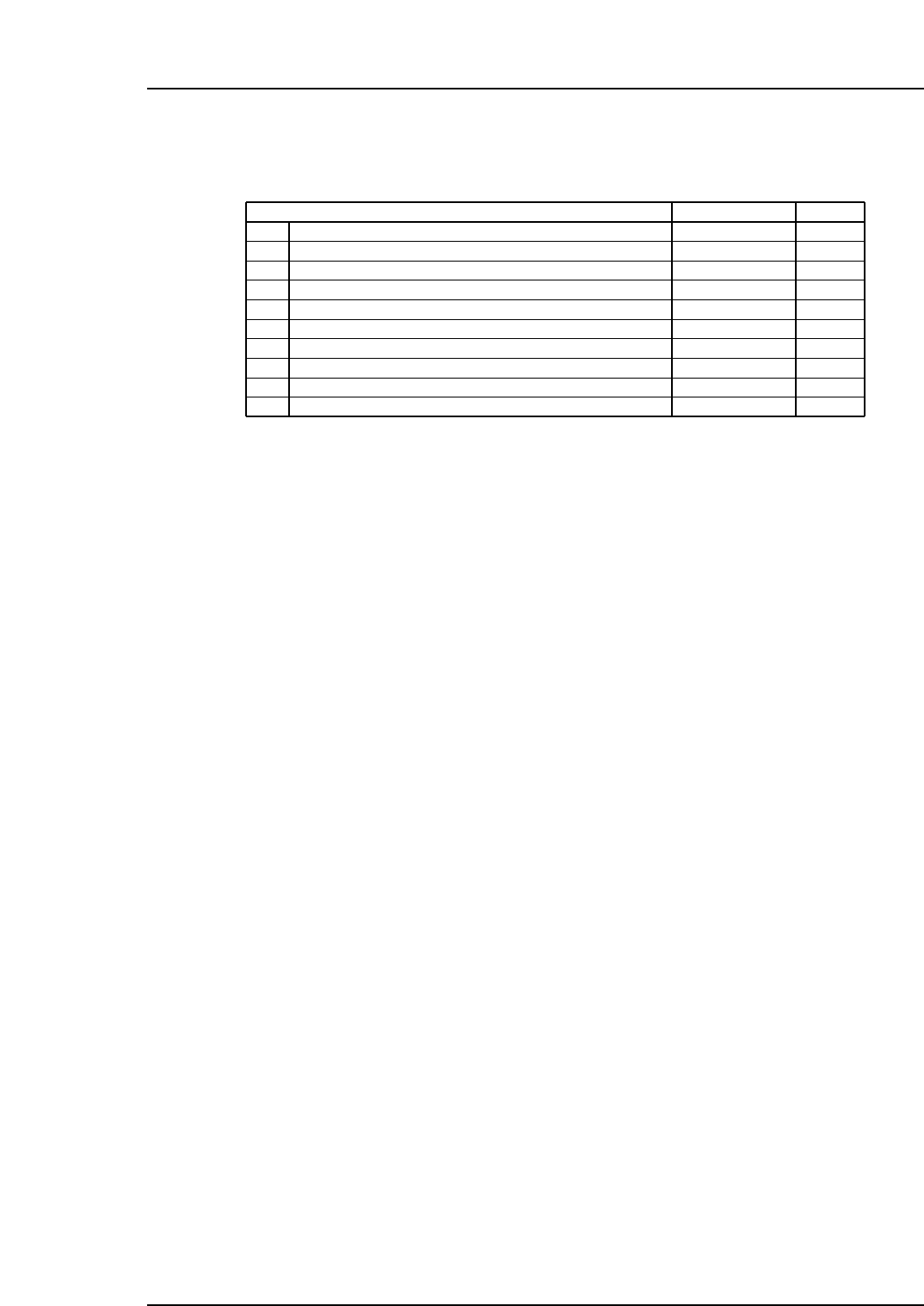
Cleaning Check Points
Cleaning Points
Cleaning the Nozzle
Cleaning the Filter inside the Nozzle Sleeve
Cleaning the Nozzle Fluorescent Seal
Emptying the Reject Parts Box
Cleaning the Parts Camera Prism
Emptying the PFU Waste Tape Box
Cleaning the Filter Regulator
Cleaning the Inside of the Machine
Cleaning the Nozzle Shaft
Cleaning the Y-axis Motor Cooling Fan Filter
Weekly
Weekly
Monthly
Every 8 Hours
Monthly
Every 2 Hours
Monthly
Weekly
Every 1000 Hours
Monthly
Cleaning Schedule
Table-020a
1.1
1.2
1.3
1.4
1.5
1.6
1.7
1.8
1.9
1.10
Check
Part 3 Chapter 1 Cleaning
Edition 1.0 3-1-13 NP-134E/134ME Mechanical
Notes:
Part 3 Chapter 1 Cleaning
Edition 1.0 3-1-14 NP-134E/134ME Mechanical