SYS-CP842-1.1E.pdf - 第227页
6.System Installation and Upgrade SYS-CP842-1.1E 218 CP-842E / CP-842ME System Reference 4. Press the [Upgrade] button at the [Vision Tool Upgrade] dialog box. 5. Verify that the IDT ool item has been a dded to the [Enab…
SYS-CP842-1.1E 6.System Installation
and Upgrade
CP-842E / CP-842ME System Reference 217
6.3 Installing the ID Tool License Upgrade CD
The procedure of upgrading Vision Tools is explained, which is necessary to perform the
panel ID reading.
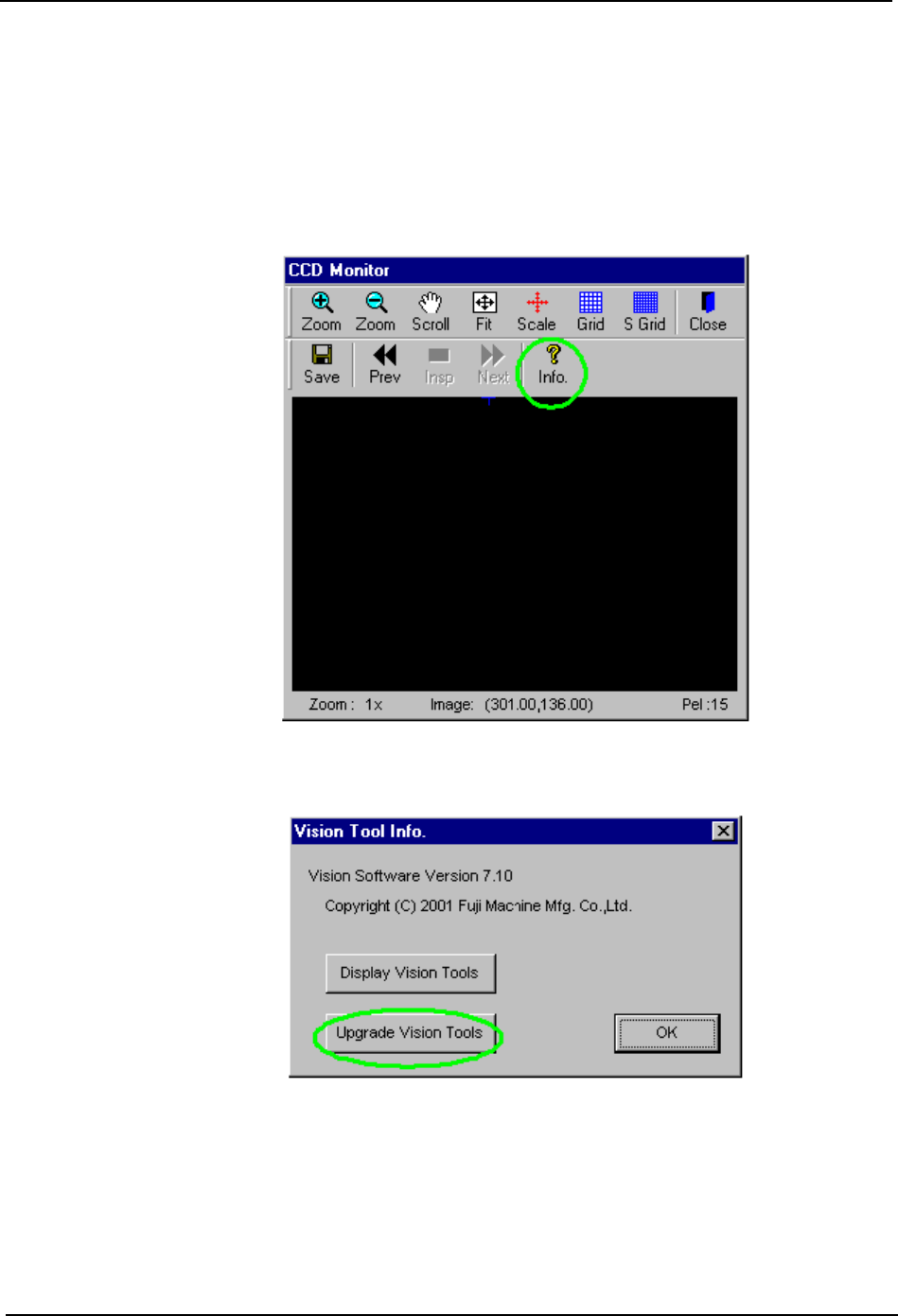
1. Insert the license key upgrade CD-ROM into the CD-ROM drive.
2. Press the [Info.] button at the CCD monitor.
3. Press the [Upgrade Vision Tools] button at the [Vision Tool Info.] dialog box.
6.System Installation
and Upgrade SYS-CP842-1.1E
218 CP-842E / CP-842ME System Reference
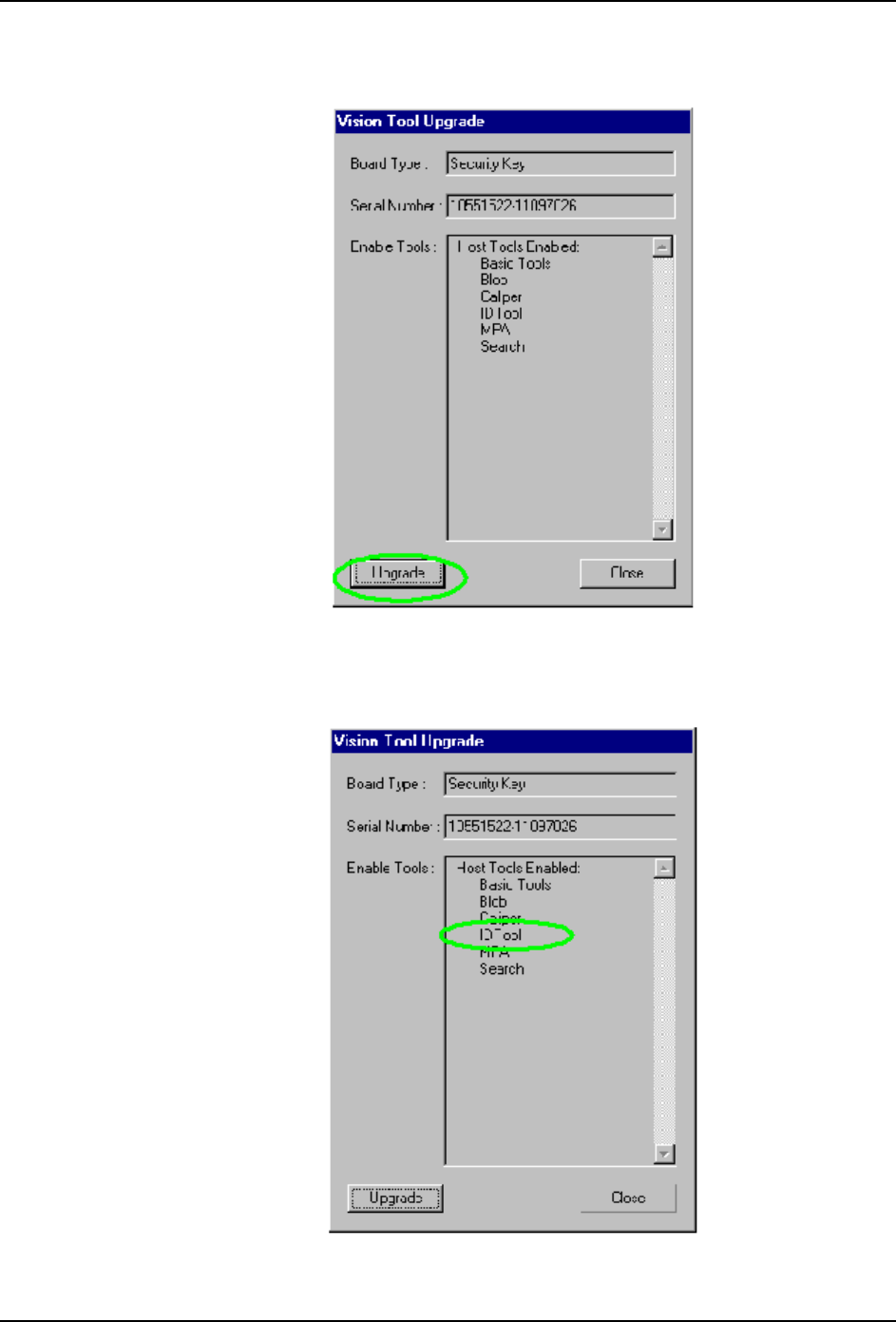
4. Press the [Upgrade] button at the [Vision Tool Upgrade] dialog box.
5. Verify that the IDTool item has been added to the [Enable Tools] list in the [Vision Tool
Upgrade] dialog box.
SYS-CP842-1.1E 6.System Installation
and Upgrade
CP-842E / CP-842ME System Reference 219
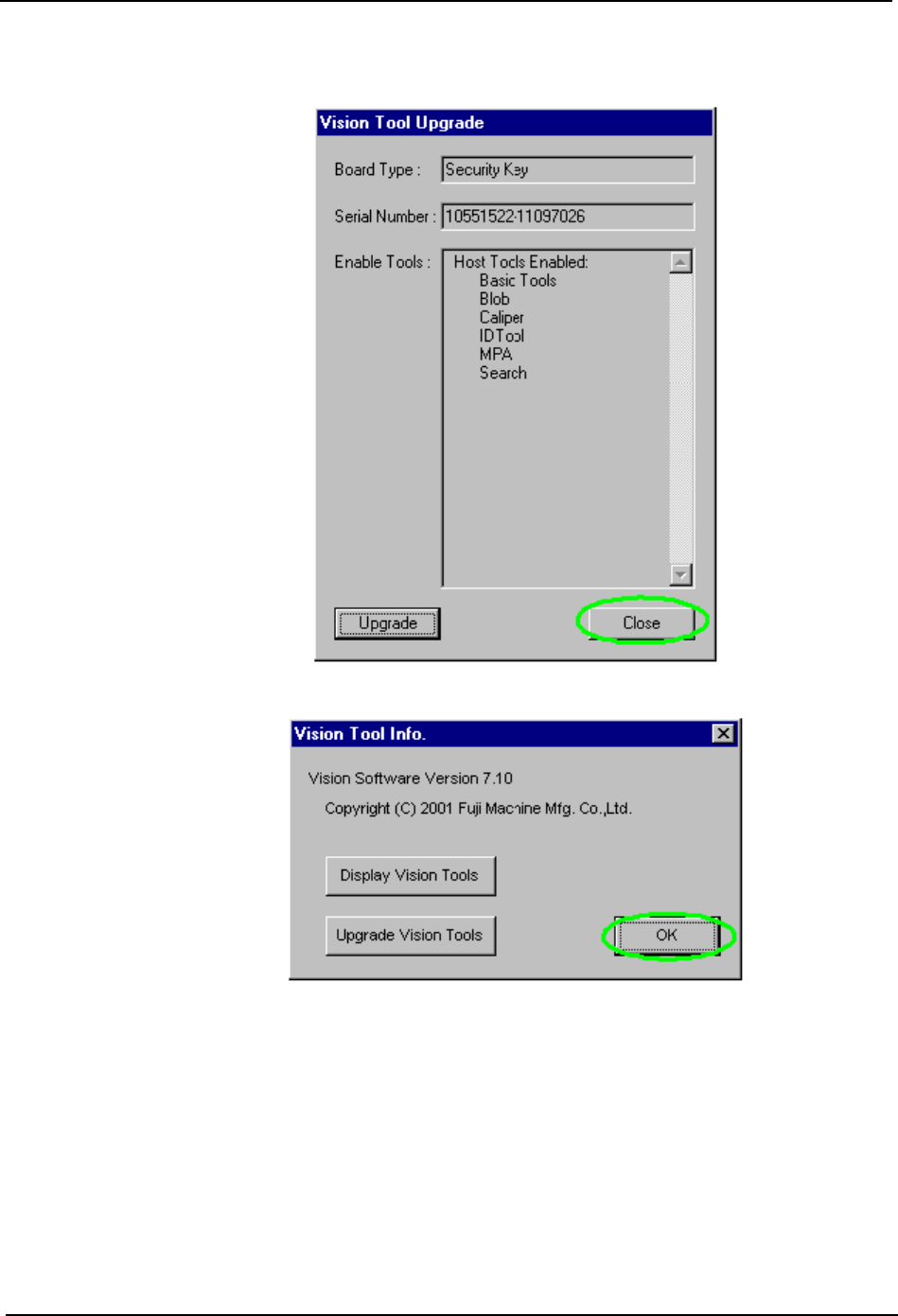
6. Close the dialog box.
7. Remove the CD.