SYS-CP842-1.1E.pdf - 第77页
3.Machine System SYS-CP842-1.1E 68 CP-842E / CP-842ME System Reference Global Skip M arks The use of global skip marks can reduce cycl e time when pr oduction involves a multiboard panel. The user defines the glo bal ski…
SYS-CP842-1.1E 3.Machine System
CP-842E / CP-842ME System Reference 67
3.1.13 Changing the Starting Sequence
Use this procedure to start assembly from a sequence other than sequence one.
Procedure
1. Press [Production] at the [Main] screen, and then press [Start Sequence].
2. Enter the number of the sequence from which production is to be commenced at the
numeric keypad.
3. Press [OK] when the sequence has been specified.
The specified sequence displays at the Current seq. no item at the [Production] screen.
Note: The production start sequence number can only be specified after a panel is loaded to the main
conveyor.
3.1.14 Skipping a Panel
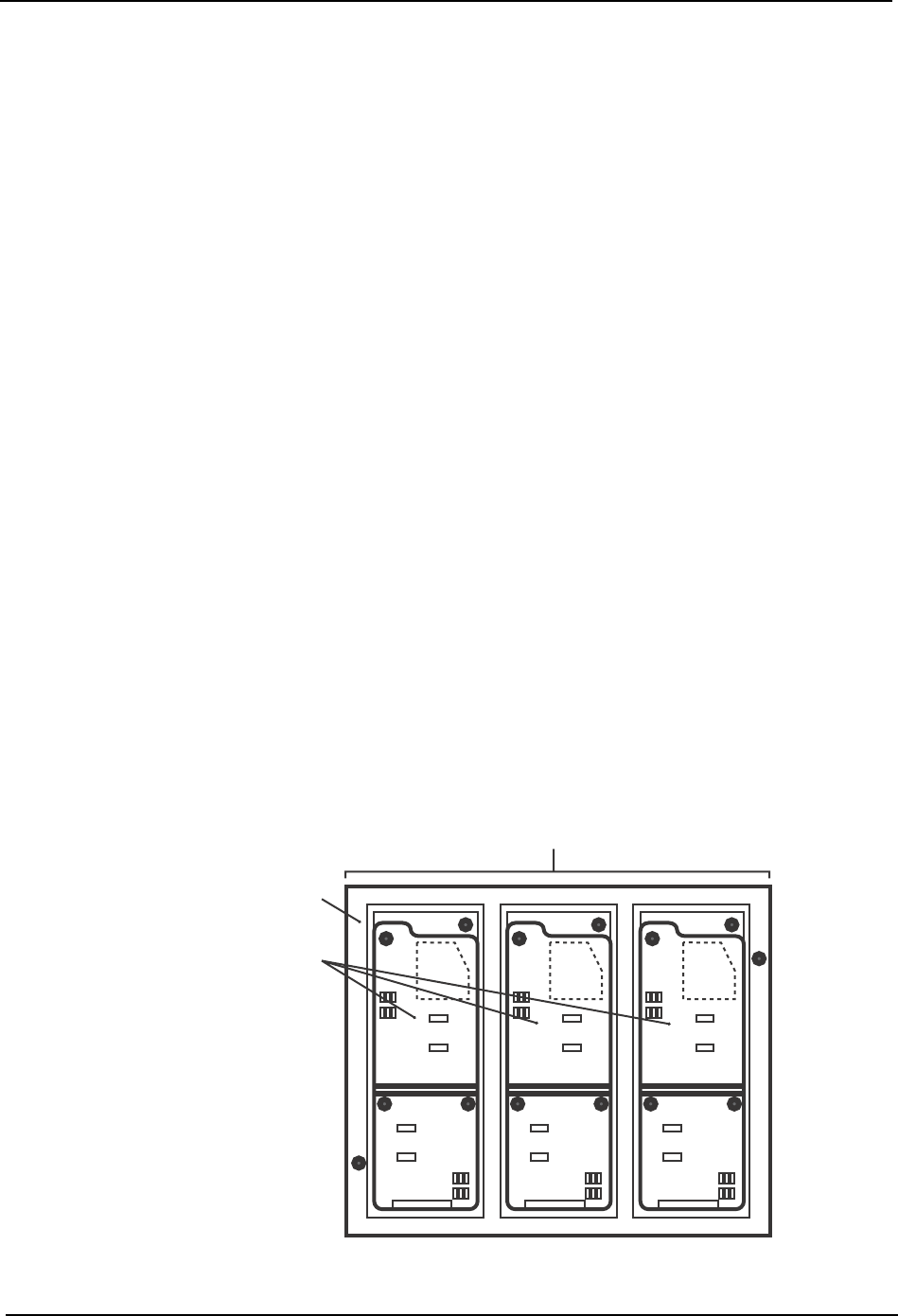
On a multiboard panel, if the operator decides there is a board (or boards) that should not
be assembled (i.e., skipped), there are three methods of preventing parts being placed on
that board.
Setting board skips
Board skips can be set up in the program.
Skip mark
An appropriate mark is attached to the target board. When the mark is detected by the
machine it knows not to produce that board.
Refer to your host system documentation about setting skip mark reading positions in the
program.
Manual board skips
Commands at the machine can be used to skip one board on certain panels, or the same
board on each panel.
Panel
Multiboard panel
Boards
C73OM002
3.Machine System SYS-CP842-1.1E
68 CP-842E / CP-842ME System Reference
Global Skip Marks
The use of global skip marks can reduce cycle time when production involves a multiboard
panel. The user defines the global skip mark as a skip mark on board 0 in the production
program. The machine checks for the global skip mark first. If the operator has put a mark
at that position, the machine knows there is a board (or boards) to be skipped on the current
panel, and proceeds with the reading of all the skip marks. If the machine does not detect
a global skip mark, none of the skip mark positions are inspected, and the machine
proceeds with the placing of parts. Unnecessary inspection of skip marks is avoided.
Refer to your host system documentation for details of how to set up global skip marks in
the current production program.
Changing Settings at the Machine
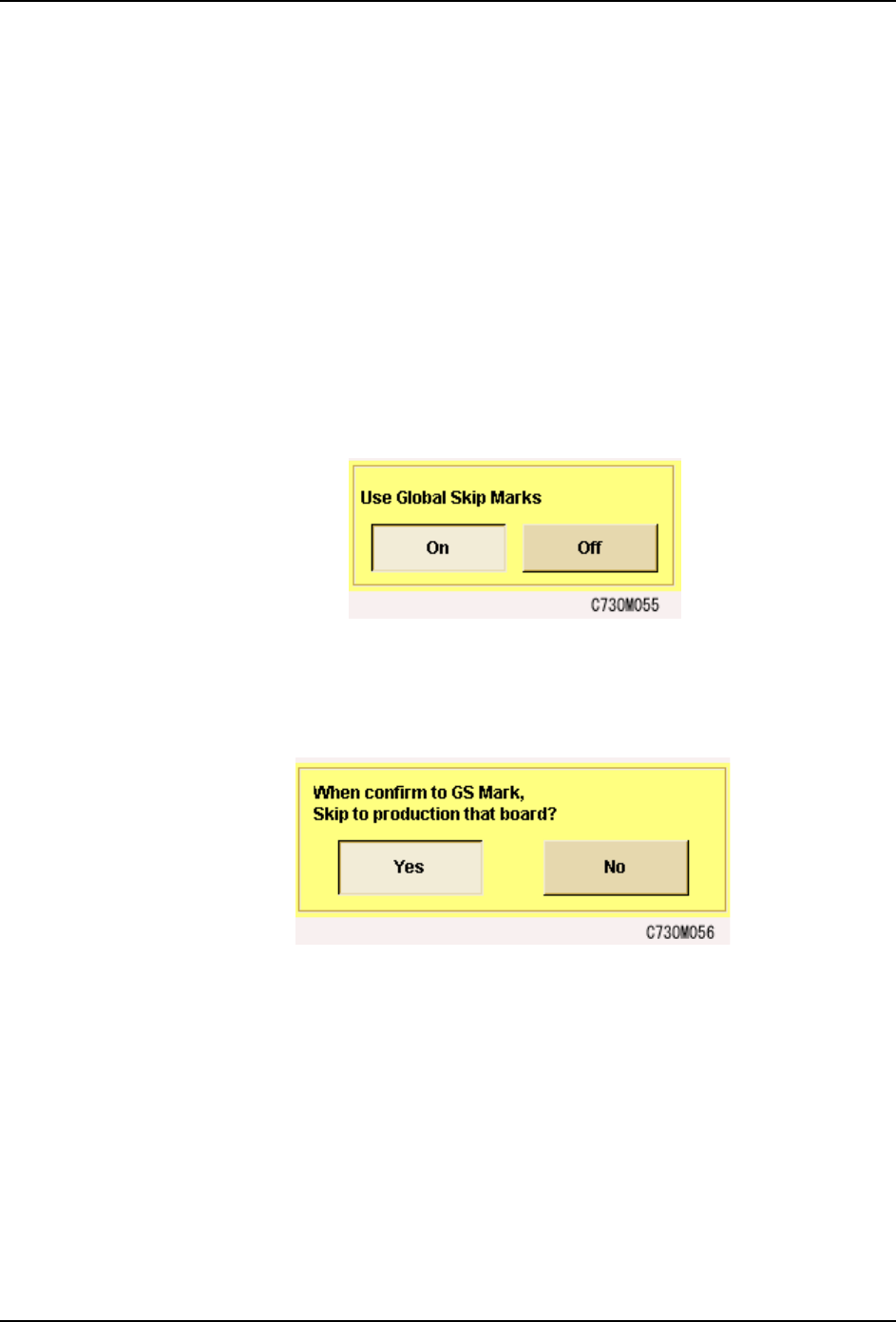
1. From the [Main] screen, select [Maintenance], [Configuration], then [Basic].
2. In the [Basic] screen, select “ON” under “Use global skip marks?”
3. It is possible to skip production on a board when global skip marks are detected. To use
this function, in the [Basic] screen, select [Special Configuration Data] and select “Yes”
under “When confirm to GS Mark, Skip to production that board?”
Automatic Skipping of Boards
The machine will automatically skip a board if a skip mark is detected at the specified
position on the board. If you are using global skip marks, then this will be after the machine
found a global skip mark and has read the skip marks to determine which board or boards
are to be skipped. Parts are placed on the remaining boards on the panel, and the panel
is unloaded.
Refer to your host system documentation for details of how to set up skip marks in the
production program.
Forcing the Machine to Skip a Board (Manual Skip)
The operator can use commands at the machine to force the machine to skip a board.
SYS-CP842-1.1E 3.Machine System
CP-842E / CP-842ME System Reference 69
Procedure
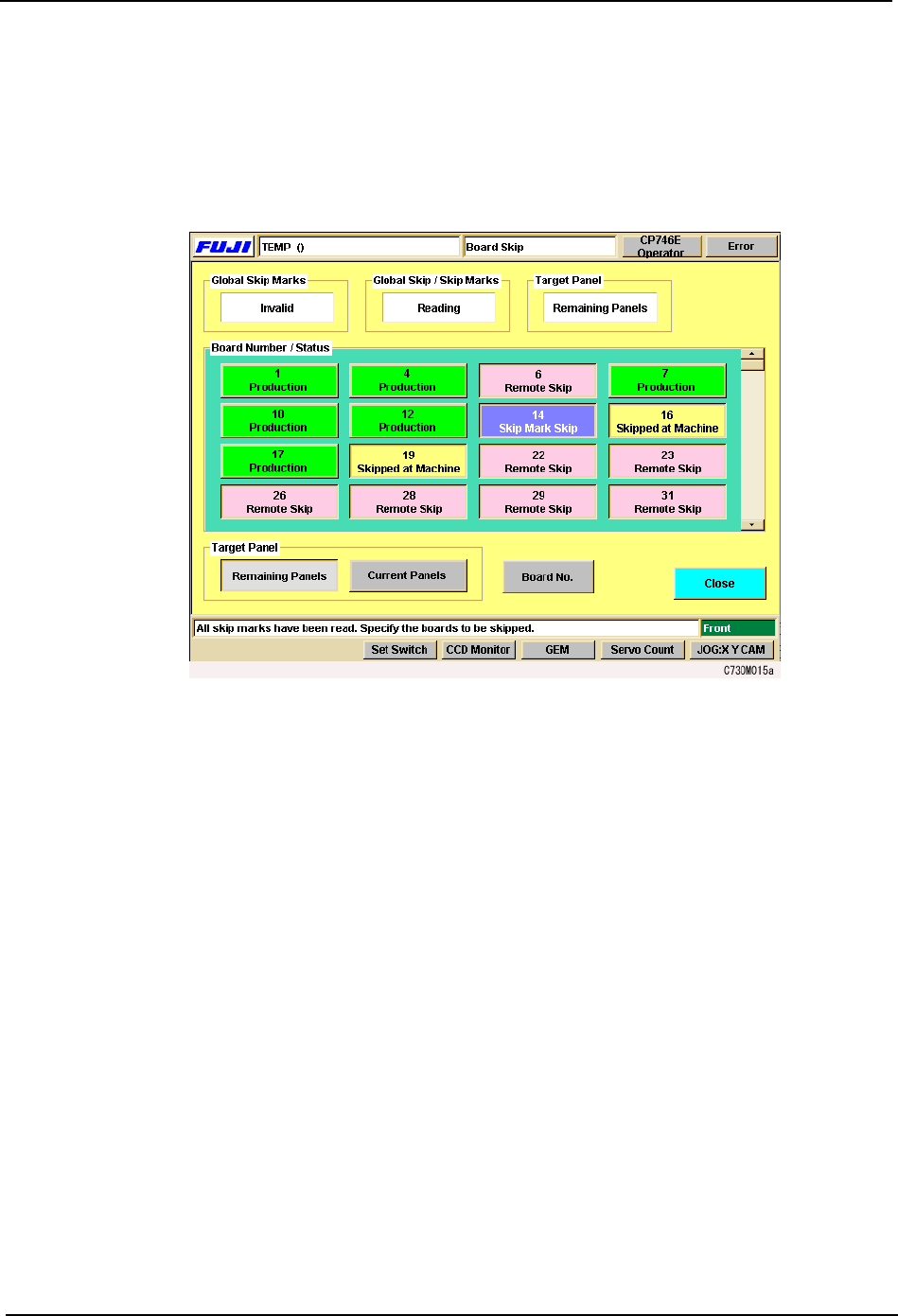
1. Press [Board Skip] at the [Main] screen. The [Board Skip] screen displays.
This screen is divided into color coded sections for each of the boards in the panel. As
is indicated in the color key on the screen, boards that have been specified to be skipped
in the production program are displayed in red, and these cannot be changed at the
machine. Boards that are to be produced display in green.
2. Under Board Number & Status, press the panel(s) to be skipped.
The color immediately changes to yellow to indicate that a manual skip has been set. It
is also possible to undo a skip, by pressing that board again to change the color back to
green.
3. Select whether the board skip is applied to the current panel only, or to all the remaining
panels. Press [Remaining Panels] or [Current Panels] under Target Panel.
4. Press [Close] to return to the [Main] screen.