TR7600 SIII_Hardware_en_v_2_0_4.pdf - 第20页
Test Research, Inc . 10 TR7600 SIII Series Us er Guide – Ha rdware Figure 11: VPLC/Modes /Direction Figure 12: VPLC/Modes /Start Mo de After changing the settings, press [Send t o PLC] to finish the setup. Figure 13: VPL…
Test Research, Inc.
TR7600 SIII Series User Guide – Hardware 9
3.2 Modes
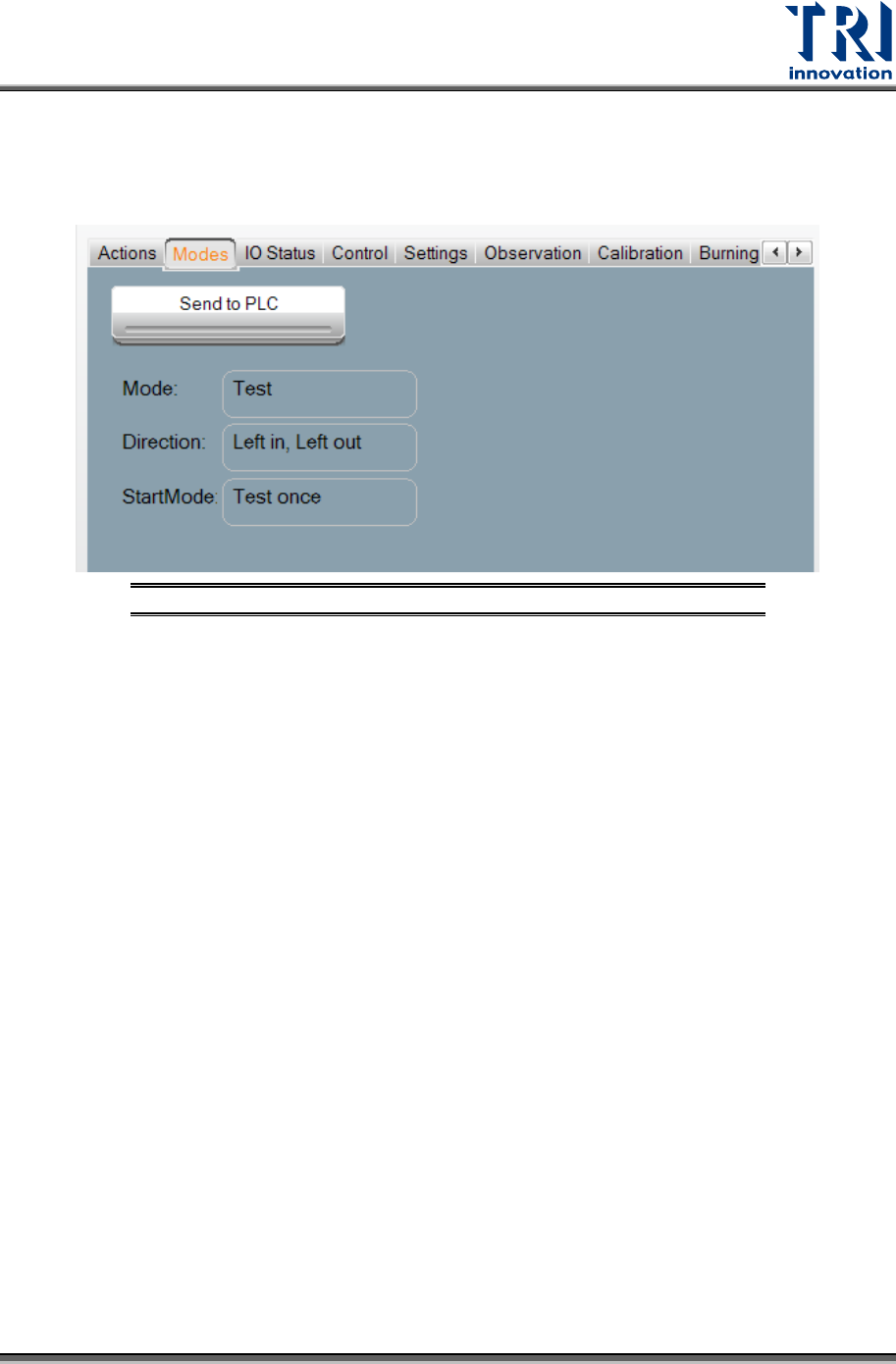
Select [Modes] to choose the test mode and I/O settings. After choosing [Modes], the window
below will appear
Figure 10: VPLC/Modes
Press [Mode] to choose in between three modes: [Stand Along
],
[In-Line], or [Test]. The
setting will be automatically stored during shut down, and automatically loaded at the next
power on.
Stand Along: The machine is not connected to external equipment for testing. This mode
requires manual loading and unloading.
a) If the Mode is set to [Stand Along], [Direction] menu has [Left-In-Right-Out], [Left-In-
Left-Out], [Right-In-Left-Out] and [Right-In-Right-Out] options. For example, [Left-In-
Right-Out] means that the tested board will be delivered into the machine form the left
gate and sent out from the right gate.
b) If the Mode is set to [Stand Along], then [Start Mode] menu has [Test Once] and
[Continuous Test] options.
In-line: The machine connects to external equipment for inline testing.
a) If the Mode is set to [In-line], [Direction] menu has [Left-In-Right-Out], [Left-In-Left-
Out], [Right-In-Left-Out] and [Right-In-Right-Out] options.
b) If the Mode is set to [In-line], then [Start Mode] menu has [Start Test] option.
Test: Single board test. The machine does not connect to external equipment.
a) If the Mode is set to [Test], [Direction] menu has [Left-In-Left-Out] and [Right-In-Right-
Out] options.
b) If the Mode is set to [Test], then [Start Mode] menu has [Test Once] option.
Test Research, Inc.
10 TR7600 SIII Series User Guide – Hardware
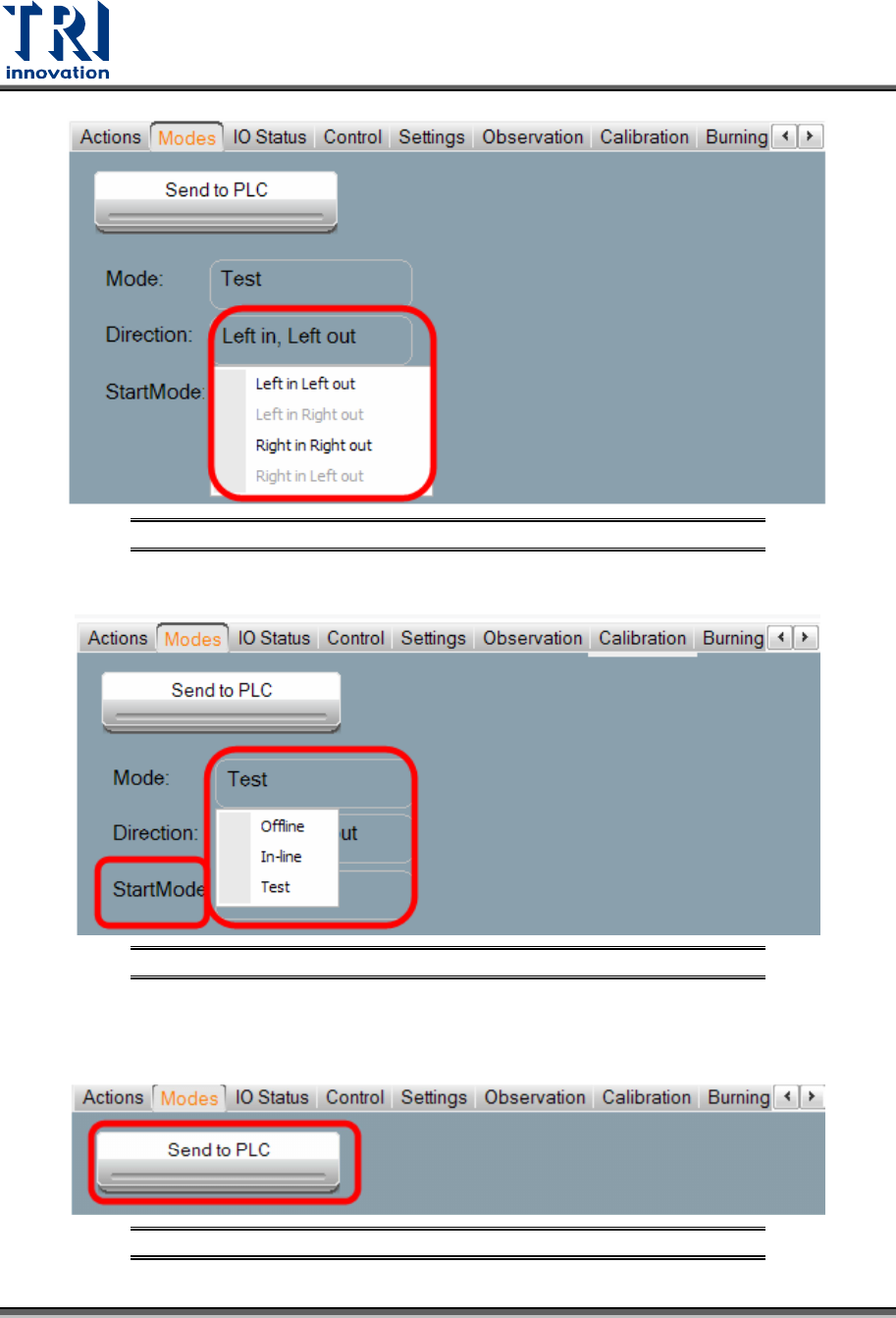
Figure 11: VPLC/Modes/Direction
Figure 12: VPLC/Modes/Start Mode
After changing the settings, press [Send to PLC] to finish the setup.
Figure 13: VPLC/Modes/Send to PLC
Test Research, Inc.
TR7600 SIII Series User Guide – Hardware 11
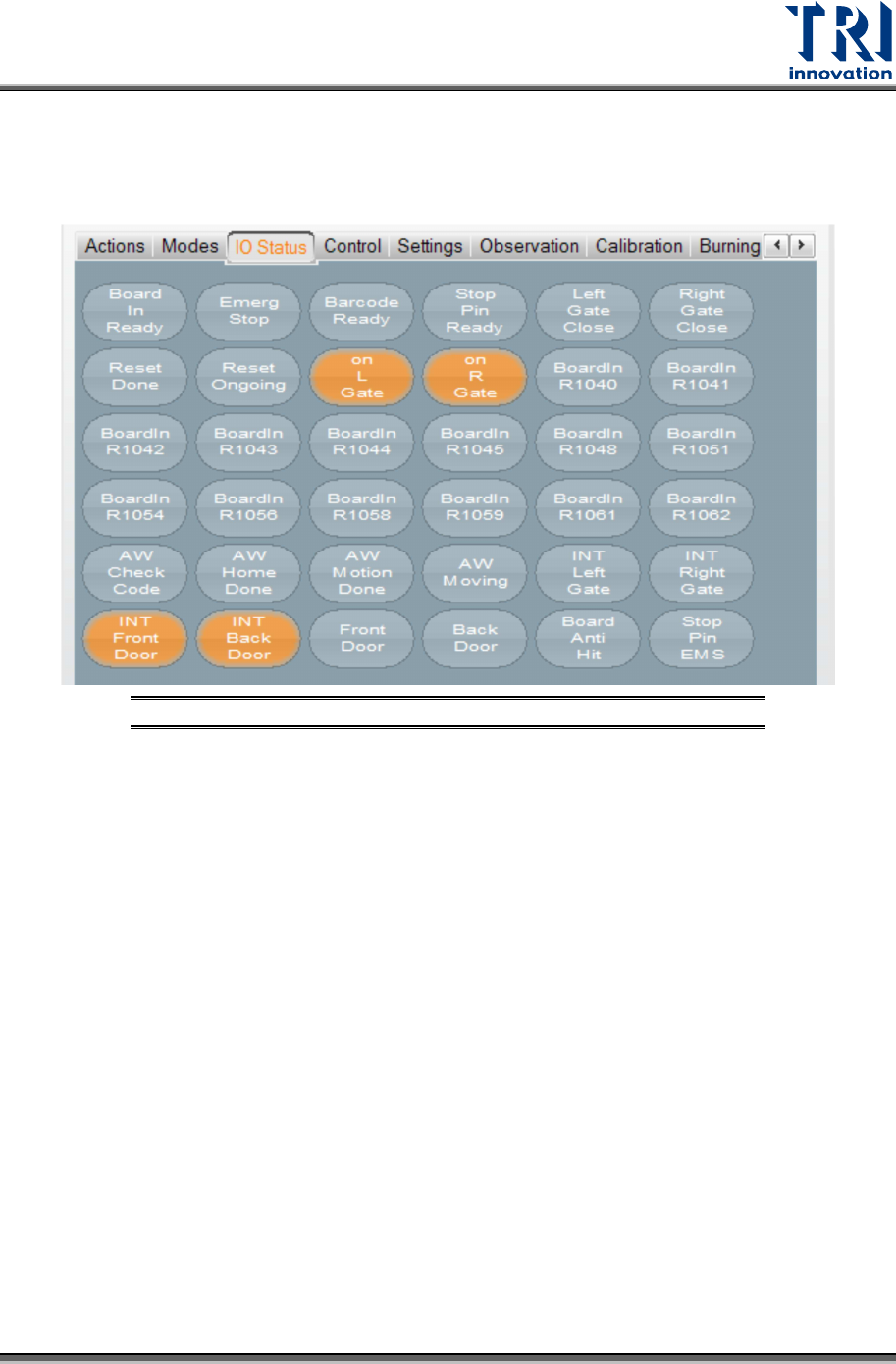
3.3 IO Status
You can ignore this section, since only professional TRI engineers will use below
functions.
Figure 14: VPLC/ IO Status