TR7600 SIII_Hardware_en_v_2_0_4.pdf - 第21页
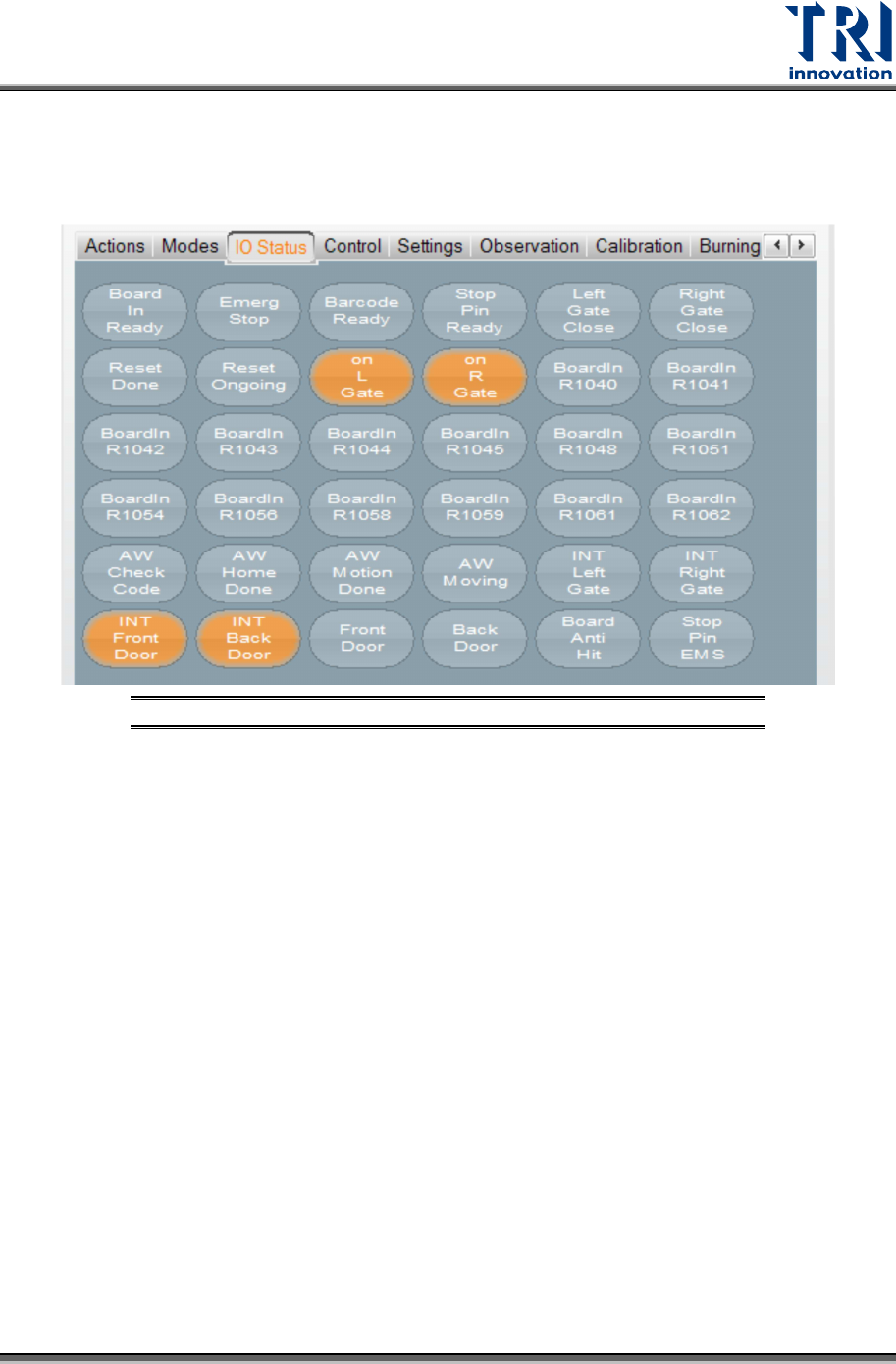
Test Research, Inc. TR7600 SIII Series User Gu ide – Hardwa re 11 3.3 IO Status You can igno re this section, si nce only professional TRI engineers w ill use below functions. Figure 14: VPLC/ IO Sta tus
Test Research, Inc.
10 TR7600 SIII Series User Guide – Hardware
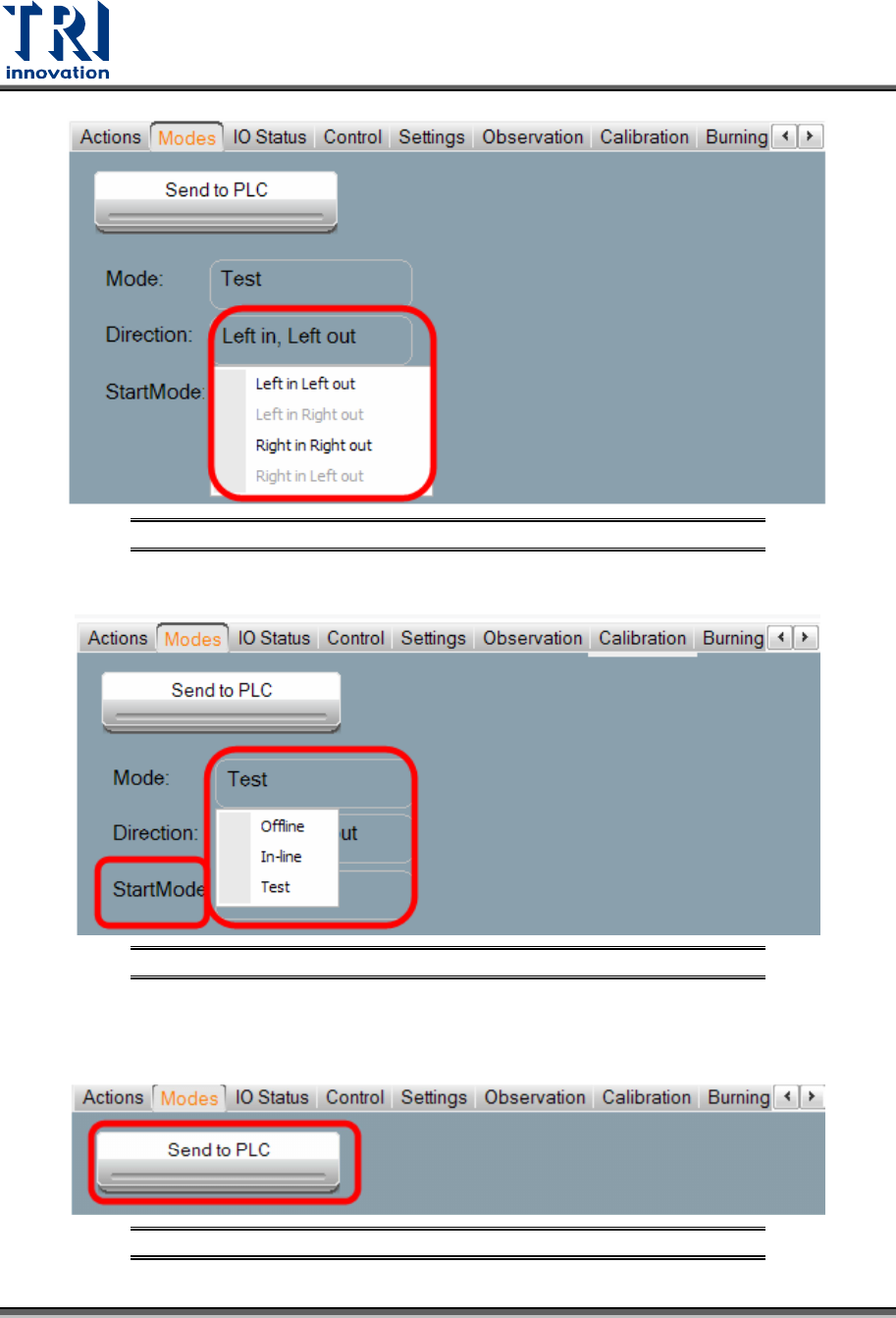
Figure 11: VPLC/Modes/Direction
Figure 12: VPLC/Modes/Start Mode
After changing the settings, press [Send to PLC] to finish the setup.
Figure 13: VPLC/Modes/Send to PLC
Test Research, Inc.
TR7600 SIII Series User Guide – Hardware 11
3.3 IO Status
You can ignore this section, since only professional TRI engineers will use below
functions.
Figure 14: VPLC/ IO Status
Test Research, Inc.
12 TR7600 SIII Series User Guide – Hardware
3.4 Control
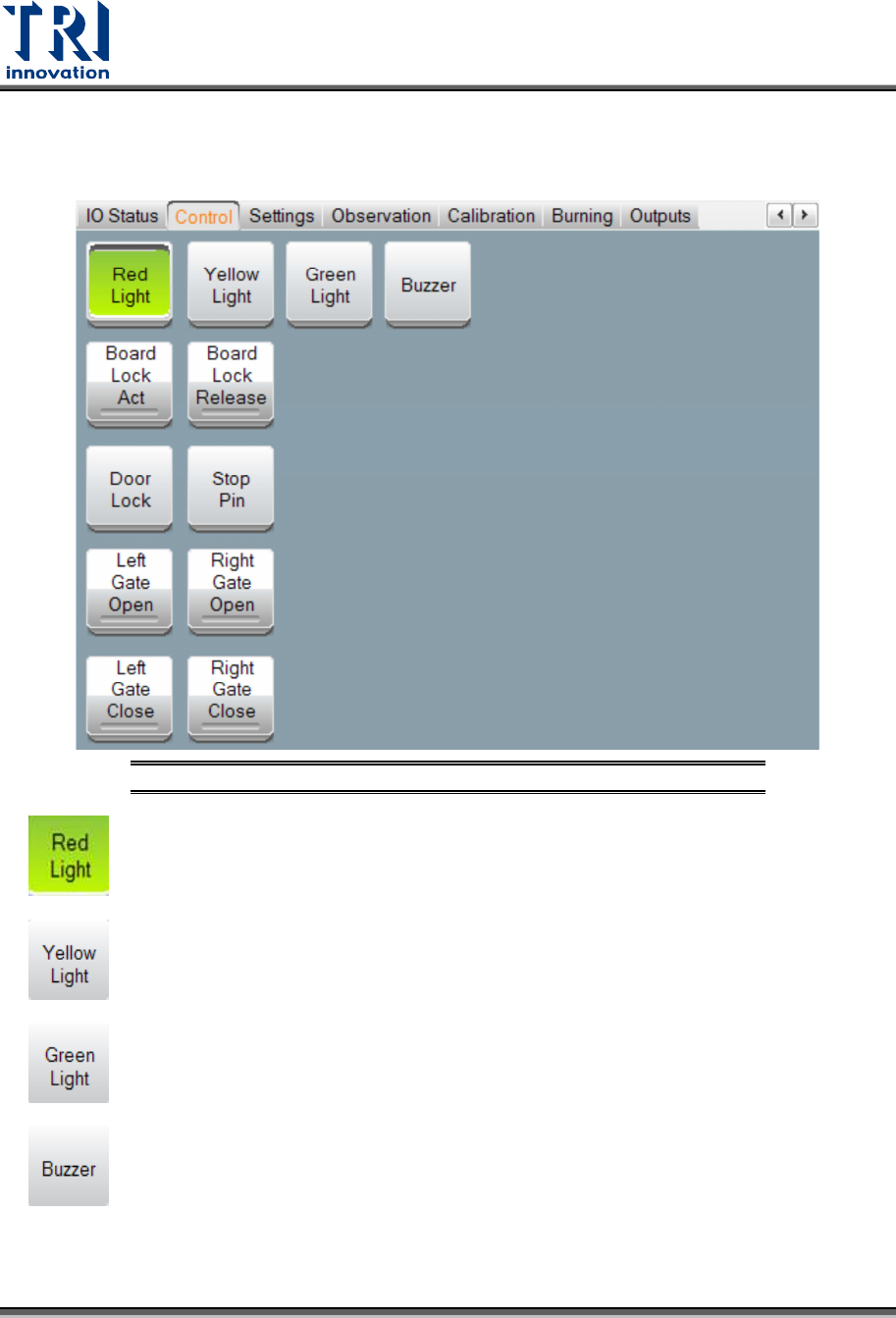
In the [Control] menu, you can set up or test for light, conveyor, and gates.
Figure 15: VPLC/ Control
: Click this button to test if the red light can work correctly.
: Click this button to test if the yellow light can work correctly.
: Click this button to test if the green light can work correctly.
: Activate the alarm buzzer that will sound to warn operators if the Unloader is not
ready to avoid causing a board blockage at the Loader.