TR7600 SIII_Hardware_en_v_2_0_4.pdf - 第62页
Test Research, Inc . 52 TR7600 SIII Series Us er Guide – Ha rdware 6.6 Digita l Fiber S ensor There are three sensors related t o conveyor movement. 1) Stop Sensor: The i ns pected board will stop at where Stop Sensor is…
Test Research, Inc.
TR7600 SIII Series User Guide – Hardware 51
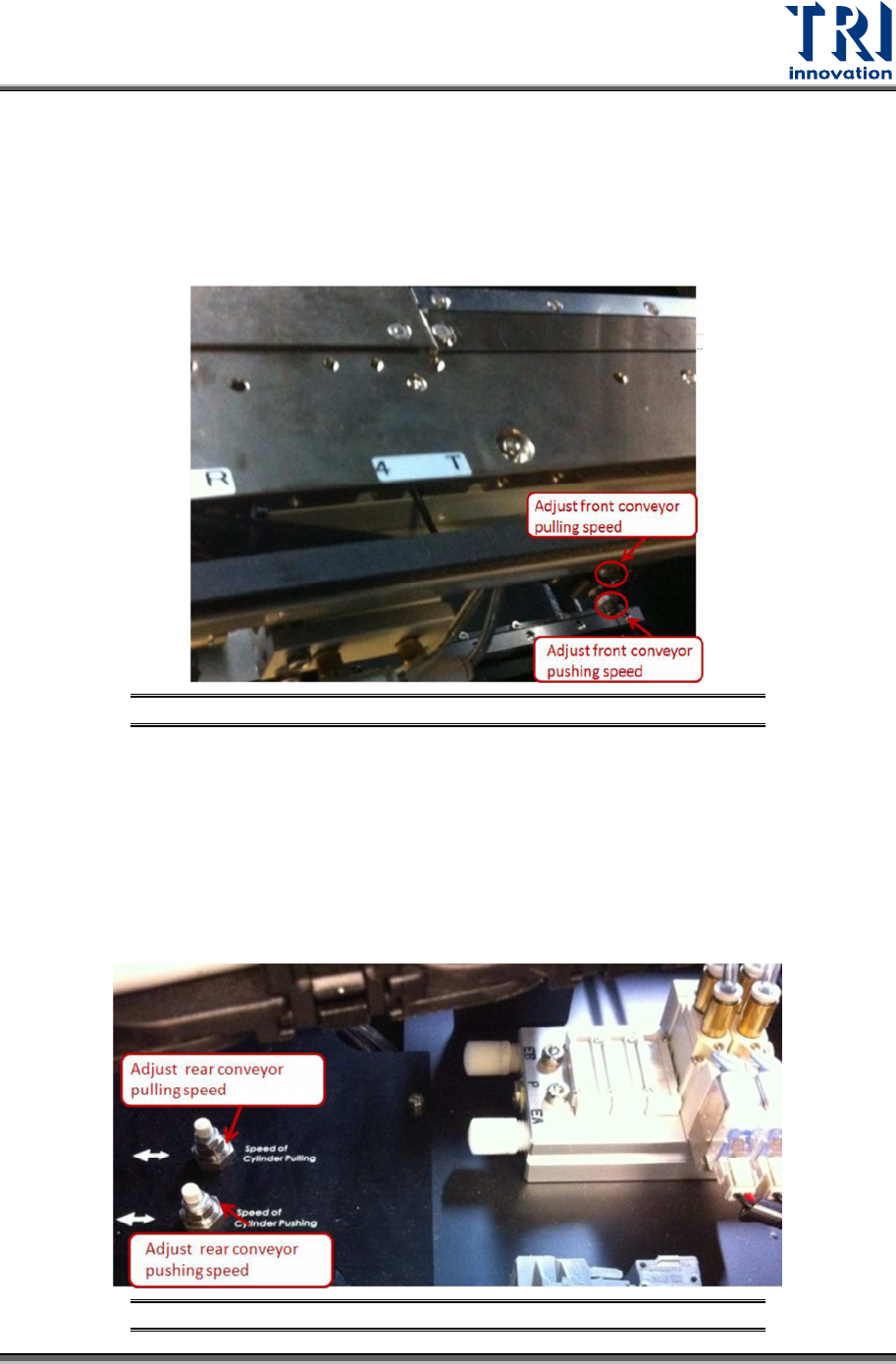
Control the front conveyor
Turn the upper knob clockwise to decrease front conveyor pulling speed or turn the knob
counterclockwise to increase pulling speed.
Turn the lower knob clockwise to decrease front conveyor pushing speed or turn the knob
counterclockwise to increase pushing speed.
Figure 43: Front Conveyor Control
Control the rear conveyor
Turn the right knob clockwise to decrease rear conveyor pulling speed or turn the knob
counterclockwise to increase pulling speed.
Turn the left knob clockwise to decrease rear conveyor pushing speed or turn the knob
counterclockwise to increase pushing speed.
Figure 44: Rear Conveyor Control
Test Research, Inc.
52 TR7600 SIII Series User Guide – Hardware
6.6 Digital Fiber Sensor
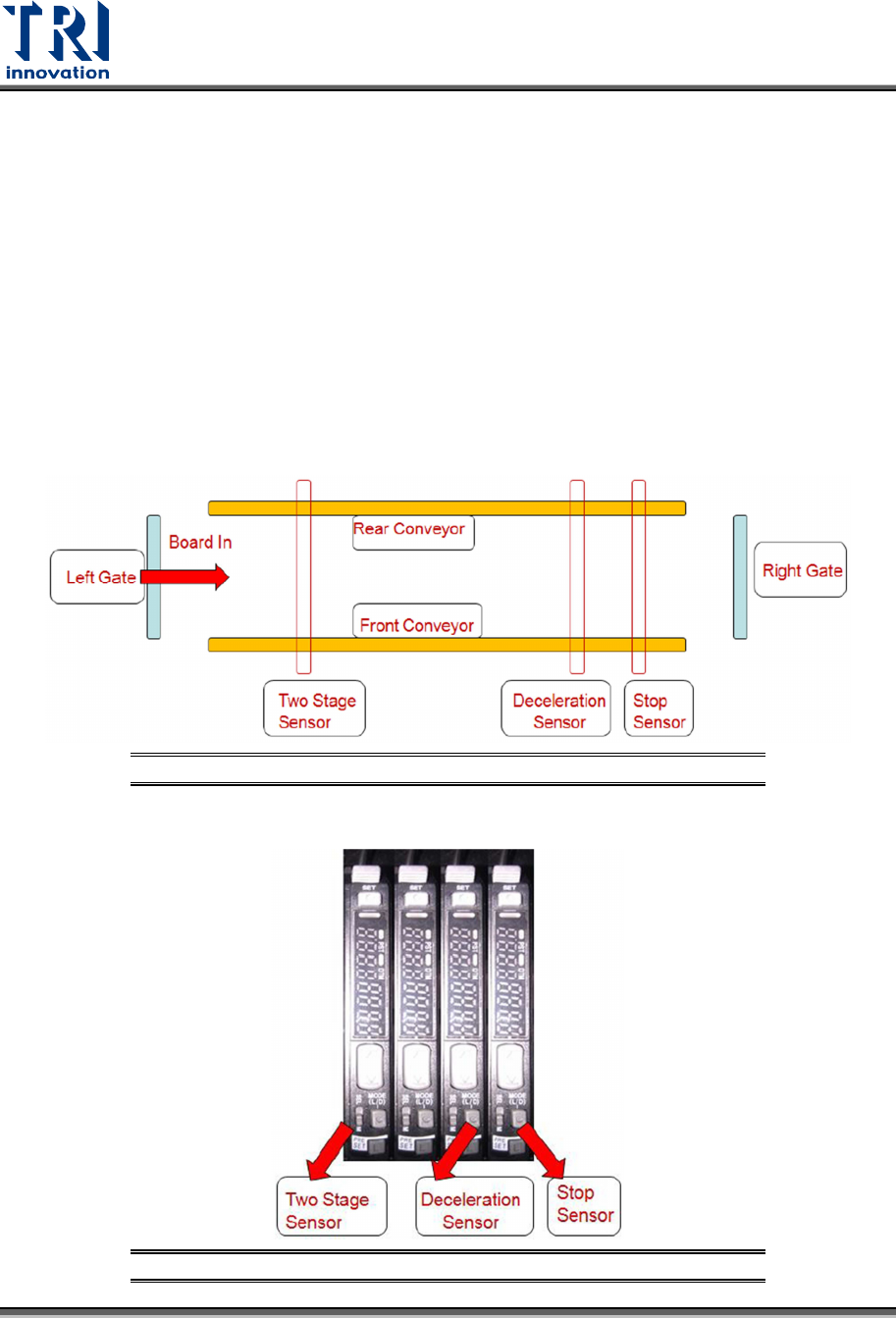
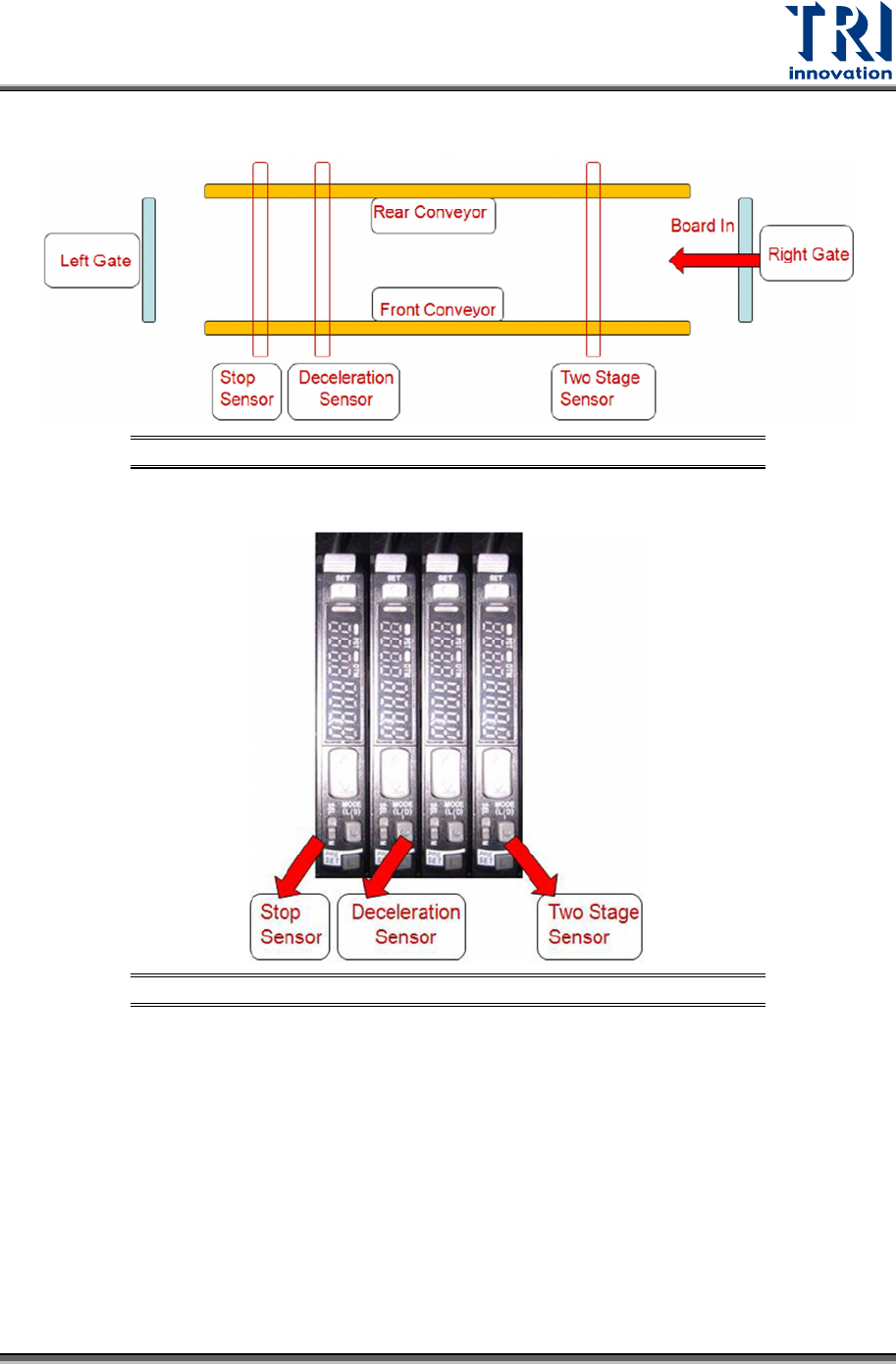
There are three sensors related to conveyor movement.
1) Stop Sensor: The inspected board will stop at where Stop Sensor is.
2) Deceleration Sensor: The inspected board starts to decrease its speed once it passes
the deceleration sensor.
3) Two-Stage Sensor: This sensor is used when two-stage function is activated.
The sensors will work differently according to Left-In or Right-in board direction.
a) Case 1: Left-In board condition
Figure 45: Sensor Arrangement for Left-In Board
Figure 46: Sensors for Left-In Board
Test Research, Inc.
TR7600 SIII Series User Guide – Hardware 53
b) Case 2: Right-In board condition
Figure 47: Sensor Arrangement for Right-In Board
Figure 48: Sensors for Right-In Board