TR7600 SIII_Hardware_en_v_2_0_4.pdf - 第59页
Test Research, Inc . TR7600 SIII Seri es User Gu ide – Hardw are 49 Figure 40: Right Gat e Speed Control
Test Research, Inc.
48 TR7600 SIII Series User Guide – Hardware
6.4 Gate Speed Control
Use four knobs installed at the rear of the machine to control gate opening speed and closing
speed.
NOTE: Please don't change gate speed without TRI engineers'
permission. Changing gate speed arbitrarily may cause problems hard to
solve.
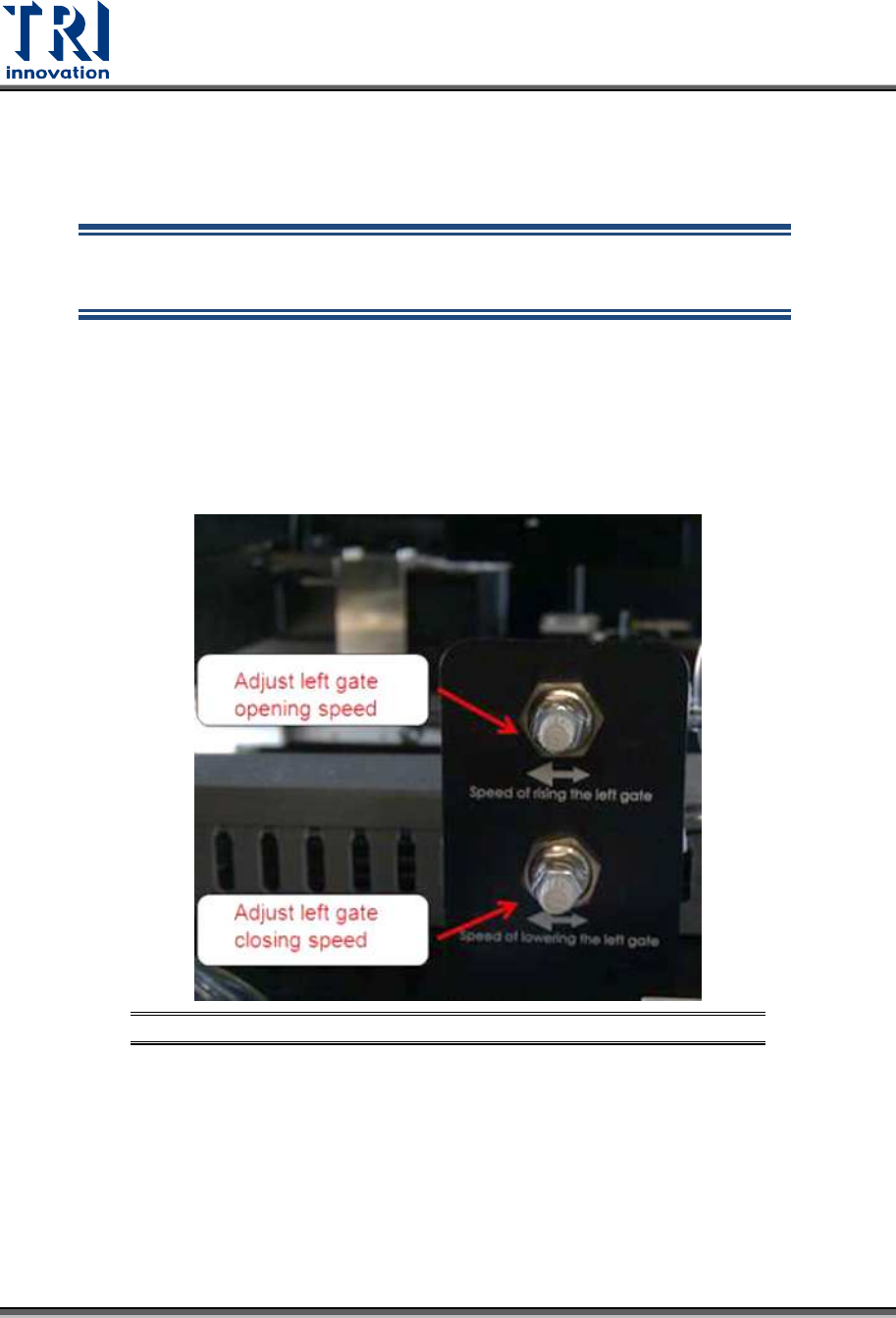
Control the speed of left gate
Turn the upper knob clockwise to decrease left gate opening speed or turn the knob
counterclockwise to increase left gate opening speed.
Turn the lower knob clockwise to decrease left gate closing speed or turn the knob
counterclockwise to increase left gate closing speed.
Figure 39: Left Gate Speed Control
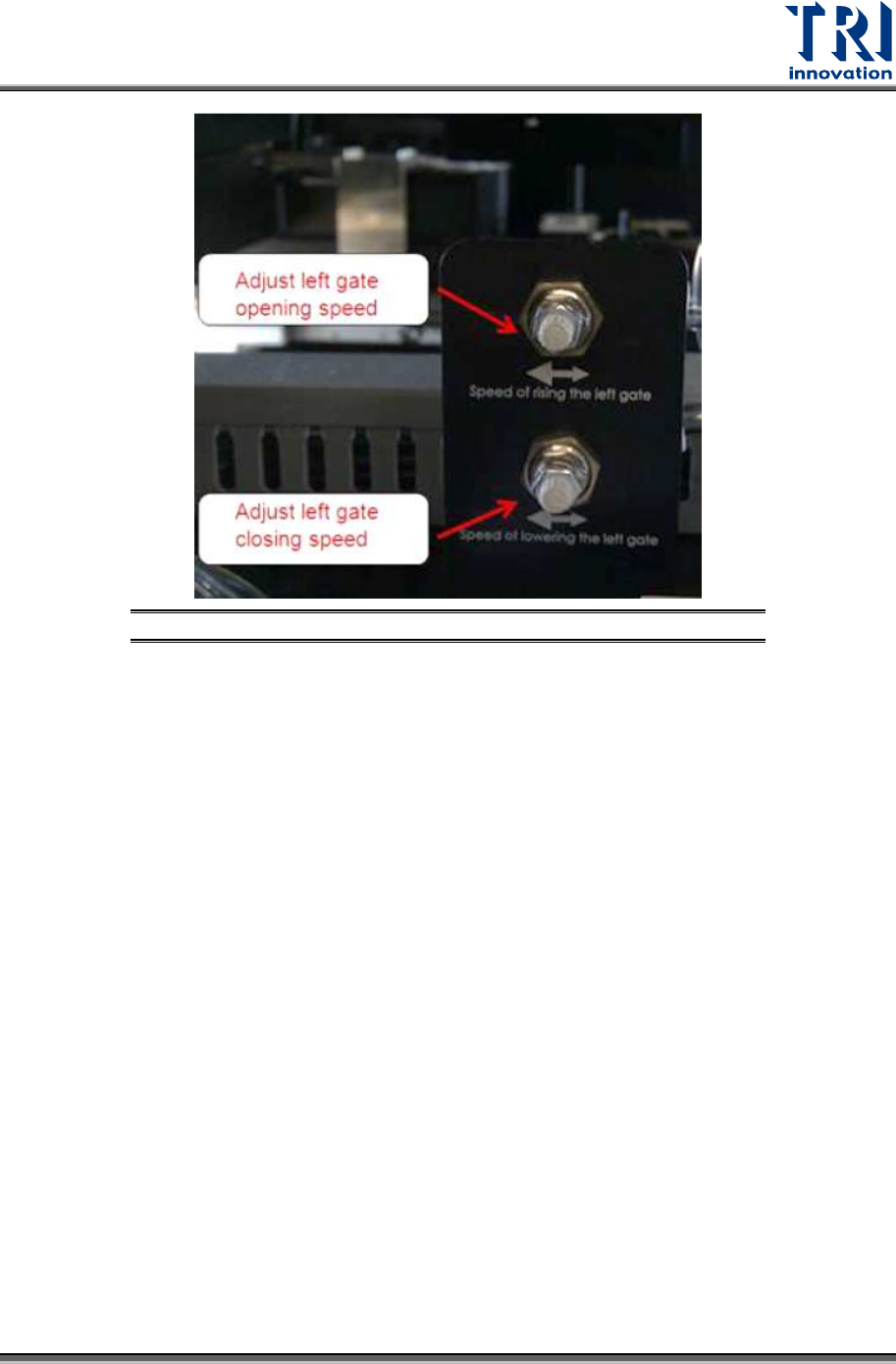
Control the speed of right gate
Turn the upper knob clockwise to decrease right gate opening speed or turn the knob
counterclockwise to increase right gate opening speed.
Turn the lower knob clockwise to decrease right gate closing speed or turn the knob
counterclockwise to increase right gate closing speed.
Test Research, Inc.
TR7600 SIII Series User Guide – Hardware 49
Figure 40: Right Gate Speed Control
Test Research, Inc.
50 TR7600 SIII Series User Guide – Hardware
6.5 Conveyor Control
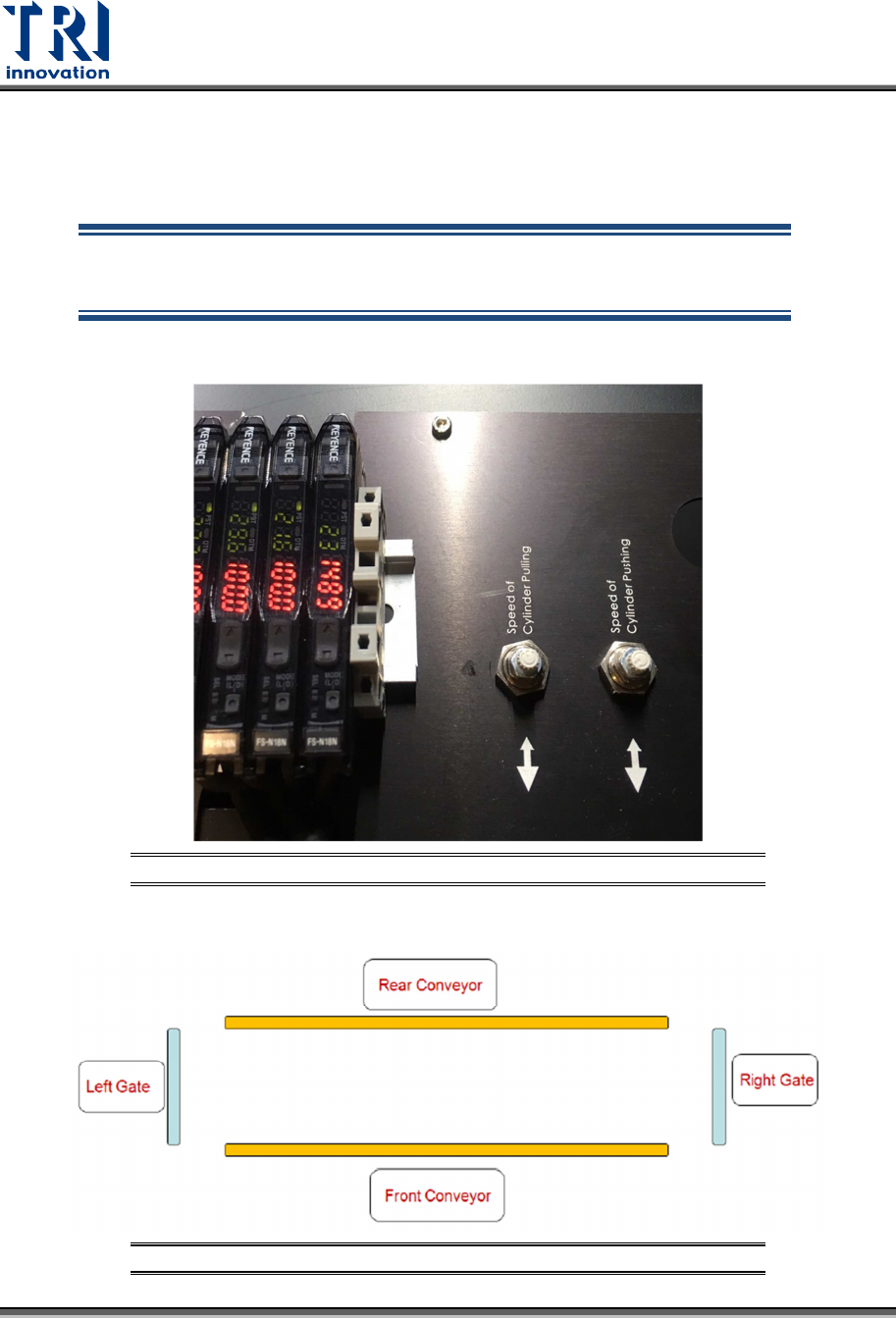
Two knobs installed next to the FFC Calibration Board are used for the pulling & pushing
control.
NOTE: Please don't change the conveyor pulling and pushing speed
without TRI engineers' permission. Changing the speed arbitrarily may
cause problems hard to solve.
Figure 41: Pulling and Pushing Control
Figure 42: Rear and Front Conveyor