TR7600 SIII_Hardware_en_v_2_0_4.pdf - 第63页
Test Research, Inc. TR7600 SIII Series User Gu ide – Hardwa re 53 b) Case 2: Right-In board condit ion Figure 47: Sensor Arrang ement for Right-In Board Figure 48: Sensors for Right- In Board
Test Research, Inc.
52 TR7600 SIII Series User Guide – Hardware
6.6 Digital Fiber Sensor
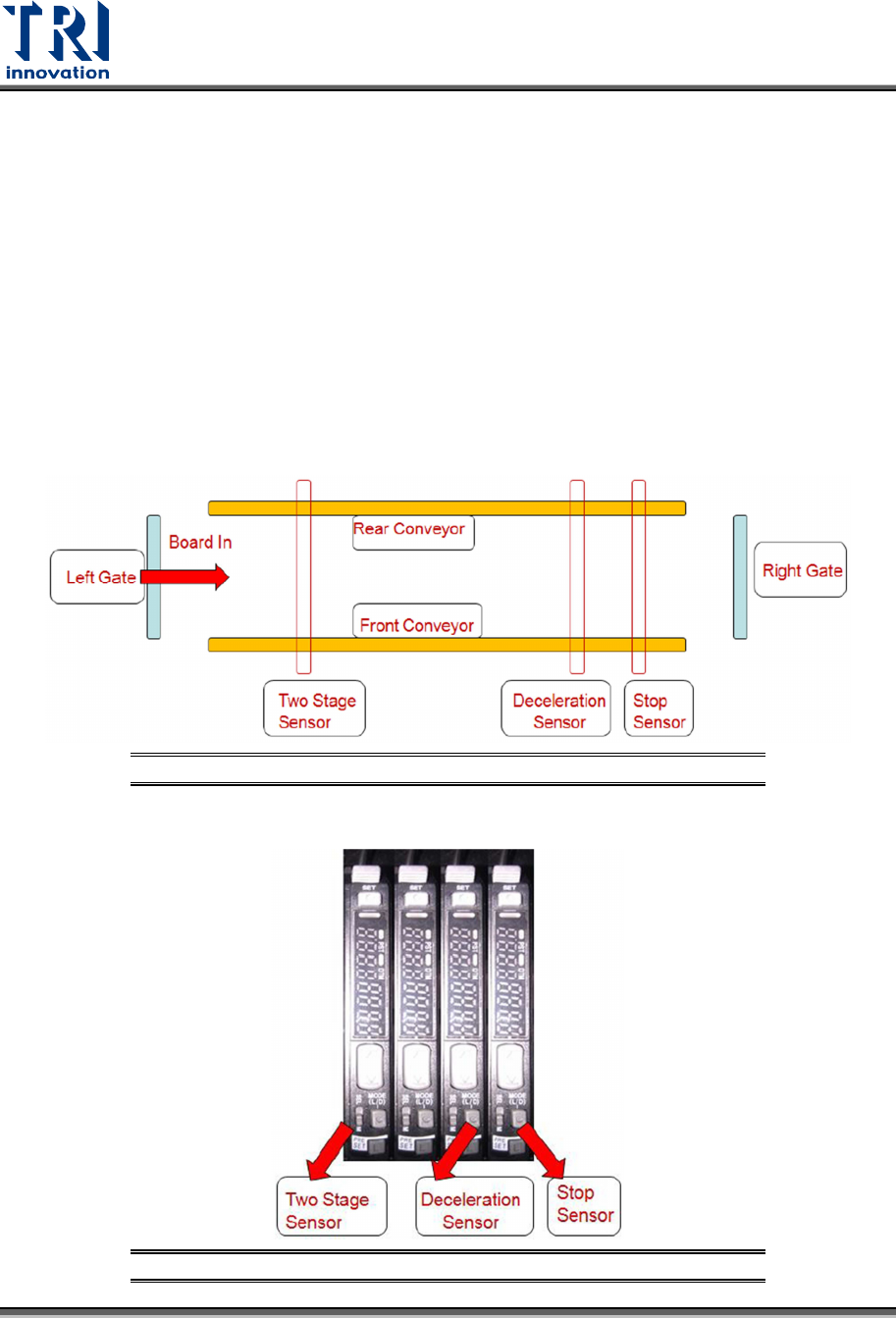
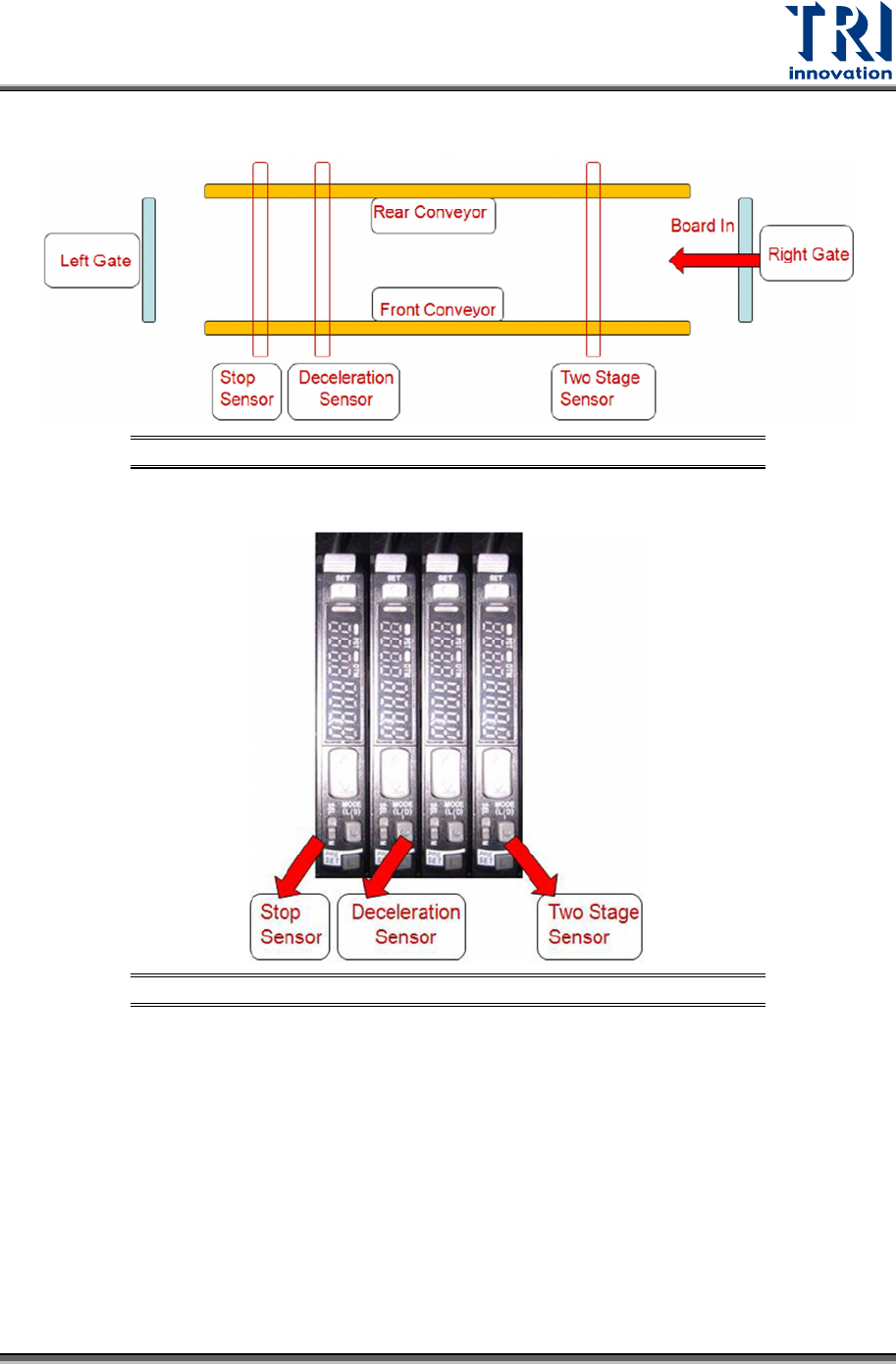
There are three sensors related to conveyor movement.
1) Stop Sensor: The inspected board will stop at where Stop Sensor is.
2) Deceleration Sensor: The inspected board starts to decrease its speed once it passes
the deceleration sensor.
3) Two-Stage Sensor: This sensor is used when two-stage function is activated.
The sensors will work differently according to Left-In or Right-in board direction.
a) Case 1: Left-In board condition
Figure 45: Sensor Arrangement for Left-In Board
Figure 46: Sensors for Left-In Board
Test Research, Inc.
TR7600 SIII Series User Guide – Hardware 53
b) Case 2: Right-In board condition
Figure 47: Sensor Arrangement for Right-In Board
Figure 48: Sensors for Right-In Board
Test Research, Inc.
54 TR7600 SIII Series User Guide – Hardware
Sensor Setup
The purpose of digital fiber sensor is to make boards decelerate and stop at the right position.
If boards don’t stop at the right position, users can use below procedures to increase the
sensitivity of digital fiber sensors.
Basically, there are three steps 1) Initialization 2) Adjust the power of sensor 3) Input the
proper sensitivity 4) Select the [D on] Dark on mode.
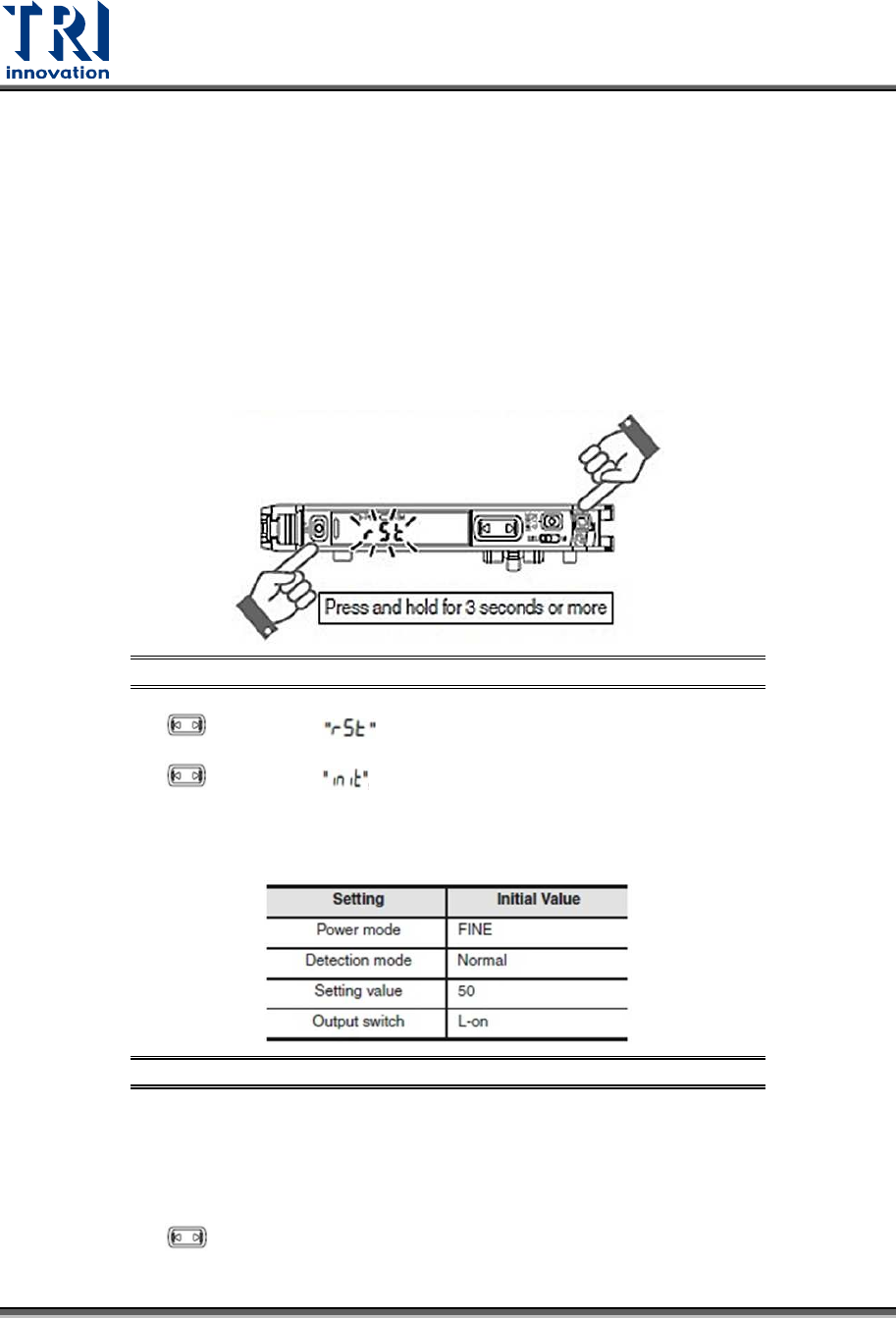
1) Initialization
a) Press and hold the [SET] and [PRESET] buttons simultaneously for three seconds.
Figure 49: Digital Fiber Sensor/Initialization
b) Use the to select the , then click the [MODE] button.
c) Use the to select the , then click the [MODE] button.
After the initialization is completed, the setup will recover to the default settings.
Figure 50: Digital Fiber Sensor/Default Settings
2) Adjust the power of the sensor to [Super] mode.
a) Press and hold [Mode] button for three seconds.
b) Use the to select the [Super] mode, and then press [Mode] button.