E4000-90023+N67xx+dut+ps+installation.pdf.pdf - 第37页
N67xx DUT Power Supply Installation 2-3 3 Align the new power module over the pins and push it down onto the connector. 4 Secur e with th e scr ews at ea ch end of the power module. Because the RFI strips apply upward pr…
2-2 N67xx DUT Power Supply Installation
Replacing a Power Module
Tools required
• T10 Torx driver
• Small flat-blade screwdriver
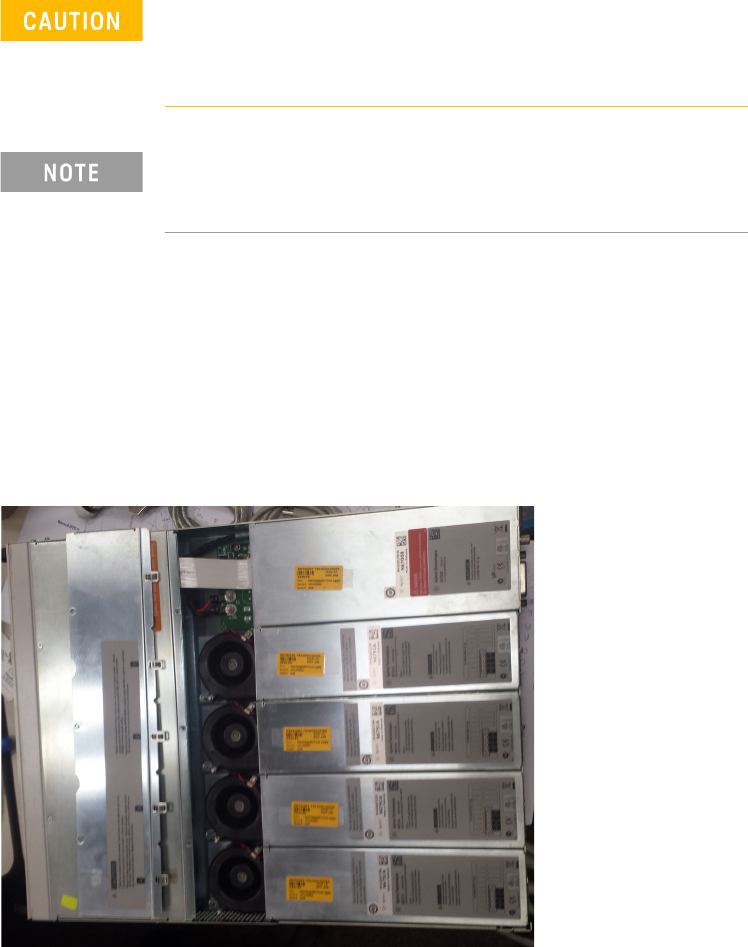
1 Remove the blower cover:
a Remove the screws from the top and sides of the blower cover.
b Tilt the cover up and slide it out.
2 Use a Torx driver to remove the screws at each end of the power module and
remove it from the frame.
Turn the DUT power supply off and disconnect the power
cable before removing and installing power modules.
Observe all standard electrostatic discharge precautions
before handling electronic components.
Always replace a power module with the same model,
otherwise the DUT power supply cannot be controlled by the
i3070 In-Circuit Test Software.
N67xx DUT Power Supply Installation 2-3
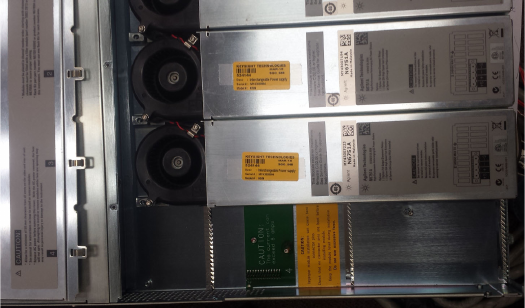
3 Align the new power module over the pins and push it down onto the
connector.
4 Secure with the screws at each end of the power module. Because the RFI
strips apply upward pressure, continue pushing down on the module until the
screws are tight.
5 Replace the blower cover. Carefully fit the spring clips under the lip of the
power modules.
2-4 N67xx DUT Power Supply Installation
Replacing Connectors on Old Output Cables
The output cables from some older i3070 systems can be used with the N67xx DUT
power supplies by cutting off the lugs and rewiring them based on the diagrams in
Connecting the Output Cables.
Note that the labels on new output cables are different from the old cables, and the
wiring information in this chapter refer to the new labels. Table 2-1 refers you to the
correct tables for the mapping of old to new labels, depending on the output cable
and channel you are using.
Table 2-1
Refer to: Cable Channel
Table 2-2 E4000-61602 for 4-module system Channels 1–4
E1170-61607 2-module system Channels 1–4
E1170-61606 for 2-module system Channels 5–6
Table 2-3 E4000-61606 for 2-module system Channels 5–6
Table 2-4 E4000-61602 for 4-module system Channels 5–6
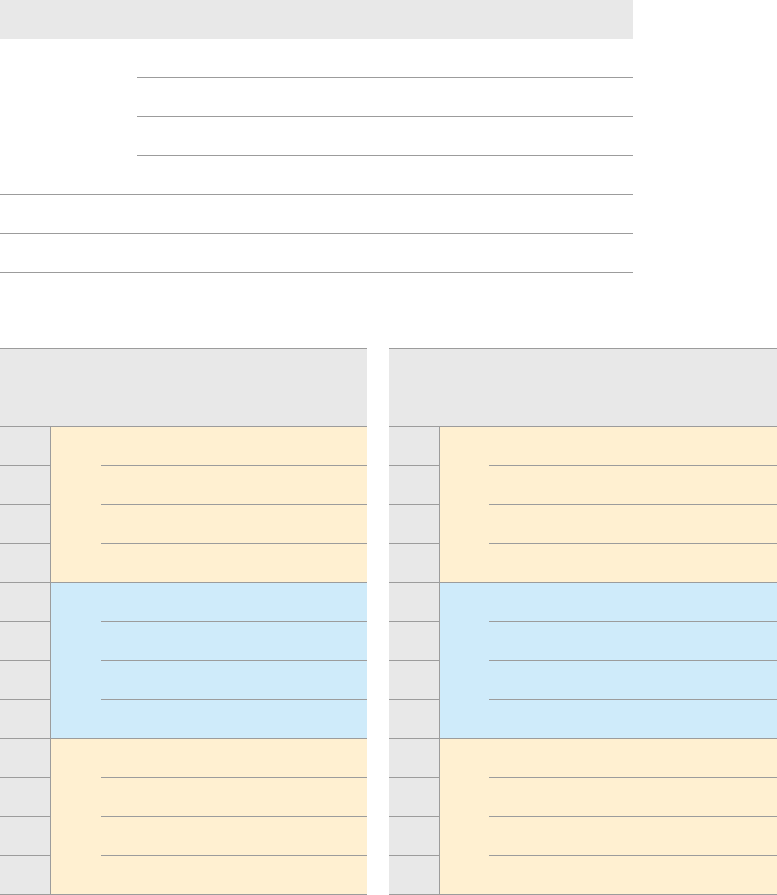
Table 2-2 Mapping old and new labels on output cables
Label on Cable: Label on Cable:
P/S Old New Cable Color P/S Old New Cable Color
+S 5 J1 BLK +S 5 H1 RED
+ 8 J2 BLK/WHT + 8 H2 RED/WHT
– 7 J3 BRN/WHT – 7 H3 ORN/WHT
–S 6 J4 WHT –S 6 H4 WHT
+S 1 G1 BLU +S 1 F1 GRN
+ 4 G2 BLU/WHT + 4 F2 RED, RED/WHT
– 3 G3 GRN/WHT – 3 F3 BLK, BLK/WHT
–S 2 G4 WHT –S 2 F4 WHT
+S 1 K1 GRN +S 5 L1 BLU
+ 4 K2 BLK/WHT + 8 L2 RED/WHT
– 3 K3 BRN/WHT – 7 L3 ORN/WHT
–S 2 K4 WHT –S 6 L4 WHT
Channel 1
Channel 2
Channel 3
Channel 4
Channel 5
Channel 6