Gemini Semi Appendix Manual.pdf - 第12页
OPERATOR APPENDIX PRINTHEAD COVER 1.2 Appendix to Micron Technical Manuals Chapter Issue 1 Feb 15 PRINTHEAD COVER Raising the printhead cover susp ends operation of th e machine to allow the operator safe access to the t…
OPERATOR APPENDIX
EMERGENCY MACHINE OFF (EMO) OPERATION
Chapter Issue 1 Feb 15 Appendix to Micron Technical Manuals 1.1
CHAPTER 1 OPERATOR APPENDIX
EMERGENCY MACHINE OFF (EMO) OPERATION
With the machine powered up, activating the red Emergency Machine Off
button (EMO) immediately powers down the machine both electrically and
pneumatically.
If the EMO is operated during machine movement, electrical and pneumatic
power is immediately removed. Machine movement may continue under inertia
and may result in machine damage. To avoid machine damage, ensure the
machine is shutdown correctly by following the Shutdown procedure in the
Operator manual.
NOTE
The EMO is a safety feature intended to power down the equipment or an entire
installation in an emergency so as to protect personnel and equipment. In case
of an emergency, it may not be possible to access the main disconnect device
on the equipment leaving the EMO as the only means to power down the
equipment. This is a requirement of SEMI S2.
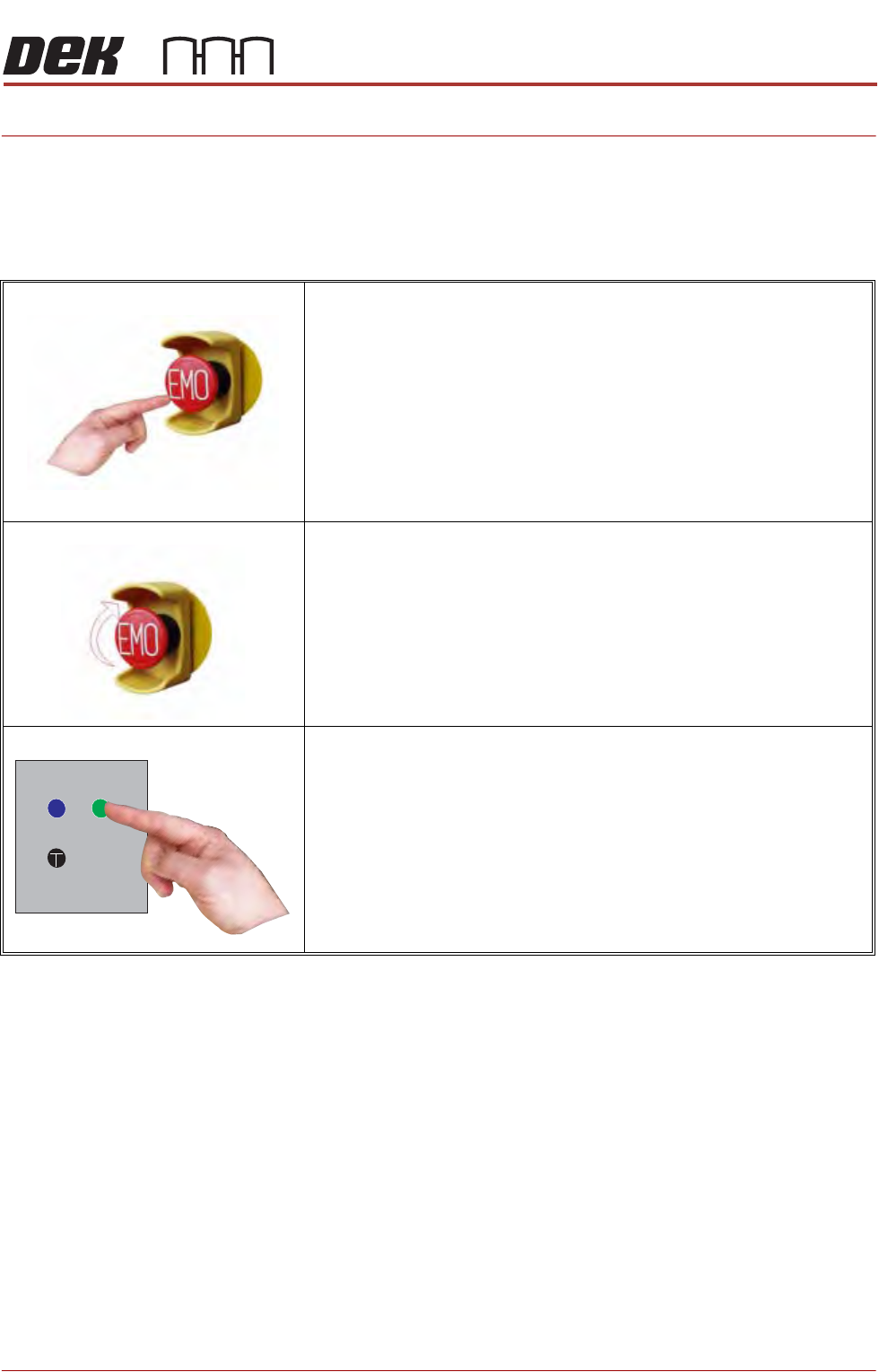
To activate:
Press the EMO button, electrical and pneumatic power to the
machine is removed.
To reset:
Turn the EMO button clockwise to release the latch.
Press the Start button (green) to restore electrical and pneumatic
power.
OPERATOR APPENDIX
PRINTHEAD COVER
1.2 Appendix to Micron Technical Manuals Chapter Issue 1 Feb 15
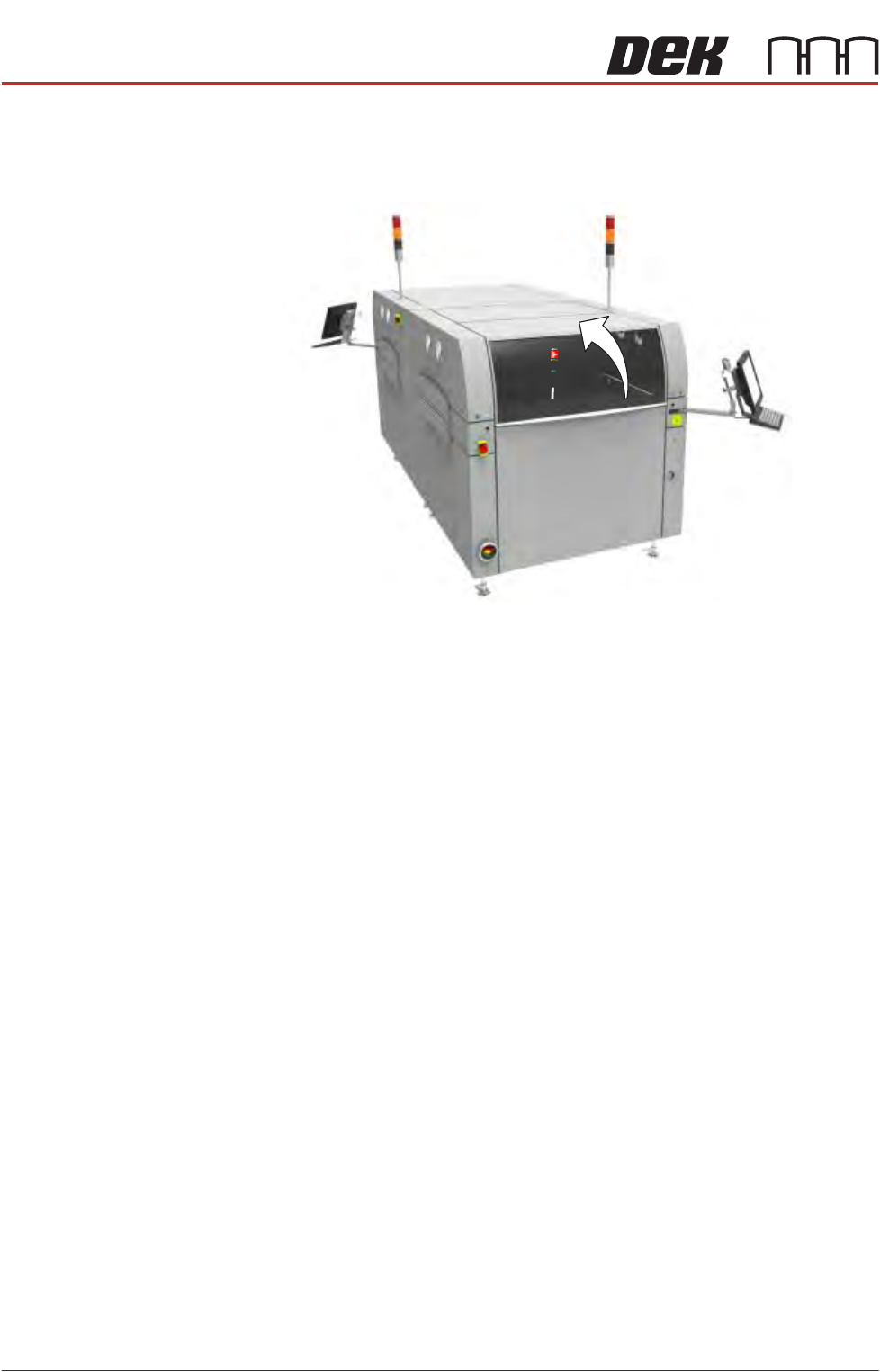
PRINTHEAD COVER
Raising the printhead cover suspends operation of the machine to allow the
operator safe access to the tooling area.
Safety Devices The safety devices designed into this machine are for the protection of all
operator and maintenance personnel. ASM strongly recommend safety
devices are never overridden.
OPERATOR APPENDIX
TRI COLOUR BEACON
Chapter Issue 1 Feb 15 Appendix to Micron Technical Manuals 1.3
TRI COLOUR BEACON
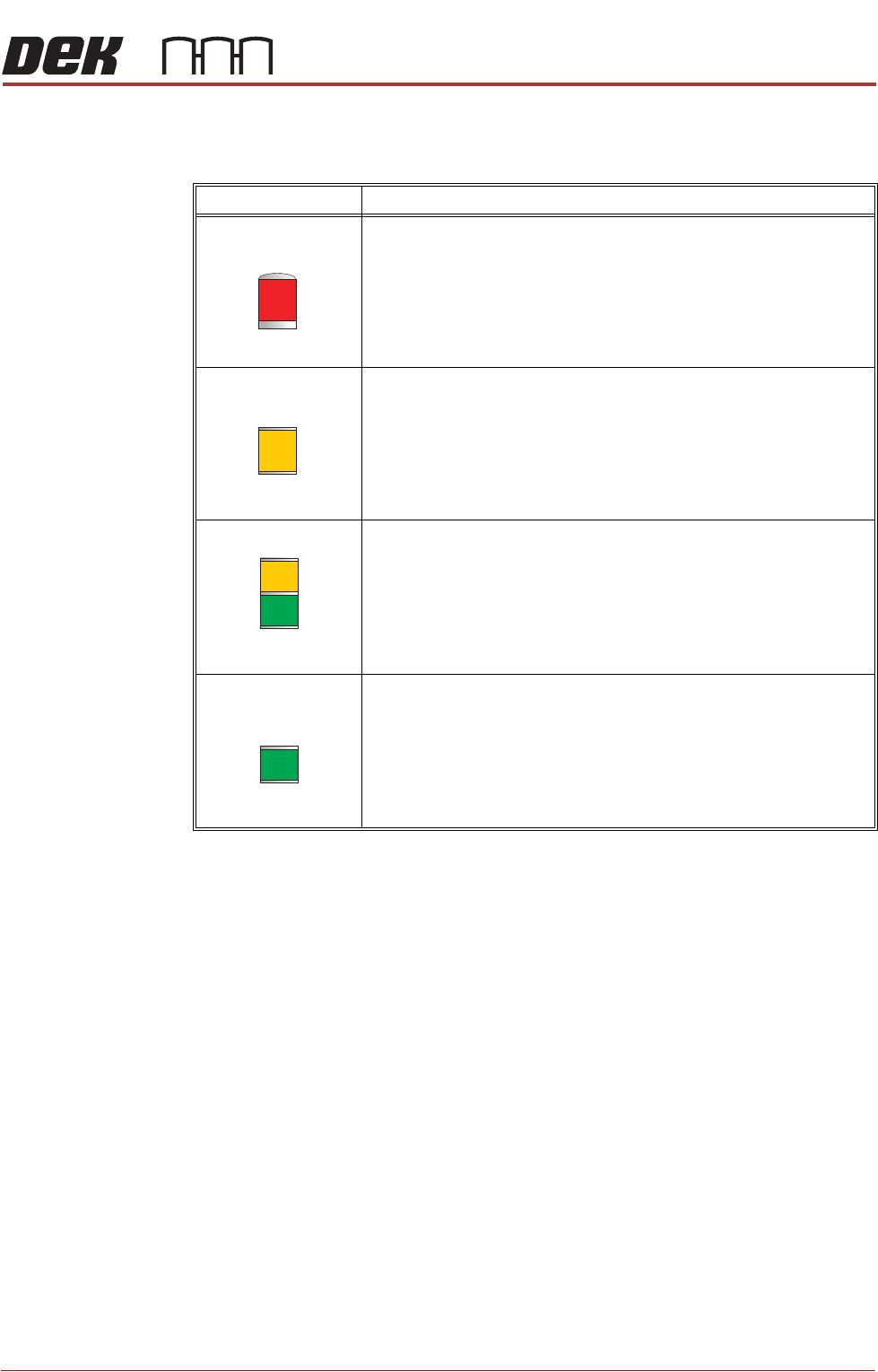
The beacon indicates the operational status of the machine:
Beacon Colour Operational Status
Machine is not operational
System power is down
Error message displayed
Paste cartridge is low
Paper roll is empty
Solvent tank level is low
Machine is not in a ready state
Machine is initialising
Machine is in set up mode
Machine is in maintenance mode
Machine requires operator attention
Paste cartridge is low
Paper roll is low
Solvent tank level is low
Machine is operational
Machine is waiting in a ready state