Gemini Semi Appendix Manual.pdf - 第159页
TECHNICAL REFERENCE APPENDIX PREVENTATIVE MAINTENANCE Chapter Issue 1 Feb 15 Appendix to Micron Technical Manuals 3.121 7. The back of the carbon filter unit is secured beneath a f ilter securing bracket. T o remove the …
TECHNICAL REFERENCE APPENDIX
PREVENTATIVE MAINTENANCE
3.120 Appendix to Micron Technical Manuals Chapter Issue 1 Feb 15
VF35i Vacuum
Filtration Unit
To replace any of the filters in the Vacuum Filtration Unit, carry out the following:
1. Ensure both machines are switched OFF.
2. Move the machine carefully out of line.
3. Remove the loom from the lower rear panel socket.
4. Remove the machine rear panel.
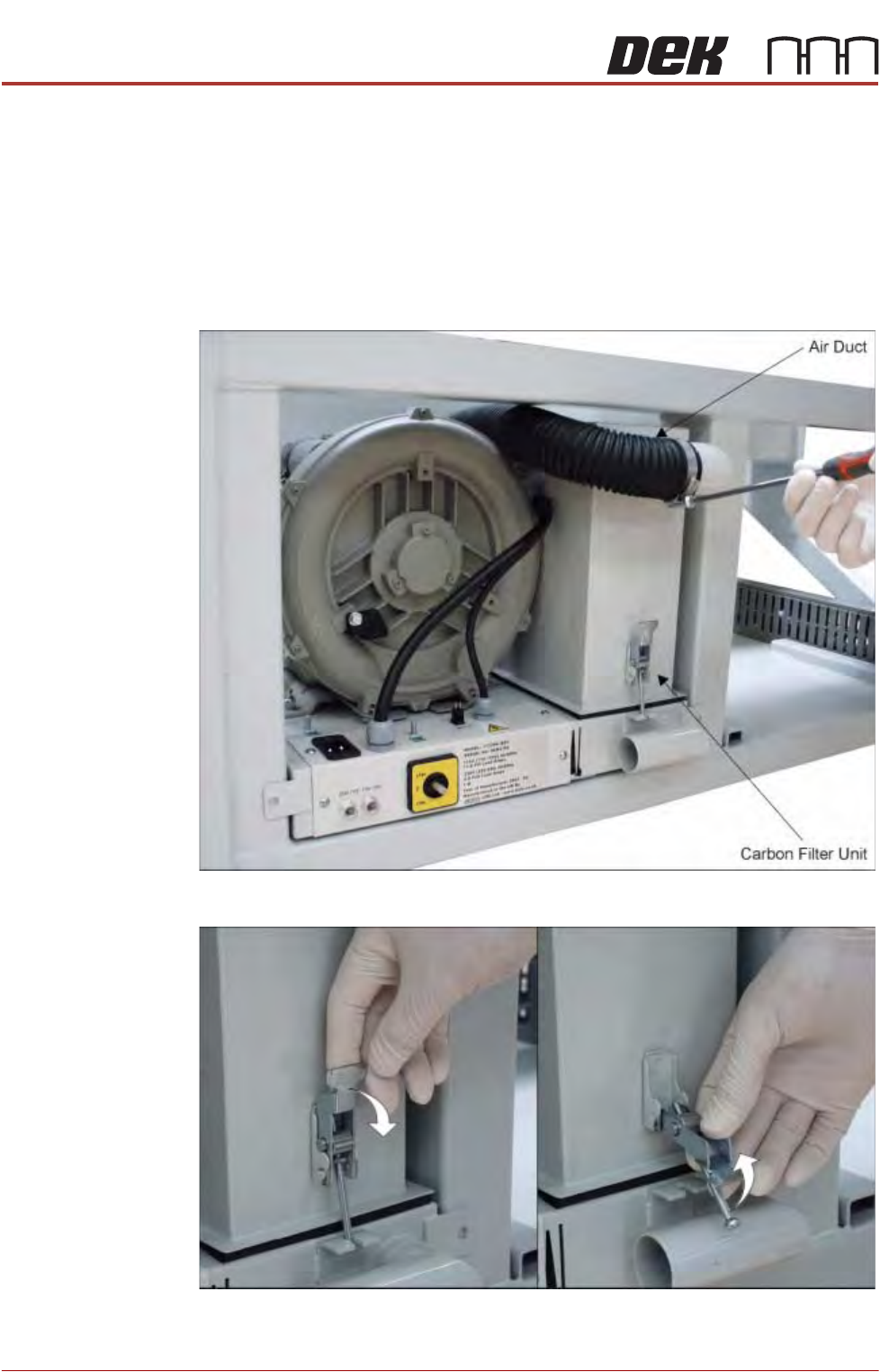
5. Remove the air duct from the carbon filter unit using a screwdriver or box
spanner to release the securing clip.
6. Release the filter retaining clip to detach the filters from the base unit.
TECHNICAL REFERENCE APPENDIX
PREVENTATIVE MAINTENANCE
Chapter Issue 1 Feb 15 Appendix to Micron Technical Manuals 3.121
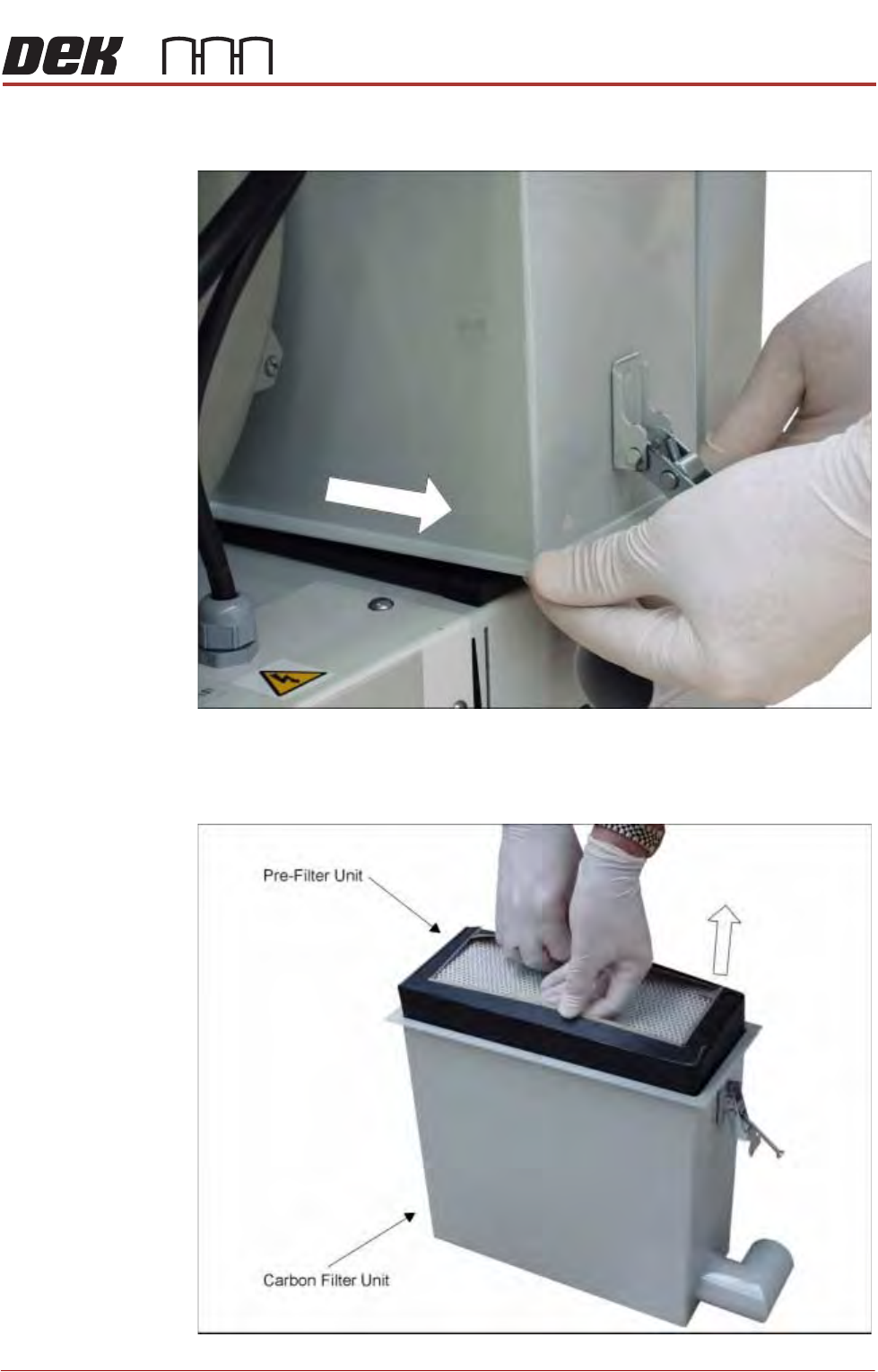
7. The back of the carbon filter unit is secured beneath a filter securing bracket.
To remove the filter, lift the front and pull the filter out of the machine.
8. Turn the filter unit upside down.
9. To separate the pre-filter unit from the carbon filter unit, pull the pre-filter
upwards using the pre-filter frame.
TECHNICAL REFERENCE APPENDIX
PREVENTATIVE MAINTENANCE
3.122 Appendix to Micron Technical Manuals Chapter Issue 1 Feb 15
10.Replace the carbon\pre-filter as required and refit the pre-filter into the
carbon filter unit.
11. Refit the carbon filter unit to the vacuum filtration unit.
NOTE
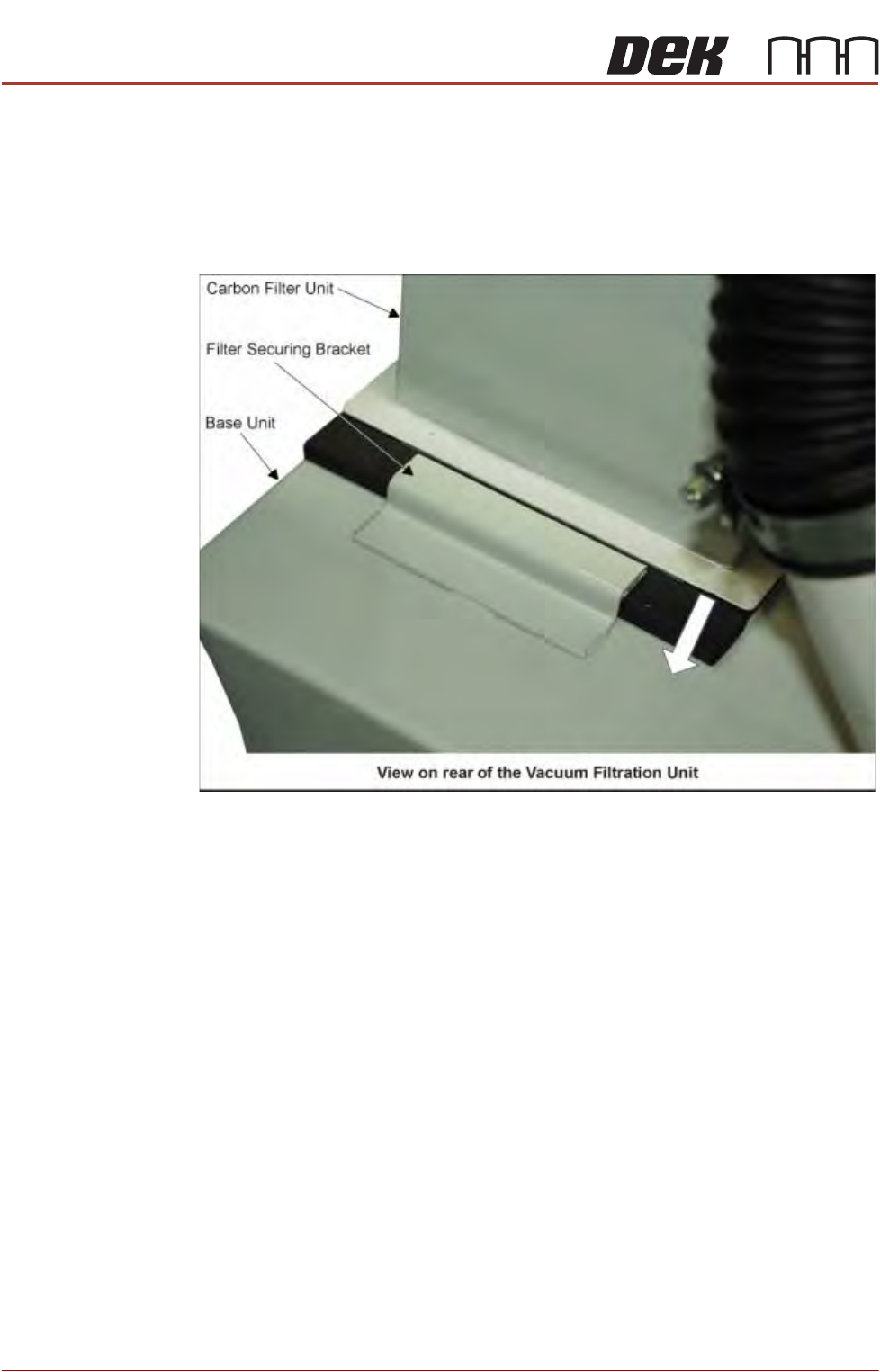
When refitting the carbon filter unit to the base unit, ensure that the rear of
the carbon filter unit is located beneath the filter securing bracket.
12.Secure the carbon filter unit using the filter retaining clip.
13.Refit and secure the air duct to the carbon filter unit.
14.Refit the panel removed in Step 4.
15.Move the machine carefully back into line.
16.Reconnect the loom to the lower rear panel socket.