00197382-03_IM_SetupCenter6.3SP2_EN.pdf - 第73页
Barcode-Scanner Installation 6.3.4 Setup Center Client Installation Motorola Scanner Installation Manual SIPLACE Setup Center 6.3 SP2 73 ► Click on Install to start the ins tallation of th e software pack ages. ► Select …
Barcode-Scanner Installation
Motorola Scanner 6.3.4 Setup Center Client Installation
72 Installation Manual SIPLACE Setup Center 6.3 SP2
► The installation of Symbol AppCenter has finished. Press Cancel to continue with Setup Center Mo-
bileScanner installation.
See also
6.3.4 Setup Center Client Installation [ ➙ 72]
6.3.4
6.3.4 Setup Center Client Installation
Setup Center Client Installation
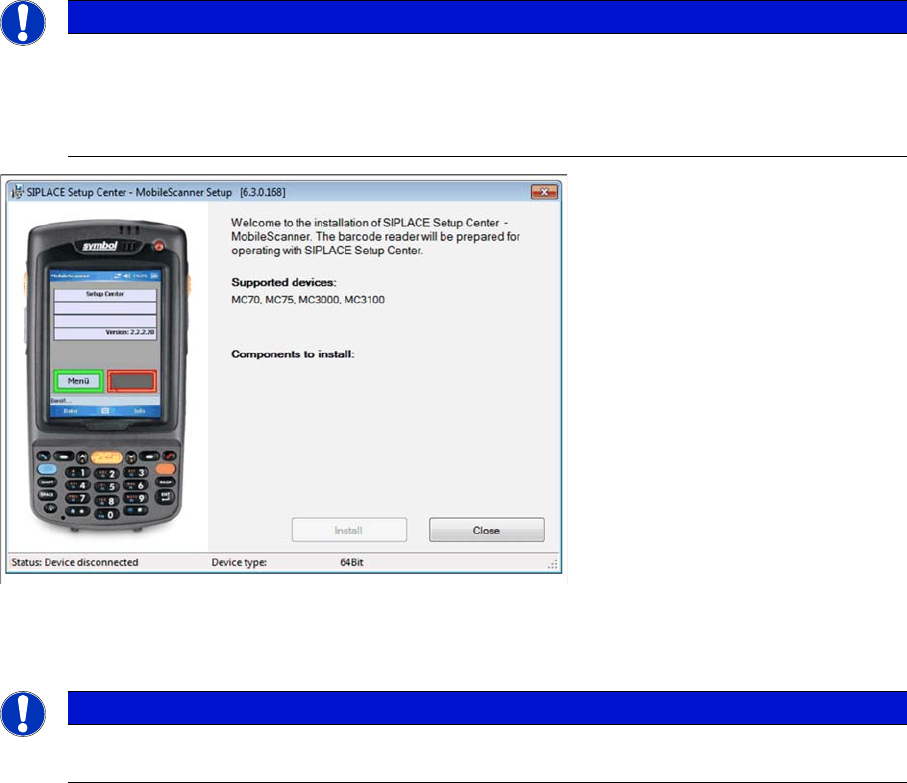
The installation for Setup Center – MobileScanner is located in the directory "\MobileScanner\" of the
CD. Execute the file "TransferToPDA.exe" to start the installation.
► Place the scanner in its cradle if this has not already been done. The installation program automat-
ically detects the scanner type (Device type) and lists the necessary software packages for the in-
stallation.
NOTICE
In case of an upgrade installation exit the Setup Center Client before you start with the instal-
lation procedure.
► Exit Setup Center Client with "File → Exit".
► Confirm any upcoming message which refers to an upgrade installation with "Yes" or "OK".
NOTICE
The installation program checks if the firmware version of the scanner complies with the mini-
mum requirement. If this is not the case, update your scanner firmware first.
Barcode-Scanner Installation
6.3.4 Setup Center Client Installation Motorola Scanner
Installation Manual SIPLACE Setup Center 6.3 SP2 73
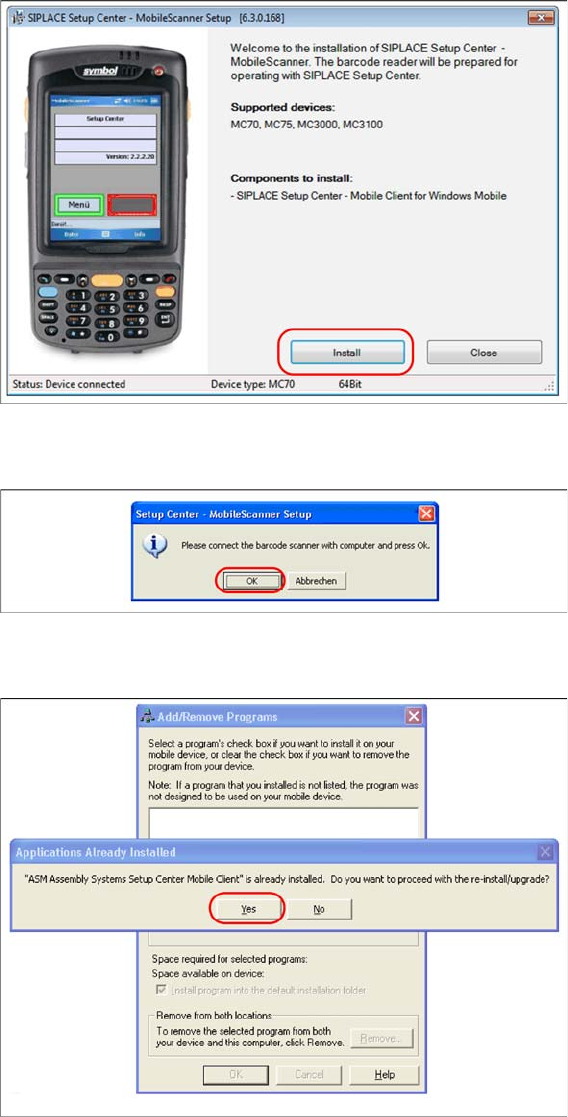
► Click on Install to start the installation of the software packages.
► Select "Continue" to proceed with the installation.
► Make sure that the scanner is placed in the basic station and connected to Setup Center.
► Select "OK" start the transfer of the software components to the scanner.
► In case of a upgrade installation confirm the upgrade of SSC Mobile Scanner with "Yes".
The transfer of the components to the scanner is beginning.
Barcode-Scanner Installation
Motorola Scanner 6.3.4 Setup Center Client Installation
74 Installation Manual SIPLACE Setup Center 6.3 SP2
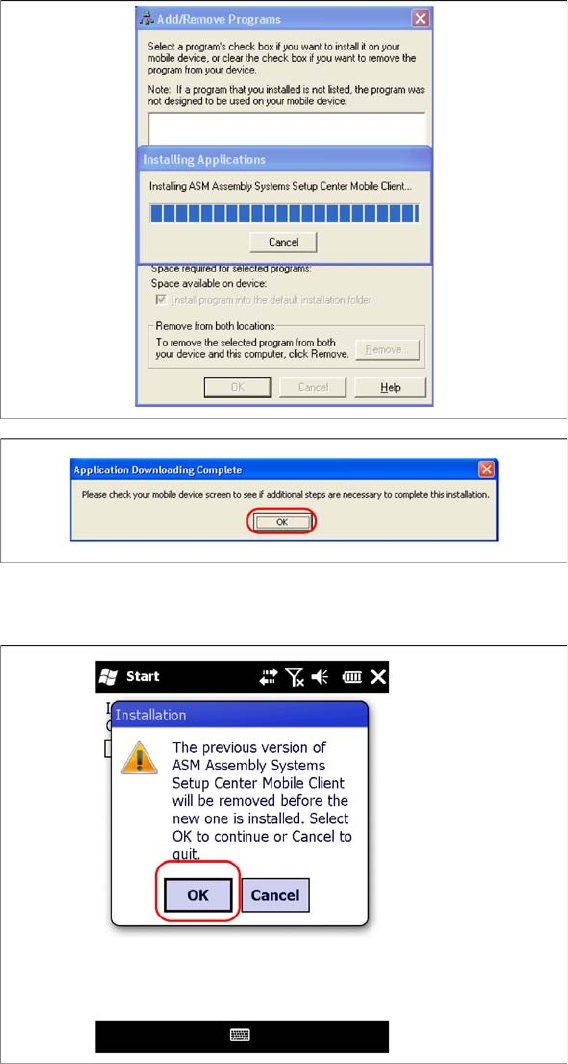
► After completion of the data transfer to the device click on "OK" to close the window.
The installation of the Setup Center Client is beginning.
► In case of a upgrade installation confirm the update of Setup Center Client with "OK".