00197382-03_IM_SetupCenter6.3SP2_EN.pdf - 第92页
Docking Station Installation Data Connection with PC-CAN Card 7.3.3 Installing the CAN Bus dr iver and API 92 Installation Manual SIPLACE Setup Center 6.3 SP2 Step 7 ► The “Systemcheck” window displa ys the status of all…
Docking Station Installation
7.3.3 Installing the CAN Bus driver and API Data Connection with PC-CAN Card
Installation Manual SIPLACE Setup Center 6.3 SP2 91
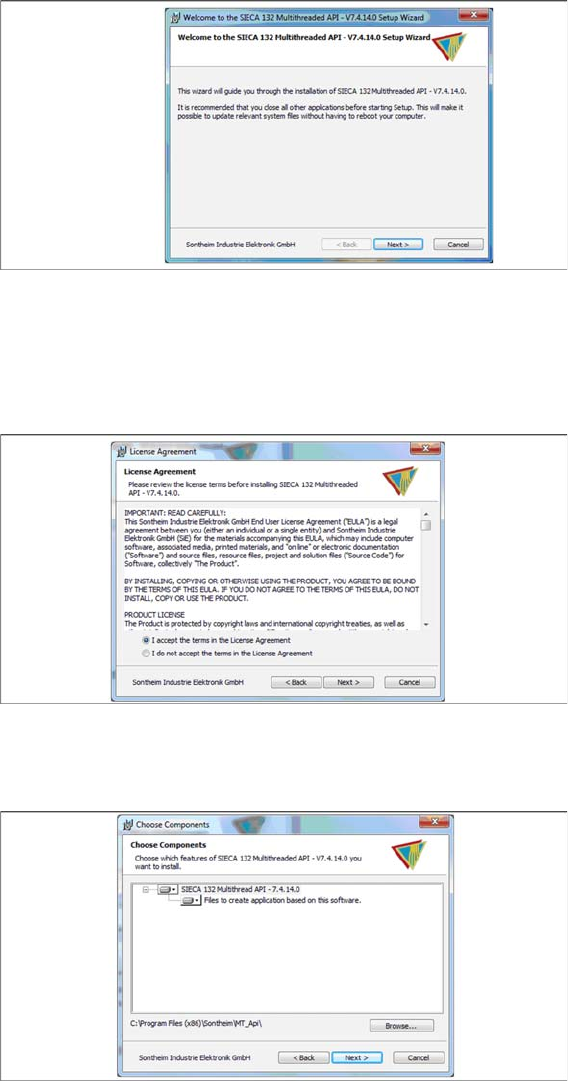
Step 4
► Click Next.
Step 5
► Read the license agreement relating to use of this software and select I accept the terms in the Li-
cense Agreement to accept the license agreement.
► Click Next.
Step 6
► Click Next.
Docking Station Installation
Data Connection with PC-CAN Card 7.3.3 Installing the CAN Bus driver and API
92 Installation Manual SIPLACE Setup Center 6.3 SP2
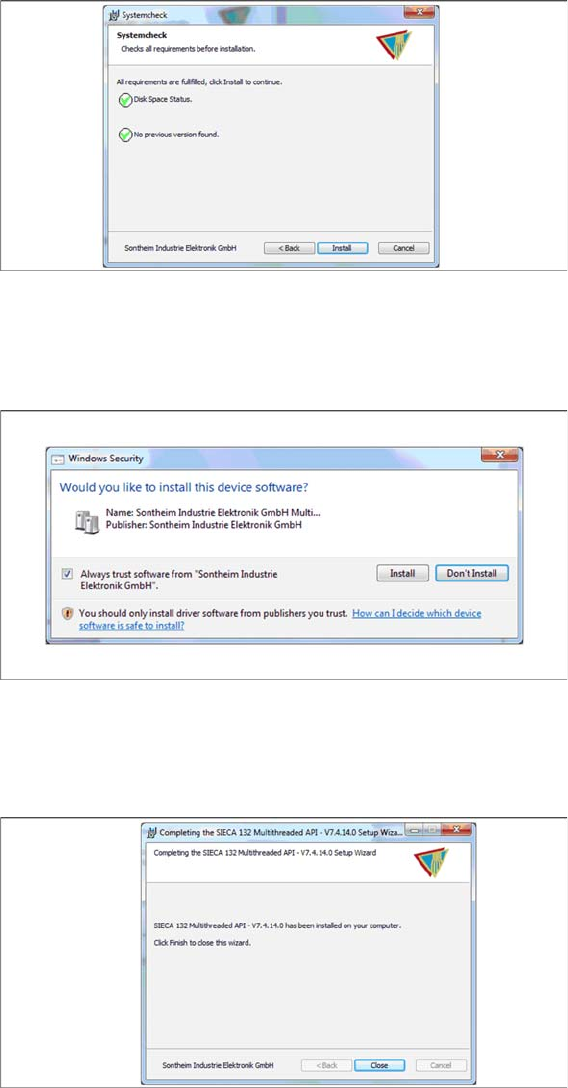
Step 7
► The “Systemcheck” window displays the status of all checks they have carried out.
► Click Install.
Step 8
► Select Always trust software from “Sontheim Industrie Elektronik GmbH”.
► Click Install.
Step 9
The "Installation Complete" window appears if the installation has been completed successfully.
► Click Close.
Docking Station Installation
7.3.3 Installing the CAN Bus driver and API Firmware download for docking station
Installation Manual SIPLACE Setup Center 6.3 SP2 93
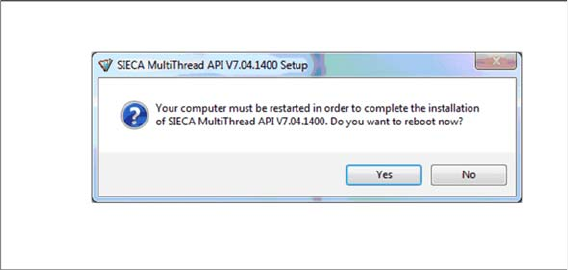
Step 10
If a restart of the PC is required, the following window appears.
► Click Yes.
7.4
7.4 Firmware download for docking station
Firmware download for docking station
► Setup Center can update the firmware of your docking station.
To learn how to update the firmware of your docking station, please refer to the chapter "Docking
Station Firmware Download" in the Online Help Setup Center.