00197382-03_IM_SetupCenter6.3SP2_EN.pdf - 第74页
Barcode-Scanner Installation Motorola Scanner 6.3.4 Setup Center Client Installation 74 Installation Manual SIPLACE Setup Center 6.3 SP2 ► After completion of the data t ra nsfer to the device click on "O K" to…
Barcode-Scanner Installation
6.3.4 Setup Center Client Installation Motorola Scanner
Installation Manual SIPLACE Setup Center 6.3 SP2 73
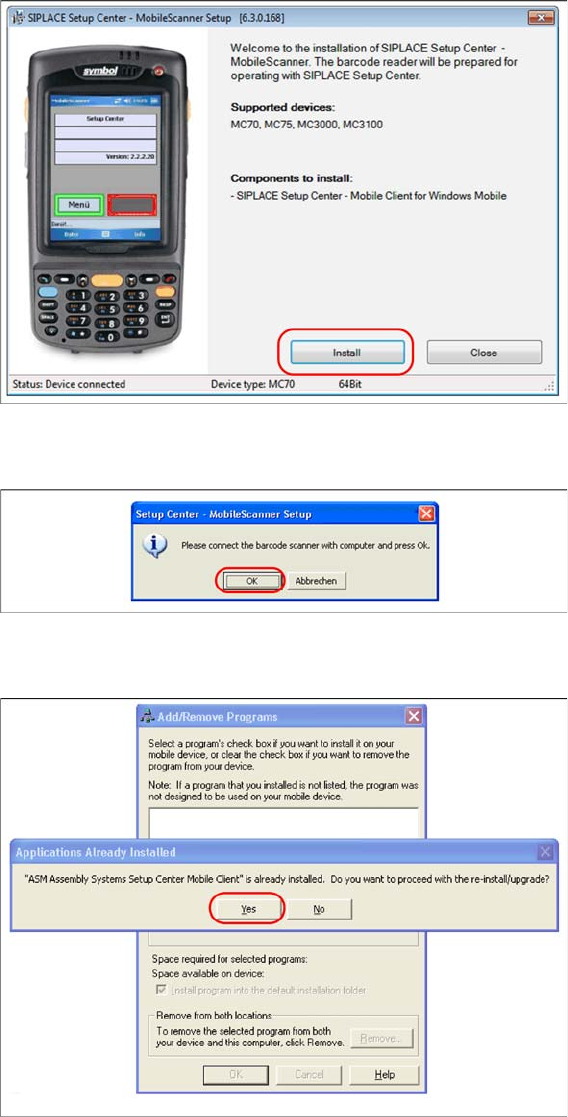
► Click on Install to start the installation of the software packages.
► Select "Continue" to proceed with the installation.
► Make sure that the scanner is placed in the basic station and connected to Setup Center.
► Select "OK" start the transfer of the software components to the scanner.
► In case of a upgrade installation confirm the upgrade of SSC Mobile Scanner with "Yes".
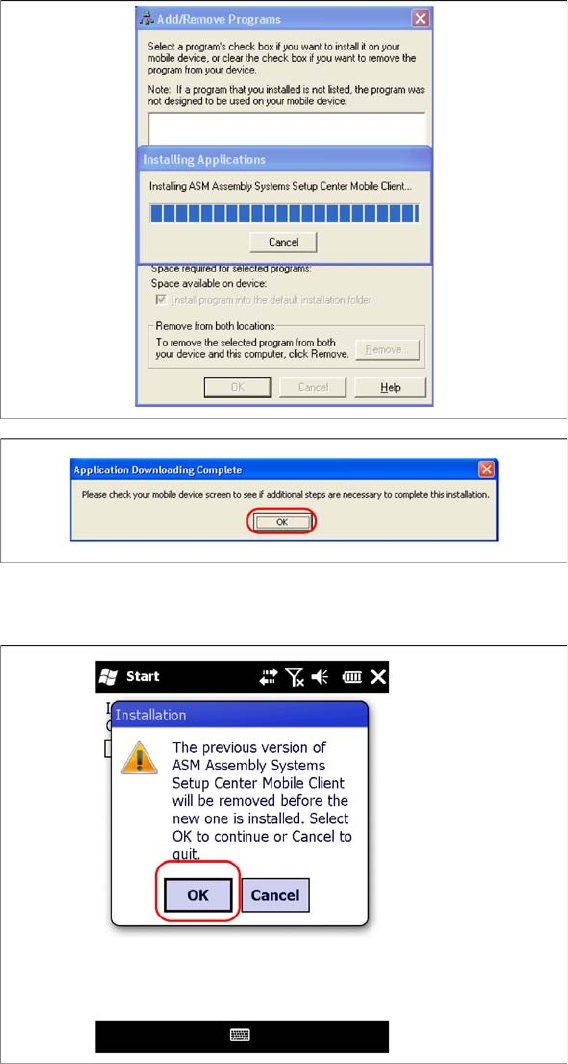
The transfer of the components to the scanner is beginning.
Barcode-Scanner Installation
Motorola Scanner 6.3.4 Setup Center Client Installation
74 Installation Manual SIPLACE Setup Center 6.3 SP2
► After completion of the data transfer to the device click on "OK" to close the window.
The installation of the Setup Center Client is beginning.
► In case of a upgrade installation confirm the update of Setup Center Client with "OK".
Barcode-Scanner Installation
6.3.4 Setup Center Client Installation Motorola Scanner
Installation Manual SIPLACE Setup Center 6.3 SP2 75
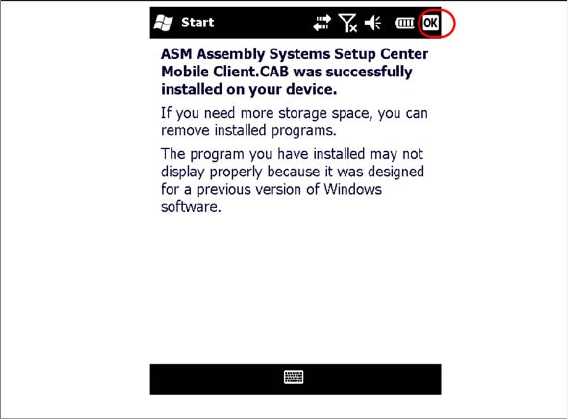
► Select "OK" to close the window. The installation is now completed. Please restart the device by
holding down the power key 5 seconds. After restart the Setup Center Client starts automatically and
you can start with the configuration of Setup Center and Client Software.