ISM6636A&B_Rev1.10解密.pdf - 第28页
28 Innovision Semiconductor Preliminary Datas heet ISM6636 A/B Rev1.10 01/2023 Table 18 Register = 0x13 The setting of the output voltage needs to be determined according to the loop conditions. The suff ixes o f ISM66 3…
27
Innovision Semiconductor
Preliminary Datasheet
ISM6636A/B
Rev1.10 01/2023
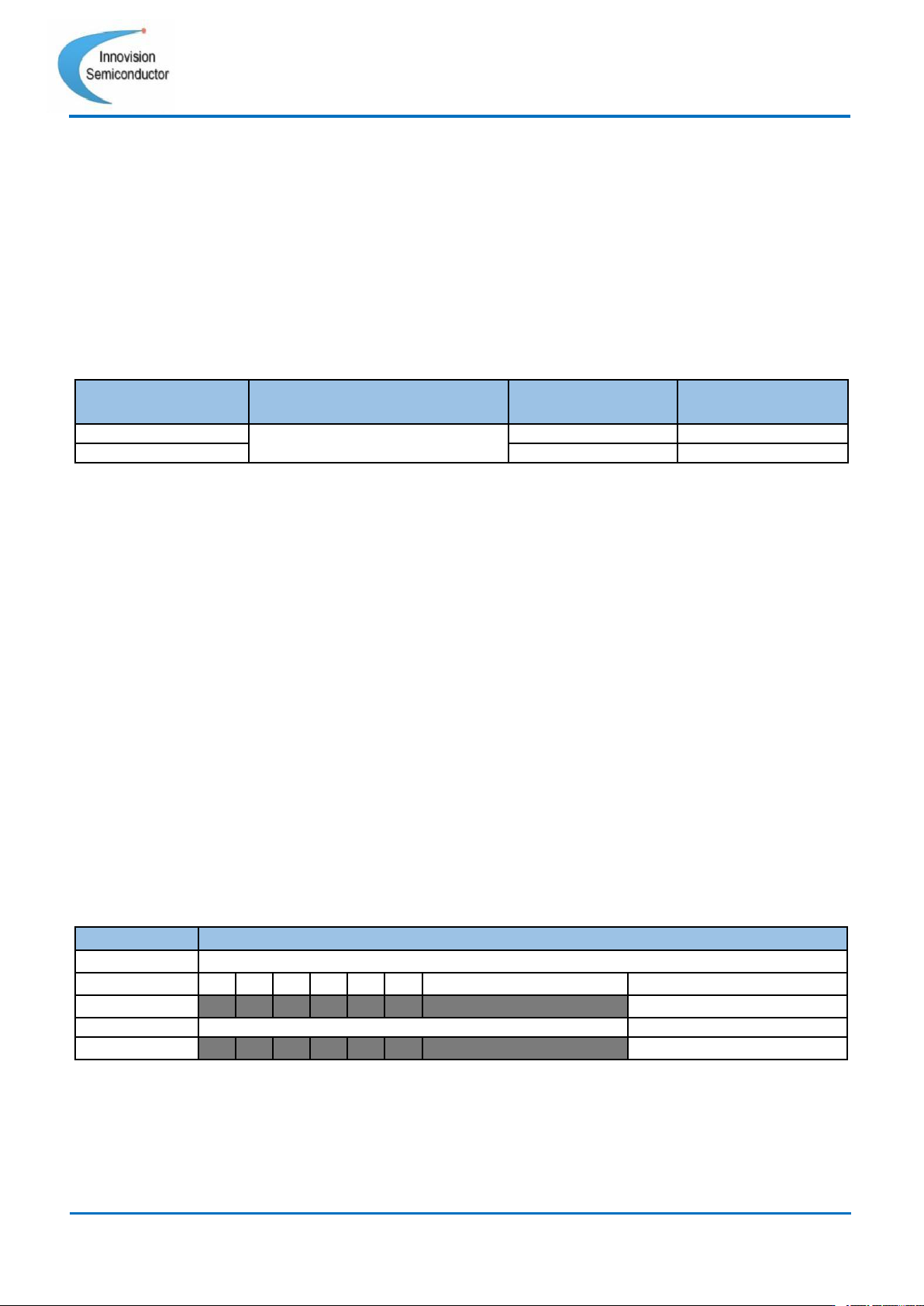
Register = 0x12 Set Vout voltage
Register = 0x13 Set Vout voltage
Register 0x12 and 0x13 need to be used together to implement the VOUT voltage setting
function. For ISM6636A/B, LSB = 10mV/Step. Register 0x12 Bit[0] and register 0x13 Bit[7:0]
form 9 bits with a total of 512 bits, which are used to set the output voltage.
These two registers will set the default value of the output voltage when the module leaves
the factory, as shown in the following table (16).
Base Part
Numbers
Package
Output
voltages(V)
Part Numbers
ISM6636B
LGA3.3X3.3-14L(P0.55T1.45)
3.30
ISM6636B-3300
ISM6636A
5.00
ISM6636A-5000
Table 16 ISM6636X part number table
ISM6636A\B output voltage is fixed at 5V\3.3V.
The user can adjust the output voltage in a small range.When modifying the voltage, you
must first write register 0x13 Bit[7:0] and then write register 0x12 Bit[0], the output voltage
command will take effect.
The output voltage calculation formula is as follows:
For ISM6636A/B,
the output voltage = ((Vout_high_bit * 256) + Vout_low_byte)* 0.01V + 0.8V.
Example: ISM6636A-5000 LSB=10mV/Step. Read register 0x12 Bit[0]=1, register 0x13
value is 0xA4. Converted to binary, it is Vout Bit[8:0]=110100100, which is calculated as
follows according to the formula:
Now need to modify the output voltage to 5.1V. The sequence needs to be followed, 1.
Write 0xAE to register 0x13. 2. Write 0B to 0x12[0]. When register 0x12[0] is written, the
command takes effect and the output voltage is modified to 5.1V.
Command
Vout_High_Bit
Format
unsigned binary
Bit
7
6
5
4
3
2
1
0
Access
R
R
R
R
R
R
R/W
R/W
Function
no use
Set up Vout voltage.
Default
0
0
0
0
0
0
\
Default
Table 17 Register = 0x12

28
Innovision Semiconductor
Preliminary Datasheet
ISM6636A/B
Rev1.10 01/2023
Table 18 Register = 0x13
The setting of the output voltage needs to be determined according to the loop conditions.
The suffixes of ISM6636A\B are different, corresponding to the different inductance values.
It is recommended that when using this function, the voltage adjustment range should not
exceed 20% of the default setting and follow the above programming principles.
Register = 0x14 Soft Start and Switch Mode
Register = 0x1B I2C start (I2C Enable)
Register = 0x1C Soft Stop Power down
These three register addresses are related to the power-off and startup mode of the
ISM6636X.
ISM6636X supports soft start (Soft Start) and soft shutdown (Soft Stop) time rate adjustable.
When the VCC voltage exceeds the undervoltage protection value, the internal soft start
(Soft Start) circuit will work, and the output voltage will rise to the target voltage at the rate
set by register 0x14. The target voltage is determined by registers 0x12 and 0x13. During
the soft-start, the over-current protection (OC) and over-voltage protection (OV) functions
are enabled to ensure that the module is fully protected. The soft start register (Soft Start)
0x14 has a total of 4 settings, which are as follows:
For ISM6636A/B-xxxx,
[4:3]=00 : 1mV/µs; [4:3]=01 : 2mV/µs; [4:3]=10 : 0.5mV/µs; [4:3]=11 : 4mV/µs;
The Soft Stop rate is the same as the Soft Start rate and cannot be set independently. If
you want to implement the Soft Stop function, it can only be realized through the register
0x14 Bit[2] and register 0x1C Bit[3] via I2C. The module does not support the EN pin control
soft stop (Soft Stop) function. Shutdown (Soft Stop) is off by default.
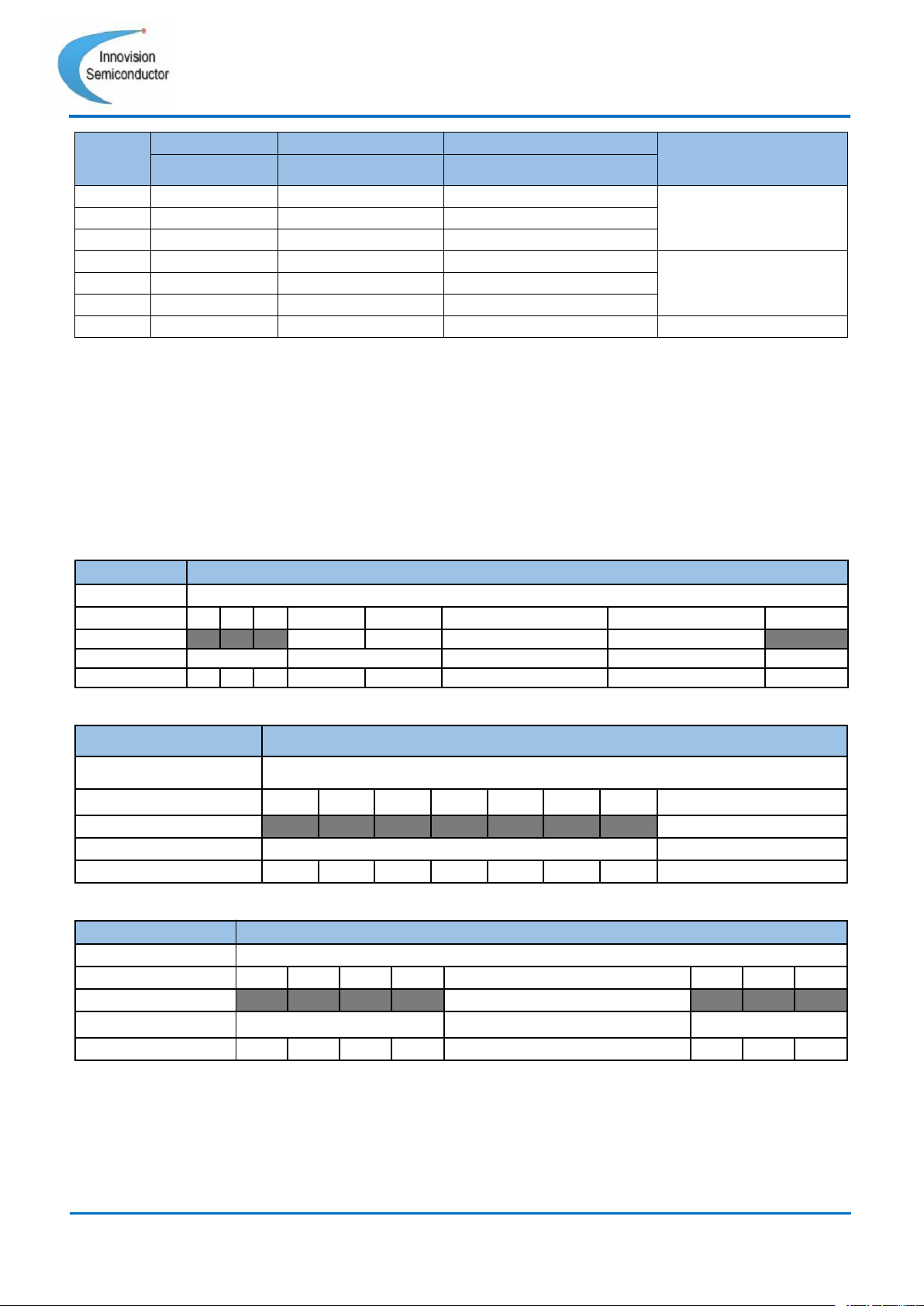
The startup and shutdown of the module are realized by the external EN pin and the three
internal registers. The specifics can be referred to the following table:
Command
Vout_Low_Byte
Format
unsigned binary
Bit
7
6
5
4
3
2
1
0
Access
R/W
R/W
R/W
R/W
R/W
R/W
R/W
R/W
Function
Set Vout voltage.
Default
Default
Default
Default
Default
Default
Default
Default
Default
29
Innovision Semiconductor
Preliminary Datasheet
ISM6636A/B
Rev1.10 01/2023
EN pin
I2C ENABLE
Soft Stop Enable
Soft Stop Power down
State
0x1B[0]
0x14[2]
0x1C[3]
0
0
\
\
Power Off
1
0
\
\
0
1
\
\
1
1
0
0
Power On
1
1
0
1
1
1
1
0
1
1
1
1
Soft Stop Power down
Table 19 Start and power off (“\” means ignore the state of this register)
ISM6636X supports forced continuous mode and discontinuous conduction mode (FCCM
and DCM), which can be set through register 0x14 Bit [1]. The rules are as follows:
•
When 0x14 Bit[1] = 0, the module will be in forced continuous mode (FCCM).
• When 0x14 Bit[1] = 1 and EN pin input voltage is lower than 2.5V, the module will be in
discontinuous conduction mode (DCM).
• When 0x14 Bit[1] = 1 and EN pin input voltage is higher than 2.5V, the module will be
in forced continuous mode (FCCM).
Command
Soft Start and Switch Mode
Format
unsigned binary
Bit
7
6
5
4
3
2
1
0
Access
R
R
R
R/W
R/W
R/W
R/W
R
Function
no use
Soft Start_Rate
Soft Stop Enable
FCCM and DCM
no use
Default
0
0
0
0
0
0
1
0
Table 20 Register = 0x14
Command
I2C Enable
Format
unsigned binary
Bit
7
6
5
4
3
2
1
0
Access
R
R
R
R
R
R
R
R/W
Function
no use
I2C Enable
Default
0
0
0
0
0
0
0
0
Table 21 Register = 0x1B
Command
Soft Stop Power down
Format
unsigned binary
Bit
7
6
5
4
3
2
1
0
Access
R
R
R
R
R/W
R
R
R
Function
no use
Soft Stop Power down
no use
Default
0
0
0
0
0
0
0
0
Table 22 Register = 0x1C