197052.pdf - 第23页
QS18 Accessories QS18 Series Sensor Product Manual 01-Jun-26 page 23 of 29 © Banner Engineering Corp. All rights reserved. www .bannerengineering.com • • • • • • • Continued from page 22 4-Pin Single-Ended Snap-on M8 …
01-Jun-26 page22of29
QS18 Series Sensor Product Manual
© Banner Engineering Corp. All rights reserved.
www.bannerengineering.com
Chapter Contents
Cordsets ............................................................................................................................................................................................................. 22
Sensor Status Indicators .................................................................................................................................................................................... 23
QS18 Brackets ................................................................................................................................................................................................... 23
Retroreflective Targets ....................................................................................................................................................................................... 23
Plastic and Glass Fiber Optics ........................................................................................................................................................................... 23
Cordsets
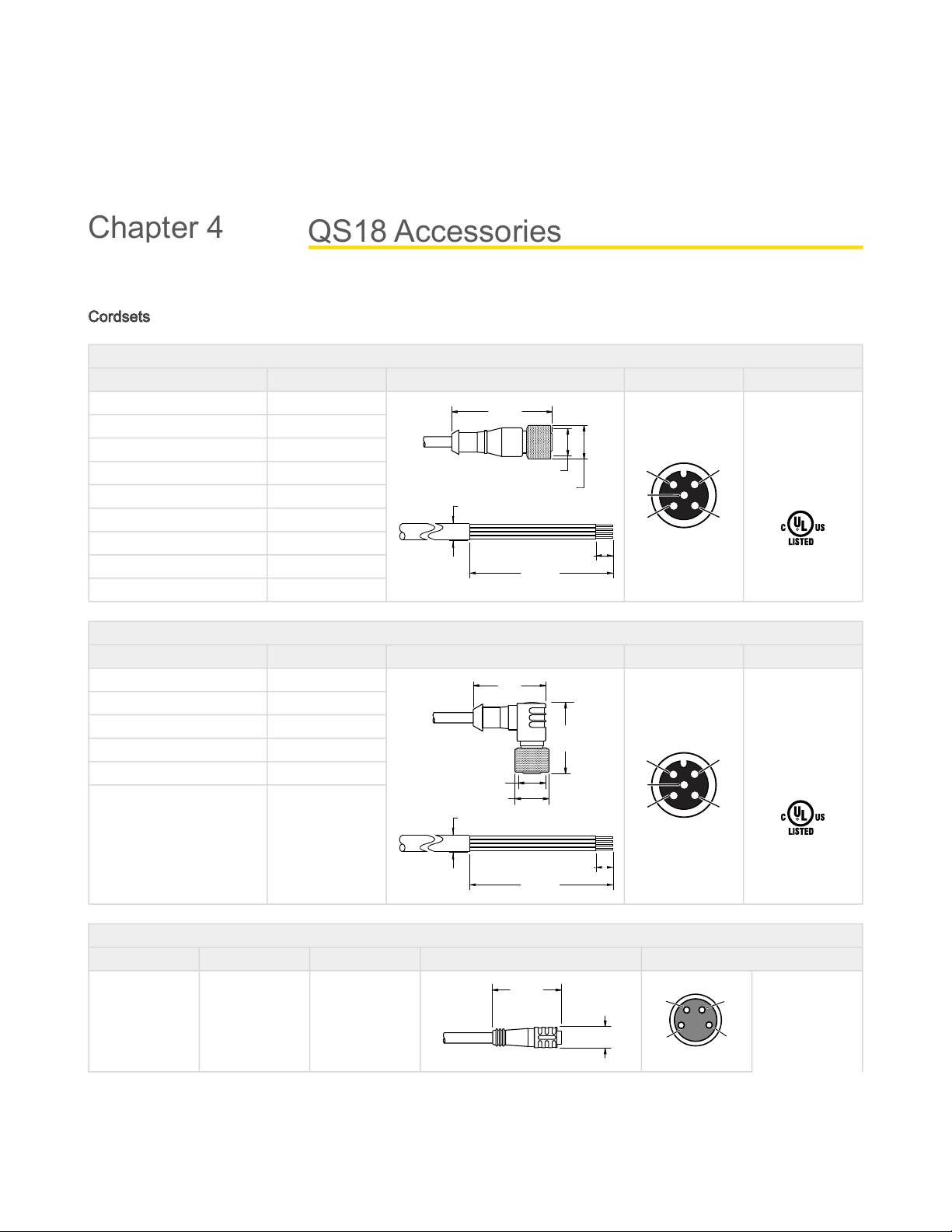
4-pin Single-Ended M12 Female Cordsets (datasheet p/n 235937)
Model Length Dimensions (mm) Pinout (Female)
BC-M12F4-22-1 1 m (3.28 ft)
44 Typ.
ø 14.5
M12 x 1
7 mm
58 mm
Ø5.2 mm
1 2
34
5
1 = Brown
2 = White
3 = Blue
4 = Black
5 = Unused
BC-M12F4-22-2 2 m (6.56 ft)
BC-M12F4-22-5 5 m (16.4 ft)
BC-M12F4-22-8 8 m (26.25 ft)
BC-M12F4-22-10 10 m (30.81 ft)
BC-M12F4-22-15 15 m (49.2 ft)
BC-M12F4-22-20 20 m (65.61 ft)
BC-M12F4-22-25 25 m (82.02 ft)
BC-M12F4-22-30 30 m (98.42 ft)
4-pin Single-Ended M12 Female Right-Angle Cordsets (datasheet p/n 235937)
Model Length Dimensions (mm) Pinout (Female)
BC-M12F4A-22-1 1 m (3.28 ft)
32 Typ.
[1.26"]
30 Typ.
[1.18"]
ø 14.5 [0.57"]
M12 x 1
7 mm
58 mm
Ø5.2 mm
1 2
34
5
1 = Brown
2 = White
3 = Blue
4 = Black
5 = Unused
BC-M12F4A-22-2 2 m (6.56 ft)
BC-M12F4A-22-5 5 m (16.4 ft)
BC-M12F4A-22-8 8 m (26.25 ft)
BC-M12F4A-22-10 10 m (30.81 ft)
BC-M12F4A-22-15 15 m (49.2 ft)
4-Pin Single-Ended Snap-on M8 Female Cordsets
Model Length Style Dimensions Pinout (Female)
PKG4-2 2.03 m (6.66 ft) Straight
ø 9.0
32 Typ.
4
3
1
2
1 = Brown
2 = White
3 = Blue
4 = Black
Continued on page 23
QS18 Accessories
Chapter 4
QS18 Accessories QS18 Series Sensor Product Manual
01-Jun-26 page23of29© Banner Engineering Corp. All rights reserved.
www.bannerengineering.com
•
•
•
•
•
•
•
Continued from page 22
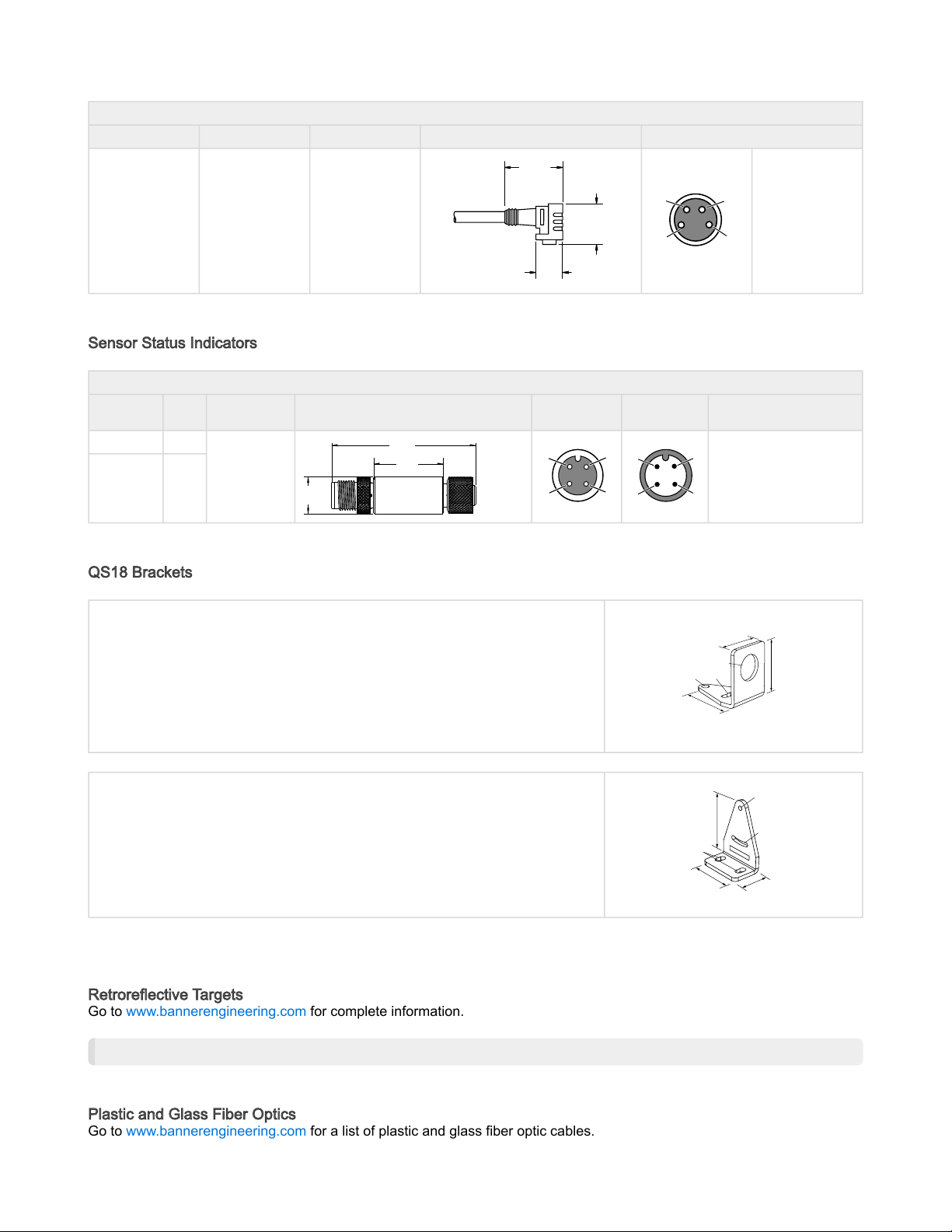
4-Pin Single-Ended Snap-on M8 Female Cordsets
Model Length Style Dimensions Pinout (Female)
PKW4Z-2 2 m (6.56 ft) Right-Angle
ø 10.9
29 Typ.
15 Typ.
4
3
1
2
Sensor Status Indicators
S15L Series In-Line Sensor Status Indicator
Model
Input
Type
LED Color Dimensions Female Male Wiring
S15LGYPQ PNP
Power ON =
Green
Input Active =
Yellow
57.8
[2.27]
27.9
[1.1]
15.0
[0.59]
1
2
3
4
1
2
3
4
1=Brown,10to30VDC
2=White
3=Blue,DCcommon
4=Black,SensorInput
S15LGYNQ NPN
QS18 Brackets
SMB18A
Right-angle mounting bracket with a curved slot for versatile orientation
12-ga. stainless steel
18 mm sensor mounting hole
Clearance for M4 (#8) hardware
CAD Files: DXF, PDF, IGS, STP
Hole center spacing: A to B = 24.2
Hole size: A = ø 4.6, B = 17.0 × 4.6, C = ø 18.5
30
41
46
A
B
C
SMB312S
Stainless steel 2-axis, side-mount bracket
CAD Files: DXF, PDF, IGS, STP
A = 4.3 × 7.5, B = diam. 3, C = 3 × 15.3
46
B
C
A
32
20
All measurements are in millimeters.
Retroreflective Targets
Go to www.bannerengineering.com for complete information.
NOTE: Polarized sensors require corner cube-type retroreflective targets only.
Plastic and Glass Fiber Optics
Go to www.bannerengineering.com for a list of plastic and glass fiber optic cables.
01-Jun-26 page24of29
QS18 Series Sensor Product Manual
© Banner Engineering Corp. All rights reserved.
www.bannerengineering.com
Chapter Contents
Clean Sensor with Compressed Air Then Isopropyl Alcohol .............................................................................................................................. 24
Repairs and Translations (No Field-Replaceable Parts) .................................................................................................................................... 24
Discontinued Models.......................................................................................................................................................................................... 26
Contact Us.......................................................................................................................................................................................................... 28
Banner Engineering Corp Limited Warranty....................................................................................................................................................... 28
Clean Sensor with Compressed Air Then Isopropyl Alcohol
Handle the sensor with care during installation and operation. Sensor windows soiled by fingerprints, dust, water, oil, etc.
create stray light that may degrade the peak performance of the sensor.
Blow dust from the sensor using filtered, compressed air. If the sensor is still dirty, gently wipe the sensor with a dry optical
cloth. If the dry optical cloth does not remove all residue, use 70% isopropyl alcohol on a clean optical cloth, then dry with a
clean dry optical cloth and blow with filtered, compressed air. Do not use any other chemicals for cleaning.
Repairs and Translations (No Field-Replaceable Parts)
English
Contact Banner Engineering for troubleshooting of this device. Do not attempt any repairs to this Banner device; it contains no field-replaceable parts or
components. If the device, device part, or device component is determined to be defective by a Banner Applications Engineer, they will advise you of
Banner's RMA (Return Merchandise Authorization) procedure.
IMPORTANT: If instructed to return the device, pack it with care. Damage that occurs in return
shipping is not covered by warranty.
Obtain assistance with product repairs by contacting your local Banner Engineering Corp distributor or by calling Banner directly at (763) 544-3164. Access
literature translated into your native language on the Banner website at www.bannerengineering.com or contact Banner directly at (763) 544-3164.
Deutsch
Wenden Sie sich zur Fehlerbehebung dieses Geräts an Banner Engineering. Versuchen Sie nicht, Reparaturen an diesem Banner-Gerät vorzunehmen.
Das Gerät enthält keine am Einsatzort auszuwechselnden Teile oder Komponenten. Wenn ein Banner-Anwendungstechniker zu dem Schluss kommt, dass
dieses Gerät, ein Teil oder eine Komponente davon defekt ist, erhalten Sie von dem Techniker Erläuterungen zu Banners RMA-Verfahren (Return
Merchandise Authorization) für die Warenrückgabe.
WICHTIG:WennSiederTechnikeranweist,dasGerätzurückzusenden,verpackenSieesbitte
sorgfältig.TransportschädenbeiderRücksendungwerdenvonderGarantienichtabgedeckt.
Unterstützung bei Produktreparaturen erhalten Sie von Ihrem örtlichen Banner Engineering Corp Händler oder direkt von Banner unter Tel. (763) 544-3164.
Die in Ihre Muttersprache übersetzte Literatur finden Sie auf der Banner-Website unter www.bannerengineering.com oder kontaktieren Sie Banner direkt
unter Tel. (763) 544-3164.
Français
Pourplusd’informationssurledépannageduproduit,contactezBannerEngineering.Ne tentez pas de réparer ce dispositif Banner. Il ne contient aucun
composant ou pièce qui puisse être remplacé sur place. Si un ingénieur de Banner conclut que le dispositif ou l'une de ses pièces ou composants est
défectueux, il vous informera de la procédure à suivre pour le retour des produits (RMA).
Important :Sivousdevezretournerledispositif,emballez-leavecsoin.Lesdégâts
occasionnés pendant le transport de retour ne sont pas couverts par la garantie.
Pour vous aider lors de la réparation de produits, contactez votre distributeur Banner local our appelez directement Banner au (763) 544-3164. La
documentation traduite dans votre langue est disponible sur le site internet de Banner www.bannerengineering.com ou contactez directement Banner au
(763) 544-3164.
Product Support and Maintenance
Chapter 5