OCP-02502-G.pdf - 第7页
VITRONICS REFLOW SOLDERING SYSTEMS EM 02502- G 15-Nov-00 (c) PAGE Operator’s Manual 7 DEFINITIONS The following terms are defined as: Cell: A heating (or cooling) unit which is in the upper or lower half of a zone on man…
VITRONICS REFLOW SOLDERING SYSTEMS
EM 02502-G 15-Nov-00 (c) PAGE Operator’s Manual
6
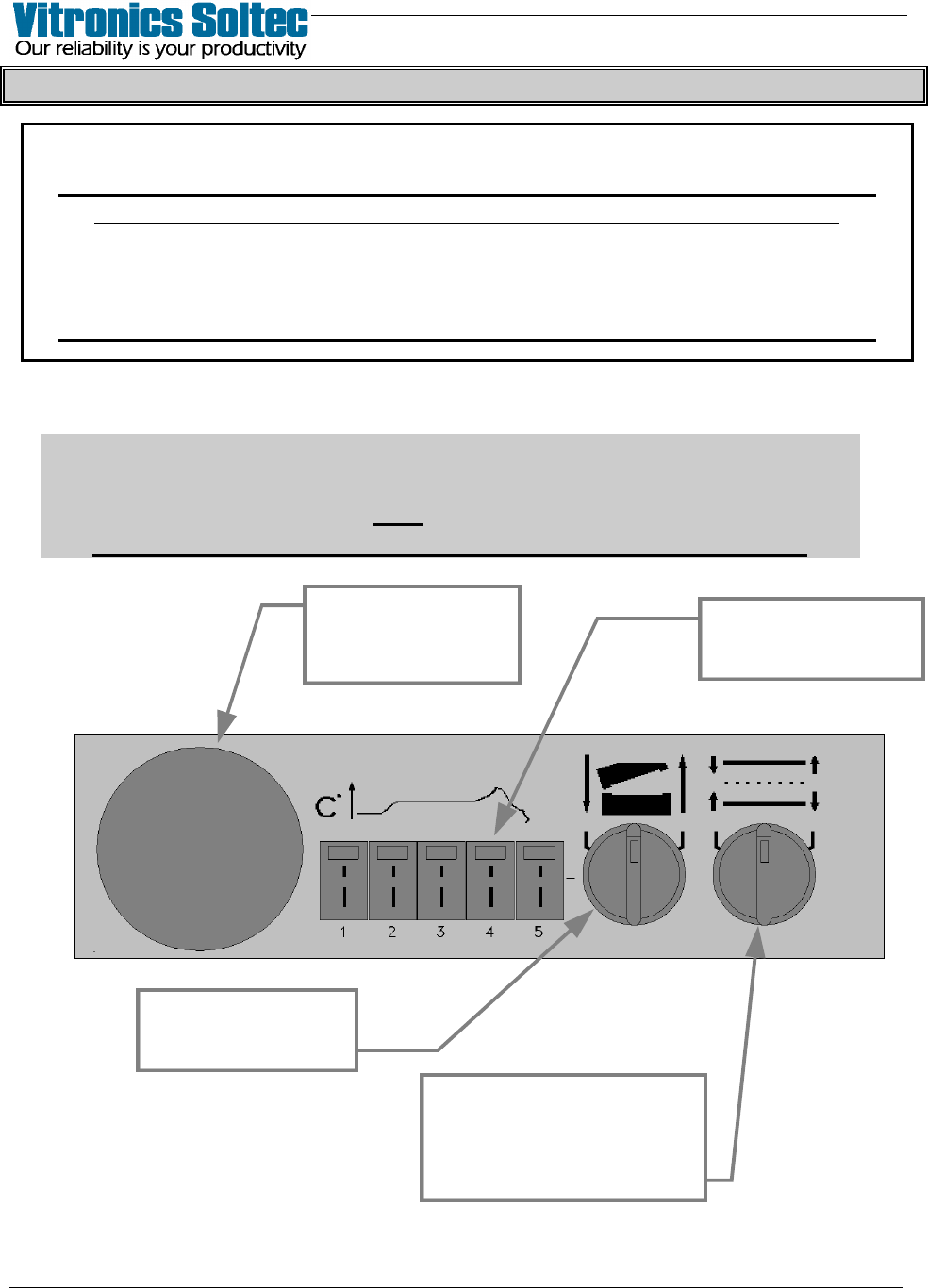
OVEN CONTROL PANEL PUSHBUTTON SYMBOLS
NOTICE
WHEN “POWER TO PROCESS” IS INTERUPTED, PARTS OF THE OVEN ARE
ELECTRICALLY POWERED AND DANGEREROUS TO PERSONNEL !!!
Information is presented here only to explain the graphic symbols on the
“Oven Control Panels”, NOT to instruct on the Operation of the Oven.
Refer To The Appropriate Equipment Manual(s) For Proper Oven Operation
OFF-LOAD CONTROL PANEL
Attention
Some Oven Models may have differently shaped Control Panels
and may not have ALL the functions shown here.
The meaning of the symbols explained here are the same.
THERMOCOUPLE
INPUTS FOR OVEN
PROFILING
SELECTOR SWITCH
RAISES AND LOWERS
THE OVEN HOOD
SELECTOR SWITCH
ADJUSTS RAIL
and
CENTER BOARD SUPPORT
IN or OUT
EMERGENCY STOP
BUTTON (E-STOP)
INTERRUPTS POWER
TO PROCESS
VITRONICS REFLOW SOLDERING SYSTEMS
EM 02502-G 15-Nov-00 (c) PAGE Operator’s Manual
7
DEFINITIONS
The following terms are defined as:
Cell: A heating (or cooling) unit which is in the upper or lower half of a zone on many ovens.
E.g.: Upper heat cell, lower cool cell, etc.
Click On: The action of placing the tip of the pointer over a selection and pressing the appropriate trackball
switch.
Control System: The combination of electrical, mechanical, computer and software systems required to
operate the oven.
Dialog Box: A small window on the screen where information is viewed ( or entered ) into the program.
Icon: A graphical representation (Symbol) of an item, operation, or function, some icons can be selected
with the pointer.
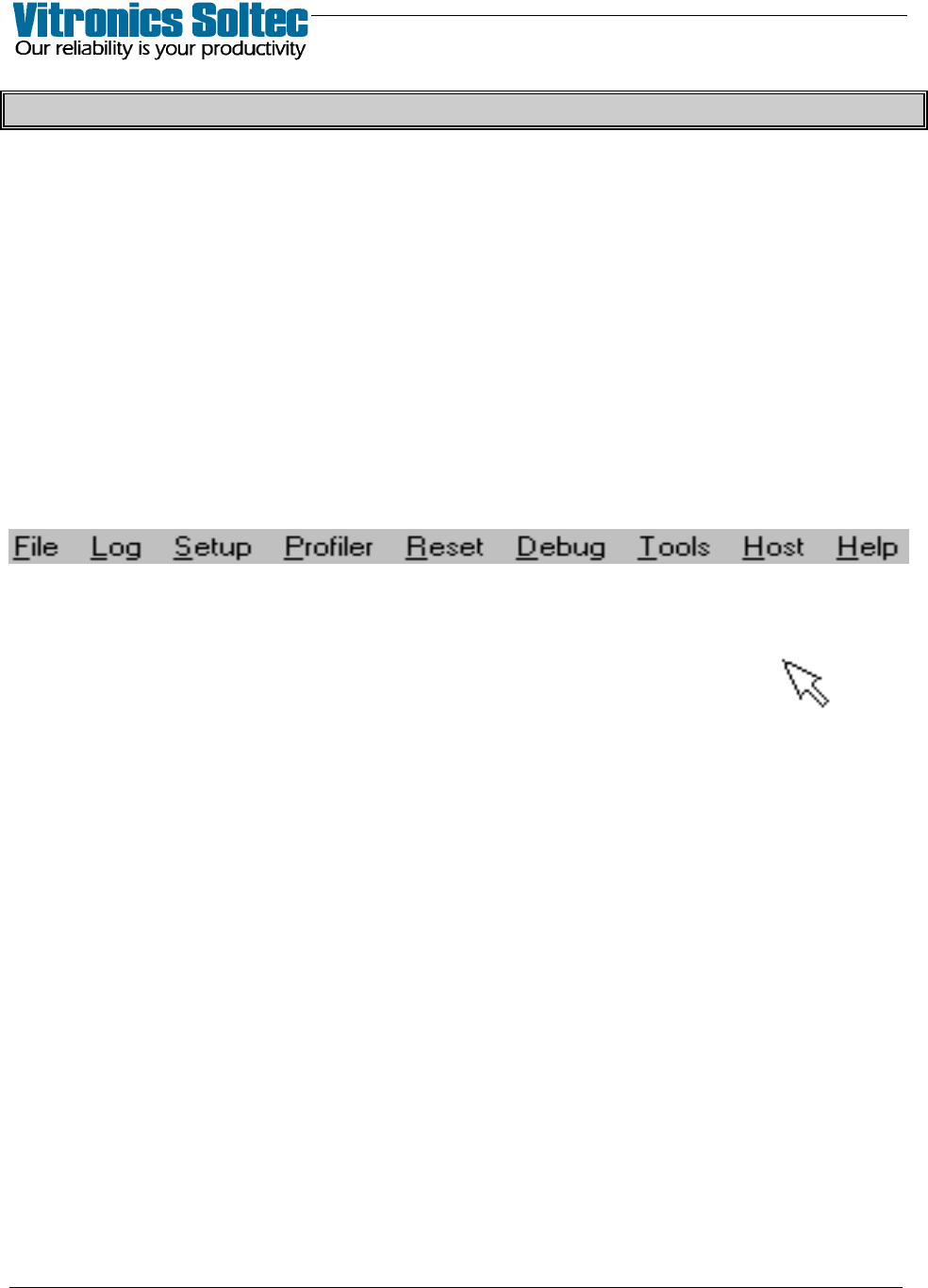
Menu:
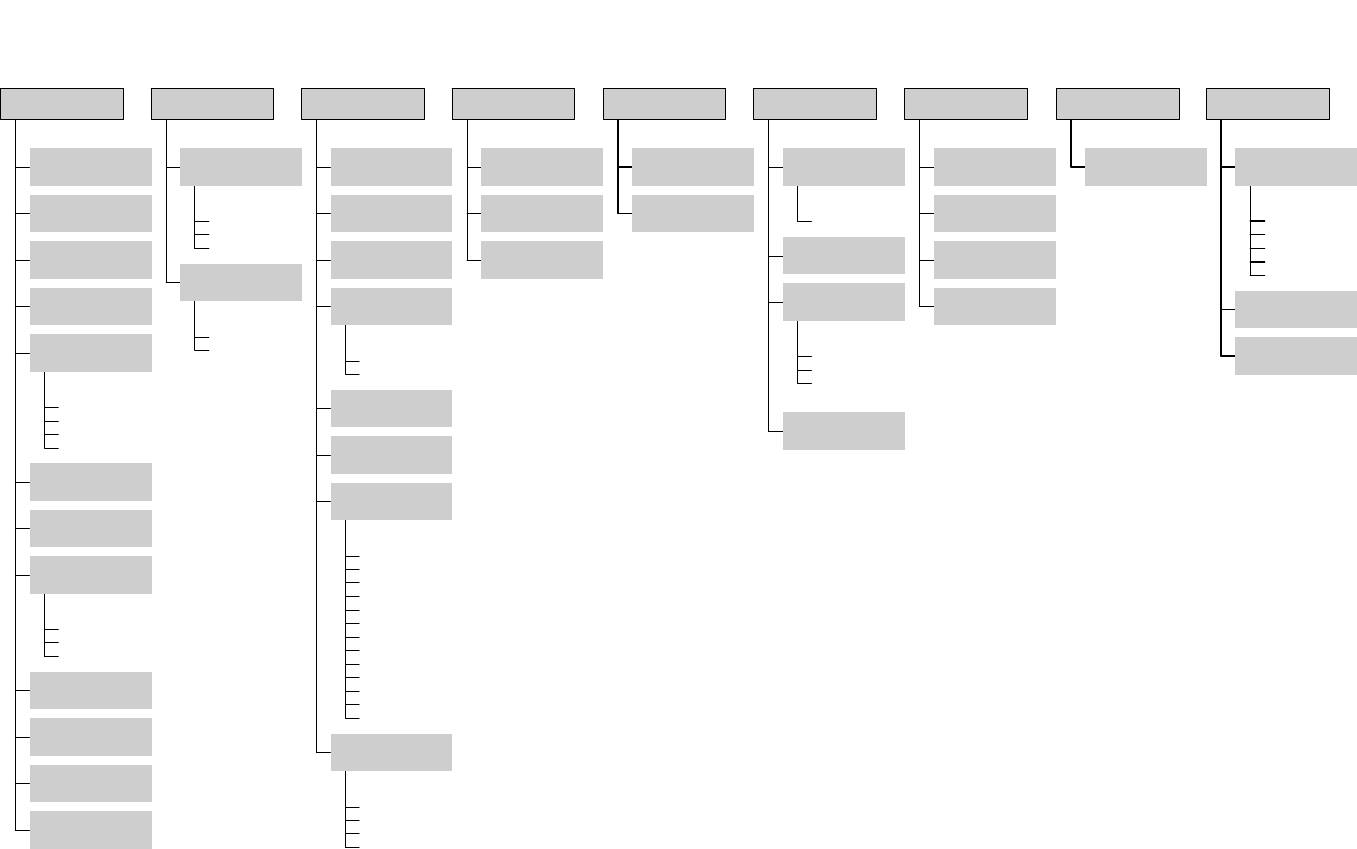
8 titles at the top of the screen, which can be “pulled down” with the left trackball (or mouse) button,
-- each will display additional option selections.
Pointer: A small arrowhead on the screen, controlled by the keyboard trackball.
Right Click: To select an item or function and press the right switch on the mouse or trackball
Select: To click on a menu item. This selects the function labeled or shown on the button.
Trackball: The ball on the keyboard used to move the pointer. Rotating the trackball moves the pointer in
the direction of rotation.
Trackball Button: Buttons associated with the trackball. Check the keyboard manufacturer's manual to
identify the button positions and functions.
Tunnel: The section of the oven where product is processed.
Window: A framed rectangular area of the screen containing text and/or graphical information. (for display
purposes…not for operator input
Zone: One section of the tunnel which contains a blank cell, baffle cell, heat cell or cooling cell. Except on
the IsoTherm Reflow Oven, a zone usually has an upper and a lower part.
Restart Process
Start New Process
Stop Running Process
Save As
Alarm Log
Datalog
Trend
Profile
DELETE LOG FILES
Printer Setup
Product/Recipe Editor
Product/Recipe Files
Database
Profiles
Import
(OS2 files)
Login
Access Control
(modify passwords)
Demo Mode
Exit
(leave program)
File
Trends
Alarm Log
Data Log
View
Datalogger
SPC
Activate
Log
Display Layout
(data & language)
Conveyor Calibration
(belt or rail encoder)
Alarms
(set alarms & levels)
Weekly Timer
Special Event Calendar
Auto Start/Stop
(set times)
Lubrication
(configure)
Communications
(baud rate & port)
Atmosphere
Analog Wire Map
Auto Rail
Basics
Board Track, Rt-Lft
Conveyor
Controlled Cooling
Digital Wire Map- Out-In
Heater Trend
Heater Tune
Miscelleanous
Transport
Oven Sections
Configure Oven
( type & options)
Burn-in Oven
Process Setup
Thermal Profile
Controlled Cooling Test
Startup
Setup
Run Profiler
KIC Profiler
ECD Profiler
Profiler
Reset Alarms
Reset E-Stop
Reset
Force Outputs
Service Mode
Log Communication
Digital Inputs
Digital Outputs
Anafaze Dipswitch
Settings
I/O
Anafaze Debug
Information
Debug
Message
Calculator
Set Time & Date
Add / View
Printers
Tools
TCP / IP LINK
Host
Site Prep & Installation
Operation, Process & Maint.
TroubleShooting & Service
Operator's Manual
Drawings & Data
MANUALS
How Do I ...
About
Help
Oven Control Program
Version 7.00.00.00
Nov, 2000