WPC4 services manual.pdf - 第99页
SITEST for WPC4 Restoring WPC Machine Data SITEST Inputs/Outputs , Service Manual SIPLACE WPC4 99 5.1 1 SITEST Input s/Output s ,
SITEST for WPC4
SITEST Machine Data Restoring WPC Machine Data
98 Service Manual SIPLACE WPC4
5.10.3 Restoring WPC Machine Data
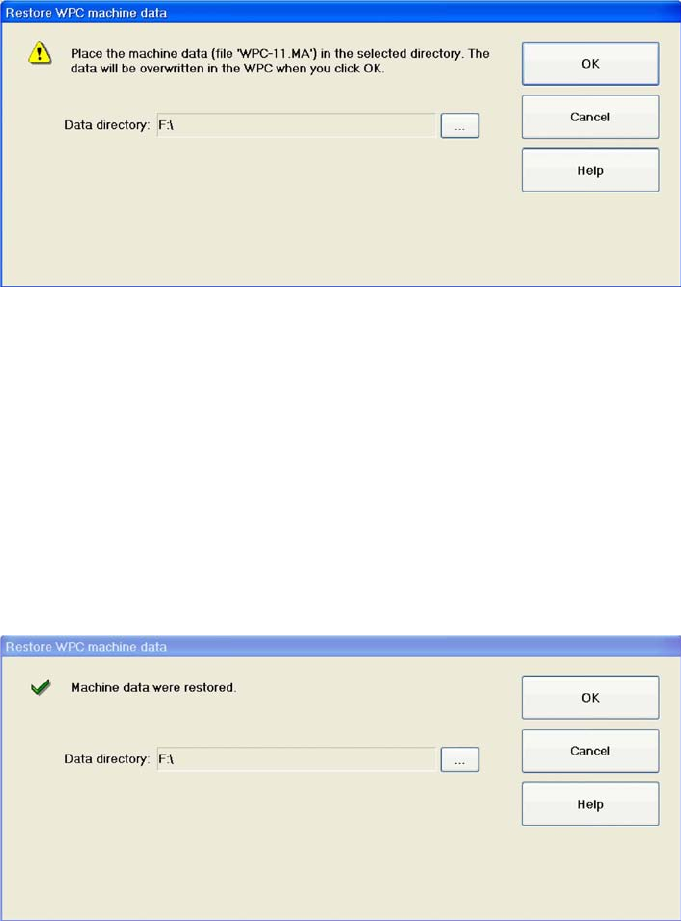
The stored machine data, saved as a 'WPC-xxx.ma' file, can then be imported from the selected folder
into the WPC.
OK : Activates the procedure for restoring the WPC machine data and then closes the dialog box.
Cancel: Closes the dialog box without restoring the WPC machine data.
Restoring machine data
X Select
OK
.
X Select the folder in which the required backup file is saved and confirm your choice in both dialog
boxes, with
OK
.
The WPC machine data will now be restored. The following message will be shown after the data has
been successfully restored.
X Close the dialog box with
OK
.
SITEST for WPC4
Restoring WPC Machine Data SITEST Inputs/Outputs ,
Service Manual SIPLACE WPC4
99
5.11 SITEST Inputs/Outputs ,
SITEST for WPC4
SITEST Inputs/Outputs , Restoring WPC Machine Data
100 Service Manual SIPLACE WPC4
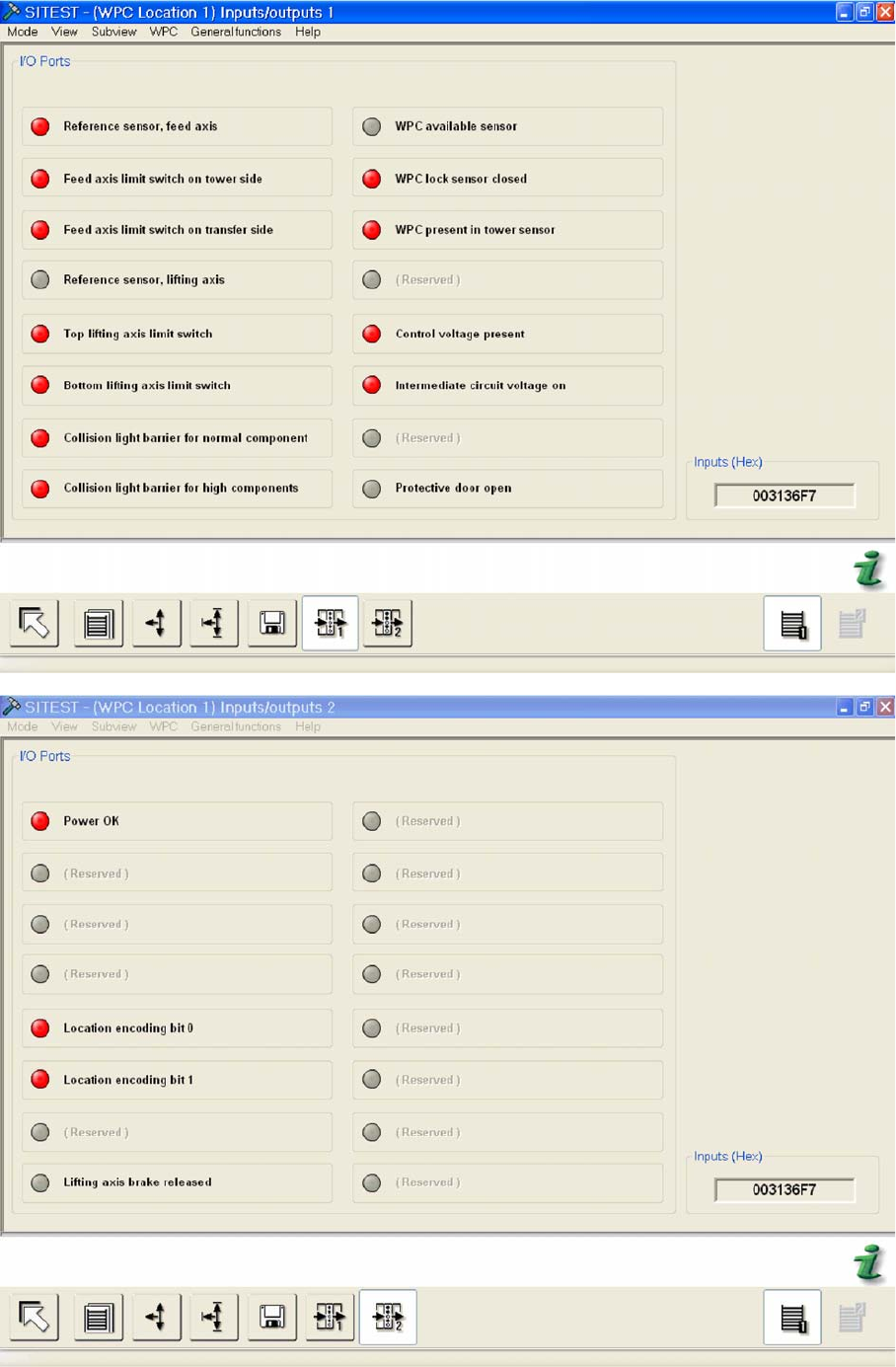
Menu field: Inputs/outputs ,
To the left of the function designation for an input or output, you will see an LED, which changes from
gray to red when the status of the input or output is read.
Menu field: Inputs (Hex)
Shows the hexadecimal state of all inputs in the assembly.