TM4230.SmartRecognition.pdf - 第8页
S M T S o f t w a r e E n g i n e e r i n g G r o u p I M O p e r a t i o n s Y A M A H A M O T O R C O . , L T D . MDOC-SOFT50185 5) Move to t he Create Model screen Press the [Next] button t o go to the …
SMTSoftwareEngineeringGroup
IMOperationsYAMAHAMOTORCO.,LTD.
MDOC-SOFT50185
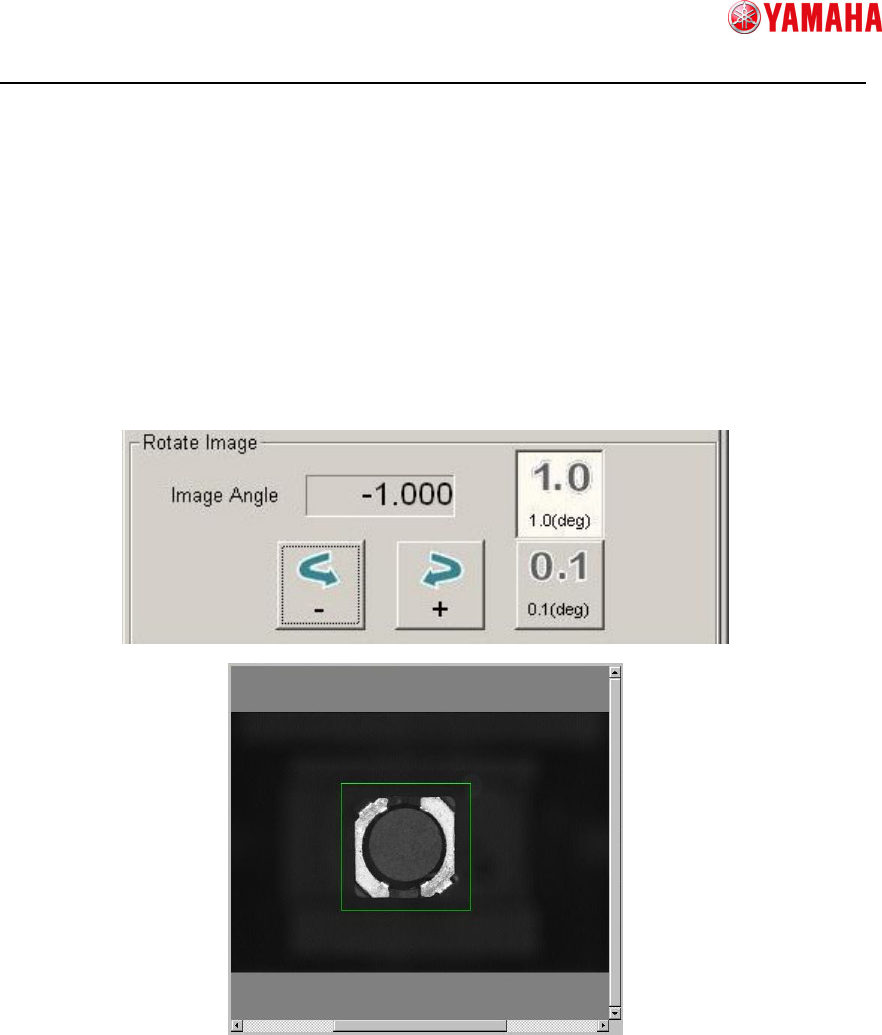
4) Correct the image angle
To create a model for Smart Recognition, adjust the angle of the image to make it
straight (angle 0°). Mount angle 0°is also based on this angle, so be sure to set this
angle precisely.
① Rotate the image
Allows you to rotate the image enclosed with the edge detection frame.
② Rotating angle
Allows you to specify a rotating angle.
①
①①
①
②
②②
②
SMTSoftwareEngineeringGroup
IMOperationsYAMAHAMOTORCO.,LTD.
MDOC-SOFT50185
5) Move to the Create Model screen
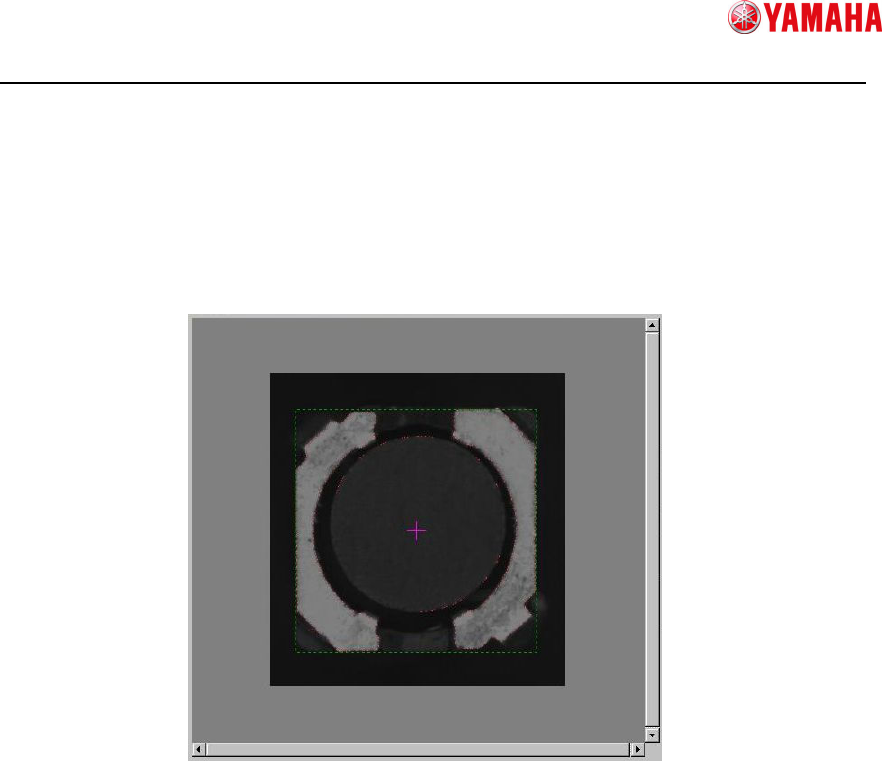
Press the [Next] button to go to the [Create Model] screen.
When the screen is switched, the edges are detected automatically from the captured
image, and the vision window switches to an image superimposing of the detected
edge image on the captured parts image.
An error may occur if the detected edges are too many or too few.
If it is difficult to see detected edges, check only the [Detected Edge] check box.
SMTSoftwareEngineeringGroup
IMOperationsYAMAHAMOTORCO.,LTD.
MDOC-SOFT50185
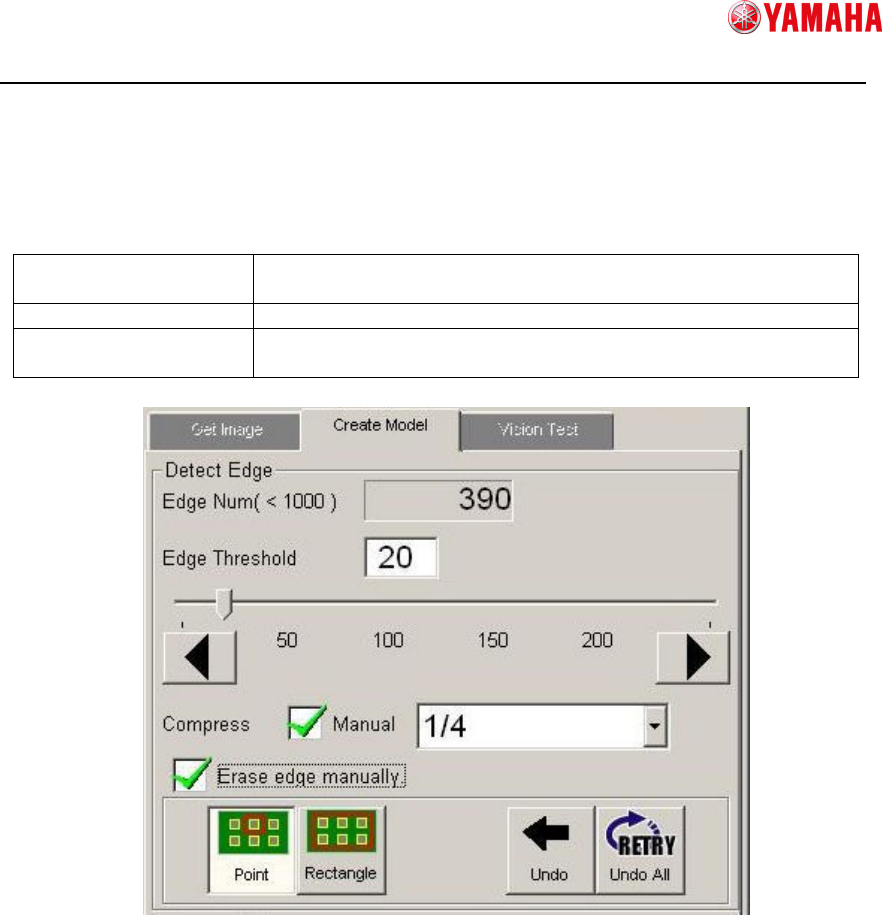
6) Adjust detected edges
Adjust the number of edges that are detected automatically.
100 to 999 edges can be set, but the more edges it has, the more time the recognition
process will take. Therefore 100 to 499 edges are recommended.
Change edge threshold
If the edges are too many or few, modify the edge threshold to
decrease or increase the number.
Compress edge If the edges are too many, thin out some edges.
Erase edge manually Erase false detection as parts edges if any.
Or erase edges that are not necessary for model creation.
① Edge Num
The number of current edges.
If the number is not appropriate, the background color will turn to the warning
condition as below.
100 to 499 : Grey (appropriate)
500 to 999 : Yellow (acceptable but takes time)
0 to 49 or over 1000 : Red (error at switching the screen)
② Edge Threshold(Edit box)
Allows you to change the edge threshold value inputting value here.
③ Edge Threshold(Slide bar)
Allows you to change the edge threshold value dragging the slide bar.
①
①①
①
②
②②
②
③
③③
③
④
④④
④
④
④④
④
⑤
⑤⑤
⑤
⑥
⑥⑥
⑥
⑦
⑦⑦
⑦
⑧
⑧⑧
⑧
⑨
⑨⑨
⑨
⑩
⑩⑩
⑩
⑪
⑪⑪
⑪