00195987-03_VB_SWS_Software_3.0_DE_EN.pdf - 第31页
SIPLACE SWS Software 3. 0 / Versionsbeschreibung / Ve rsion Description Ausgabe 12/2014 Edition 31 13 SWS Software 2.1 Features The SWS software 2.1 include s all functions from the SWS softwar e 2.0. The following secti…
SIPLACE SWS Software 3.0 /
Versionsbeschreibung / Version Description Ausgabe 12/2014 Edition
30
12.8 Plain Wafer
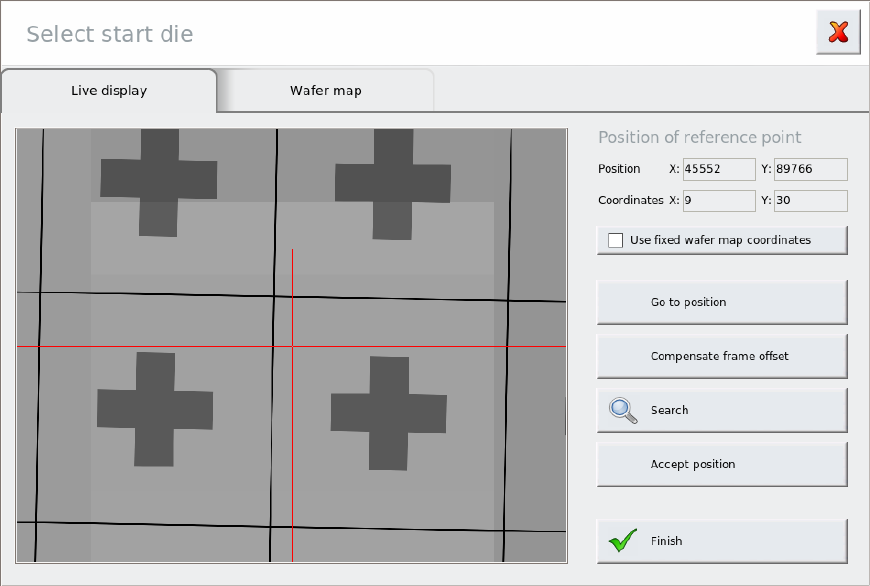
12.8.1 Using Fixed Wafer Map Coordinates
This option forces a link of the start die position and the wafer map coordinates.
Background:
Without this option (default), the wafer map die coordinates are calculated from the theoretical
center point once the start dies have been defined in manual or automatic wafer referencing. If the
wafer was fitted badly in the wafer frame and it is not possible to perform wafer edge recognition
(e.g. for synthetic wafers with very wide dicing streets) too many dies will be taken off the wafer or
large areas of the wafer will be approached in which no dies are found.
This is prevented with the Use fixed wafer map coordinates option.
SIPLACE SWS Software 3.0 /
Versionsbeschreibung / Version Description Ausgabe 12/2014 Edition
31
13 SWS Software 2.1 Features
The SWS software 2.1 includes all functions from the SWS software 2.0. The following section
describes the main new features in version 2.1 of the SWS software.
NOTE
For details about the individual functions, please refer to the software manual for
the "SIPLACE SWS Software 2.1 [item no.: 00195986-02].
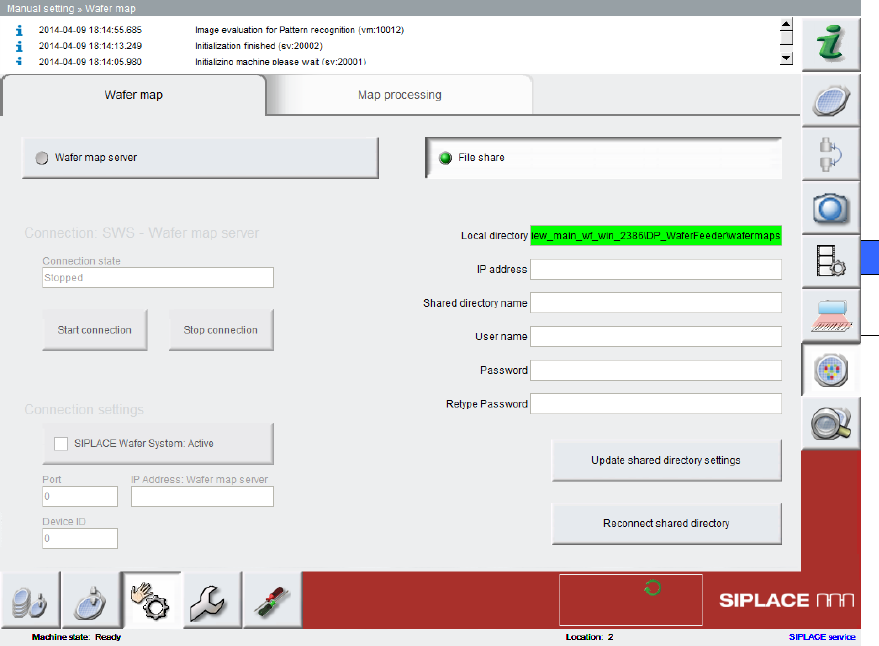
13.1 Revised Interface to Wafer Map Server
The menu navigation at Manual setting => Wafer-Map has been simplified. The settings and
monitoring options have been revised.
The option Connection settings => SIPLACE Wafer System has been extended. The software
now also supports passive connections to the wafer map server.
SIPLACE SWS Software 3.0 /
Versionsbeschreibung / Version Description Ausgabe 12/2014 Edition
32
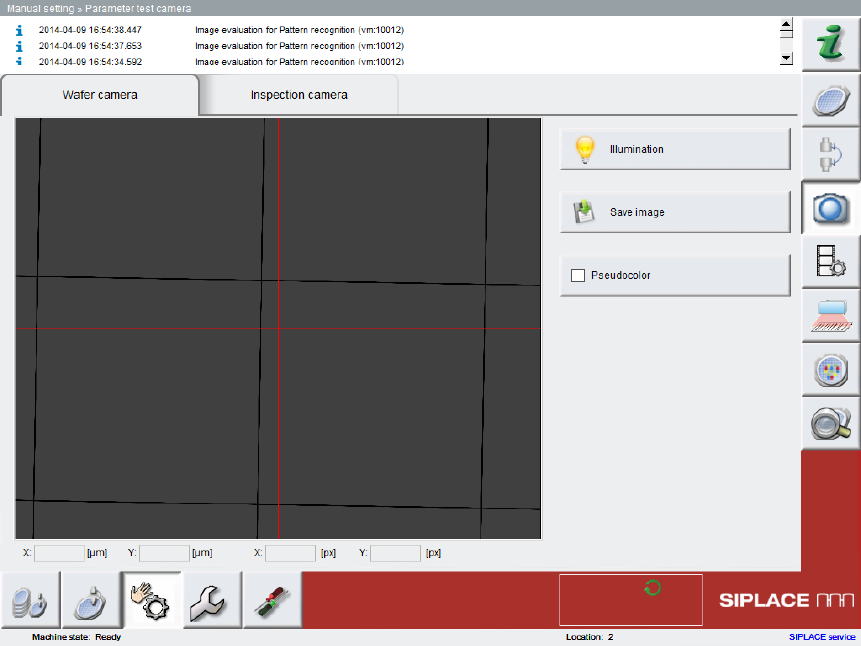
13.2 Simplified Navigation in Manual Setting Menu
The menu navigation at Manual setting => Parameter test camera and in the corresponding
Wafer camera and Inspection camera views has been simplified.
A few unnecessary functions, such as Pattern Teaching, have been removed.
13.3 LAN Connection to Station Software 708
In addition to the connection via CAN with the station software 605 SP5, the SWS software
supports a connection to machines via LAN with station software 708.