00195987-03_VB_SWS_Software_3.0_DE_EN.pdf - 第35页
SIPLACE SWS Software 3. 0 / Versionsbeschreibung / Ve rsion Description Ausgabe 12/2014 Edition 35 15 Restrictions 15.1 GUI Does Not React Sometimes, the GUI may ceas e to react when used. This occurs sp oradically when …
SIPLACE SWS Software 3.0 /
Versionsbeschreibung / Version Description Ausgabe 12/2014 Edition
34
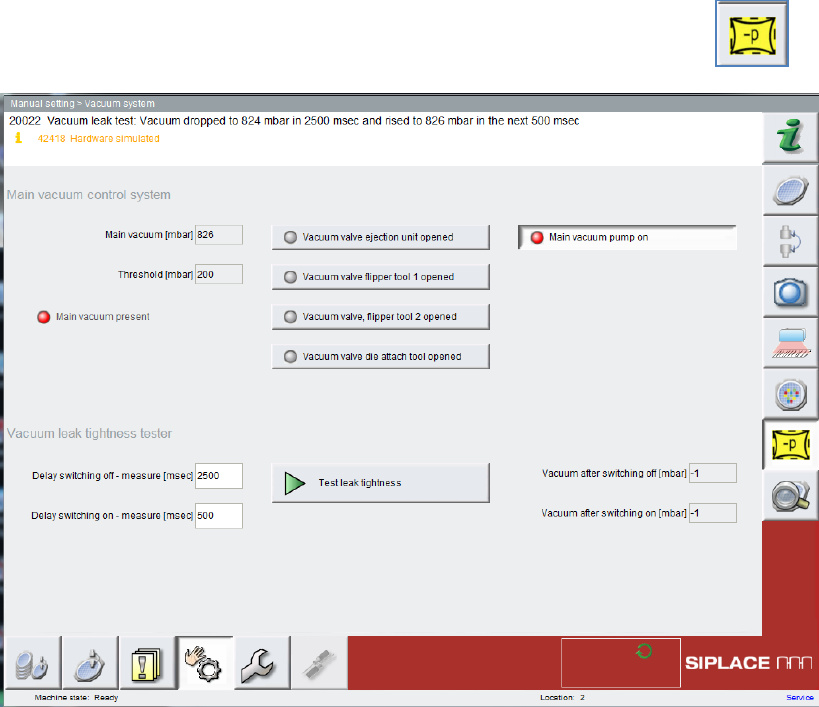
14.2 Manual Setting => Vacuum System
The Vacuum System view allows you to check the vacuum system for air-tightness.
Select Manual Setting and click on the Vacuum System button.
14.3 Improving Die Recognition Teaching
The teaching procedure at Process -> Die recognition -> tab: Die or Reference die has been
improved. The definition of the teaching and search areas has been simplified. The rotation
calibration is now performed automatically.
Automatic referencing is now also performed for the Plain Wafer.
14.4 Automatic Referencing for Plain Wafer
Automatic referencing is now also performed for the Plain Wafer.
Plain wafers can now also be referenced without specifying a start die in advance. This can also be
applied to partially processed wafers.
SIPLACE SWS Software 3.0 /
Versionsbeschreibung / Version Description Ausgabe 12/2014 Edition
35
15 Restrictions
15.1 GUI Does Not React
Sometimes, the GUI may cease to react when used. This occurs sporadically when switching
windows on which camera images are shown.
Solution:
Press the ESC button to refresh the window.
SIPLACE SWS Software 3.0 /
Versionsbeschreibung / Version Description Ausgabe 12/2014 Edition
36
15.2 When Deleting a Magazine Type, No Check Whether
Magazine is still Assigned to Products.
When a magazine type is deleted, no check is performed to see whether the magazine type was
still assigned to products. If products are loaded at a later time, although their magazines no longer
exist, you will be unable to initialize the SWS. You will be unable to load any other products or
assign a valid magazine type to the current product.
Solution:
Terminal open (ctrl + alt + x) and log in as launch
Edit file /asm/wf/config/process/machine.dat:
kwrite /asm/wf/config/process/machine.dat
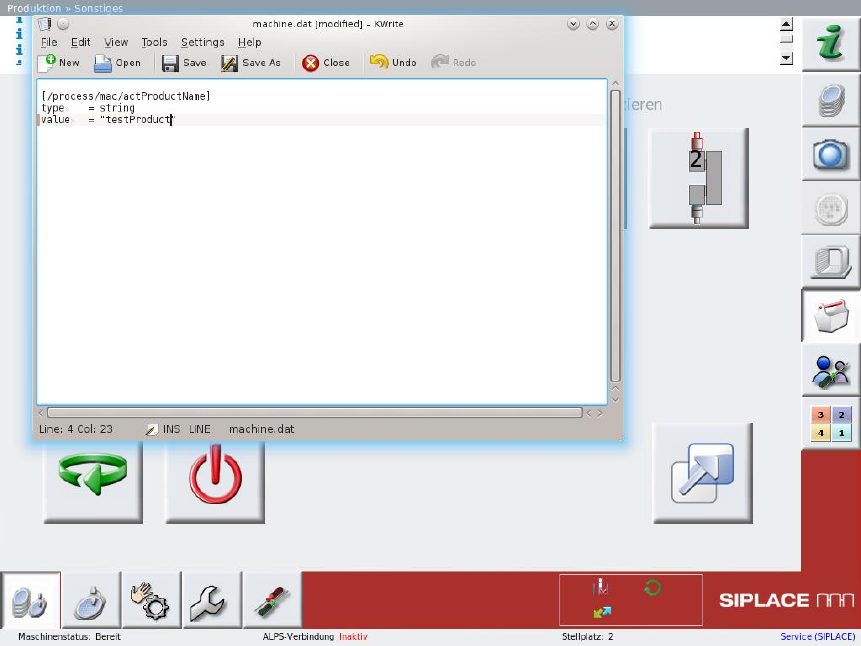
The following window will be shown:
Enter the name of a valid product as the value [/process/mac/actProductName]. (e.g. value
= "testProduct").
Saver the file and close kwrite.
Terminate the SWS software:
killall machine gui gembox
Restart the SWS software
ctrl + alt + q