00193871-06.pdf - 第16页
Installation Manual for Windows XP (unattended setup) for SIPLACE Computers 01/2005 US+DE 6.5 Checking the hardware requirements With the information from the previous dialog, a hardware check will star t. If there is so…
Installation Manual for Windows XP (unattended setup) for SIPLACE Computers 01/2005 US+DE
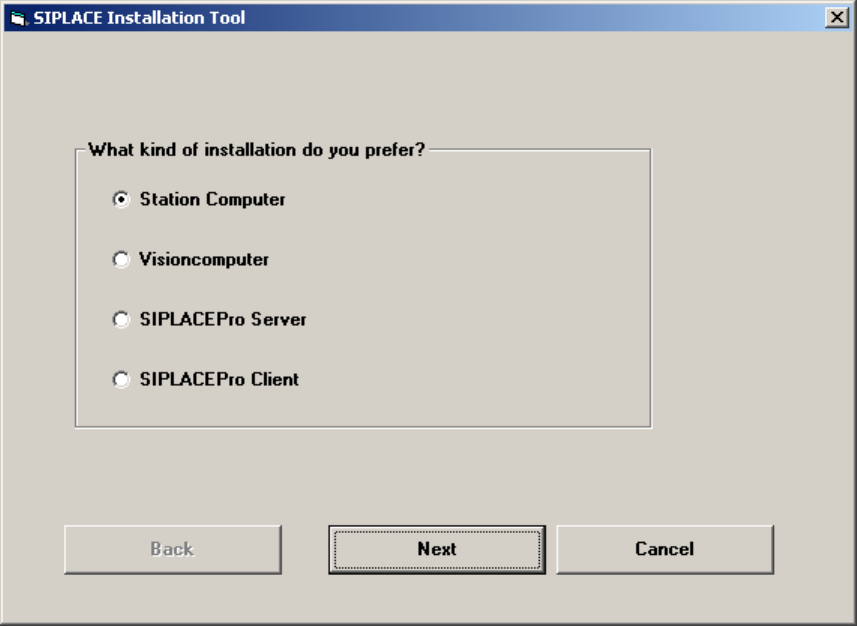
6.4 Investigation of the SIPLACE installation types
With this information, setup is able to lead you through the correct Windows XP Professional
installation for your SIPLACE product.
Fig. 6-4: Kind of installation
→ Select the correct radio button.
→ Click the Next button.
15
Installation Manual for Windows XP (unattended setup) for SIPLACE Computers 01/2005 US+DE
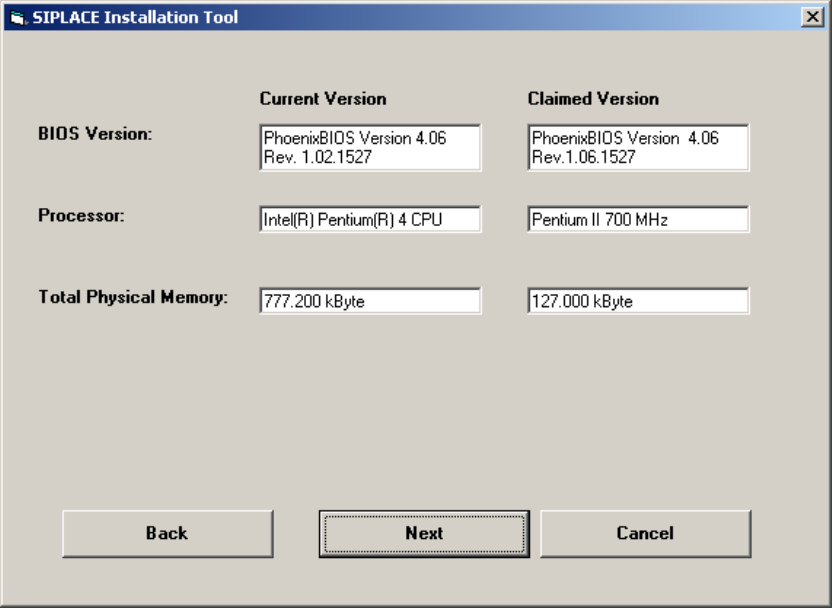
6.5 Checking the hardware requirements
With the information from the previous dialog, a hardware check will start. If there is something
wrong, an error message will appear, but the installation will not stop.
Fig. 6-5: Display of the hardware information (example)
→ Click the Next button.
16
Installation Manual for Windows XP (unattended setup) for SIPLACE Computers 01/2005 US+DE
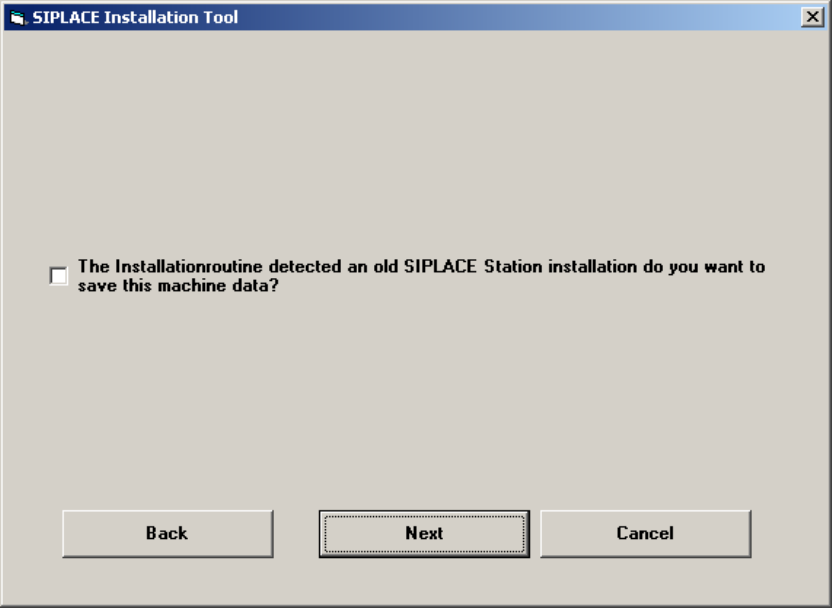
6.6 Check for old station configuration data
In the cause that on the station computer are old configuration files you will get this dialog. If you
enable the check box the config files with the extension “*.ma” and some informations from the
registry will be saved.
Fig. 6-6: Licensing
17