00193871-06.pdf - 第18页
Installation Manual for Windows XP (unattended setup) for SIPLACE Computers 01/2005 US+DE 6.7 Windows XP Professional Licensing In the following setup steps you have to enter a ll necessary parame ters for the installati…
Installation Manual for Windows XP (unattended setup) for SIPLACE Computers 01/2005 US+DE
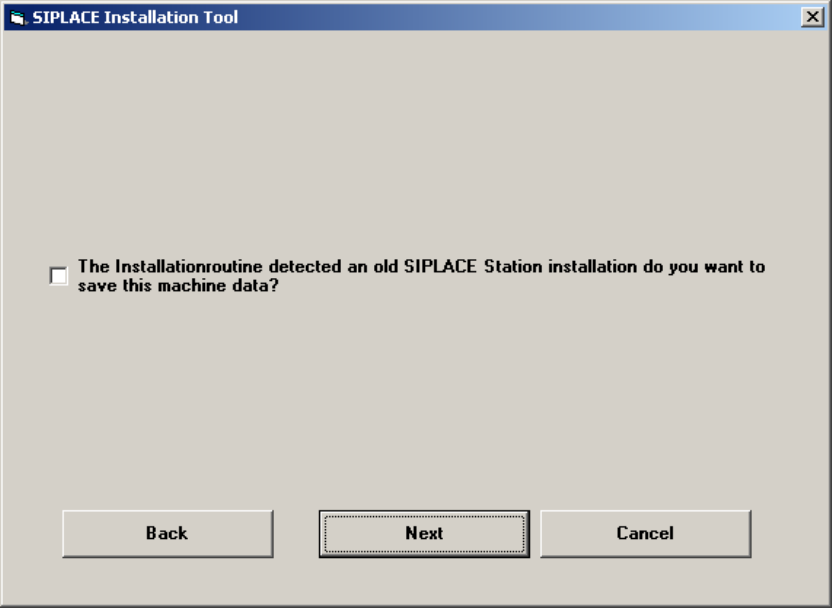
6.6 Check for old station configuration data
In the cause that on the station computer are old configuration files you will get this dialog. If you
enable the check box the config files with the extension “*.ma” and some informations from the
registry will be saved.
Fig. 6-6: Licensing
17
Installation Manual for Windows XP (unattended setup) for SIPLACE Computers 01/2005 US+DE
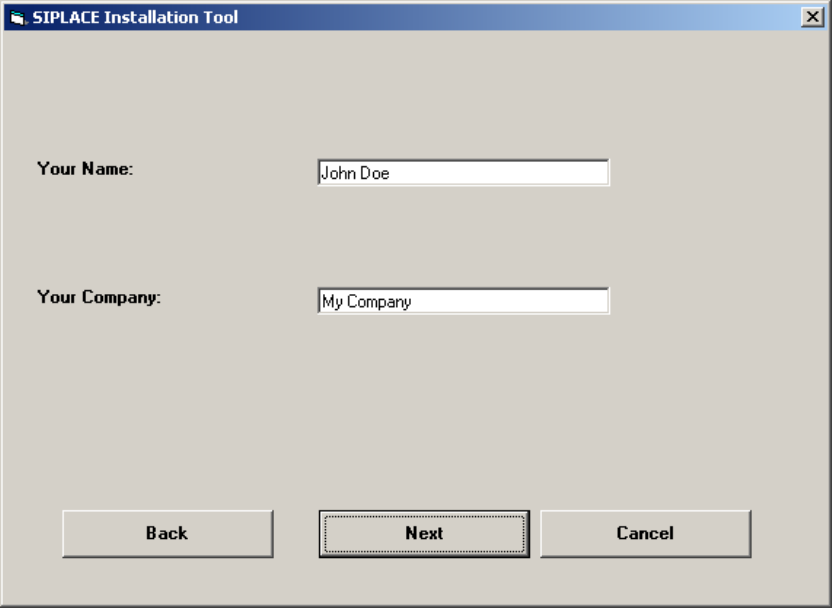
6.7 Windows XP Professional Licensing
In the following setup steps you have to enter all necessary parameters for the installation and
configuration of Windows XP Professional, because this Windows XP version is a special version for
Siemens L&A AG.
Fig. 6-7: Licensing
→ Please enter the user name (not the administrator name).
→ Please enter the name of your Company.
→ Click the Next button.
18
Installation Manual for Windows XP (unattended setup) for SIPLACE Computers 01/2005 US+DE
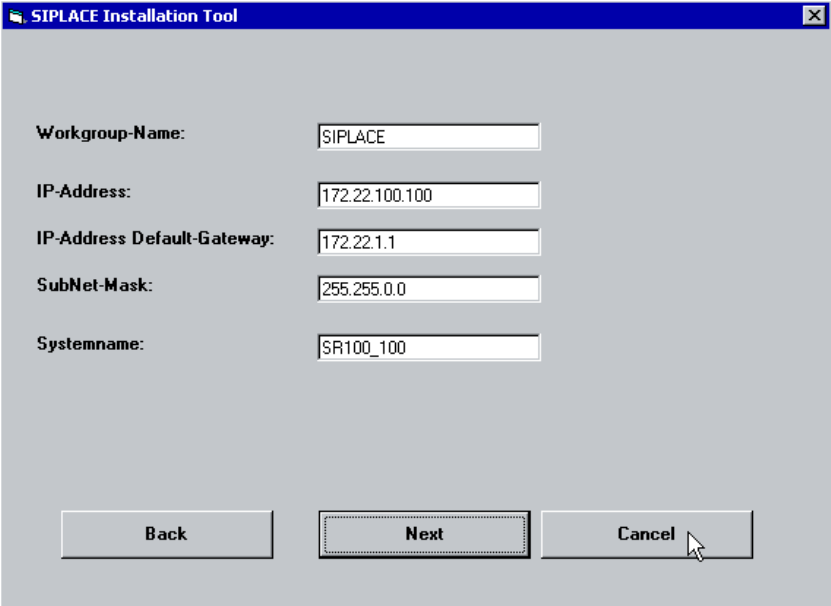
6.8 Windows XP network settings
Within this dialog, general network parameters of the computer will be configured. The following data
are required:
• Workgroup Name: SIPLACE
You can enter any name you want, except the name of the station computer.
• IP address: not fixed
For the station computers use a unique station IP address number (172.x.x.x)
• IP address Gateway: not fixed
• Sub net mask: not fixed
Please use the default data for the station computer
.
• System name: should be well defined in the network.
Fig. 6-8: Network settings
→ Please enter the data.
→ Click the Next button.
19