TK26714.PickHeightTeaching.pdf - 第15页
SMT Software Engineering Group IM Operations Y AMAHA MOTOR CO., L TD MDOC-SOFT50389 15/18 Fig 4.3 Fixed board data setting 5. Limit ations This function doesn’t work on a machine not supporte d fo r SS feede…
SMT Software Engineering Group
IM Operations YAMAHA MOTOR CO., LTD
MDOC-SOFT50389
14/18
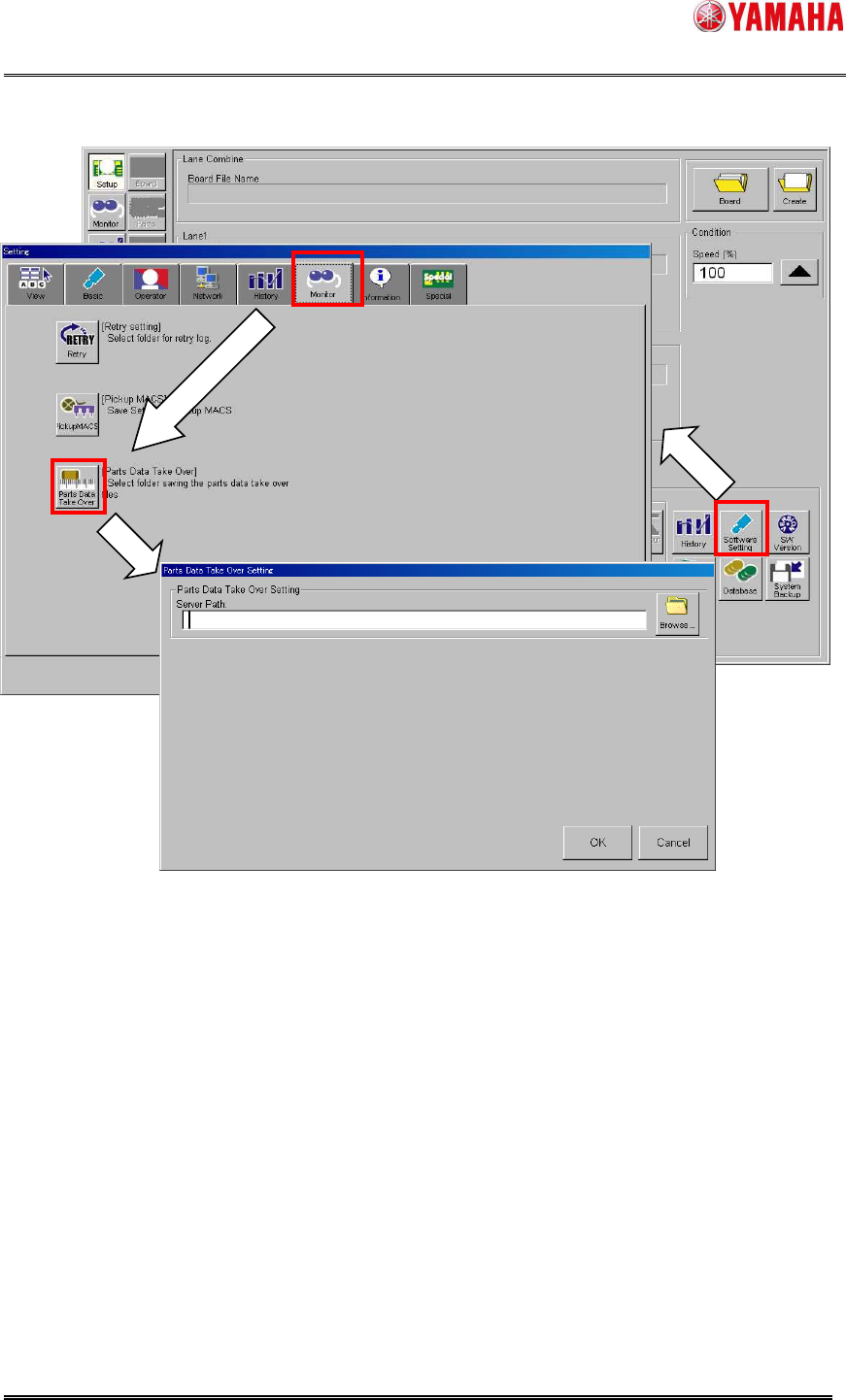
Fig 4.2 [Parts Data Take Over Setting] screen
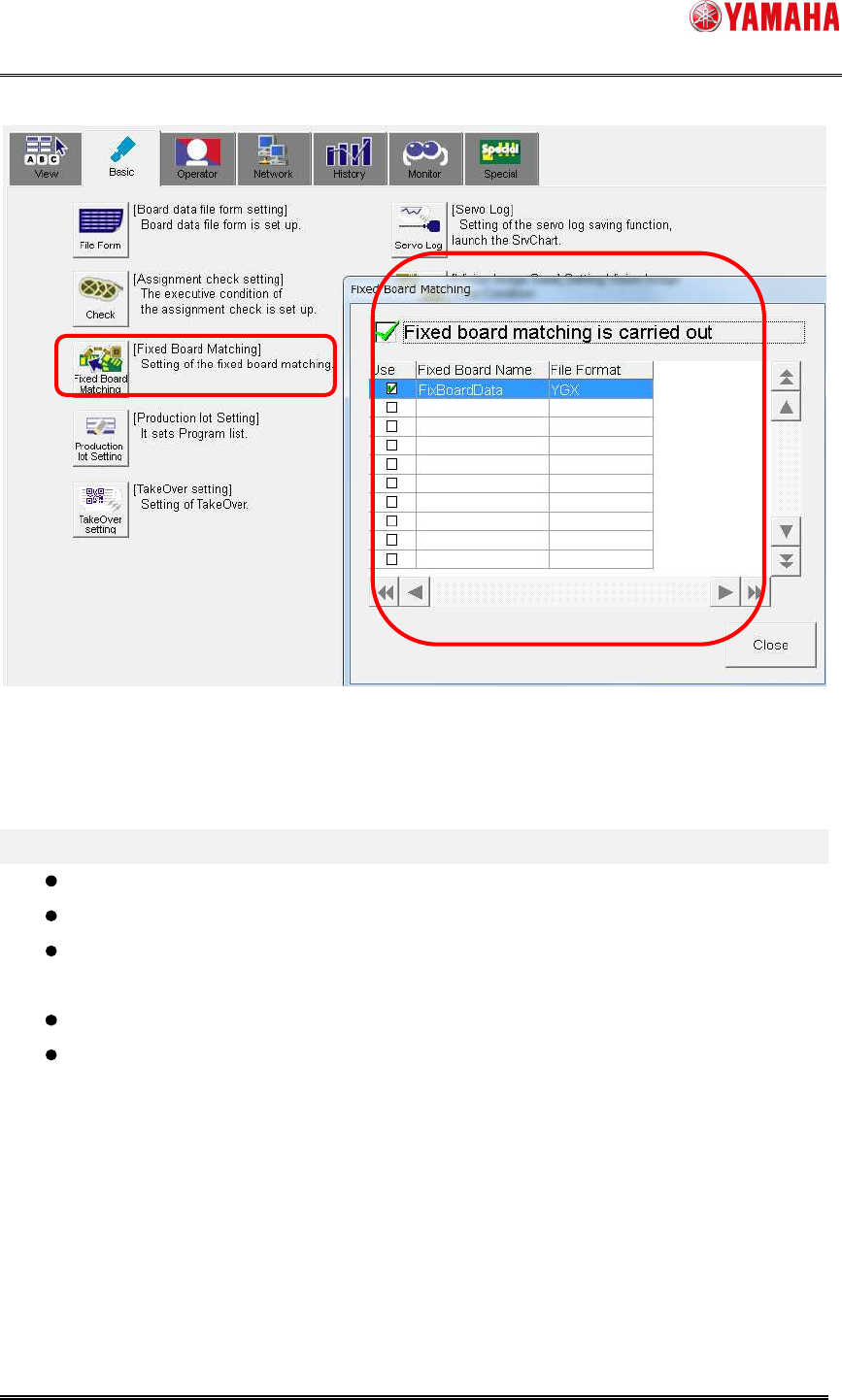
4.3 Reading fixed board data
This function is supposed to be used with board data that has mount data, but it is available
without mount data as long as fixed board data is read. In this case, mounting heads and
nozzles are automatically determined. Please note that the determined combination of
heads and nozzles will be different from that you want to set.
Read the fixed board data specified in the following screen.
(▲1)
SMT Software Engineering Group
IM Operations YAMAHA MOTOR CO., LTD
MDOC-SOFT50389
15/18
Fig 4.3 Fixed board data setting
5.
Limitations
This function doesn’t work on a machine not supported for SS feeder and ZS feeder.
This function doesn’t work with any other feeders than 4mm or 8mm feeders.
When carbon tape guides are used, nozzles of 3
03, 314, 603, 503, and 514 are not
available.
Flying Nozzle Change is not supported.
Single Fiducial Camera may not recognize a guide in some area.
SMT Software Engineering Group
IM Operations YAMAHA MOTOR CO., LTD
MDOC-SOFT50389
16/18
6.
Suggestions at upgrading software
Please be advised to read this section when the software is updated from an older version
without this function.
6.1. Mark data setting for guide recognition
As described at “3. Function Details”, guide recognition requires a special mark data registered in
database.
Please use board data that is included in the installation CD of V3.45STDR1.000 or later/ V4.44
STD R1.000 or later through the following procedure.
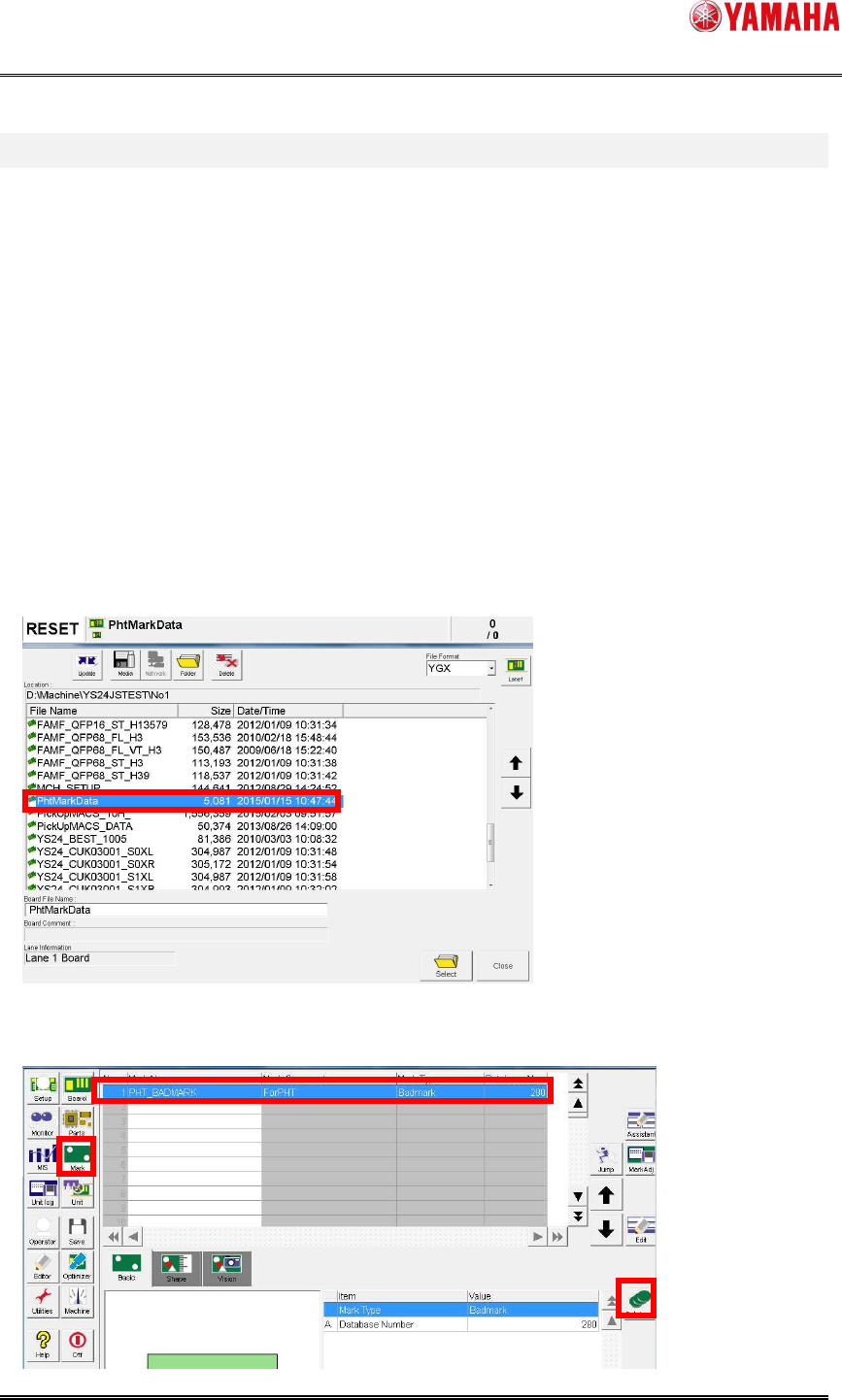
(1) Copy “PhtMarkData.ygx” from the installation CD to the “No1” folder in the target
machine.
(2) From the [Setup] screen, read the board data “PhtMarkData.ygx”. An error may occur,
but you can ignore it.
(3) Press the [Mark] button. Select mark data of “PHT_BADMARK”, then press the
[Database] button.