00193897-0302_AI_MTC2+BE_DE+EN.pdf - 第119页
Assembly instructions MTC2 and Component docking unit on SIPLACE HF and X-series Edition 07/2009 117 2 Observe sequence: The reamed bolt must be tightened first and then the othe r fixing bolt s. This ensures correct sea…
Assembly instructions MTC2 and Component docking unit on SIPLACE HF and X-series
Edition 07/2009
116
2
With the HF series, the MTC can only be used at locations 2 and 4 for a 1-gantry placement area.
2
2
2
Ensure that the cables and hoses are not damaged.
2
2
2
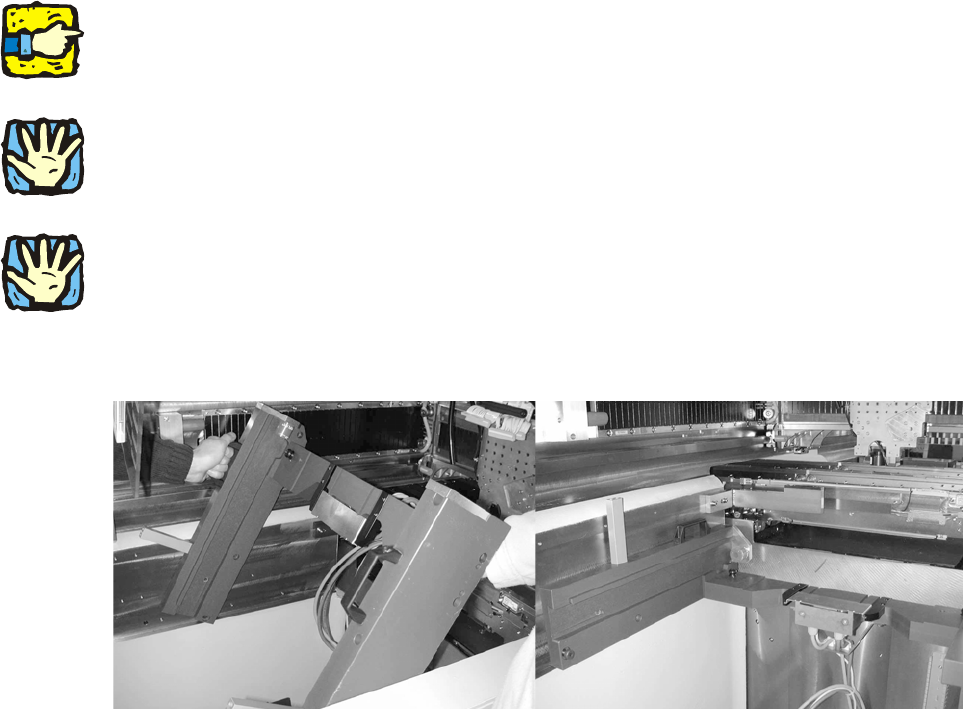
Heavy machine component! Two people should lift the slide-in framework into the machine.
2
: Install the MTC2 slide-in framework in the placement machine.
2
2
2
2
2
2
2
2
2
2
2
2
2
2
Assembly instructions MTC2 and Component docking unit on SIPLACE HF and X-series
Edition 07/2009
117
2
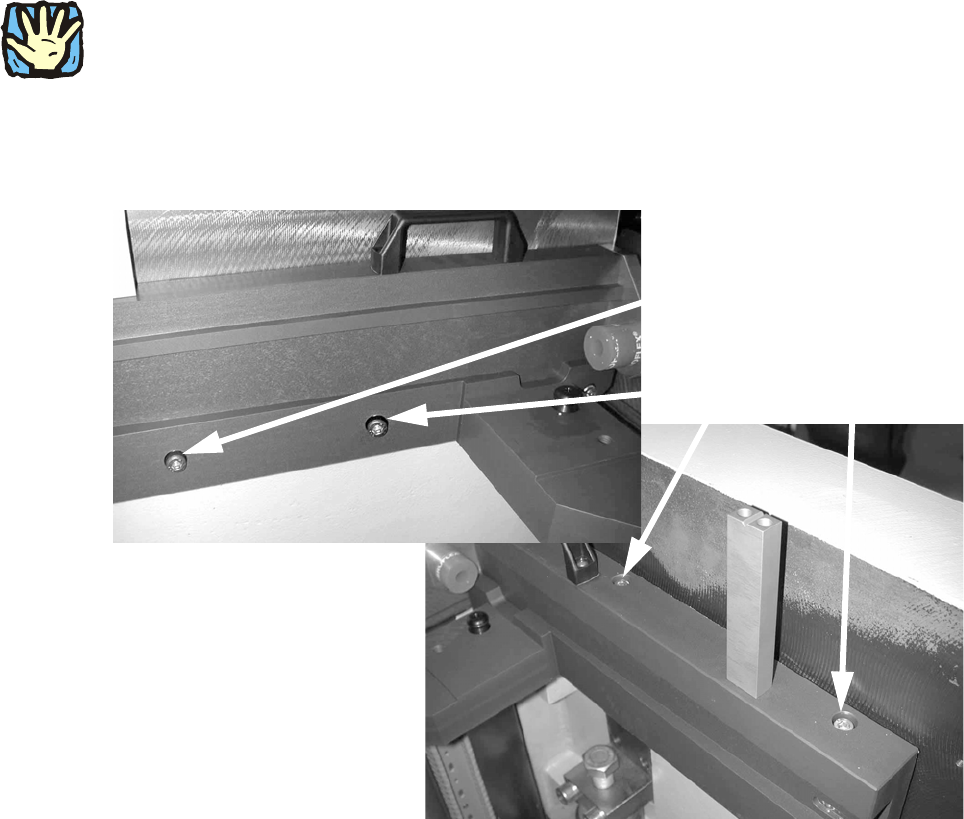
Observe sequence:
The reamed bolt must be tightened first and then the othe
r fixing bolts. This ensures correct sea-
ting of the MTC slide-in framework. 2
: Screw in the reamed bolt and then the fixin
g bolts without tightening.
: First tighten the reamed bolt, then the fixing bolts on the inside of the machine.
Reamed bolt
Regular bolts
2
Assembly instructions MTC2 and Component docking unit on SIPLACE HF and X-series
Edition 07/2009
118
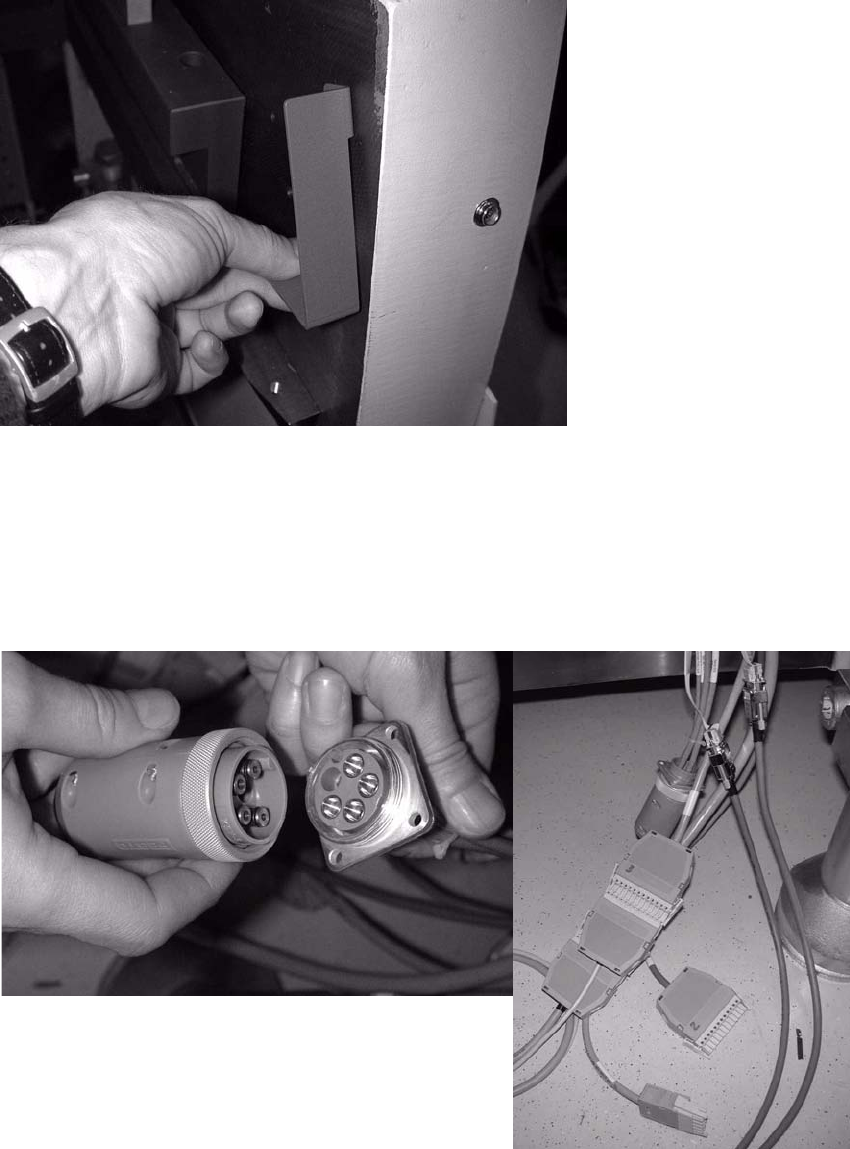
: Fix the protective cover to the placement machine with two bolts.
2
: The barcode panels of the protective cover are located above the conveying areas:
Change the barcode panels of the docking unit to
those for the MTC2.
: Insert the blind plugs in the compressed-air hose.
: Reconnect the cable.
2
2