00193897-0302_AI_MTC2+BE_DE+EN.pdf - 第131页
Assembly instructions MTC2 and Component docking unit on SIPLACE HF and X-series Edition 07/2009 129 : Carefully place the cover on the side p anel (right machine side) and screw tight (see Fig. 2.1 1.3 und Fig. 2.1 1.6 …
Assembly instructions MTC2 and Component docking unit on SIPLACE HF and X-series
Edition 07/2009
128
2.11.1 General installation
2
Observe sequence:
The reamed bolt must be tightened first and then the o
ther fixing bolts. This ensures correct seat-
ing of the MTC slide-in framework. 2
: Screw in the reamed bolt (1a or 1b)
and then the fixing bolts (2a or 2b) without tightening (see
Fig. 2.11.2 and Fig. 2.11.5).
: First tighten the reamed bolt, then the fixing b
olts on the inside of the machine (left).
: Screw the 3 fixing bolts (2a or 2b) on
the machine outer side (right side) of the slide-in frame-
work from above into th
e guide rail (see Fig. 2.11.3 und Fig. 2.11.6). Loosen the guide rail if
necessary.
: First fix the slide-in framework and then the guide rail to the machine frame.
: 2-gantry placement area: Fit the plate "Machine facing cover she
e
t cpl. MTC" (03053370-) for
protective cover.
2
Fig. 2.11.7 Protective cover fitted on cover
2
2
2
2
2
2
2
Assembly instructions MTC2 and Component docking unit on SIPLACE HF and X-series
Edition 07/2009
129
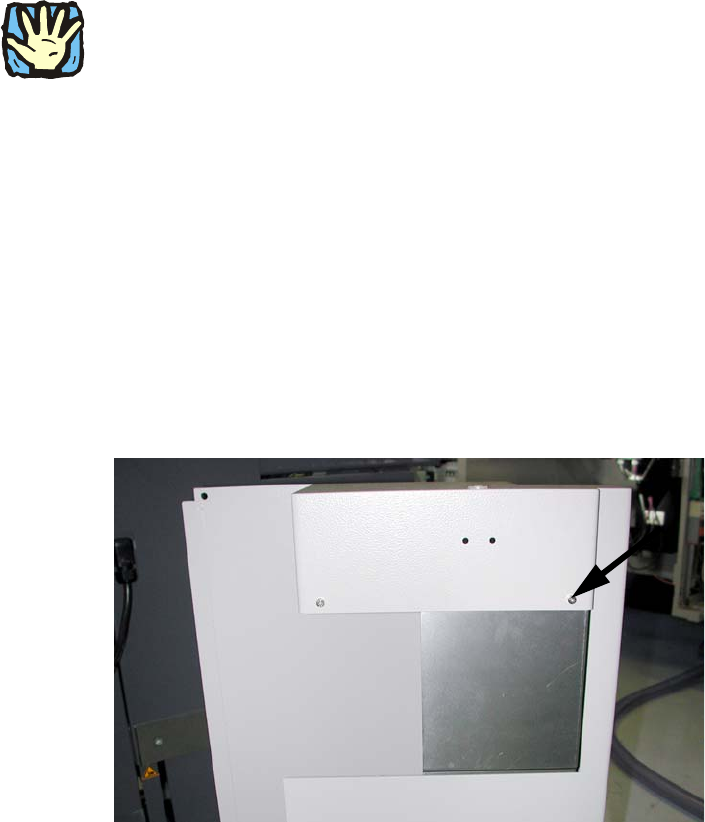
: Carefully place the cover on the side panel (right machine side) and screw tight (see Fig. 2.11.3
und Fig. 2.11.6).
2
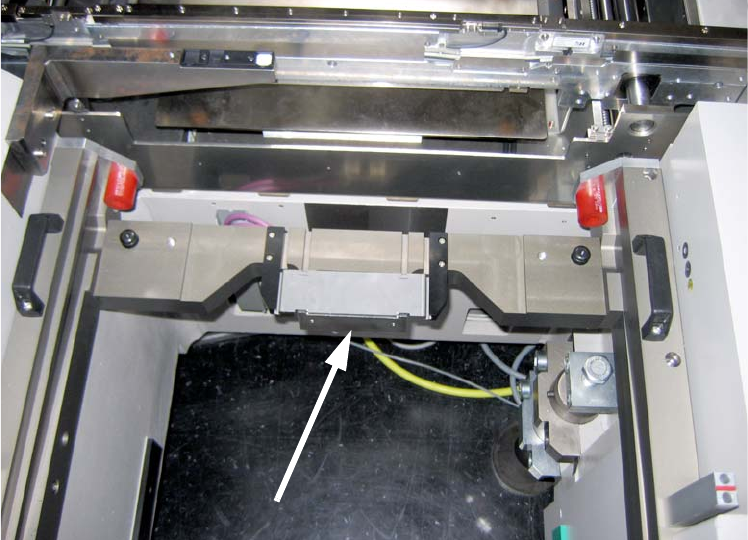
Fig. 2.11.8 Slide-in framework in 1-gantry placement area
with XS_ODU ODU connector on slide-in framework
2
: Connect all cables of the slide-in framework.
: Plug the "adapter cable CAN bus MTC2" (03027905-) into connectors X1*6 and X1*5 of the
mach
ine cable harness.
: Plug connectors X1*5 and X1*6 of the MTC slide-in framework into X1*5a and X1*6a of the
adapte
r cable.
2
2
2
2
2
2
2
Assembly instructions MTC2 and Component docking unit on SIPLACE HF and X-series
Edition 07/2009
130
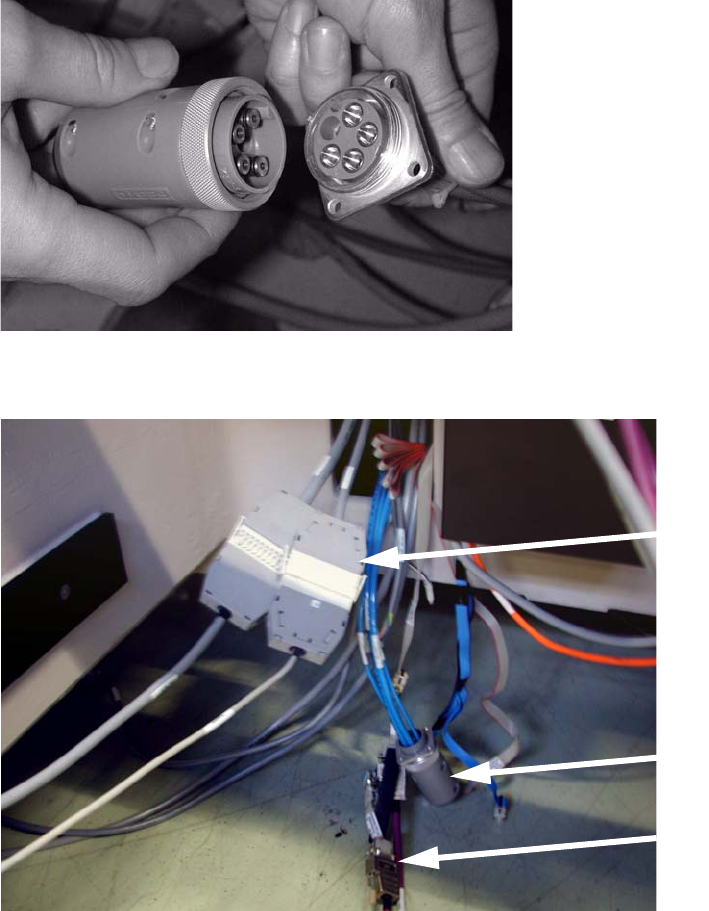
: Insert the blind plugs in the compressed-air hose and connect the cable of the MTC slide-in
framework, which make sense here.
Blind plugs
BE signalling and
safety loop
CAN bus adapter
2
Fig. 2.11.9 Blind plugs
2
Fig. 2.11.10 MTC cable
2
2
2
2
2