00198368-01_UM_SIPLACESX12-DockingStation_DE_EN_ZH.pdf - 第69页
User manual Docking station for SIPLACE SX component trolleys 4 Operation Edition 02/2018 4.1 Controls and displays 69 4 Operation 4.1 Controls and displays 4.1.1 Pneumatic unit and connection s 4 Fig. 4.1 - 1 Docking st…
3 Product description User manual Docking station for SIPLACE SX component trolleys
3.3 Assembly and fixtures Edition 02/2018
68
User manual Docking station for SIPLACE SX component trolleys 4 Operation
Edition 02/2018 4.1 Controls and displays
69
4 Operation
4.1 Controls and displays
4.1.1 Pneumatic unit and connections
4
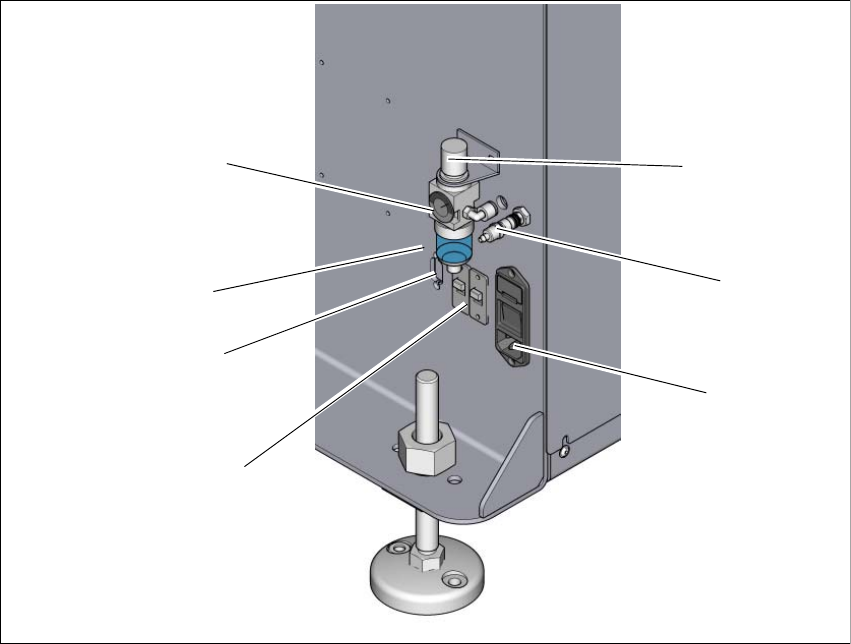
Fig. 4.1 - 1 Docking station - pneumatic unit and connections
(1) Rotary knob for setting the operating pressure
(2) Compressed air connection
(3) Mains switch and mains connection
(4) Switch S1 and S2 for setting the CAN bus address
(5) CAN bus connection
(6) Label with diagram of switch S1 and S2 for addressing the CAN bus
(7) Manometer for showing operating pressure
2
1
7
3
4
5
6
4 Operation User manual Docking station for SIPLACE SX component trolleys
4.1 Controls and displays Edition 02/2018
70
4.1.2 Controls
4
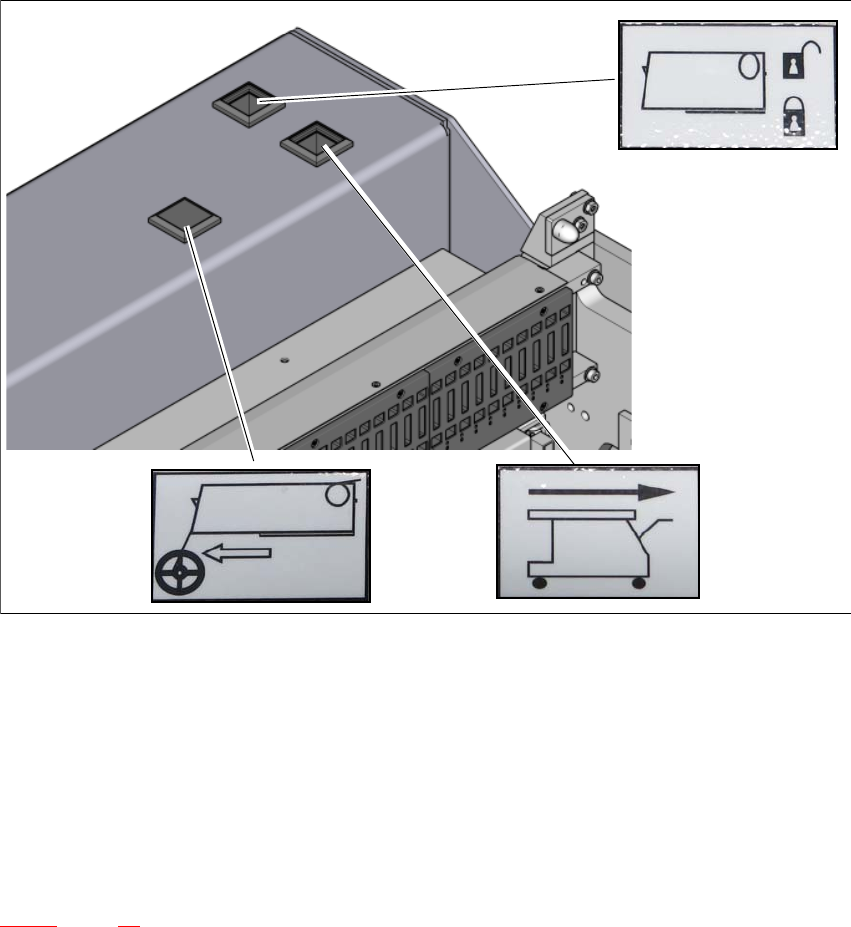
Fig. 4.1 - 2 Docking station - controls and displays
(1) Feeder module tear down (black button)
(2) Component trolley unlocking function (white button)
(3) Locking and unlocking of feeder modules (green button)
4.1.3 CAN bus addresses
The adjustable CAN bus addresses are on the label, above the switches S1 and S2 (item 6 in fig.
4.1 - 1
, page 69).
1
2
3