Galaxy EX Safety Features.pdf - 第5页
SA FETY FEA TU RES MACHINE SAFETY FEATURES Ch apte r Is sue 6, Jun 18 Tech ni cal Ref erenc e Manual 2.5 MOVING MECHANICAL P ARTS Re moving thi s cover expo ses moving mec hanical parts that have the po tenti al to caus …
SAFETY FEATURES
MACHINE SAFETY FEATURES
2.4 Technical Reference Manual Chapter Issue 6, Jun 18
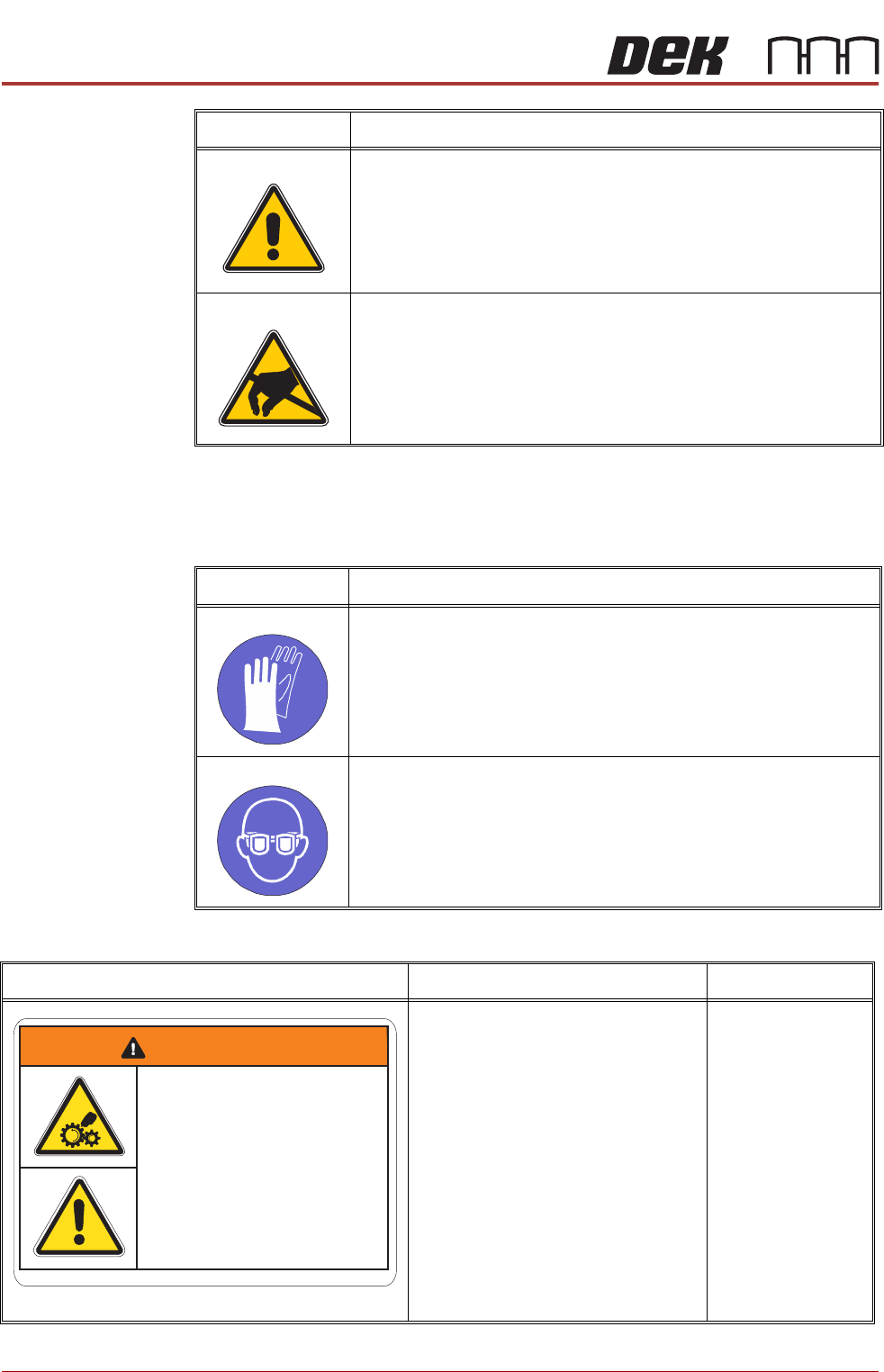
Mandatory Notices Mandatory notices draw the attention of users/maintainers to the prescribed
behaviour to be adhered whilst engaged in this activity. The following table
displays the mandatory labels affixed to the machine and displayed in the
machine documentation:
SEMI Labelling The following table displays the SEMI labelling applied to the machine:
CAUTION
SOLVENT SOLUTION. DO NOT MIX SOLVENT SOLUTIONS. FLUSH
THE SOLVENT TANK THOROUGHLY WHEN CHANGING TO A DIF-
FERENT SOLVENT SOLUTION.
CAUTION
ANTI- STATIC HANDLING. STANDARD PRECAUTIONS MUST BE
ADHERED TO WHEN HANDLING ELECTRONIC CARDS AND CON-
FIGURING AND INSERTING INTO THE ENCLOSURES.
Symbol Definition
Symbol Definition
MANDATORY
TOXIC CHEMICALS MAY BE PRESENT. SAFETY GLOVES MUST BE
WORN.
MANDATORY
TOXIC CHEMICALS MAY BE PRESENT. EYE PROTECTION MUST BE
WORN.
Warning Definition Location
MOVING MECHANICAL PARTS
Removing this cover exposes moving
mechanical parts that have the potential
to cause serious injury. Disconnect and
lock out the system power before
removing this cover. Refer to the Lock-
out procedure at the end of this chapter.
GENERAL WARNING
Refer to the Operator manual or the
front of this chapter for a list of all warn-
ings and their definitions.
Left Hand Upper
Side Panel
WARNING
Moving Mechanical PartsMoving Mechanical Parts
Removing covers could result
in serious injury
Removing
covers could result
in
serious injury
Disconnect and lock out system power
before servicing refer to the
Technical Reference manual
Disconnect
and lock out system power
before
servicing refer to the
Technical
Reference manual
SAFETY FEATURES
MACHINE SAFETY FEATURES
Chapter Issue 6, Jun 18 Technical Reference Manual 2.5
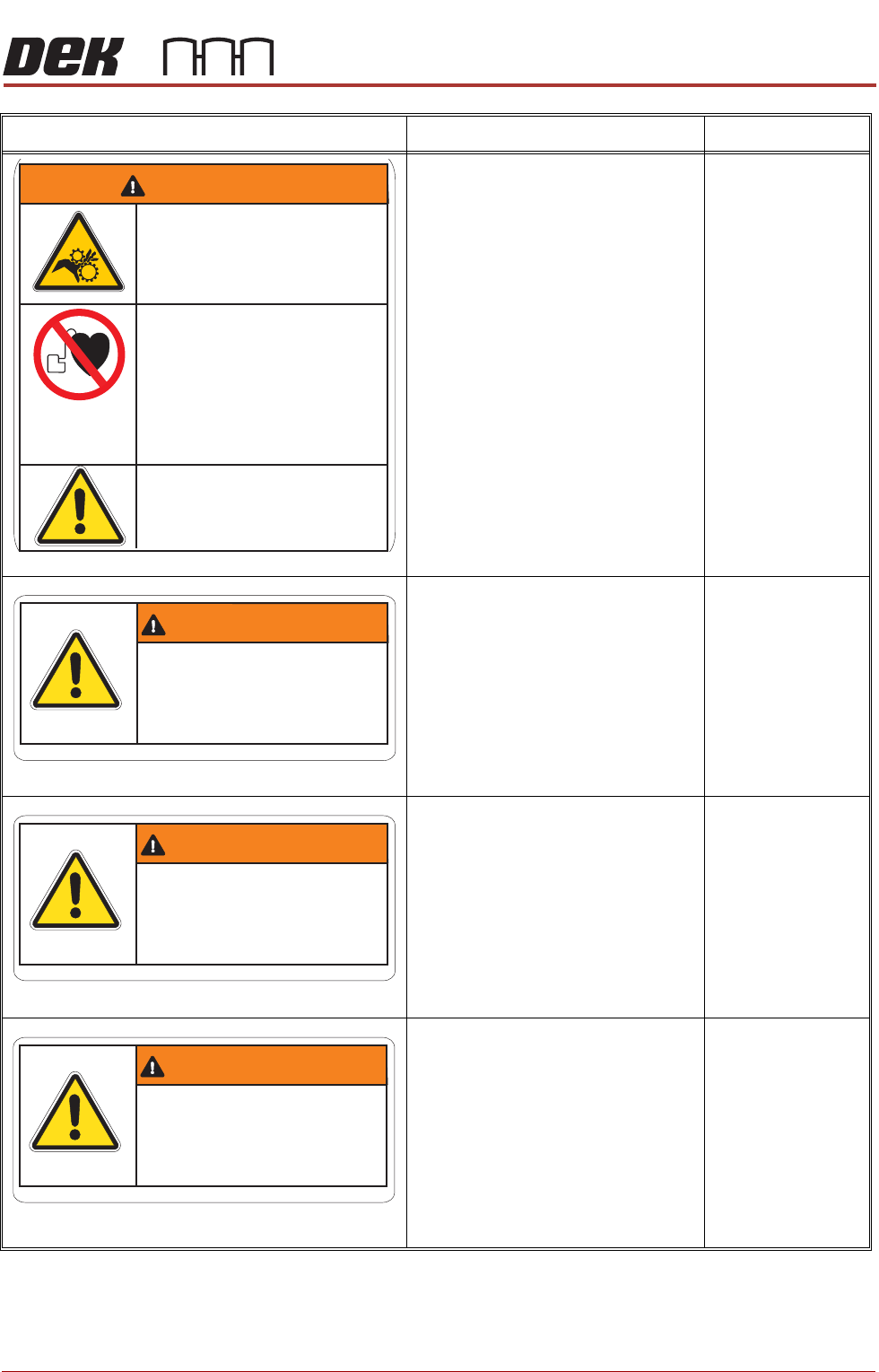
MOVING MECHANICAL PARTS
Removing this cover exposes moving
mechanical parts that have the potential
to cause serious injury. Disconnect and
lock out the system power before
removing this cover. Refer to the Lock-
out procedure at the end of this chapter.
STRONG MAGNETIC FIELD
A strong magnetic field exists in the
vicinity of the camera linear motors.
These may represent a serious hazard
to people fitted with a pacemaker.
GENERAL WARNING
Refer to the Operator manual or the
front of this chapter for a list of all warn-
ings and their definitions.
Right Hand Upper
Side Panel
POTENTIAL HAZARDS
Removing this cover may expose oper-
ators to parts that have the potential to
cause minor injury.
GENERAL WARNING
Refer to the Operator manual or the
front of this chapter for a list of all warn-
ings and their definitions.
Left Hand & Right
Hand Safety Covers
ELECTRO MECHANICAL HAZARDS
Removing this cover exposes electro-
mechanical parts that have the potential
to cause serious injury. This cover is
only to be removed by trained person-
nel.
GENERAL WARNING
Refer to the Operator manual or the
front of this chapter for a list of all warn-
ings and their definitions.
Front Cover
ELECTRO MECHANICAL HAZARDS
Removing this cover exposes electro-
mechanical parts that have the potential
to cause serious injury. Disconnect and
lock out the system power before
removing this cover. Refer to the Lock-
out procedure at the end of this chapter.
GENERAL WARNING
Refer to the Operator manual or the
front of this chapter for a list of all warn-
ings and their definitions.
Rear Cover
Warning Definition Location
WARNINGWARNING
Moving Mechanical PartsMoving Mechanical Parts
Removing covers could result
in serious injury
Removing covers could result
in serious injury
Disconnect and lock out system power
before servicing
Disconnect and lock out system power
before servicing
Refer to the Operator and
Technical Reference manuals
Refer to the Operator and
Technical Reference
manuals
An electromagnetic field exists
within the machine from the camera
linear motors.
These may present a hazard to people
fitted with an implanted cardiac device.
The motor manufacturer recommends
a safe distance of at least 15mm.
An electromagnetic field exists
within
the machine from the camera
linear motors.
These may present a hazard to people
fitted with an implanted cardiac device.
The motor manufacturer recommends
a safe distance of at least 15mm.
Electro Magnetic FieldElectro Magnetic Field
Potential HazardsPotential Hazards
Removing cover may expose
operators to minor injury
Removing
cover may expose
operators
to minor injury
Refer to the Operator manualRefer
to the Operator manual
CAUTIONCAUTION
Electro Mechanical HazardsElectro Mechanical Hazards
Removing cover could result
in serious injury
Removing
cover could result
in
serious injury
Only to be removed by
trained personnel
Only
to be removed by
trained
personnel
WARNING
WARNINGWARNING
Electro Mechanical HazardsElectro Mechanical Hazards
Removing cover could result
in serious injury
Removing
cover could result
in
serious injury
Disconnect and lock out system
power before servicing refer to
the Technical Reference manual
Disconnect
and lock out system
power
before servicing refer to
the Technical
Reference manual
SAFETY FEATURES
GENERAL
2.6 Technical Reference Manual Chapter Issue 6, Jun 18
GENERAL
DEK printing machines incorporate safety features that provide a safe
operating environment for the operator and the machine.
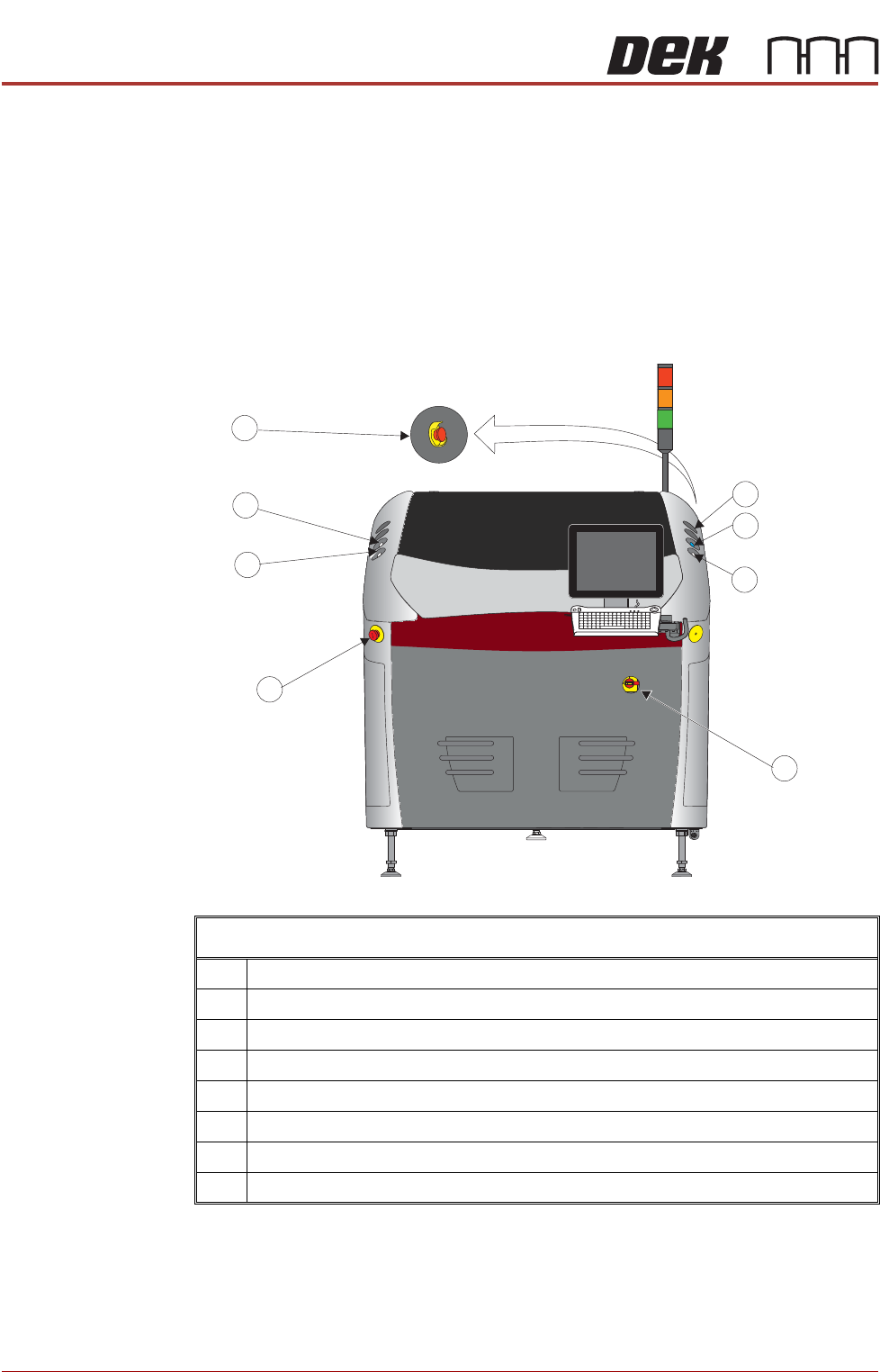
EMO The machine is fitted with two Emergency Machine Off push button control
switches (EMO’s) located at the front and rear of the machine. Operation of an
EMO shuts down the machine.
Cover The printhead cover is fitted with a cam interlock switch to protect personnel
from internal moving parts.
Printer Cover Design - View on Front
1 Start Button
2 System Button
3 Right Jog Button
4 Mains Isolator Switch
5 Emergency Off (EMO)
6 Left Jog Button
7 Internal Light
8 EMO (at the rear)