JUKI FX-3R MAINTENANCE GUIDE.pdf - 第165页
FX-3R Maintenance Guide 12-36 10) The progress status is shown using the progress bar during installation. 11) When the installation is completed, the “ InstallS hield Wizard Completed ” screen will appear. Click the [Fi…
FX-3R Maintenance Guide
12-35
Appendix: About mechanical control parameters
The mechanical control parameters are an aggregate of
threshold value data.
The following shows the major setting data to .
Speed data for head operation
Speed data for X/Y-axis operation
Speed data for support table operation
R.P.M. of AWC/Center motor
Time data for ATC control
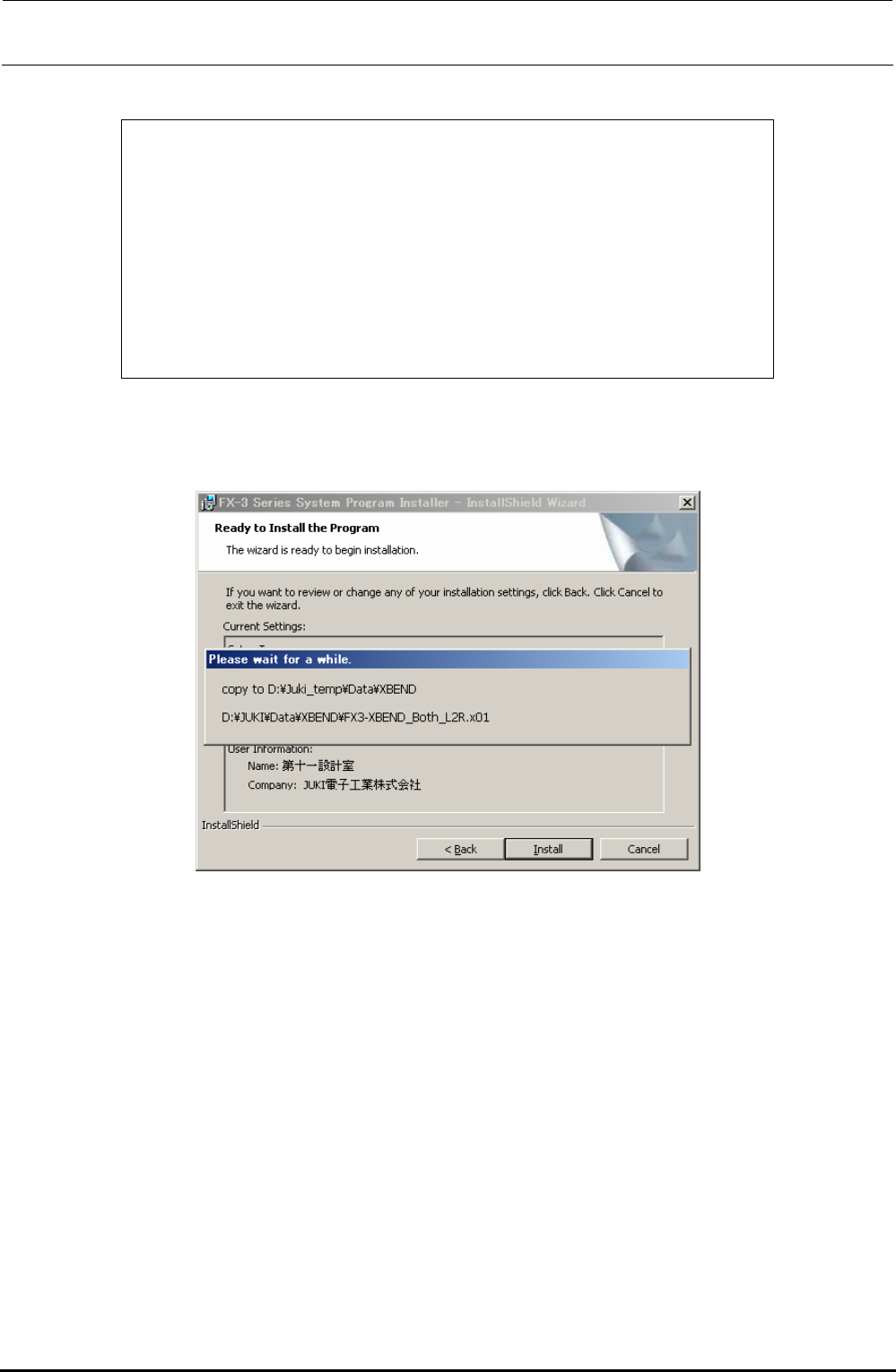
9) If you selected [Yes] in the “Is the existing soft backup performed?” area in step 8), the existing
soft backup progress screen will appear.
Rev. 1.00
FX-3R Maintenance Guide
12-36
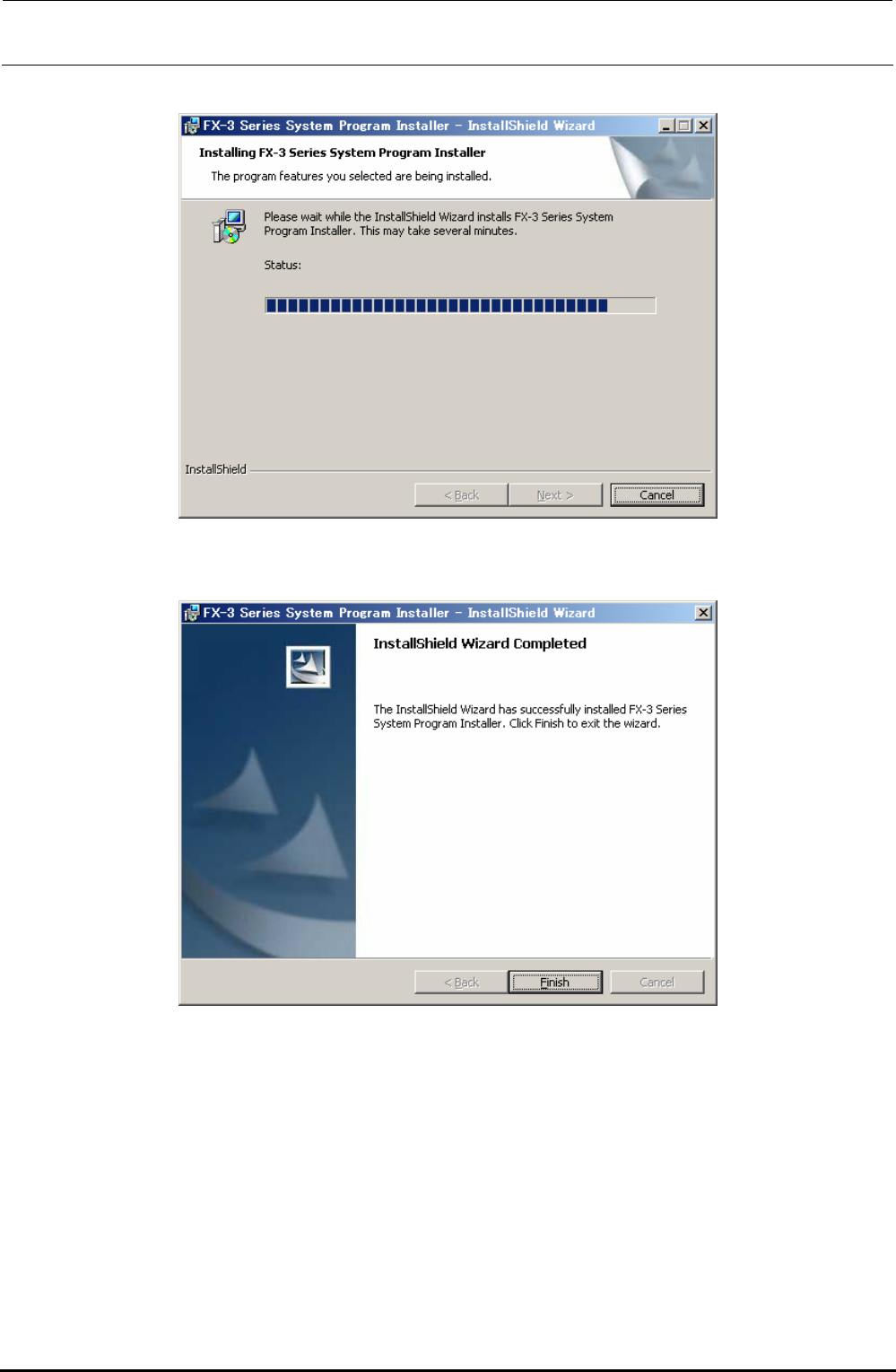
10) The progress status is shown using the progress bar during installation.
11) When the installation is completed, the “InstallShield Wizard Completed” screen will appear.
Click the [Finish] button to complete the installation.
12) Follow the steps stated in section 12-2-4-2, Installing the FlexlineDB, to install the FlexlineDB
suitable for the system version.
13) Follow the steps stated in section 12-2-4-3, Updating the C-drive, to update the C-drive.
∗ CAUTION
If the system is started up again without updating of the C-drive, the installation information is
cleared from the C-drive due to C-drive protect function, causing the system not to be started up
correctly.
Rev. 1.00
FX-3R Maintenance Guide
12-37
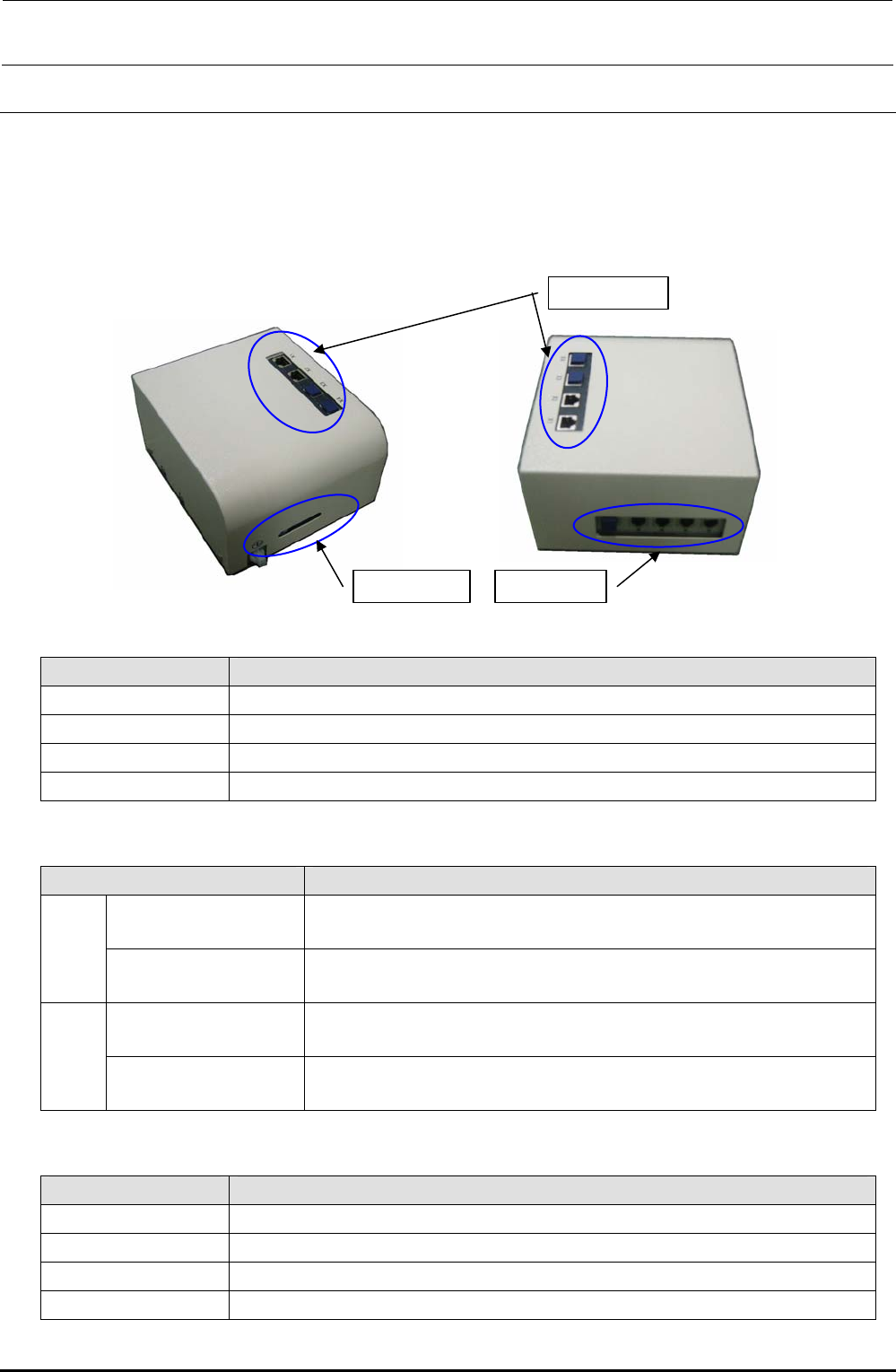
12-3. HUB-BOX (RFID Applicable Option)
(1) Functions
This hub-box provides the switching hub function and the communication function with the
RFID antenna.
The RFID read results are transmitted to the CPU_BOARD through the HUB_BOX.
(2) Meaning of LED
Window 2
Window 1
Window 3
Window 1
Name Function
Power Shows that the power supply is connected to the controller.
Online Shows that the network connection with the server is established.
Link Shows that the electrical connection with the network is valid.
Activity Shows the data transmission between the controller and server.
Window 2
Name Function
LNK/ACT LNK: Lit
ACT: Flashes
X1
100 10 Mbps: Off
100 Mbps: Lit
LNK/ACT LNK: Lit
ACT: Flashes
X2
100 10 Mbps: Off
100 Mbps: Lit
Window 3
Name Function
Ch1 Establishment of communication with antenna (antenna array): Flashes.
Ch2 Same as above
Ch3 Same as above
Ch4 Same as above
Rev. 1.00